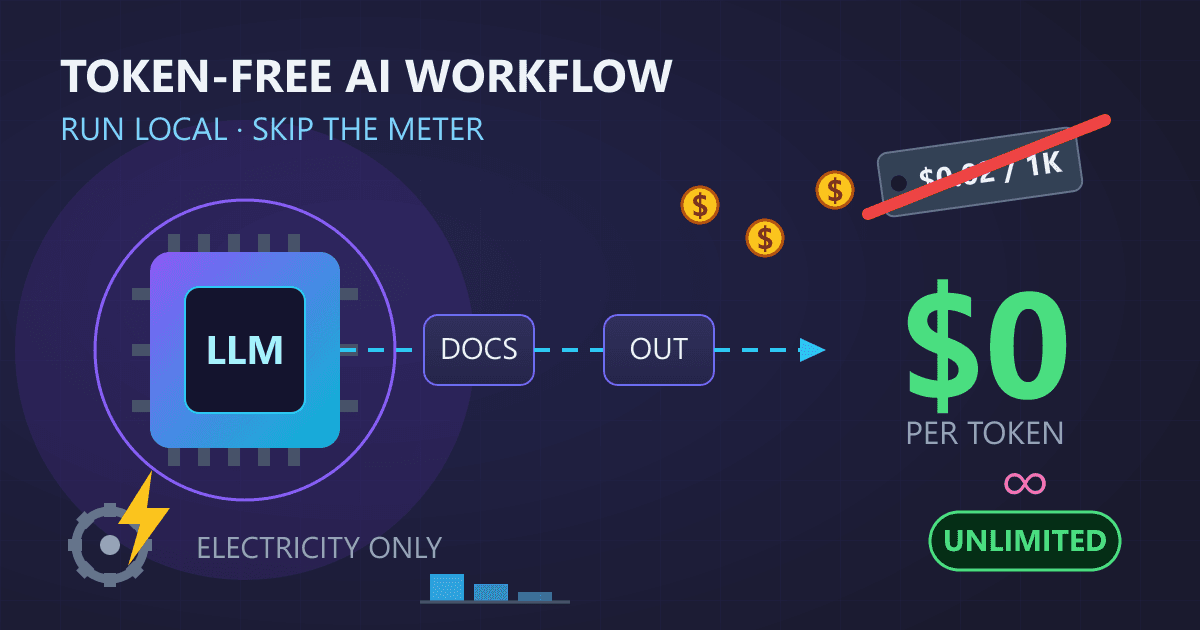
Quick Answer: You can build unlimited AI workflows with zero per-token costs using local LLMs. Hardware investment ranges from $300-$500 (entry-level upgrades) to $2,000-$4,000 (professional systems). Software is free (Ollama, llama.cpp, vLLM). Break-even versus cloud APIs occurs in 6-10 months for most users. Once set up, the marginal cost per query is essentially zero (just electricity at $10-$50/month), enabling unlimited iteration, experimentation, and scaling without budget anxiety.
Picture this: you are refining a document through an AI assistant, iterating on the phrasing, asking follow-up questions, experimenting with different approaches. Except instead of enjoying the creative process, part of your brain is calculating costs. That paragraph you just rewrote three times? Tokens. That clarifying question? More tokens. The experimental tangent that did not pan out? Wasted tokens.
Try AI Chat — free, no sign-up, and it runs entirely in your browser.
This cognitive overhead extracts a hidden tax on creativity and productivity. When every interaction carries a price tag, you unconsciously ration your usage. You batch questions instead of exploring naturally. You accept "good enough" instead of iterating toward excellent. You hesitate before experimenting with new approaches.
What if that meter simply did not exist?
Local AI workflows eliminate the per-token economy entirely. Once your system is configured, every query costs the same: essentially nothing beyond the electricity your computer already uses. Ask a hundred questions or a thousand. Regenerate responses until they are perfect. Explore tangential ideas without financial anxiety. Process entire document libraries without watching costs accumulate.
This guide walks you through building a complete AI workflow that operates outside the token economy. We cover the conceptual foundation, hardware requirements across budget levels, software selection, infrastructure design, and practical implementation examples you can deploy immediately.
Who this guide is for:
- Developers building AI-powered applications who want predictable costs
- Automation enthusiasts creating intelligent workflows without usage limits
- Small business owners seeking AI capabilities without subscription fees
- Content creators who need unlimited AI assistance for their work
What you will learn:
- How local AI fundamentally differs from cloud API models
- Hardware recommendations across three budget tiers
- Software stack selection and configuration
- Building robust workflow infrastructure
- Four complete workflow examples with code
- Optimization techniques for production deployment
By the end, you will have a blueprint for AI workflows that scale with your ambition rather than your budget. The freedom to use AI without watching a meter tick changes how you approach every project.
Let us begin building.
How Does Local AI Eliminate Per-Token Costs?
Before diving into implementation, understanding why local AI eliminates per-token costs requires examining how cloud AI pricing works and what makes local deployment fundamentally different.
The Cloud AI Pricing Model
Cloud AI services charge based on tokens, roughly equivalent to word fragments. A typical English word translates to 1-2 tokens. Both input (your prompts) and output (AI responses) accrue charges.
Typical 2025-2026 Cloud API Pricing:
| Provider | Model | Input (per 1M tokens) | Output (per 1M tokens) |
|---|---|---|---|
| OpenAI | GPT-4o | $2.50 | $10.00 |
| OpenAI | GPT-4 Turbo | $10.00 | $30.00 |
| Anthropic | Claude 3.5 Sonnet | $3.00 | $15.00 |
| Anthropic | Claude 3 Opus | $15.00 | $75.00 |
| Gemini 1.5 Pro | $1.25 | $5.00 |
These costs compound quickly in production workflows:
Document Processing Workflow (per document):
- Input: 2,000 tokens (document + prompt)
- Output: 1,000 tokens (summary + analysis)
- Cost per document: ~$0.015 (using GPT-4o)

Processing 1,000 documents monthly: $15
Processing 10,000 documents monthly: $150
Processing 100,000 documents monthly: $1,500
For applications with high throughput or extensive iteration, these costs become significant line items.
How Local AI Changes the Equation
Local AI shifts the cost model from variable (per-token) to fixed (one-time hardware investment plus minimal electricity). Here is the fundamental difference:
Cloud AI Cost Model:
Total Cost = (Input Tokens + Output Tokens) x Price per Token
Scales linearly with usage
Every query increases costs
Local AI Cost Model:
Total Cost = Hardware Investment + Electricity
Fixed regardless of usage
Marginal cost per query approaches zero
One-Time Costs vs. Ongoing Costs
The local AI investment includes:
Initial Investment (One-Time):
- Hardware: $0-$4,000 depending on requirements
- Software: $0 (open-source options available)
- Setup time: 4-20 hours depending on complexity
Ongoing Costs (Monthly):
- Electricity: $10-$50 depending on usage patterns
- Maintenance: Minimal (occasional updates)
- Model updates: Free (open-source models)
Break-Even Analysis:
| Monthly Cloud Spend | Hardware Investment | Break-Even Period |
|---|---|---|
| $50/month | $500 | 10 months |
| $150/month | $1,500 | 10 months |
| $500/month | $3,000 | 6 months |
| $1,500/month | $4,000 | 2.7 months |
For any sustained AI usage, local deployment typically reaches break-even within a year, after which every query represents pure savings.
Quality Considerations
The natural question: does local AI match cloud quality?
Current Reality (2026):
Open-source models have reached remarkable capability levels:
- Llama 3.3 70B: Competitive with GPT-4 for most tasks
- Qwen 2.5 72B: Excellent reasoning and multilingual support
- Mistral Large: Strong general-purpose performance
- DeepSeek V3: Outstanding coding capabilities
For 80-90% of typical workflow tasks, local models deliver comparable results. The remaining edge cases where cloud models excel (cutting-edge reasoning, rare knowledge domains) can be handled through a hybrid approach if needed.
The capability gap continues narrowing. Models that required data center resources two years ago now run on consumer hardware.
What Workflows Can You Build With Token-Free AI?
Before purchasing hardware or installing software, mapping your workflow requirements ensures you build the right system for your needs.
Common AI Workflow Patterns
Most AI workflows fall into several categories:
1. Document Processing Pipelines
- Ingesting documents (PDF, Word, text)
- Extracting information or generating summaries
- Classifying or routing based on content
- Generating reports or transformed outputs
2. Content Generation Systems
- Creating articles, descriptions, or marketing copy
- Generating variations or alternatives
- Editing and refining existing content
- Translating or localizing content
3. Code Assistance Workflows
- Code review and analysis
- Documentation generation
- Test creation
- Refactoring suggestions
4. Data Analysis Pipelines
- Analyzing structured data with natural language
- Generating insights from datasets
- Creating visualizations or reports
- Answering questions about data
5. Communication Processing
- Email triage and response drafting
- Customer inquiry classification
- Sentiment analysis
- Meeting summarization
Mapping Your Current Usage
To design an effective local workflow, analyze your current AI usage:
Questions to Answer:
- What tasks do you currently use AI for?
- How many requests per hour/day/week?
- What is the typical input size (tokens/words)?
- What is the typical output size?
- What latency is acceptable? (Real-time vs. batch)
- Are there peak usage periods?
- How many concurrent users need access?
Usage Profile Template:
Workflow Name: [e.g., Daily Report Generation]
Current Method: [Cloud API / Manual / None]
Frequency: [X times per day/week]
Input Size: [Average words/tokens per request]
Output Size: [Average words/tokens per response]
Latency Requirement: [Immediate / <30 seconds / Batch OK]
Concurrent Users: [Number]
Special Requirements: [Privacy, offline access, etc.]
Workflow Architecture Decisions
Based on your analysis, determine your architecture:
Single-User Desktop Deployment
- One person using AI on their workstation
- Simplest setup, lowest cost
- Processing power dedicated to one user
- Best for: Individual professionals, freelancers
Shared Server Deployment
- Central server serving multiple users
- Requires network configuration
- Better hardware utilization
- Best for: Small teams, departments
Distributed Processing
- Multiple machines handling requests
- Load balancing across nodes
- Highest throughput capacity
- Best for: High-volume production, enterprise
Hybrid Architecture
- Local AI for routine tasks
- Cloud AI for exceptional requirements
- Optimizes cost while maintaining capability
- Best for: Variable workloads, specialized edge cases
Defining Success Metrics
Establish clear metrics before implementation:
Performance Metrics:
- Tokens per second (generation speed)
- Time to first token (responsiveness)
- Maximum concurrent requests
- Queue wait time under load
Quality Metrics:
- Task completion accuracy
- Response coherence
- Consistency across similar inputs
- User satisfaction scores
Economic Metrics:
- Cost per thousand requests
- Monthly operating cost
- Break-even timeline
- ROI compared to cloud alternative
Document these metrics to evaluate your implementation and guide future optimizations.
What Hardware Do You Need for Token-Free AI Workflows?
Hardware selection determines what models you can run and how fast they perform. This section provides recommendations across three budget tiers.
Understanding Hardware Requirements
Local AI performance depends on three components:
RAM (System Memory):
- Determines maximum model size
- Models load entirely into RAM during operation
- More RAM enables larger, more capable models
- Minimum 16GB, recommended 32GB+
GPU (Graphics Card):
- Dramatically accelerates inference speed
- VRAM determines model size for GPU inference
- NVIDIA GPUs have best software support
- Optional but highly recommended
Storage (SSD):
- Model files range from 2GB to 100GB+
- Fast SSD improves model loading time
- NVMe drives recommended
- Plan for 200GB+ for multiple models
Budget Tier 1: Entry Level ($300-$500)
This tier focuses on upgrading existing hardware to enable local AI.
Target Capability:
- Run 7B-13B parameter models
- CPU inference (slower but functional)
- Single-user workloads
- Basic workflow automation
Recommended Upgrades:
| Component | Specification | Approximate Cost |
|---|---|---|
| RAM | Upgrade to 32GB DDR4 | $60-$100 |
| Storage | 500GB NVMe SSD | $40-$60 |
| GPU (if slot available) | RTX 3060 12GB (used) | $180-$250 |
Total: $280-$410
What This Enables:
- Llama 3.2 8B at acceptable speeds
- Mistral 7B with good performance
- Phi-3 14B for complex tasks
- Basic document processing workflows
- Content generation (not real-time)
Performance Expectations:
| Model | Tokens/Second (CPU) | Tokens/Second (GPU) |
|---|---|---|
| Mistral 7B | 5-10 | 40-60 |
| Llama 3.2 8B | 4-8 | 35-55 |
| Phi-3 14B | 2-5 | 25-40 |
Budget Tier 2: Capable System ($800-$1,500)
This tier delivers production-ready performance for serious workflows.
Target Capability:
- Run 13B-34B parameter models
- GPU-accelerated inference
- Multi-user support (2-5 concurrent)
- Complex workflow automation
Option A: Upgrade Existing Desktop
| Component | Specification | Approximate Cost |
|---|---|---|
| RAM | 64GB DDR4 | $150-$200 |
| GPU | RTX 4070 12GB or RTX 3090 24GB | $500-$700 |
| Storage | 1TB NVMe SSD | $70-$100 |
| PSU (if needed) | 750W 80+ Gold | $80-$120 |
Total: $800-$1,120
Option B: Refurbished Workstation
| Component | Specification | Approximate Cost |
|---|---|---|
| Base System | Dell/HP Workstation (Xeon, 64GB) | $400-$600 |
| GPU | RTX 3090 24GB | $500-$700 |
| Storage | 1TB NVMe SSD | $70-$100 |
Total: $970-$1,400
What This Enables:
- Qwen 2.5 32B with excellent performance
- Llama 3.3 70B (quantized) at usable speeds
- Multiple concurrent requests
- Production document processing
- Real-time content generation
- Code assistance workflows
Performance Expectations:
| Model | Tokens/Second (RTX 4070) | Tokens/Second (RTX 3090) |
|---|---|---|
| Mistral 7B | 80-100 | 90-120 |
| Qwen 2.5 14B | 45-60 | 55-75 |
| Llama 3.3 70B Q4 | 12-18 | 18-25 |
Budget Tier 3: Professional System ($2,000-$4,000)
This tier provides enterprise-grade capability for demanding workloads.
Target Capability:
- Run 70B+ parameter models at full precision
- Support 10+ concurrent users
- High-throughput batch processing
- Mission-critical reliability
Option A: Multi-GPU Desktop
| Component | Specification | Approximate Cost |
|---|---|---|
| CPU | AMD Ryzen 9 7950X or Intel i9-14900K | $450-$550 |
| Motherboard | High-end with PCIe 5.0 support | $300-$400 |
| RAM | 128GB DDR5 | $350-$450 |
| GPU (Primary) | RTX 4090 24GB | $1,600-$1,900 |
| Storage | 2TB NVMe Gen4 | $150-$200 |
| PSU | 1000W 80+ Platinum | $150-$200 |
| Case | Full tower with airflow | $100-$150 |
Total: $3,100-$3,850
Option B: Dual GPU Configuration
| Component | Specification | Approximate Cost |
|---|---|---|
| Base System | High-end workstation or build | $1,200-$1,500 |
| GPU x2 | RTX 3090 24GB (used) x2 | $1,000-$1,400 |
| RAM | 128GB DDR4/DDR5 | $300-$450 |
| Storage | 2TB NVMe | $150-$200 |
Total: $2,650-$3,550
What This Enables:
- Llama 3.3 70B at full precision
- Qwen 2.5 72B with excellent speed
- DeepSeek V3 for coding tasks
- 10+ concurrent users
- Enterprise workflow automation
- Real-time applications with high throughput
Performance Expectations:
| Model | Tokens/Second (RTX 4090) | Tokens/Second (Dual 3090) |
|---|---|---|
| Mistral 7B | 120-150 | 140-180 |
| Llama 3.3 70B | 25-35 | 30-45 |
| Qwen 2.5 72B | 22-30 | 28-40 |
Hardware Selection Guidelines
Prioritize VRAM over everything else for local AI performance. A system with an RTX 3090 (24GB VRAM) will outperform a system with a faster CPU and less GPU memory.
Consider used enterprise hardware. Data center GPUs like the NVIDIA A100 or previous-generation cards often appear at significant discounts. Professional workstations from Dell, HP, and Lenovo offer reliability and expandability.
Plan for growth. Choose a platform that allows adding more RAM or a second GPU later. The AI field evolves rapidly, and flexibility protects your investment.
What Software Do You Need for Local AI Workflows?
With hardware ready, selecting the right software stack determines workflow capability and operational complexity.
Inference Engines Compared
Inference engines run AI models and provide interfaces for applications. Four leading options serve different needs:
Ollama
The most user-friendly option for getting started.
| Aspect | Details |
|---|---|
| Best For | Individual users, simple deployments |
| Ease of Setup | Excellent (one command install) |
| Model Support | Wide (curated library) |
| API Compatibility | OpenAI-compatible API |
| Performance | Good |
| Resource Efficiency | Moderate |
Installation:
curl -fsSL https://ollama.com/install.sh | sh
Key Commands:
# Pull a model
ollama pull llama3.3

# Run interactively
ollama run llama3.3

# Start API server (runs on port 11434)
ollama serve
llama.cpp
Maximum performance and flexibility for advanced users.
| Aspect | Details |
|---|---|
| Best For | Performance-critical applications |
| Ease of Setup | Moderate (compilation may be needed) |
| Model Support | Excellent (GGUF format) |
| API Compatibility | OpenAI-compatible (with llama-server) |
| Performance | Excellent |
| Resource Efficiency | Excellent |
Installation:
# Clone and build
git clone https://github.com/ggerganov/llama.cpp
cd llama.cpp
make -j

# Or with CUDA support
make -j LLAMA_CUDA=1
Running a Server:
./llama-server -m models/llama-3.3-70b-Q4_K_M.gguf \
  --host 0.0.0.0 --port 8080 \
  -c 4096 -ngl 99
vLLM
Optimized for high-throughput production serving.
| Aspect | Details |
|---|---|
| Best For | High-throughput APIs, multiple users |
| Ease of Setup | Moderate |
| Model Support | Good (Hugging Face models) |
| API Compatibility | OpenAI-compatible |
| Performance | Excellent for batched requests |
| Resource Efficiency | Good |
Installation:
pip install vllm
Running a Server:
python -m vllm.entrypoints.openai.api_server \
  --model meta-llama/Llama-3.3-70B-Instruct \
  --tensor-parallel-size 2 \
  --port 8000
LocalAI
Drop-in OpenAI replacement with broad compatibility.
| Aspect | Details |
|---|---|
| Best For | Replacing OpenAI in existing applications |
| Ease of Setup | Good (Docker recommended) |
| Model Support | Wide (multiple backends) |
| API Compatibility | Full OpenAI API compatibility |
| Performance | Good |
| Resource Efficiency | Moderate |
Installation (Docker):
docker run -p 8080:8080 --gpus all \
  -v $PWD/models:/models \
  localai/localai:latest
Comparison Summary
| Feature | Ollama | llama.cpp | vLLM | LocalAI |
|---|---|---|---|---|
| Setup Difficulty | Easy | Moderate | Moderate | Easy |
| Performance | Good | Excellent | Excellent | Good |
| API Compatibility | Partial | Full | Full | Full |
| GPU Utilization | Good | Excellent | Excellent | Good |
| Multi-User Support | Basic | Good | Excellent | Good |
| Best Use Case | Getting started | Max performance | Production APIs | OpenAI replacement |
Recommendation by Use Case
Individual developer or small team starting out: Start with Ollama. The simplicity lets you focus on workflow design rather than infrastructure. Migrate to llama.cpp or vLLM later if you need more performance.
Production application with existing OpenAI integration: Use LocalAI to minimize code changes. The full API compatibility means your existing code works with minimal modification.
High-throughput batch processing: Deploy vLLM. The batching optimizations significantly improve throughput for concurrent requests.
Maximum control and performance: Build on llama.cpp. The direct access to inference parameters enables fine-tuning for specific workloads.
Supporting Software
Beyond the inference engine, several tools enhance local AI workflows:
Model Management:
- Hugging Face Hub: Download and version models
- LM Studio: Visual model browser and manager
Orchestration:
- LangChain: Chain multiple AI operations
- LlamaIndex: Connect AI to data sources
Monitoring:
- Prometheus: Collect performance metrics
- Grafana: Visualize system health
Interfaces:
- Open WebUI: Chat interface for local models
- Text Generation WebUI: Advanced chat with parameters
How Do You Build Production-Ready Workflow Infrastructure?
With hardware and software selected, building robust infrastructure turns components into a production-ready workflow system.
API Layer Architecture
Creating a consistent API layer simplifies workflow development and enables future flexibility.
Basic API Wrapper (Python/FastAPI):
from fastapi import FastAPI, HTTPException
from pydantic import BaseModel
import httpx
import os

app = FastAPI(title="Local AI Gateway")

# Configuration
OLLAMA_URL = os.getenv("OLLAMA_URL", "http://localhost:11434")
DEFAULT_MODEL = os.getenv("DEFAULT_MODEL", "llama3.3")

class ChatRequest(BaseModel):
    messages: list[dict]
    model: str = DEFAULT_MODEL
    temperature: float = 0.7
    max_tokens: int = 2048

class ChatResponse(BaseModel):
    content: str
    model: str
    tokens_used: int

@app.post("/chat", response_model=ChatResponse)
async def chat(request: ChatRequest):
    """Process a chat request through the local LLM."""

    async with httpx.AsyncClient(timeout=120.0) as client:
        response = await client.post(
            f"{OLLAMA_URL}/api/chat",
            json={
                "model": request.model,
                "messages": request.messages,
                "options": {
                    "temperature": request.temperature,
                    "num_predict": request.max_tokens
                },
                "stream": False
            }
        )

        if response.status_code != 200:
            raise HTTPException(status_code=500, detail="LLM request failed")

        result = response.json()
        return ChatResponse(
            content=result["message"]["content"],
            model=request.model,
            tokens_used=result.get("eval_count", 0)
        )

@app.get("/health")
async def health():
    """Check if the AI service is available."""
    try:
        async with httpx.AsyncClient(timeout=5.0) as client:
            response = await client.get(f"{OLLAMA_URL}/api/tags")
            return {"status": "healthy", "models": response.json()}
    except Exception as e:
        raise HTTPException(status_code=503, detail=str(e))
Running the API:
pip install fastapi uvicorn httpx
uvicorn api:app --host 0.0.0.0 --port 8000
Request Queue and Rate Management
For multi-user environments, implementing a request queue prevents overload and ensures fair access.
Queue Implementation (Python with Redis):
import redis
import json
import uuid
from datetime import datetime
import asyncio

class RequestQueue:
    def __init__(self, redis_url="redis://localhost:6379"):
        self.redis = redis.from_url(redis_url)
        self.queue_name = "ai_requests"
        self.results_prefix = "ai_result:"

    def submit(self, request_data: dict, priority: int = 5) -> str:
        """Submit a request to the queue. Returns request ID."""
        request_id = str(uuid.uuid4())

        job = {
            "id": request_id,
            "data": request_data,
            "submitted": datetime.now().isoformat(),
            "status": "pending"
        }

        # Use sorted set for priority queue
        self.redis.zadd(
            self.queue_name,
            {json.dumps(job): priority}
        )

        return request_id

    def get_next(self) -> dict | None:
        """Get the highest priority pending request."""
        result = self.redis.zpopmin(self.queue_name)
        if result:
            return json.loads(result[0][0])
        return None

    def store_result(self, request_id: str, result: dict):
        """Store the result for a completed request."""
        self.redis.setex(
            f"{self.results_prefix}{request_id}",
            3600,  # 1 hour TTL
            json.dumps(result)
        )

    def get_result(self, request_id: str) -> dict | None:
        """Retrieve the result for a request."""
        data = self.redis.get(f"{self.results_prefix}{request_id}")
        if data:
            return json.loads(data)
        return None
Integration Patterns
Different integration patterns suit different workflow requirements:
Pattern 1: Direct API Call
Simplest pattern for synchronous, single-request workflows.
import httpx

async def summarize_document(document_text: str) -> str:
    """Summarize a document using local AI."""

    async with httpx.AsyncClient(timeout=120.0) as client:
        response = await client.post(
            "http://localhost:8000/chat",
            json={
                "messages": [
                    {
                        "role": "system",
                        "content": "You are a document summarizer. Provide concise, accurate summaries."
                    },
                    {
                        "role": "user",
                        "content": f"Summarize this document:\n\n{document_text}"
                    }
                ],
                "temperature": 0.3,
                "max_tokens": 500
            }
        )

        return response.json()["content"]
Pattern 2: Streaming Response
For real-time feedback during generation.
async def stream_response(prompt: str):
    """Stream AI response tokens as they generate."""

    async with httpx.AsyncClient() as client:
        async with client.stream(
            "POST",
            "http://localhost:11434/api/generate",
            json={
                "model": "llama3.3",
                "prompt": prompt,
                "stream": True
            }
        ) as response:
            async for line in response.aiter_lines():
                if line:
                    data = json.loads(line)
                    if "response" in data:
                        yield data["response"]
Pattern 3: Chain of Operations
For complex workflows requiring multiple AI steps.
async def analyze_and_respond(document: str, question: str) -> dict:
    """Analyze a document and answer a question about it."""

    # Step 1: Extract key information
    extraction = await chat_completion([
        {"role": "system", "content": "Extract key facts, dates, and entities from the document."},
        {"role": "user", "content": document}
    ])

    # Step 2: Generate answer using extracted context
    answer = await chat_completion([
        {"role": "system", "content": f"Context:\n{extraction}\n\nAnswer questions based on this context."},
        {"role": "user", "content": question}
    ])

    # Step 3: Verify answer against source
    verification = await chat_completion([
        {"role": "system", "content": "Verify if the answer is supported by the source document."},
        {"role": "user", "content": f"Document: {document}\n\nAnswer: {answer}\n\nIs this answer accurate?"}
    ])

    return {
        "answer": answer,
        "extraction": extraction,
        "verification": verification
    }
Pattern 4: Batch Processing
For high-volume operations with throughput optimization.
import asyncio
from typing import List

async def batch_process(items: List[str], batch_size: int = 5) -> List[str]:
    """Process multiple items with controlled concurrency."""

    semaphore = asyncio.Semaphore(batch_size)

    async def process_one(item: str) -> str:
        async with semaphore:
            return await summarize_document(item)

    tasks = [process_one(item) for item in items]
    results = await asyncio.gather(*tasks)

    return results
Error Handling and Resilience
Production workflows require robust error handling:
import asyncio
from typing import Optional
import logging

logger = logging.getLogger(__name__)

class AIClient:
    def __init__(self, base_url: str, max_retries: int = 3):
        self.base_url = base_url
        self.max_retries = max_retries

    async def chat(
        self,
        messages: list,
        model: str = "llama3.3",
        timeout: float = 120.0
    ) -> Optional[str]:
        """Send chat request with retry logic."""

        for attempt in range(self.max_retries):
            try:
                async with httpx.AsyncClient(timeout=timeout) as client:
                    response = await client.post(
                        f"{self.base_url}/chat",
                        json={"messages": messages, "model": model}
                    )
                    response.raise_for_status()
                    return response.json()["content"]

            except httpx.TimeoutException:
                logger.warning(f"Request timed out (attempt {attempt + 1}/{self.max_retries})")
                if attempt < self.max_retries - 1:
                    await asyncio.sleep(2 ** attempt)  # Exponential backoff

            except httpx.HTTPStatusError as e:
                logger.error(f"HTTP error: {e.response.status_code}")
                if e.response.status_code >= 500:
                    await asyncio.sleep(2 ** attempt)
                else:
                    raise

            except Exception as e:
                logger.error(f"Unexpected error: {e}")
                raise

        return None  # All retries exhausted
What Are Examples of Complete Token-Free AI Workflows?
Practical examples demonstrate how to combine infrastructure components into complete workflows. Each example includes working code you can adapt for your needs.
Workflow 1: Document Processing Pipeline
Process documents through extraction, summarization, and classification.
Use Case: Automatically process incoming reports, contracts, or research papers.
import asyncio
from pathlib import Path
from dataclasses import dataclass
from typing import List, Optional
import json

@dataclass
class ProcessedDocument:
    filename: str
    summary: str
    key_points: List[str]
    category: str
    entities: List[str]
    sentiment: str

class DocumentProcessor:
    def __init__(self, ai_client):
        self.ai = ai_client

    async def process(self, document_path: Path) -> ProcessedDocument:
        """Process a single document through the full pipeline."""

        # Read document content
        content = document_path.read_text(encoding='utf-8')
        filename = document_path.name

        # Run extraction steps in parallel where possible
        summary_task = self._summarize(content)
        key_points_task = self._extract_key_points(content)
        entities_task = self._extract_entities(content)

        summary, key_points, entities = await asyncio.gather(
            summary_task, key_points_task, entities_task
        )

        # Classification depends on summary
        category = await self._classify(summary)
        sentiment = await self._analyze_sentiment(content[:2000])  # First 2000 chars

        return ProcessedDocument(
            filename=filename,
            summary=summary,
            key_points=key_points,
            category=category,
            entities=entities,
            sentiment=sentiment
        )

    async def _summarize(self, content: str) -> str:
        """Generate a concise summary."""
        response = await self.ai.chat([
            {
                "role": "system",
                "content": "Summarize the following document in 2-3 paragraphs. Focus on the main points and conclusions."
            },
            {"role": "user", "content": content[:8000]}  # Limit input size
        ])
        return response

    async def _extract_key_points(self, content: str) -> List[str]:
        """Extract key points as a list."""
        response = await self.ai.chat([
            {
                "role": "system",
                "content": "Extract 5-7 key points from this document. Return only a JSON array of strings."
            },
            {"role": "user", "content": content[:8000]}
        ])
        try:
            return json.loads(response)
        except json.JSONDecodeError:
            return [response]

    async def _extract_entities(self, content: str) -> List[str]:
        """Extract named entities (people, organizations, places)."""
        response = await self.ai.chat([
            {
                "role": "system",
                "content": "Extract all named entities (people, organizations, locations) from this text. Return a JSON array."
            },
            {"role": "user", "content": content[:8000]}
        ])
        try:
            return json.loads(response)
        except json.JSONDecodeError:
            return []

    async def _classify(self, summary: str) -> str:
        """Classify document into predefined categories."""
        response = await self.ai.chat([
            {
                "role": "system",
                "content": """Classify this document summary into exactly one category:
                - FINANCIAL: Financial reports, budgets, invoices
                - LEGAL: Contracts, agreements, legal documents
                - TECHNICAL: Technical documentation, specifications
                - RESEARCH: Research papers, studies, analyses
                - CORRESPONDENCE: Letters, emails, memos
                - OTHER: Anything else

                Respond with only the category name."""
            },
            {"role": "user", "content": summary}
        ])
        return response.strip().upper()

    async def _analyze_sentiment(self, content: str) -> str:
        """Analyze overall document sentiment."""
        response = await self.ai.chat([
            {
                "role": "system",
                "content": "Analyze the sentiment of this text. Respond with: POSITIVE, NEGATIVE, NEUTRAL, or MIXED"
            },
            {"role": "user", "content": content}
        ])
        return response.strip().upper()


# Usage example
async def process_documents(folder_path: str):
    """Process all documents in a folder."""
    ai_client = AIClient("http://localhost:8000")
    processor = DocumentProcessor(ai_client)

    folder = Path(folder_path)
    results = []

    for doc_path in folder.glob("*.txt"):
        print(f"Processing: {doc_path.name}")
        result = await processor.process(doc_path)
        results.append(result)
        print(f"  Category: {result.category}")
        print(f"  Sentiment: {result.sentiment}")

    return results
Workflow 2: Content Generation System
Generate and refine content with quality checks.
Use Case: Create blog posts, product descriptions, or marketing copy at scale.
from dataclasses import dataclass
from typing import List, Optional
import asyncio

@dataclass
class ContentBrief:
    topic: str
    target_audience: str
    tone: str
    keywords: List[str]
    word_count: int
    content_type: str  # blog_post, product_description, email, etc.

@dataclass
class GeneratedContent:
    title: str
    content: str
    meta_description: str
    quality_score: float
    suggestions: List[str]

class ContentGenerator:
    def __init__(self, ai_client):
        self.ai = ai_client

    async def generate(self, brief: ContentBrief) -> GeneratedContent:
        """Generate content based on a brief."""

        # Step 1: Generate outline
        outline = await self._create_outline(brief)

        # Step 2: Generate full content from outline
        content = await self._write_content(brief, outline)

        # Step 3: Generate title options and select best
        title = await self._generate_title(brief, content)

        # Step 4: Generate meta description
        meta = await self._generate_meta(content, brief.keywords)

        # Step 5: Quality check
        quality_score, suggestions = await self._quality_check(content, brief)

        # Step 6: Refine if quality is low
        if quality_score < 0.7:
            content = await self._refine_content(content, suggestions)
            quality_score, suggestions = await self._quality_check(content, brief)

        return GeneratedContent(
            title=title,
            content=content,
            meta_description=meta,
            quality_score=quality_score,
            suggestions=suggestions
        )

    async def _create_outline(self, brief: ContentBrief) -> str:
        """Create a structured outline for the content."""
        prompt = f"""Create a detailed outline for a {brief.content_type} about: {brief.topic}

Target audience: {brief.target_audience}
Tone: {brief.tone}
Target length: approximately {brief.word_count} words
Keywords to include: {', '.join(brief.keywords)}

Provide a structured outline with main sections and key points for each."""

        return await self.ai.chat([
            {"role": "system", "content": "You are an expert content strategist."},
            {"role": "user", "content": prompt}
        ])

    async def _write_content(self, brief: ContentBrief, outline: str) -> str:
        """Write the full content based on the outline."""
        prompt = f"""Write a complete {brief.content_type} following this outline:

{outline}

Requirements:
- Target audience: {brief.target_audience}
- Tone: {brief.tone}
- Length: approximately {brief.word_count} words
- Naturally incorporate these keywords: {', '.join(brief.keywords)}
- Make it engaging and valuable to readers

Write the complete content now."""

        return await self.ai.chat([
            {"role": "system", "content": "You are an expert content writer who creates engaging, valuable content."},
            {"role": "user", "content": prompt}
        ], timeout=180.0)  # Longer timeout for longer content

    async def _generate_title(self, brief: ContentBrief, content: str) -> str:
        """Generate an engaging title."""
        prompt = f"""Based on this content, generate 5 engaging title options:

{content[:2000]}

Target audience: {brief.target_audience}
Keywords: {', '.join(brief.keywords)}

After listing the options, indicate which is the best choice and why. End with just the best title on its own line."""

        response = await self.ai.chat([
            {"role": "system", "content": "You are a headline expert who creates compelling titles."},
            {"role": "user", "content": prompt}
        ])

        # Extract the final line as the chosen title
        lines = response.strip().split('\n')
        return lines[-1].strip().strip('"')

    async def _generate_meta(self, content: str, keywords: List[str]) -> str:
        """Generate SEO meta description."""
        prompt = f"""Write a compelling meta description (150-160 characters) for this content:

{content[:1500]}

Include these keywords naturally: {', '.join(keywords[:3])}"""

        return await self.ai.chat([
            {"role": "system", "content": "You write compelling meta descriptions that drive clicks."},
            {"role": "user", "content": prompt}
        ])

    async def _quality_check(self, content: str, brief: ContentBrief) -> tuple:
        """Evaluate content quality and provide improvement suggestions."""
        prompt = f"""Evaluate this content against these criteria:

Content:
{content[:4000]}

Criteria:
1. Relevance to topic: {brief.topic}
2. Appropriate for audience: {brief.target_audience}
3. Correct tone: {brief.tone}
4. Keyword inclusion: {', '.join(brief.keywords)}
5. Engagement and readability
6. Factual accuracy (flag any questionable claims)

Provide:
1. A quality score from 0.0 to 1.0
2. A list of specific suggestions for improvement

Format your response as:
SCORE: [number]
SUGGESTIONS:
- [suggestion 1]
- [suggestion 2]
..."""

        response = await self.ai.chat([
            {"role": "system", "content": "You are a content quality analyst."},
            {"role": "user", "content": prompt}
        ])

        # Parse response
        lines = response.strip().split('\n')
        score = 0.7  # Default
        suggestions = []

        for line in lines:
            if line.startswith('SCORE:'):
                try:
                    score = float(line.replace('SCORE:', '').strip())
                except ValueError:
                    pass
            elif line.startswith('- '):
                suggestions.append(line[2:])

        return score, suggestions

    async def _refine_content(self, content: str, suggestions: List[str]) -> str:
        """Refine content based on suggestions."""
        prompt = f"""Improve this content based on these suggestions:

Original content:
{content}

Suggestions:
{chr(10).join(f'- {s}' for s in suggestions)}

Rewrite the content incorporating these improvements while maintaining the overall structure and message."""

        return await self.ai.chat([
            {"role": "system", "content": "You refine and improve content while preserving its core message."},
            {"role": "user", "content": prompt}
        ], timeout=180.0)


# Usage example
async def generate_blog_post():
    ai_client = AIClient("http://localhost:8000")
    generator = ContentGenerator(ai_client)

    brief = ContentBrief(
        topic="Local AI for Small Business Productivity",
        target_audience="Small business owners without technical background",
        tone="Professional but approachable, practical",
        keywords=["local AI", "productivity", "small business", "cost savings"],
        word_count=1500,
        content_type="blog_post"
    )

    result = await generator.generate(brief)

    print(f"Title: {result.title}")
    print(f"Quality Score: {result.quality_score}")
    print(f"\nMeta Description: {result.meta_description}")
    print(f"\nContent:\n{result.content[:500]}...")

    return result
Workflow 3: Code Review Assistant
Analyze code for quality, security, and improvements.
Use Case: Automated code review as part of CI/CD pipeline or development workflow.
from dataclasses import dataclass
from typing import List, Dict
from enum import Enum

class Severity(Enum):
    INFO = "info"
    WARNING = "warning"
    ERROR = "error"
    CRITICAL = "critical"

@dataclass
class CodeIssue:
    line_number: int
    severity: Severity
    category: str
    message: str
    suggestion: str

@dataclass
class CodeReviewResult:
    overall_quality: str  # excellent, good, needs_improvement, poor
    issues: List[CodeIssue]
    summary: str
    security_concerns: List[str]
    performance_suggestions: List[str]
    documentation_completeness: float

class CodeReviewer:
    def __init__(self, ai_client):
        self.ai = ai_client

    async def review(self, code: str, language: str, context: str = "") -> CodeReviewResult:
        """Perform comprehensive code review."""

        # Run review aspects in parallel
        quality_task = self._assess_quality(code, language)
        security_task = self._check_security(code, language)
        performance_task = self._check_performance(code, language)
        issues_task = self._find_issues(code, language)
        docs_task = self._check_documentation(code, language)

        quality, security, performance, issues, docs_score = await asyncio.gather(
            quality_task, security_task, performance_task, issues_task, docs_task
        )

        # Generate summary
        summary = await self._generate_summary(code, issues, security, performance)

        return CodeReviewResult(
            overall_quality=quality,
            issues=issues,
            summary=summary,
            security_concerns=security,
            performance_suggestions=performance,
            documentation_completeness=docs_score
        )

    async def _assess_quality(self, code: str, language: str) -> str:
        """Assess overall code quality."""
        prompt = f"""Assess the overall quality of this {language} code:

```{language}
{code}
Consider:
- Code organization and structure
- Naming conventions
- Error handling
- Code readability
- Best practices adherence
Rate as: excellent, good, needs_improvement, or poor Respond with just the rating."""
    response = await self.ai.chat([
        {"role": "system", "content": f"You are an expert {language} code reviewer."},
        {"role": "user", "content": prompt}
    ])

    rating = response.strip().lower()
    if rating not in ["excellent", "good", "needs_improvement", "poor"]:
        return "needs_improvement"
    return rating

async def _check_security(self, code: str, language: str) -> List[str]:
    """Check for security vulnerabilities."""
    prompt = f"""Review this {language} code for security vulnerabilities:
{code}
Look for:
- SQL injection risks
- XSS vulnerabilities
- Authentication/authorization issues
- Sensitive data exposure
- Input validation problems
- Insecure dependencies usage
List each security concern found. If none found, respond with "No security concerns identified." Format: One concern per line, starting with "- " """
    response = await self.ai.chat([
        {"role": "system", "content": "You are a security-focused code reviewer."},
        {"role": "user", "content": prompt}
    ])

    if "no security concerns" in response.lower():
        return []

    concerns = []
    for line in response.split('\n'):
        line = line.strip()
        if line.startswith('- '):
            concerns.append(line[2:])
        elif line and not line.startswith('#'):
            concerns.append(line)

    return concerns

async def _check_performance(self, code: str, language: str) -> List[str]:
    """Check for performance issues."""
    prompt = f"""Review this {language} code for performance issues:
{code}
Look for:
- Inefficient algorithms (O(n^2) where O(n) possible)
- Unnecessary database queries or API calls
- Memory leaks or excessive memory usage
- Blocking operations that could be async
- Redundant computations
- Missing caching opportunities
List specific performance suggestions. Format: One suggestion per line, starting with "- " """
    response = await self.ai.chat([
        {"role": "system", "content": "You are a performance-focused code reviewer."},
        {"role": "user", "content": prompt}
    ])

    suggestions = []
    for line in response.split('\n'):
        line = line.strip()
        if line.startswith('- '):
            suggestions.append(line[2:])

    return suggestions

async def _find_issues(self, code: str, language: str) -> List[CodeIssue]:
    """Find specific code issues with line numbers."""
    prompt = f"""Review this {language} code and identify specific issues:
{code}
For each issue, provide:
- Line number (or approximate location)
- Severity: info, warning, error, or critical
- Category: style, logic, performance, security, or maintainability
- Description of the issue
- Suggested fix
Format each issue as: LINE: [number] SEVERITY: [level] CATEGORY: [category] ISSUE: [description] FIX: [suggestion] ---"""
    response = await self.ai.chat([
        {"role": "system", "content": f"You are a thorough {language} code reviewer."},
        {"role": "user", "content": prompt}
    ])

    issues = []
    current_issue = {}

    for line in response.split('\n'):
        line = line.strip()
        if line.startswith('LINE:'):
            current_issue['line'] = int(''.join(filter(str.isdigit, line)) or '0')
        elif line.startswith('SEVERITY:'):
            sev = line.replace('SEVERITY:', '').strip().lower()
            current_issue['severity'] = Severity(sev) if sev in ['info', 'warning', 'error', 'critical'] else Severity.WARNING
        elif line.startswith('CATEGORY:'):
            current_issue['category'] = line.replace('CATEGORY:', '').strip()
        elif line.startswith('ISSUE:'):
            current_issue['message'] = line.replace('ISSUE:', '').strip()
        elif line.startswith('FIX:'):
            current_issue['suggestion'] = line.replace('FIX:', '').strip()
        elif line == '---' and current_issue:
            if all(k in current_issue for k in ['line', 'severity', 'category', 'message', 'suggestion']):
                issues.append(CodeIssue(
                    line_number=current_issue['line'],
                    severity=current_issue['severity'],
                    category=current_issue['category'],
                    message=current_issue['message'],
                    suggestion=current_issue['suggestion']
                ))
            current_issue = {}

    return issues

async def _check_documentation(self, code: str, language: str) -> float:
    """Assess documentation completeness."""
    prompt = f"""Evaluate the documentation in this {language} code:
{code}
Consider:
- Function/method docstrings
- Class documentation
- Inline comments for complex logic
- Type hints (if applicable)
- README or module-level documentation
Rate documentation completeness from 0.0 (none) to 1.0 (comprehensive). Respond with just the number."""
    response = await self.ai.chat([
        {"role": "system", "content": "You evaluate code documentation quality."},
        {"role": "user", "content": prompt}
    ])

    try:
        score = float(response.strip())
        return max(0.0, min(1.0, score))
    except ValueError:
        return 0.5

async def _generate_summary(
    self,
    code: str,
    issues: List[CodeIssue],
    security: List[str],
    performance: List[str]
) -> str:
    """Generate human-readable review summary."""

    issue_summary = f"{len(issues)} issues found" if issues else "No issues found"
    security_summary = f"{len(security)} security concerns" if security else "No security concerns"
    perf_summary = f"{len(performance)} performance suggestions" if performance else "No performance issues"

    prompt = f"""Write a brief, constructive code review summary:
Issues: {issue_summary} Security: {security_summary} Performance: {perf_summary}
Top issues to address: {chr(10).join(f'- {i.message}' for i in issues[:3])}
Write 2-3 sentences summarizing the code quality and priority improvements."""
    return await self.ai.chat([
        {"role": "system", "content": "You write helpful, constructive code review summaries."},
        {"role": "user", "content": prompt}
    ])
Usage example
async def review_code_file(file_path: str): ai_client = AIClient("http://localhost:8000") reviewer = CodeReviewer(ai_client)
with open(file_path, 'r') as f:
    code = f.read()

language = "python" if file_path.endswith('.py') else "javascript"

result = await reviewer.review(code, language)

print(f"Overall Quality: {result.overall_quality}")
print(f"Documentation Score: {result.documentation_completeness:.0%}")
print(f"\nSummary: {result.summary}")

if result.security_concerns:
    print("\nSecurity Concerns:")
    for concern in result.security_concerns:
        print(f"  - {concern}")

if result.issues:
    print(f"\nIssues ({len(result.issues)}):")
    for issue in result.issues:
        print(f"  Line {issue.line_number} [{issue.severity.value}]: {issue.message}")

return result
### Workflow 4: Email Processing System

Triage, summarize, and draft responses for incoming emails.

**Use Case:** Handle high email volumes by automatically categorizing, prioritizing, and drafting responses.

```python
from dataclasses import dataclass
from typing import List, Optional
from enum import Enum
from datetime import datetime

class Priority(Enum):
    URGENT = "urgent"
    HIGH = "high"
    NORMAL = "normal"
    LOW = "low"

class EmailCategory(Enum):
    SALES_INQUIRY = "sales_inquiry"
    SUPPORT_REQUEST = "support_request"
    PARTNERSHIP = "partnership"
    FEEDBACK = "feedback"
    SPAM = "spam"
    INTERNAL = "internal"
    OTHER = "other"

@dataclass
class Email:
    sender: str
    subject: str
    body: str
    received_at: datetime
    thread_id: Optional[str] = None

@dataclass
class ProcessedEmail:
    original: Email
    category: EmailCategory
    priority: Priority
    summary: str
    key_points: List[str]
    sentiment: str
    requires_response: bool
    suggested_response: Optional[str]
    action_items: List[str]

class EmailProcessor:
    def __init__(self, ai_client, company_context: str = ""):
        self.ai = ai_client
        self.company_context = company_context

    async def process(self, email: Email) -> ProcessedEmail:
        """Process a single email through the full pipeline."""

        email_text = f"From: {email.sender}\nSubject: {email.subject}\n\n{email.body}"

        # Run initial analysis in parallel
        category_task = self._categorize(email_text)
        priority_task = self._assess_priority(email_text)
        summary_task = self._summarize(email_text)
        sentiment_task = self._analyze_sentiment(email_text)

        category, priority, summary, sentiment = await asyncio.gather(
            category_task, priority_task, summary_task, sentiment_task
        )

        # Extract key points and action items
        key_points = await self._extract_key_points(email_text)
        action_items = await self._extract_action_items(email_text)

        # Determine if response needed
        requires_response = await self._needs_response(email_text, category)

        # Generate suggested response if needed
        suggested_response = None
        if requires_response and category != EmailCategory.SPAM:
            suggested_response = await self._draft_response(email, category, key_points)

        return ProcessedEmail(
            original=email,
            category=category,
            priority=priority,
            summary=summary,
            key_points=key_points,
            sentiment=sentiment,
            requires_response=requires_response,
            suggested_response=suggested_response,
            action_items=action_items
        )

    async def _categorize(self, email_text: str) -> EmailCategory:
        """Categorize the email."""
        prompt = f"""Categorize this email into exactly one category:

{email_text}

Categories:
- SALES_INQUIRY: Questions about products, pricing, or purchasing
- SUPPORT_REQUEST: Technical help, bug reports, or service issues
- PARTNERSHIP: Business partnership or collaboration proposals
- FEEDBACK: Customer feedback, reviews, or suggestions
- SPAM: Unsolicited marketing, scams, or irrelevant content
- INTERNAL: Internal company communications
- OTHER: Anything that doesn't fit above categories

Respond with only the category name."""

        response = await self.ai.chat([
            {"role": "system", "content": "You categorize business emails accurately."},
            {"role": "user", "content": prompt}
        ])

        category_str = response.strip().upper()
        try:
            return EmailCategory[category_str]
        except KeyError:
            return EmailCategory.OTHER

    async def _assess_priority(self, email_text: str) -> Priority:
        """Assess email priority."""
        prompt = f"""Assess the priority of this email:

{email_text}

Priority levels:
- URGENT: Requires immediate attention (system down, legal issues, major customer)
- HIGH: Important, should be addressed within hours
- NORMAL: Standard priority, address within 1-2 business days
- LOW: Can wait, informational, or no response needed

Consider: sender importance, time sensitivity, business impact.
Respond with only the priority level."""

        response = await self.ai.chat([
            {"role": "system", "content": "You assess email priority for business triage."},
            {"role": "user", "content": prompt}
        ])

        priority_str = response.strip().upper()
        try:
            return Priority[priority_str]
        except KeyError:
            return Priority.NORMAL

    async def _summarize(self, email_text: str) -> str:
        """Generate concise summary."""
        prompt = f"""Summarize this email in 1-2 sentences, capturing the main point and any request:

{email_text}"""

        return await self.ai.chat([
            {"role": "system", "content": "You write concise email summaries."},
            {"role": "user", "content": prompt}
        ])

    async def _analyze_sentiment(self, email_text: str) -> str:
        """Analyze sender sentiment."""
        prompt = f"""Analyze the sentiment of this email sender:

{email_text}

Respond with one of: positive, neutral, negative, frustrated, or urgent"""

        response = await self.ai.chat([
            {"role": "system", "content": "You analyze email sentiment accurately."},
            {"role": "user", "content": prompt}
        ])

        return response.strip().lower()

    async def _extract_key_points(self, email_text: str) -> List[str]:
        """Extract key points from the email."""
        prompt = f"""Extract the key points from this email as a brief list:

{email_text}

List 3-5 main points. Be concise."""

        response = await self.ai.chat([
            {"role": "system", "content": "You extract key information from emails."},
            {"role": "user", "content": prompt}
        ])

        points = []
        for line in response.split('\n'):
            line = line.strip()
            if line and (line.startswith('-') or line.startswith('*') or line[0].isdigit()):
                points.append(line.lstrip('-*0123456789. '))

        return points[:5]

    async def _extract_action_items(self, email_text: str) -> List[str]:
        """Extract action items requested in the email."""
        prompt = f"""What specific actions or responses does this email request?

{email_text}

List each action item. If no specific actions requested, respond with "None"."""

        response = await self.ai.chat([
            {"role": "system", "content": "You identify action items in emails."},
            {"role": "user", "content": prompt}
        ])

        if "none" in response.lower() and len(response) < 50:
            return []

        items = []
        for line in response.split('\n'):
            line = line.strip()
            if line and (line.startswith('-') or line.startswith('*') or line[0].isdigit()):
                items.append(line.lstrip('-*0123456789. '))

        return items

    async def _needs_response(self, email_text: str, category: EmailCategory) -> bool:
        """Determine if the email needs a response."""
        if category == EmailCategory.SPAM:
            return False

        prompt = f"""Does this email require a response?

{email_text}

Consider: Is there a question? Is action requested? Is acknowledgment expected?
Respond with only YES or NO."""

        response = await self.ai.chat([
            {"role": "system", "content": "You determine if emails need responses."},
            {"role": "user", "content": prompt}
        ])

        return "yes" in response.lower()

    async def _draft_response(
        self,
        email: Email,
        category: EmailCategory,
        key_points: List[str]
    ) -> str:
        """Draft a suggested response."""

        context = f"\nCompany context: {self.company_context}" if self.company_context else ""

        prompt = f"""Draft a professional response to this email:

From: {email.sender}
Subject: {email.subject}
Body: {email.body}

Category: {category.value}
Key points to address: {', '.join(key_points)}
{context}

Write a complete, professional response that:
- Acknowledges their message
- Addresses their main points
- Provides helpful information or next steps
- Maintains a friendly, professional tone"""

        return await self.ai.chat([
            {"role": "system", "content": "You draft professional, helpful email responses."},
            {"role": "user", "content": prompt}
        ])


# Batch processing example
async def process_email_batch(emails: List[Email], company_context: str = ""):
    """Process multiple emails and generate a summary report."""

    ai_client = AIClient("http://localhost:8000")
    processor = EmailProcessor(ai_client, company_context)

    results = []
    for email in emails:
        result = await processor.process(email)
        results.append(result)

    # Generate summary
    urgent_count = sum(1 for r in results if r.priority == Priority.URGENT)
    high_count = sum(1 for r in results if r.priority == Priority.HIGH)
    needs_response = sum(1 for r in results if r.requires_response)

    print(f"\nEmail Processing Summary")
    print(f"=" * 40)
    print(f"Total processed: {len(results)}")
    print(f"Urgent: {urgent_count}")
    print(f"High priority: {high_count}")
    print(f"Requiring response: {needs_response}")
    print()

    # Show urgent and high priority emails
    priority_emails = [r for r in results if r.priority in [Priority.URGENT, Priority.HIGH]]
    if priority_emails:
        print("Priority Items:")
        for r in priority_emails:
            print(f"  [{r.priority.value.upper()}] {r.original.subject}")
            print(f"    Summary: {r.summary}")
            print()

    return results
How Do You Optimize and Scale Token-Free AI Workflows?
With workflows running, optimization maximizes throughput and maintains quality as usage grows.
Maximizing Throughput
Batch Processing Optimization
Group similar requests for better GPU utilization:
class BatchProcessor:
    def __init__(self, ai_client, batch_size: int = 8, max_wait_ms: int = 100):
        self.ai = ai_client
        self.batch_size = batch_size
        self.max_wait_ms = max_wait_ms
        self.pending = []
        self.lock = asyncio.Lock()

    async def process(self, prompt: str) -> str:
        """Add request to batch and wait for result."""
        future = asyncio.Future()

        async with self.lock:
            self.pending.append((prompt, future))

            if len(self.pending) >= self.batch_size:
                await self._process_batch()
            else:
                # Start timer for partial batch
                asyncio.create_task(self._wait_and_process())

        return await future

    async def _wait_and_process(self):
        """Wait for batch to fill or timeout."""
        await asyncio.sleep(self.max_wait_ms / 1000)
        async with self.lock:
            if self.pending:
                await self._process_batch()

    async def _process_batch(self):
        """Process all pending requests."""
        if not self.pending:
            return

        batch = self.pending[:]
        self.pending = []

        # Process batch (implementation depends on inference engine)
        # vLLM and some others support true batching
        results = await self._batch_inference([p[0] for p in batch])

        for (prompt, future), result in zip(batch, results):
            future.set_result(result)
Model Selection by Task
Use smaller models for simpler tasks:
class AdaptiveModelSelector:
    def __init__(self):
        self.models = {
            "simple": "phi3",           # Classification, short answers
            "standard": "llama3.2",      # General tasks
            "complex": "llama3.3:70b"    # Complex reasoning
        }

    def select_model(self, task_type: str, input_length: int) -> str:
        """Select appropriate model based on task complexity."""

        # Simple classification or short responses
        if task_type in ["classify", "sentiment", "extract_keywords"]:
            return self.models["simple"]

        # Standard generation and analysis
        if task_type in ["summarize", "draft", "explain"]:
            if input_length < 2000:
                return self.models["simple"]
            return self.models["standard"]

        # Complex reasoning or long-form generation
        if task_type in ["analyze", "research", "complex_generation"]:
            return self.models["complex"]

        return self.models["standard"]
Caching Repeated Queries
Cache results for identical or similar queries:
import hashlib
from functools import lru_cache

class CachedAIClient:
    def __init__(self, ai_client, cache_ttl: int = 3600):
        self.ai = ai_client
        self.cache = {}
        self.cache_ttl = cache_ttl

    async def chat(self, messages: list, **kwargs) -> str:
        """Chat with caching for repeated queries."""

        # Create cache key from messages
        cache_key = self._create_key(messages, kwargs)

        # Check cache
        if cache_key in self.cache:
            result, timestamp = self.cache[cache_key]
            if time.time() - timestamp < self.cache_ttl:
                return result

        # Get fresh result
        result = await self.ai.chat(messages, **kwargs)

        # Cache result
        self.cache[cache_key] = (result, time.time())

        return result

    def _create_key(self, messages: list, kwargs: dict) -> str:
        """Create deterministic cache key."""
        content = json.dumps({"messages": messages, "kwargs": kwargs}, sort_keys=True)
        return hashlib.sha256(content.encode()).hexdigest()
Quality Maintenance
Response Validation
Validate AI outputs before using in workflows:
class ResponseValidator:
    def __init__(self, ai_client):
        self.ai = ai_client

    async def validate_json(self, response: str, expected_schema: dict) -> tuple:
        """Validate that response is valid JSON matching schema."""
        try:
            data = json.loads(response)
            # Add schema validation as needed
            return True, data
        except json.JSONDecodeError:
            # Try to extract JSON from response
            cleaned = await self._extract_json(response)
            if cleaned:
                return True, cleaned
            return False, None

    async def validate_classification(
        self,
        response: str,
        valid_classes: List[str]
    ) -> tuple:
        """Validate classification response."""
        response_upper = response.strip().upper()

        for valid in valid_classes:
            if valid.upper() in response_upper:
                return True, valid

        return False, None

    async def _extract_json(self, text: str) -> Optional[dict]:
        """Attempt to extract JSON from text containing other content."""
        prompt = f"""Extract the JSON object from this text:

{text}

Return only the valid JSON, nothing else."""

        response = await self.ai.chat([
            {"role": "system", "content": "You extract and clean JSON data."},
            {"role": "user", "content": prompt}
        ])

        try:
            return json.loads(response)
        except:
            return None
Quality Monitoring
Track quality metrics over time:
class QualityMonitor:
    def __init__(self):
        self.metrics = {
            "total_requests": 0,
            "successful_validations": 0,
            "failed_validations": 0,
            "average_response_time": 0,
            "error_count": 0
        }

    def record_request(self, success: bool, response_time: float, error: bool = False):
        """Record metrics for a request."""
        self.metrics["total_requests"] += 1

        if success:
            self.metrics["successful_validations"] += 1
        else:
            self.metrics["failed_validations"] += 1

        if error:
            self.metrics["error_count"] += 1

        # Update rolling average
        n = self.metrics["total_requests"]
        current_avg = self.metrics["average_response_time"]
        self.metrics["average_response_time"] = (current_avg * (n-1) + response_time) / n

    def get_quality_score(self) -> float:
        """Calculate overall quality score."""
        if self.metrics["total_requests"] == 0:
            return 1.0

        success_rate = self.metrics["successful_validations"] / self.metrics["total_requests"]
        error_penalty = self.metrics["error_count"] / self.metrics["total_requests"]

        return max(0, success_rate - error_penalty)

    def get_report(self) -> dict:
        """Generate quality report."""
        return {
            **self.metrics,
            "success_rate": self.metrics["successful_validations"] / max(1, self.metrics["total_requests"]),
            "quality_score": self.get_quality_score()
        }
Scaling Strategies
Horizontal Scaling
Add more inference capacity by running multiple instances:
class LoadBalancer:
    def __init__(self, endpoints: List[str]):
        self.endpoints = endpoints
        self.current = 0
        self.health_status = {e: True for e in endpoints}

    async def get_endpoint(self) -> str:
        """Get next healthy endpoint (round-robin)."""
        attempts = 0
        while attempts < len(self.endpoints):
            endpoint = self.endpoints[self.current]
            self.current = (self.current + 1) % len(self.endpoints)

            if self.health_status[endpoint]:
                return endpoint

            attempts += 1

        raise Exception("No healthy endpoints available")

    async def check_health(self):
        """Update health status of all endpoints."""
        async with httpx.AsyncClient(timeout=5.0) as client:
            for endpoint in self.endpoints:
                try:
                    response = await client.get(f"{endpoint}/health")
                    self.health_status[endpoint] = response.status_code == 200
                except:
                    self.health_status[endpoint] = False
Model Sharding
For very large models, distribute across multiple GPUs:
# vLLM with tensor parallelism across 2 GPUs
python -m vllm.entrypoints.openai.api_server \
  --model meta-llama/Llama-3.3-70B-Instruct \
  --tensor-parallel-size 2 \
  --port 8000
Hybrid Deployment
Route requests between local and cloud based on characteristics:
class HybridRouter:
    def __init__(self, local_client, cloud_client, local_threshold: int = 4000):
        self.local = local_client
        self.cloud = cloud_client
        self.local_threshold = local_threshold

    async def chat(self, messages: list, force_local: bool = False) -> str:
        """Route to local or cloud based on request characteristics."""

        # Calculate total input tokens (rough estimate)
        total_chars = sum(len(m.get("content", "")) for m in messages)

        # Use local for most requests
        if force_local or total_chars < self.local_threshold:
            try:
                return await self.local.chat(messages)
            except Exception as e:
                # Fallback to cloud on local failure
                return await self.cloud.chat(messages)

        # Use cloud for complex requests
        return await self.cloud.chat(messages)
Conclusion: Embracing Token-Free AI Workflows
Building AI workflows without per-token charges represents more than cost savings. It fundamentally changes your relationship with AI tools.
What changes when the meter disappears:
-
Experimentation flourishes. You iterate freely, trying different prompts, models, and approaches without calculating costs.
-
Scope expands. Workflows that were cost-prohibitive become viable. Processing entire document libraries, running continuous code review, or generating variations until they are perfect.
-
Creativity flows. Without the cognitive overhead of cost tracking, you focus entirely on the work itself.
-
Scale becomes sustainable. Growing usage improves unit economics rather than increasing expenses.
Key takeaways from this guide:
-
Start with clear requirements. Map your workflows before selecting hardware or software.
-
Match hardware to needs. Entry-level setups ($300-$500) handle many workflows; invest more only when requirements demand it.
-
Choose software for your use case. Ollama for simplicity, llama.cpp for performance, vLLM for throughput, LocalAI for compatibility.
-
Build robust infrastructure. API layers, queues, and error handling transform experiments into production systems.
-
Optimize continuously. Batching, caching, and model selection multiply the value of your hardware investment.
Next steps for your journey:
-
Assess current usage. Document what you currently use cloud AI for and calculate monthly costs.
-
Start small. Install Ollama on your existing hardware and run a few workflows. Experience the freedom before investing.
-
Build one workflow. Pick your highest-volume or most cost-sensitive workflow and implement it locally.
-
Measure and iterate. Track quality, speed, and costs. Optimize based on real data.
-
Scale as proven. Expand to more workflows and upgrade hardware as the value becomes clear.
The transition to token-free AI workflows is not just about escaping the meter. It is about taking control of a transformative technology, running it on your terms, and building sustainable systems that grow with your ambitions rather than your bills.
For tools that share this philosophy of local-first, unlimited usage without recurring costs, explore our browser-based tools. Like local AI, they process everything on your device, providing unlimited functionality without subscriptions or per-use fees.
Frequently Asked Questions
How much does it cost to run AI without token charges?
Initial hardware investment ranges from $300-$500 (upgrading existing hardware) to $2,000-$4,000 (professional systems). Ongoing costs are electricity only: $10-$50/month depending on usage. Software (Ollama, llama.cpp, vLLM) is free. Total cost of ownership over three years is typically 70-90% less than equivalent cloud API usage for moderate-to-heavy users.
What is the break-even point compared to cloud APIs?
Break-even occurs when: Hardware Cost / (Monthly API Cost - Monthly Operating Cost) = months. A $1,500 investment breaks even in 3-6 months for users spending $300-500/month on cloud APIs. Users spending $50/month on APIs see break-even in 10-15 months. After break-even, every query is essentially free.
Can token-free AI handle production workloads?
Yes. With proper infrastructure (request queues, error handling, load balancing), local AI handles production workloads reliably. A single RTX 4090 system processes 10+ concurrent requests. For higher throughput, multiple GPUs or distributed systems scale capacity linearly. vLLM's batching optimizations significantly improve concurrent request handling.
What workflows work best with token-free AI?
Document processing pipelines, content generation systems, code review assistants, email processing, and data analysis workflows all work well locally. Tasks requiring cutting-edge reasoning (complex research, advanced math) may benefit from cloud API fallback. A hybrid approach (90% local, 10% cloud) captures most savings while maintaining capability access.
How fast are local AI responses compared to cloud APIs?
Local AI responses typically arrive in 100-600ms versus 800-3000ms for cloud APIs. Local latency is more consistent because there's no network round-trip or queue waiting. GPU-accelerated local inference runs at 40-120 tokens per second depending on model size and hardware, comparable to or faster than cloud API response rates.
What models work best for token-free workflows?
Llama 3.3 70B (or quantized versions) for maximum quality, Llama 3.2 8B for balanced speed/quality, Mistral 7B for fast inference, and Qwen 2.5 for multilingual tasks. Use smaller models (3B-7B) for simple classification/extraction tasks, larger models (30B-70B) for complex reasoning and generation. Match model size to task complexity for optimal resource use.
How do you handle high-volume batch processing?
Batch processing uses request queues (Redis-based), controlled concurrency (semaphores limiting parallel requests), and priority routing. Group similar requests for GPU batching efficiency. Cache repeated queries to avoid reprocessing. Process overnight during low-usage periods. A single high-end GPU handles thousands of documents per day in batch mode.
Is quality comparable to GPT-4 or Claude?
For 80-90% of typical business tasks, modern local models deliver comparable results. Llama 3.3 70B approaches GPT-4 quality on many benchmarks. Fine-tuning local models on your specific use cases often produces better results than generic cloud models because domain-specific training matters more than raw parameter count.
This guide reflects best practices as of January 2026. The local AI landscape evolves rapidly. Check back for updates as new models and tools emerge.