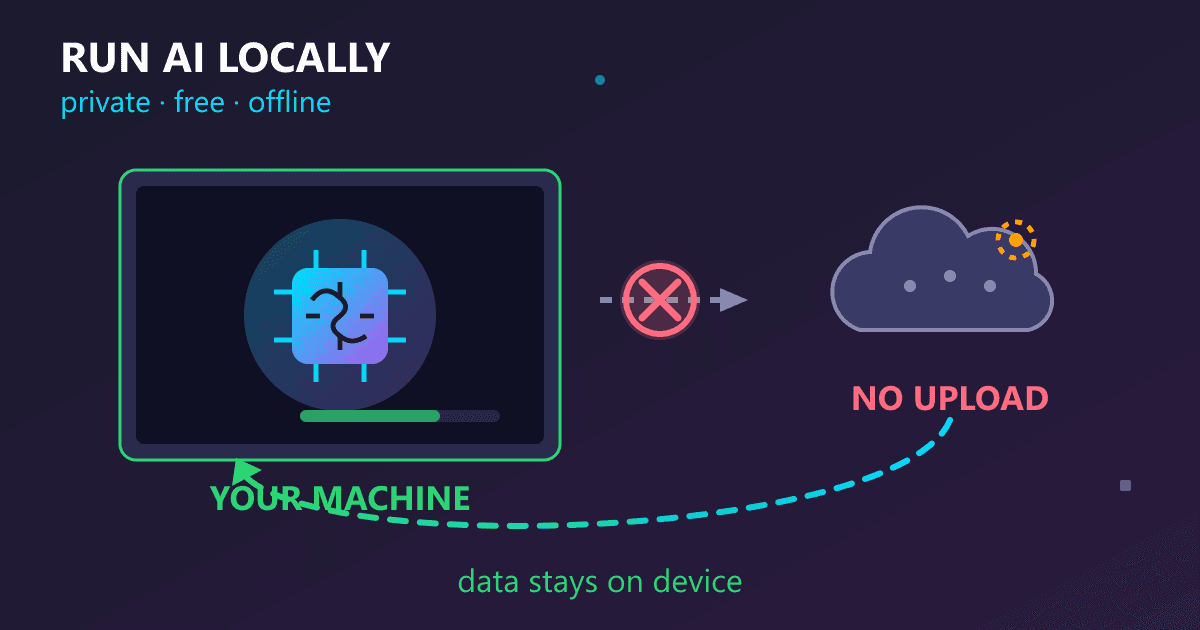
Running AI locally means installing AI software directly on your computer so all processing happens on your device, not on cloud servers. Your data never leaves your machine, there are no subscription fees, and you get unlimited usage. Using free tools like Ollama, anyone with a modern computer (8GB+ RAM) can run powerful AI models like Llama 3.2 in under 30 minutes of setup time.
Local AI provides the same capabilities as ChatGPT for 90% of everyday tasks including writing, coding, research, and brainstorming. The key difference: complete privacy since no company ever sees your prompts, and zero ongoing costs after initial setup.
Try Online Design Tool — Figma Alternative — free, no sign-up, and it runs entirely in your browser.
The Meeting That Made Me Rethink Where I Send My Data
Three months ago, I attended a startup pitch meeting where the founder demonstrated their product using ChatGPT to refine their pitch deck on the fly. During the demo, they accidentally pasted confidential revenue numbers into ChatGPT. The room went silent. One investor asked, "Where did that data just go?" The founder had no answer.
The pitch fell apart. Not because the product was bad, but because nobody trusted someone who'd just uploaded sensitive business data to OpenAI's servers without thinking twice.
That incident stuck with me. I'd been using ChatGPT for months to help with work involving client contracts, unreleased product specs, and personal financial planning. Where was all that data going? Who could access it? What happened to it after I closed my browser?
The next weekend, I spent Saturday afternoon installing AI that runs entirely on my laptop. No cloud. No data leaving my machine. No subscriptions. By Sunday evening, I had a fully functional AI assistant that matched ChatGPT for 90% of my needs, cost nothing ongoing, and kept everything completely private.
This guide explains what running AI locally actually means, why I switched, and how you can do it too.
What Is Local AI and How Does It Work?
When you use ChatGPT, here's the actual data flow:
- You type "help me write this email" into your browser
- That text gets encrypted and sent over the internet to OpenAI's servers
- Massive data centers in Virginia or Oregon process your request
- The response travels back across the internet
- You see the answer in your browser
Your data passes through multiple systems, gets logged by OpenAI, potentially reviewed by their safety teams, and stored indefinitely in their databases. The terms of service say they can use your inputs to improve their models.
Local AI flips this completely:
- You type "help me write this email" into your computer
- Your computer processes the request using AI software you've installed
- The answer appears on your screen
- Nothing leaves your machine
No internet required. No external servers. No company logging your queries. Your computer does all the thinking, and your data never leaves your possession.
Why Should You Switch to Local AI?
I'd known about local AI for over a year. I kept putting off trying it because cloud AI worked fine. Three specific incidents changed my mind.
The NDA Breach I Almost Committed
A client sent me a draft contract for review. I wanted AI help understanding a complex clause. I opened ChatGPT, started typing the clause... and stopped. The contract had an NDA. Did pasting it into ChatGPT violate that NDA? I had no idea.
I checked ChatGPT's terms of service. Eight thousand words of legal language. I couldn't determine if using their service with confidential client information violated my NDA. I closed ChatGPT without submitting my query.
With local AI, this problem disappears. The data stays on my computer. There's no third party to potentially violate NDAs with.
The Subscription Costs I Stopped Noticing
I was paying $20/month for ChatGPT Plus. Another $20/month for Claude Pro. That's $480 per year for software I use constantly.
One day I calculated the five-year cost: $2,400. The ten-year cost: $4,800. I'd spend nearly five thousand dollars for the privilege of sending my data to someone else's computers.
Local AI has zero ongoing costs. The software is free. The models are free. My only expense is electricity my computer already uses.
The Airplane Where Cloud AI Became Useless
I was on a six-hour flight, working on an article. I needed AI help restructuring a paragraph. I opened ChatGPT. No internet. Completely useless.
That same flight, my seatmate was working on code with what looked like ChatGPT. I asked what he was using. "Local AI through Ollama," he said. "Works perfectly offline."
I installed local AI the day I landed. Now I work with AI on planes, in rural areas with bad cell service, in coffee shops with broken Wi-Fi, anywhere. Reliability I didn't know I needed until I had it.
What Software Do You Need to Run AI Locally?
This confused me initially. When people say "run AI locally," what software are they running?
The AI Model: The Brain You Download
Think of an AI model like downloading an encyclopedia combined with reasoning ability into a single file. These files are large—between 2 GB and 70 GB depending on the model—but once downloaded, they contain everything the AI knows.
Popular models you can download for free:
Llama 3.2 (Made by Meta/Facebook)
- Size: About 5 GB
- Strengths: General purpose, excellent for writing and coding
- Quality: Matches ChatGPT 3.5 for most tasks
Mistral (Made by Mistral AI)
- Size: About 4 GB
- Strengths: Creative writing, natural conversation
- Quality: Sometimes feels more natural than ChatGPT for creative tasks
Qwen 2.5 (Made by Alibaba)
- Size: 5-14 GB depending on version
- Strengths: Multilingual, strong technical knowledge
- Quality: Exceptionally good for code and complex reasoning
These models are released as open source. You download them once, use them forever, with no ongoing fees.
Ollama: The Software That Runs Models
Ollama is free software that manages AI models on your computer. Think of it like VLC for video files—it's the player that makes the media files work.
Ollama handles:
- Downloading models from the internet
- Managing multiple models on your computer
- Running the AI when you ask questions
- Providing an interface for other apps to connect to
Installing Ollama takes about five minutes. Once installed, you can download and run any compatible AI model.
How Much Does Local AI Cost to Set Up?
I run local AI on a 2021 MacBook Pro with 16GB of RAM. Nothing special or expensive. Here's my complete setup:
Hardware:
- MacBook Pro (M1 chip, 16GB RAM) - Already owned
- 50 GB of free storage - Required for models
Software:
- Ollama (free) - Manages and runs AI models
- Llama 3.2 model (free) - My primary AI
- Mistral model (free) - Backup for creative writing
Additional tools:
- Practical Web Tools AI Chat (free) - Provides a ChatGPT-like interface
Total cost: Zero dollars for software. I already owned the laptop.
Ongoing costs: Zero dollars per month. No subscriptions, no per-query fees, no surprise charges.
What Can Local AI Do Compared to ChatGPT?
I was skeptical that local AI could match ChatGPT. Four months in, here's the honest reality:
Tasks Where Local AI Matches Cloud AI
These tasks work identically on local AI and ChatGPT:
Writing and editing:
- Improving email clarity and tone
- Brainstorming article ideas and outlines
- Overcoming writer's block
- Fixing grammar and style
- Drafting social media posts
I write every day. Local AI handles 100% of my writing assistance needs.
Programming help:
- Explaining how code works
- Debugging error messages
- Writing simple scripts and functions
- Reviewing code for improvements
- Learning new programming concepts
I'm a developer. Local AI answers my coding questions as well as ChatGPT does 90% of the time.
Learning and research:
- Explaining complex topics in simple language
- Answering factual questions
- Breaking down difficult concepts
- Creating study materials
- Tutoring on specific subjects
My partner used local AI to learn Python. It worked perfectly.
Daily tasks:
- Meal planning based on ingredients
- Creating workout routines
- Planning trips and itineraries
- Organizing thoughts and ideas
- Solving everyday problems
For routine daily questions, I can't tell the difference between local and cloud AI.
What Are the Limitations of Local AI?
I won't pretend local AI is better at everything. Cloud services (specifically GPT-4 and Claude 3.5 Opus) remain stronger in specific areas:
Current events and real-time information: Local AI knows information from its training but can't access the internet. If you ask "what happened in the news today," it can't answer. Cloud AI with web access can.
Highly complex multi-step reasoning: The largest cloud models handle intricate logical chains better. For advanced mathematics or complex analytical problems, cloud AI edges ahead.
Very long context windows: Some cloud models handle 100,000+ tokens of context (roughly 75,000 words). Local models typically max at 8,000-32,000 tokens. For analyzing entire books, cloud wins.
Highly specialized niche knowledge: Extremely specific technical questions sometimes exceed local models' training. Though I've found this happens less than you'd expect.
The 92/8 Reality I Discovered
I tracked my AI usage for three months. Local AI handled 92% of my queries perfectly. For the other 8%, I occasionally use the free version of ChatGPT.
The key insight: You don't choose one exclusively. I use local AI as my default for privacy and cost reasons. When I specifically need something only cloud AI provides—like current event information—I use it selectively.
This hybrid approach gives me the privacy and cost benefits of local AI while maintaining access to cloud capabilities for edge cases.
How Do You Set Up Local AI Step by Step?
My first setup took about 90 minutes including download time. Here's the exact process:
Step 1: Install Ollama (5 Minutes)
I went to ollama.com and clicked the big Download button. The installer downloaded—about 60 MB. I ran it like installing any application.
Installation process:
- Mac: Double-click the .dmg file, drag to Applications
- Windows: Run the .exe installer, click through prompts
- Linux: Run the provided curl command
No configuration needed. No complex setup. Just install and it works.
Step 2: Download an AI Model (15 Minutes)
After installing Ollama, I needed to download an actual AI model. I opened Terminal (Mac) and typed:
ollama pull llama3.2
A progress bar appeared showing the download. The model was about 5 GB. On my internet connection, this took 12 minutes.
That's it. I now had an AI model on my computer.
Step 3: Test It Out (1 Minute)
I typed:
ollama run llama3.2
After about 3 seconds, I saw a prompt. I typed:
Write a haiku about coffee
Two seconds later, I got a haiku. I was running AI locally. On my laptop. For free.
Step 4: Get a Better Interface (2 Minutes)
The terminal works, but I wanted something more like ChatGPT's interface. I opened our AI Chat tool in my browser.
It immediately detected my local Ollama installation and connected to it. Now I had a proper chat interface with conversation history, easy copy/paste, and a clean design.
Setup time: Literally 30 seconds to open a webpage.
Total setup time: About 20 minutes of active work. Most time was waiting for the 5 GB model to download.
How Fast Is Local AI Compared to ChatGPT?
The experience isn't identical to ChatGPT. Here are the real differences:
Speed: Noticeably Slower But Not Painful
Local AI is slower than cloud AI. This is the biggest practical difference.
Typical query response time:
- ChatGPT: 1-2 seconds for first words, 5-8 seconds total
- Local AI on my laptop: 3-5 seconds for first words, 12-20 seconds total
Complex query response time:
- ChatGPT: 8-15 seconds total
- Local AI on my laptop: 25-45 seconds total
Is this annoying? Sometimes. Is it deal-breaking? Not even close.
The speed is fast enough that I'm rarely just sitting there waiting. I ask a question, continue reading or writing, and the answer appears before I've moved on. The 10-15 second difference matters less in practice than you'd expect.
Privacy: Complete Mental Freedom
This benefit surprised me. I've started using local AI for things I would never type into ChatGPT:
- Detailed health symptoms
- Specific financial situation questions
- Personal relationship dynamics
- Business ideas I haven't shared with anyone
- Anything involving my family
The complete privacy changes what you're willing to ask. There's no hesitation, no "should I really put this into a company's database?" moment. Just ask whatever you need.
Reliability: It Just Works
Local AI has never been down for maintenance. It's never rate-limited me. It's never said "we're experiencing high traffic, try again later."
It works on airplanes. It works when my internet dies. It works in basement offices where cell service doesn't reach. It works in rural areas. It works everywhere.
This reliability compounds over time. Every time ChatGPT is down and local AI keeps working, the value becomes more apparent.
No Usage Limits: Total Freedom
With ChatGPT Plus, I was always vaguely conscious of message limits. I'd batch questions together. I'd hesitate before asking exploratory questions. I'd hit limits during intense work sessions.
With local AI, I ask whatever I want, whenever I want, as many times as I want. No caps. No throttling. No "you've reached your limit" messages.
This changes behavior. I iterate more. I explore tangential questions. I'm less efficient in one sense (more queries) but more creative and thorough in another.
What Computer Specs Do You Need for Local AI?
Can your computer run local AI? Probably yes, but performance varies.
Minimum Specs (Will Work, Might Be Slow)
- 8 GB RAM
- 20 GB free storage
- Computer from 2018 or newer
- Windows 10+, macOS 11+, or Linux
This will run smaller models (7-8 billion parameters). Responses will be slow—maybe 30-60 seconds for complex queries—but it works.
Recommended Specs (Good Experience)
- 16 GB RAM or more
- 50 GB free storage
- Dedicated graphics card (helps but not required)
- Computer from 2020 or newer
This runs models smoothly with 10-20 second response times. This is what I have, and it feels perfectly usable.
Ideal Specs (Fast Performance)
- 32 GB RAM or more
- 100 GB free storage
- NVIDIA RTX 3060 or better GPU
- Recent desktop computer
This runs larger models (30-70 billion parameters) with 5-10 second response times approaching cloud AI speed.
Check your computer's specs:
- Mac: Apple menu → About This Mac
- Windows: Settings → System → About
- Linux: Run
free -hfor RAM,df -hfor storage
If you have 8+ GB RAM, you can run local AI. The question is just how fast it'll be.
Which AI Models Are Best for Local Use?
After testing a dozen different models, I settled on two:
Llama 3.2: My Daily Driver
Size: 5 GB Response time on my laptop: 12-18 seconds What I use it for: 90% of my AI queries
This is my default. It handles:
- All writing and editing tasks
- Code explanation and debugging
- Learning and research questions
- Daily problem-solving
Quality assessment: Matches ChatGPT 3.5 for most tasks. Occasionally gives slightly less polished responses on creative writing, but the difference is minor.
Mistral: For Creative Work
Size: 4 GB Response time on my laptop: 10-15 seconds (slightly faster) What I use it for: Creative brainstorming and writing
When I'm working on blog posts, marketing copy, or creative projects, Mistral feels more natural. Its responses have a more conversational tone that works better for creative tasks.
I don't use it for technical questions—Llama is better there. But for "give me 20 catchy headlines" or "help me brainstorm product names," Mistral excels.
Why Just Two Models?
I've tried probably 15 different models over four months. These two cover everything I need. More models means more storage space used and more complexity managing them.
Simplicity wins. Start with Llama 3.2. Use it for a month. Only add other models if you identify specific needs it doesn't meet.
Frequently Asked Questions About Local AI
Is local AI really free forever?
Yes, completely free with no hidden costs. Ollama is open-source software that will always be free. AI models like Llama 3.2 and Mistral are released as open-source by Meta and Mistral AI. The only potential cost is hardware upgrades if your current computer cannot run models effectively, but the software itself is permanently free.
Does running AI locally slow down my computer?
Only during active generation, which lasts 10-30 seconds per query. While processing, your CPU usage spikes and fans may spin up. After the response appears, everything returns to normal immediately. You can browse, code, and video call normally between queries.
Is local AI as good as ChatGPT?
For 90-95% of everyday tasks including writing, coding, research, and brainstorming, local AI (Llama 3.2) matches ChatGPT 3.5 quality. GPT-4 remains stronger for very advanced reasoning and complex multi-step problems, but most users cannot tell the difference for typical queries.
Can I run AI without internet connection?
Yes, that is one of local AI's biggest advantages. After downloading the model once (requires internet), you can work completely offline. Local AI works on airplanes, in rural areas with no cell service, and during internet outages.
How much storage space do AI models require?
Standard models require 4-8 GB of storage. Llama 3.2 is approximately 5 GB, Mistral is about 4 GB. Larger 70B parameter models can require 40-50 GB. Most users only need one or two standard models.
Will local AI drain my laptop battery?
AI processing uses more power during active queries. On battery, expect 3-4 hours of AI-assisted work versus 5-6 hours without AI. When plugged in, power consumption is not a concern. The drain is manageable for most work sessions.
Where can I get help if something goes wrong?
The local AI community is active and welcoming. Reddit communities r/LocalLLaMA and r/ollama provide detailed answers within hours. The software is simple enough that restarting Ollama fixes 95% of issues. You can also use the Practical Web Tools AI Chat interface for a more user-friendly experience.
Can my old computer run local AI?
If you have 8GB RAM and a computer from 2018 or newer, you can run local AI. Performance will be slower (30-60 second responses) but functional. Computers with 16GB+ RAM from 2020 or newer provide a good experience with 10-20 second response times.
When Should You NOT Use Local AI?
Local AI doesn't make sense for everyone:
Your Computer Can't Handle It
If you have a 10-year-old laptop with 4 GB RAM, local AI will be painfully slow or might not work at all. In this case, stick with cloud AI until you upgrade hardware.
You Need Cutting-Edge Capabilities
If your work requires the absolute most advanced AI reasoning for highly complex tasks, the largest cloud models (GPT-4, Claude Opus) remain superior.
You Exclusively Need Real-Time Information
If your work involves constantly referencing current events or recent information, local AI can't help. It has no internet access for fetching current data.
You Want Zero Setup
Cloud AI: Create account, start typing. Local AI: Install software, download models, learn basics.
If immediate convenience matters more than privacy or cost, cloud AI's zero-setup experience wins.
Four Months Later: The Honest Assessment
I've been using local AI as my primary AI assistant for four months. Here's the unvarnished reality:
What's better than expected:
- Quality matches cloud AI for 92% of my usage
- Offline capability matters way more than I anticipated
- Complete privacy enables asking questions I'd never ask ChatGPT
- Zero ongoing costs compound over time
- No usage limits changed how I work with AI
What's worse than expected:
- Speed difference is noticeable on every single query
- Can't help with current events or real-time information
- Occasionally gives slightly worse responses than GPT-4
- Setup required about 2 hours of learning and troubleshooting
Would I switch back to cloud AI exclusively?
Absolutely not. The privacy, cost savings, and reliability benefits vastly outweigh the slight speed penalty and lack of current information.
I now use local AI for 95% of queries. I use free ChatGPT occasionally when I specifically need web access or current events. This hybrid approach gives me the best of both worlds.
Getting Started This Weekend
If you want to try local AI, here's exactly what to do:
Friday evening (30 minutes):
- Check your computer meets minimum specs (8GB RAM, 20GB storage)
- Read this guide to understand what you're setting up
- Clear disk space if needed
Saturday morning (1-2 hours):
- Visit ollama.com and download Ollama
- Install it (takes 5 minutes)
- Open terminal and run:
ollama pull llama3.2 - Wait for download (15-20 minutes depending on internet)
- Run:
ollama run llama3.2 - Ask it some questions to test
Saturday afternoon (30 minutes):
- Open our AI Chat interface
- Start chatting with your local AI
- Test it with real work tasks
- Compare response quality to ChatGPT
Sunday (optional refinement):
- Learn better prompting techniques
- Try additional models if interested
- Integrate into your actual workflow
By Sunday evening, you'll have working local AI that costs nothing ongoing and keeps everything private.
Ready to try completely private AI? Visit our AI Chat interface and connect to your local Ollama installation. No signups, no uploads, everything stays on your computer. Browse available models to find the best one for your needs.
Related guides:
- Your First Local LLM Weekend Project - Detailed setup walkthrough
- Local AI Privacy Guide - Why privacy matters for AI
- Local AI Cost Savings Guide - Calculate your potential savings