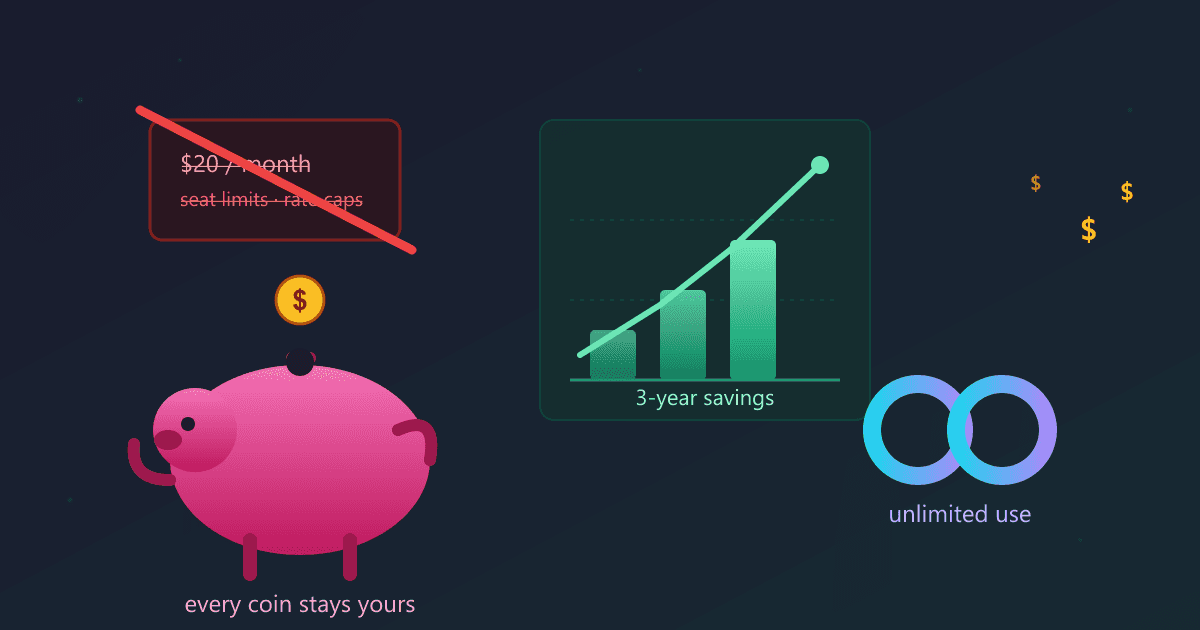
Local AI eliminates subscription fees entirely, saving the average user $240-$480 per year compared to ChatGPT Plus and Claude Pro. After a one-time setup using free software like Ollama, you get unlimited AI usage with zero monthly costs. The only ongoing expense is approximately $8/month in electricity, making local AI 93% cheaper than cloud subscriptions over three years.
Running AI locally also removes usage limits, rate throttling, and per-token API charges that constrain cloud AI users. You can ask unlimited questions without worrying about message caps or overage fees.
Try Chinese Zodiac Years — free, no sign-up, and it runs entirely in your browser.
Last month, I stared at my credit card statement and saw $127 in AI subscription charges. ChatGPT Plus. Claude Pro. An unexpected API overage from a weekend project. That's when I realized I'd spent nearly $1,400 on AI services over the past year—money that would keep flowing out indefinitely, month after month, with nothing to show for it except a stack of recurring charges.
I'm a freelance software consultant who uses AI extensively. Code reviews, documentation, client proposals, email drafts—AI has become as essential to my workflow as my IDE. But paying $20 here, $30 there, plus unpredictable API costs that spike whenever I have a heavy project load? It felt like death by a thousand subscription cuts.
That frustration sent me down a rabbit hole that changed everything: running AI models locally on my own hardware. No subscriptions. No API tokens. No usage limits. Just a one-time investment that's already paid for itself in the four months since I made the switch.
How Much Do AI Subscriptions Really Cost Per Year?
The thing about monthly subscriptions is they're designed to be painless. Twenty dollars doesn't hurt. You barely notice it. But multiply that by twelve months, add another service, factor in API usage, and suddenly you're hemorrhaging hundreds or thousands of dollars annually.
I started tracking every AI-related expense I'd made in 2026. The results shocked me:
January through June:
- ChatGPT Plus: $120 (6 months × $20)
- Claude Pro: $120 (I signed up in February)
- OpenAI API usage: $340 (some months were $20, but that one week in April hit $110 alone)
- GitHub Copilot: $114 (6 months × $19)
Total: $694 in six months
I was on track to spend $1,388 for the year, assuming no price increases and no additional overages. And that number would repeat every single year I continued relying on these services.
Even worse, I'd started self-censoring. I'd hesitate before asking ChatGPT to review a large code file because I was worried about hitting message limits. I'd batch my API calls to minimize costs, which meant waiting and breaking my flow. The very tools supposed to make me more productive were creating friction.
Can Local AI Really Replace Cloud Subscriptions?
I'd heard about running AI models locally before, but I dismissed it as something for researchers with server farms. Then I stumbled across a Reddit thread where a developer casually mentioned running Llama 3.1 70B on his gaming PC—and getting responses that matched GPT-4 quality.
That seemed impossible. But I had the hardware: a desktop with 32GB RAM and an RTX 3080 I'd bought for occasional gaming. Could it really run serious AI models?
I spent a Saturday afternoon setting up Ollama, a free open-source tool that makes local AI stupidly simple. Thirty minutes after downloading it, I had Llama 3.2 running on my machine. I asked it to review a Python script I'd been working on.
The response came back in about eight seconds. It identified a potential memory leak I'd missed, suggested a more Pythonic way to handle error cases, and even caught a subtle bug in my date parsing logic. The quality was indistinguishable from ChatGPT.
I disconnected my internet and tried again. Same performance. The model was running entirely on my hardware, with zero dependence on external servers.
That's when it clicked: I'd just eliminated $1,400 in annual costs with a Saturday afternoon of setup.
What Does Local AI Actually Cost to Run?
Let me break down the real costs I've experienced over four months of using local AI exclusively:
One-Time Setup (July 2024):
- Hardware: $0 (I already had a suitable computer)
- Software: $0 (Ollama and all models are free)
- Time investment: 2 hours to set up and test
Monthly Operating Costs:
- Electricity: ~$8/month (running the GPU adds about 200W when actively processing)
- Maintenance: $0 (there's literally nothing to maintain)
- Updates: $0 (downloading new models is free)
Total August through November (4 months): $32
Compare that to what I would have spent on subscriptions: approximately $550. I saved $518 in four months. That's $1,554 in annual savings, and the gap will only widen as cloud services inevitably raise prices.
The electricity cost deserves context. My desktop already runs most of the day for work. The AI adds power consumption only when I'm actively using it—maybe 2-3 hours daily. Eight dollars monthly is less than I spend on coffee in a single morning.
What Are the Benefits of Unlimited AI Usage?
Cost savings alone would justify switching to local AI, but the elimination of usage limits changed how I work in ways I didn't expect.
With ChatGPT Plus, I was constantly aware of the 40-message-per-3-hour limit on GPT-4. During a deep work session refactoring a codebase, I'd hit that limit and have to either wait or switch to the inferior GPT-3.5 model. It broke my concentration every time.
With Claude, I'd burned through my monthly message allowance by the third week. The last week of each month meant rationing queries or falling back to inferior models.
With API access, every call cost money. I'd think twice before asking the AI to analyze a 500-line file because I knew it would consume expensive tokens. That cognitive overhead—constantly calculating the cost-benefit of each query—was exhausting.
Local AI eliminated all of that mental friction.
Last week, I was debugging a particularly nasty issue in a client's application. I probably sent 150 queries to my local model over six hours: asking it to review different code sections, suggesting test cases, explaining error messages, brainstorming solutions. With cloud services, that session would have cost me $20-30 in API tokens or would have been completely impossible due to rate limits.
With local AI? The cost was twenty cents of electricity.
I now use AI the way it should be used: as an always-available assistant I can consult without hesitation. When I have a question, I ask. When I need another perspective, I request it. When I want to explore five different approaches to a problem, I do. The friction is gone.
What Hardware Do You Need to Run Local AI?
Every article about local AI includes a disclaimer like "you'll need powerful hardware," which scares people away. Let me give you the honest truth about hardware requirements.
What Actually Works:
I've tested local AI on three different machines:
-
My main desktop (RTX 3080, 32GB RAM): Runs 70B parameter models blazingly fast. Response time feels instant. This is overkill for most users.
-
My wife's laptop (16GB RAM, no GPU, 2020 Intel i7): Runs 7B-13B parameter models perfectly well. Responses take 10-15 seconds instead of 3 seconds, but totally usable for real work. She uses it for writing assistance and never complains about speed.
-
My old 2019 laptop (8GB RAM, no GPU): Runs smaller models like Phi-3 adequately. Responses take 20-30 seconds. Slower, but still faster than waiting for ChatGPT during peak hours when the service is throttled.
The dirty secret is that most people already have hardware capable of running useful local AI models. You don't need a $2,000 gaming rig. A typical work laptop from the last three years will run 7B parameter models fine, and those models handle 80% of real-world tasks perfectly well.
The RAM Upgrade Sweet Spot:
If your computer has less than 16GB RAM, upgrading to 32GB costs about $80-120 and makes an enormous difference. I helped a colleague upgrade his aging desktop with $100 worth of RAM, and he went from "this barely works" to "this is genuinely useful" overnight.
That $100 investment paid for itself in less than two months compared to his previous ChatGPT subscription. After that, it's pure savings forever.
How Much Can You Save With Local AI Over Time?
I'm a data person, so I tracked everything about my local AI usage from August through November:
August Setup:
- Installed Ollama: 20 minutes
- Downloaded Llama 3.1 8B: 15 minutes
- Downloaded Llama 3.1 70B: 45 minutes
- Testing and optimization: 1 hour
- Total setup time: 2 hours 20 minutes
Daily Usage (Average):
- Queries per day: 42
- Total active usage time: 2.3 hours
- Power consumption: 0.46 kWh per day
- Daily electricity cost: $0.06
Monthly Breakdown:
- Total queries: 1,260
- Electricity cost: $7.80
- Equivalent cloud API cost (estimated): $110-140
- Monthly savings: $102-132
Four-Month Totals:
- Total queries: 5,040
- Electricity cost: $31.20
- Equivalent cloud cost: $440-560
- Net savings: $409-529
Those 5,040 queries would have been either impossible (rate-limited) or extremely expensive with cloud services. Instead, they cost me the price of a large pizza.
Which Free AI Models Provide the Best Quality?
When I started with local AI, I assumed I'd need the biggest models to match cloud service quality. I was wrong.
Llama 3.1 8B became my workhorse. It runs fast even on CPU, handles 90% of my queries perfectly well, and produces responses that match GPT-3.5 quality. For code reviews, documentation writing, and general questions, it's all I need.
I only switch to Llama 3.1 70B for complex tasks: architectural decisions, debugging subtle logic issues, or deep analysis of unfamiliar codebases. The quality matches GPT-4, but I use it maybe 10% of the time.
Mistral 7B surprised me with its writing quality. My wife uses it for her blog, and it generates more natural prose than ChatGPT. Something about the training makes it better at creative writing tasks.
The lesson? Start with smaller models. They're faster, use less RAM, and they're probably sufficient for your actual needs. You can always upgrade to larger models later if you find tasks that genuinely need more capability.
What Does It Feel Like to Have No AI Subscription Fees?
There's a psychological weight to subscription services I didn't recognize until I eliminated them. Every month, money disappears from my account for access that vanishes the moment I stop paying. I'm perpetually renting access to tools I depend on.
Switching to local AI felt like buying out a lease. Yes, there was an upfront cost in time (though not money, in my case). But once that investment was made, the tool was mine. No monthly extraction. No anxiety about price increases. No dependence on a company's ongoing goodwill.
When OpenAI raised ChatGPT Plus to $22, I didn't care—I wasn't paying anymore. When Claude introduced usage caps even for Pro subscribers, it didn't affect me. When APIs experienced outages or slowdowns during peak hours, I kept working without interruption.
The cost savings are real, but the sense of control might be even more valuable. I'm no longer subject to someone else's pricing decisions, capacity limitations, or service reliability.
What Are the Drawbacks of Local AI Compared to Subscriptions?
Local AI isn't perfect, and I want to be honest about the limitations I've encountered:
Setup Requires Some Technical Comfort: If you're comfortable installing applications and using command-line basics, setup is straightforward. If that intimidates you, it'll be harder. (Though our AI chat interface makes it easier by providing a friendly front-end for Ollama.)
Hardware Limitations Are Real: If you genuinely have an old, low-spec computer, your experience will be slower. A 2015 laptop with 4GB RAM won't run modern models well. But most people have hardware from the last 3-5 years that works fine.
Largest Models Still Require Beefy Hardware: Running 70B+ parameter models smoothly needs 48GB+ RAM or a high-end GPU. Most users don't need models this large, but if you do, you'll need to invest in hardware.
Initial Time Investment: Those 2-3 hours learning the system and testing models represent a real cost. It's not difficult, but it's not instant like signing up for ChatGPT.
Model Updates Aren't Automatic: When Meta releases Llama 3.2 or Mistral releases a new version, you manually download and test it. This takes 15-30 minutes every couple months. Cloud services update transparently.
For me, these drawbacks are minor compared to the cost savings and unlimited usage. Your calculus might differ.
Who Saves the Most Money by Switching to Local AI?
After helping several friends and colleagues set up local AI, I've noticed clear patterns in who benefits most:
Heavy Users: If you're hitting rate limits or paying more than $50 monthly for AI services, switching is a no-brainer. You'll save money within weeks.
Privacy-Conscious Professionals: Lawyers, doctors, therapists, and consultants handling confidential information can use AI without sending data to third parties. The cost savings are almost secondary to this benefit.
Developers and Programmers: Code assistance requires many queries and often involves proprietary code you shouldn't send to external services. Local AI solves both problems.
Writers and Content Creators: The unlimited usage means you can ask for revisions, alternatives, and feedback without worrying about depleting your monthly quota.
Remote Workers with Unreliable Internet: Local AI works offline. If you travel frequently or work from locations with spotty connectivity, you maintain full productivity.
Budget-Conscious Professionals: If $20-50 monthly feels meaningful, local AI eliminates that cost permanently for a one-time investment.
How Do You Set Up Free Local AI Step by Step?
Here's exactly how I set up local AI, step by step, without the technical jargon:
Step 1: Check Your Hardware (5 minutes)
- Windows: Settings > System > About (look for RAM amount)
- Mac: Apple menu > About This Mac
- If you have 16GB+ RAM, you're ready. 8-16GB works for smaller models.
Step 2: Install Ollama (10 minutes)
- Visit ollama.com
- Download the installer for your operating system
- Run the installer (it's straightforward—just click "Next" a few times)
Step 3: Download Your First Model (15 minutes)
- Open Terminal (Mac/Linux) or Command Prompt (Windows)
- Type:
ollama pull llama3.2 - Wait while it downloads (grab coffee)
Step 4: Test It (5 minutes)
- Type:
ollama run llama3.2 - Ask it a question
- Marvel at AI running entirely on your computer
Step 5: Get a Better Interface (5 minutes)
- Visit our AI chat interface
- It automatically connects to your local Ollama
- Enjoy a polished experience while maintaining complete privacy
Total time: About 40 minutes, most of which is waiting for downloads.
How Much Will You Save Over Three Years With Local AI?
Based on my actual usage and costs, here's what the next three years look like:
Cloud AI Path (What I Would Have Paid):
- Year 1: $1,400 (ChatGPT Plus, Claude Pro, API usage)
- Year 2: $1,470 (assuming 5% price increase)
- Year 3: $1,544 (another 5% increase)
- Three-year total: $4,414
Local AI Path (What I'm Actually Paying):
- Year 1: $96 (electricity)
- Year 2: $96 (electricity)
- Year 3: $96 (electricity)
- Three-year total: $288
Net savings over three years: $4,126
That's conservative, too. Cloud AI services have historically raised prices more than 5% annually, and I've assumed my usage stays constant. In reality, having unlimited access has increased my AI usage by roughly 3x, which would have multiplied my cloud costs proportionally.
Put another way: I'm getting 3x more AI assistance while spending 93% less. The ROI is absurd.
Is Local AI Worth the Switch From Cloud Subscriptions?
About two months into using local AI exclusively, I was working on a complex client project with a tight deadline. I spent six hours straight asking my local model to review code, suggest optimizations, explain error messages, and brainstorm solutions.
Midway through, I realized something: I hadn't once thought about costs, rate limits, or usage quotas. I was just working, asking questions whenever I needed to, without any mental overhead about whether each query was "worth it."
That's when I knew local AI had fundamentally changed my relationship with AI tools. They'd gone from a limited resource I had to carefully ration to an unlimited utility I could use without hesitation.
The cost savings are great. But the freedom to use AI without constraints might be even better.
Frequently Asked Questions About Local AI Costs
Is local AI completely free?
Yes, the software and AI models are completely free. Ollama is open-source, and models like Llama 3.2 and Mistral are free to download and use. The only costs are electricity (approximately $8/month) and any hardware upgrades you might need. Most computers from the last 3-5 years require no upgrades.
How much does ChatGPT Plus cost per year?
ChatGPT Plus costs $20/month or $240/year. If you also subscribe to Claude Pro ($20/month), you spend $480/year. Add API usage for development projects and costs can exceed $1,000-$1,500 annually for heavy users.
Do I need an expensive gaming computer for local AI?
No, a typical work laptop from the last 3-4 years with 16GB RAM runs local AI well. A 2020 laptop with 16GB RAM and no dedicated GPU produces usable responses in 10-15 seconds. You do not need a gaming PC or expensive hardware for most use cases.
How long until local AI pays for itself?
If you currently pay $20/month for ChatGPT Plus, local AI pays for itself in saved subscriptions within the first month. A $100 RAM upgrade pays for itself in 5 months. Over three years, typical users save $4,000+ compared to cloud subscriptions.
Are there any hidden costs with local AI?
No hidden costs. Electricity is the only ongoing expense (approximately $8/month for heavy users). Software updates are free. New model releases are free. There are no per-token charges, no overage fees, and no price increases.
Can I really use local AI as much as I want?
Yes, unlimited usage is one of local AI's biggest advantages. There are no message caps, no rate limits, no throttling during peak hours, and no "you've reached your limit" warnings. Use it 24/7 without any usage concerns.
What happens when cloud AI prices increase?
Nothing happens to your local AI costs. Cloud services like ChatGPT have raised prices and added usage limits over time. Local AI costs remain fixed at approximately $8/month in electricity regardless of what cloud providers charge.
Is the quality good enough to replace paid subscriptions?
For 90% of everyday tasks, yes. Llama 3.2 matches GPT-3.5 quality for writing, coding, research, and brainstorming. GPT-4 remains stronger for the most complex reasoning tasks, but most users find local AI sufficient to cancel their subscriptions entirely.
Getting Started: Your First Steps
If you're spending $20+ monthly on AI subscriptions, here's what I recommend:
This Week:
- Check your hardware specs (16GB+ RAM is ideal)
- Install Ollama (free, takes 10 minutes)
- Download Llama 3.2 (free, takes 15 minutes)
- Test with non-sensitive work (give it a few days)
Next Week: 5. Try our AI chat interface for a better experience 6. Start using it for real work 7. Track how much you're saving compared to your old subscriptions 8. Cancel one paid subscription
This Month: 9. Cancel remaining AI subscriptions 10. Calculate your monthly savings 11. Decide if hardware upgrades would improve your experience 12. Enjoy unlimited AI assistance forever
The transition took me about two weeks to fully complete, and I haven't looked back. Your $20, $50, or $100 monthly subscription can become an $8 monthly electricity bill that never increases.
For File Processing, the Same Principle Applies
The same logic that makes local AI compelling applies to file conversion and processing. Why upload sensitive documents to cloud conversion services when you can process them entirely on your own device?
Our browser-based file conversion tools handle PDFs, images, documents, and more without ever uploading your files to our servers. Everything processes locally in your browser, just like local AI processes queries on your machine. No subscriptions, no uploads, unlimited usage.
Ready to eliminate your AI subscription costs? Download Ollama for free and try our AI chat interface—no signup required, runs 100% locally on your computer. Stop paying monthly fees for unlimited AI assistance you can own.
Last updated: November 2025