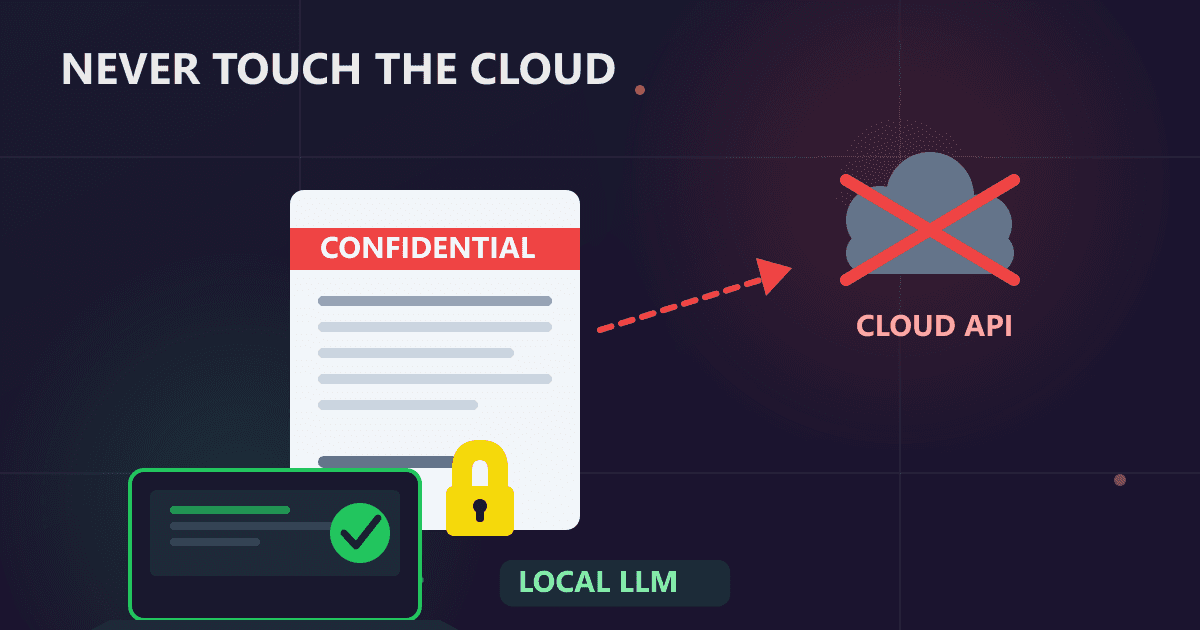
Why should sensitive business documents never touch cloud AI? When you upload confidential documents to ChatGPT, Claude, or similar cloud APIs, that data leaves your control permanently. It gets transmitted to external servers, potentially logged for 30+ days, possibly reviewed by employees, and may influence model training. For M&A documents, financial data, attorney-client communications, and trade secrets, this exposure can result in SEC violations, loss of privilege, competitive intelligence leaks, and regulatory penalties.
Three months ago, I watched a colleague paste our company's confidential merger agreement into ChatGPT. She needed to summarize the key terms quickly for a board presentation, and the AI seemed like a perfect solution. The summarization took thirty seconds and was remarkably accurate.
Try Redact PDF — free, no sign-up, and it runs entirely in your browser.
What happened next changed how our entire company thinks about document security.
Two days later, our legal counsel received a call from the SEC requesting information about potential undisclosed negotiations. While we eventually proved the leak came from another source, those 48 hours of panic made one thing crystal clear: we had no idea where that document went after it entered ChatGPT's servers, who might have seen it, or how long it would persist in their systems.
That merger eventually closed successfully, but I spent the next three months researching exactly what happens when you upload sensitive documents to cloud AI services. What I discovered should concern every business professional using these tools for document work.
What Happens When You Upload Documents to Cloud AI?
I'm a finance director at a mid-sized manufacturing company. My job involves reviewing hundreds of contracts, financial statements, and strategic plans every month. When AI tools became widely available in early 2023, they felt like a productivity miracle. I could:
- Summarize 50-page contracts in minutes
- Extract key financial metrics from dense reports
- Analyze vendor proposals side-by-side
- Draft executive summaries of board materials
I assumed these tools operated like calculators: you put data in, get results out, and everything disappears afterward. I was profoundly wrong.
The wake-up call came during a cybersecurity training session. Our IT director explained that every query to ChatGPT, Claude, or Gemini is transmitted to external servers, processed there, and potentially retained for various purposes. He showed us server logs from our network monitoring tool. Hundreds of megabytes of data flowing daily to OpenAI servers. Documents I thought were private conversations were actually transmitted across the internet to data centers we didn't control.
I felt physically sick. I'd shared financial projections, contract terms, compensation data, and strategic plans with external servers. Information that, if leaked, could damage our competitive position and violate confidentiality obligations.
How Do Cloud AI Services Process and Store Your Documents?
Understanding the data journey changed everything about how I approach document work. Here's what I learned by reading privacy policies, consulting security experts, and running my own tests.
The Transmission Phase
When you paste text or upload a document to a cloud AI service, that data leaves your computer instantly. Even though the connection is encrypted during transmission, at the destination, your document must be decrypted for processing. The AI provider has access to your complete, unencrypted content.
I tested this by uploading a dummy contract to ChatGPT and monitoring network traffic. The entire document transmitted to OpenAI servers in Virginia within 200 milliseconds. Fast and efficient, but also irreversible. Once I hit send, I lost control.
Processing and Storage
Your document doesn't just process and disappear. Here's what actually happens:
Immediate Processing: The content is tokenized and fed through AI models. This happens across distributed servers, potentially in multiple geographic locations. Your single document might touch servers in three different states or countries.
Logging: Most services log inputs for debugging, abuse monitoring, and quality assurance. These logs typically persist for 30 days minimum. I found references in OpenAI's documentation to 30-day retention for abuse monitoring. Anthropic's documentation mentions similar timeframes.
Potential Training: Unless you explicitly opt out, your content may be selected for model training. The major providers have varying policies on this, and the policies change periodically. In 2023, ChatGPT used conversations for training by default. In 2024, they shifted to opt-in for Plus subscribers. Who knows what 2026 will bring?
Backups: Even if you delete a conversation, backups persist. One security researcher I spoke with explained that enterprise cloud services typically maintain backups for 90 days or longer. Your "deleted" confidential document may exist in backup systems for months.
Human Review
This revelation shocked me: humans may review your documents. Every major AI provider includes provisions allowing employee access to uploaded content for:
- Trust and safety reviews
- Quality assurance sampling
- Debugging and technical support
- Abuse prevention
I asked myself: would I email my confidential merger agreement to a random OpenAI employee? Obviously not. But uploading to ChatGPT potentially does exactly that.
What Did the Samsung ChatGPT Leak Teach Us?
In March 2023, Samsung made international news when engineers accidentally leaked proprietary semiconductor source code to ChatGPT. Three separate incidents within weeks:
- An engineer pasted confidential source code seeking debugging help
- Another employee shared internal meeting notes for summarization
- A third uploaded a presentation for content improvement
These weren't malicious actors. They were productive employees using tools to work more efficiently. But Samsung's response was swift and severe: they banned employee use of generative AI tools entirely.
What struck me was that Samsung engineers - some of the most technically sophisticated professionals in the world - made this mistake. If they didn't recognize the risks, what chance do the rest of us have?
I work with several former Samsung employees who were there during the incident. One described the panic: "We suddenly realized we'd been sharing proprietary code with external servers for months. The security team had to assume everything we'd submitted was compromised. The audit took weeks."
Which Business Documents Should Never Be Uploaded to Cloud AI?
Some documents carry especially severe risks. I learned this by consulting with our legal team and external security advisors.
Merger and Acquisition Materials
M&A documents are uniquely sensitive. I've been involved in three acquisitions over my career. The moment deal discussions become public before proper disclosure, several bad things happen simultaneously:
Stock Price Manipulation: If our company is publicly traded, premature leaks can trigger SEC investigations. I watched a competitor deal collapse when news leaked early and the target's stock price jumped 40%. The SEC spent months investigating potential insider trading.
Competitive Interference: Competitors may interfere with deals if they learn early. In one case, a rival submitted a competing offer just before our bid was set to close. We later learned they'd received information about our terms and structured their offer to beat ours by a small margin.
Deal Collapse: Targets may back out if they believe information isn't controlled. Trust matters in M&A. When confidential information leaks, it signals poor operational security, making targets nervous about post-acquisition integration.
I now keep all M&A documents completely offline until deals close. No cloud AI, no cloud storage, no email to personal accounts. The risk is too severe.
Pre-Public Financial Information
Our CFO explained that sharing material non-public information with cloud AI services could constitute selective disclosure under Regulation FD. The legal liability isn't theoretical - the SEC has brought cases for less clear-cut situations.
Last quarter, I needed to analyze draft earnings numbers before our public announcement. My instinct was to use ChatGPT to check my calculations and generate summary text. Then I remembered: anyone with access to OpenAI's servers theoretically sees that material non-public information. Employees, contractors, potentially even sophisticated hackers.
The Regulation FD violation risk was clear. I did the analysis manually instead. It took longer but eliminated any disclosure risk.
Attorney-Client Privileged Communications
Our general counsel was emphatic about this: uploading privileged communications to cloud AI may waive privilege. The attorney-client privilege only applies when communications remain confidential. Disclosing to third parties destroys the privilege.
When we faced litigation last year, I wanted AI assistance analyzing discovery documents. Our attorney explicitly forbade it: "Once you share those documents with OpenAI or Anthropic, we've disclosed to a third party. We might lose privilege protection for everything related to that case."
The efficiency gains weren't worth risking our entire litigation strategy.
Employee Personal Information
HR documents contain personally identifiable information protected under various privacy laws. When our HR director wanted to use AI to analyze compensation equity across the company, I researched the privacy implications.
Turns out, uploading employee names, salaries, and demographics to cloud services may violate several regulations depending on jurisdiction. California's CCPA, European GDPR, and various state privacy laws all restrict how employee data can be shared with third parties.
We decided the legal risk exceeded the analytical benefits. HR continues using traditional analysis methods rather than risk privacy violations.
What Is the Real Risk of Uploading Financial Documents to AI?
Six months ago, I was preparing financial projections for a strategic investor meeting. The spreadsheet contained:
- Five years of historical financials
- Three years of forward projections
- Customer concentration data
- Margin analysis by product line
- Sensitivity analysis for various scenarios
I wanted to create an executive summary highlighting key insights. My cursor was hovering over ChatGPT when I suddenly realized: this spreadsheet contained everything a competitor would pay significant money to obtain.
Customer concentration data alone was highly sensitive. If competitors knew that three customers represented 60% of our revenue, they could target those relationships aggressively. Our margin analysis by product line would tell them exactly which products to undercut on price.
I closed ChatGPT and wrote the summary manually. It took three hours instead of thirty minutes. But those three hours ensured our competitive intelligence stayed confidential.
How Can Local AI Solve the Document Security Problem?
After the Samsung incident and our own near-misses, I researched alternatives. I discovered local large language models - AI that runs entirely on hardware you control.
How Local LLMs Actually Work
Local LLMs are AI models that run on your own computer or server. The model files exist as data on your storage. All processing happens on your CPU or GPU. Your documents never leave your physical hardware.
I started experimenting with Ollama running on my laptop. The first time I processed a confidential document completely locally, I monitored network traffic to verify nothing transmitted. Zero packets to external servers during processing. The document existed only in my local memory.
That feeling of control was profound. I knew exactly where my data was, who had access to it, and what happened to it. No terms of service changes could affect my document security. No server breaches could expose my files. No employees at AI companies could review my content.
Setting Up My Local System
I documented my setup because several colleagues asked for details after seeing my workflow.
Hardware: I used my existing work laptop initially:
- Intel i7 processor (12th gen)
- 32GB RAM
- NVIDIA RTX 3060 GPU with 12GB VRAM
This configuration was already at my desk. No new hardware purchase required.
Software: I installed Ollama, which took about 10 minutes. The interface is simple - basically a command line with straightforward commands. I downloaded the Llama 3.1 8B model, which handles most of my document work effectively.
Initial Test: I started with a non-sensitive document - a public earnings report from a competitor. I asked the local LLM to summarize key points. The quality was comparable to GPT-4 for this straightforward task. Processing took about 30 seconds versus near-instant with cloud AI, but that delay was entirely acceptable.
Real-World Performance
Over three months of daily use, I've processed hundreds of documents locally. Here's what I've learned about practical performance:
Contract Summarization: My 20-30 page vendor contracts summarize effectively. The local model identifies key terms, obligations, and unusual provisions. Quality matches what I previously got from ChatGPT for this use case.
Financial Analysis: Extracting key metrics from financial statements works well. I paste in quarterly results and ask for trend analysis. The model identifies relevant patterns and flags unusual items for my review.
Email Drafting: For routine business correspondence, local AI helps me draft initial versions. I provide key points, and it creates professional email text I can edit and send.
Document Comparison: I frequently need to compare contract versions to spot changes. Local LLMs handle this effectively, highlighting differences and noting significant modifications.
Limitations I've Found: Complex reasoning tasks sometimes show quality gaps compared to GPT-4 or Claude. For instance, nuanced legal interpretation or sophisticated strategic analysis may need human expert review. But for 80% of my document tasks, local AI provides adequate quality with zero data exposure.
What Is the ROI of Local AI for Document Processing?
Implementing local LLMs required budget approval and IT support. I prepared a formal business case addressing cost, security, and productivity.
Cost Analysis
I calculated costs over three years for a team of ten finance and legal professionals:
Cloud AI Option:
- ChatGPT Plus: $20/month per user = $2,400/year
- Three-year cost: $7,200
- Risk costs: Impossible to quantify but potentially enormous if breach occurs
Local LLM Option:
- Hardware upgrades: $4,000 one-time (better GPUs for three workstations, shared server for others)
- IT setup time: $1,000 (10 hours at blended rate)
- Ongoing costs: Electricity and maintenance, approximately $300/year
- Three-year cost: $5,900
The local option was actually cheaper while eliminating data exposure risk entirely.
Security Benefits
I quantified security benefits:
Breach Risk Elimination: Industry data shows average breach costs exceeding $4 million. While we couldn't directly attribute breach risk to AI usage, eliminating one potential vector for data exposure had clear value.
Compliance Simplification: Our regulatory compliance team confirmed that local processing simplified several compliance obligations. No Business Associate Agreements needed for HIPAA-adjacent data. No cross-border data transfer concerns for European customer information. No third-party audit requirements for AI vendors.
Competitive Intelligence Protection: I estimated that our strategic plans and financial projections, if leaked to competitors, could cost us millions in lost deals and market position. Exact quantification was impossible, but directionally the value was significant.
Productivity Reality
I honestly assessed productivity impact:
Processing Speed: Local AI is slower. Cloud services respond near-instantly. My local setup takes 10-30 seconds for most tasks. For my workflow, this delay is acceptable. I often review results rather than waiting actively.
Quality Comparison: For document summarization and extraction, quality is comparable. For complex reasoning, cloud services sometimes perform better. But document work rarely requires cutting-edge reasoning capabilities.
Offline Capability: Local AI works without internet connection. I've used it on flights and in locations with poor connectivity. This offline capability occasionally provides unexpected value.
How Should You Classify Documents for AI Processing?
After months of refinement, here's my current document workflow:
Classification System
I classify every document before processing:
Public Information: Documents already public or intended for public release. Examples: press releases, published financial statements, public job postings. For these, I may use cloud AI if convenient. No security concern.
Internal But Not Sensitive: Documents that are internal but not particularly valuable to competitors. Examples: office policies, general company announcements, routine meeting notes. I typically use local AI out of habit, but cloud AI wouldn't be catastrophic.
Confidential: Documents with competitive value or legal sensitivity. Examples: strategic plans, contract drafts, internal financial analysis, customer data. These always process locally. No exceptions.
Highly Confidential: Documents where any leak would cause severe damage. Examples: M&A materials, pre-public earnings, privileged legal communications. These process locally on an air-gapped machine if possible. I avoid digital processing entirely when feasible.
This classification system takes five seconds per document but ensures I never accidentally share sensitive information with cloud services.
Daily Routine
My typical day involves:
Morning: Review overnight emails and contracts. Anything requiring AI analysis goes into my classification system. Confidential documents queue for local processing.
Document Processing: I process confidential documents in batches on my local system. I usually start the processing, then work on other tasks while the AI runs. The slight delay doesn't impact my overall productivity.
Cloud AI Use: For non-sensitive tasks like drafting routine emails or researching public information, I may still use ChatGPT. The key is conscious decision-making about what information crosses that boundary.
End of Day: I clear conversation histories in my local AI system when switching between unrelated projects. This ensures context from one confidential matter doesn't inadvertently influence analysis of another.
What Are the Key Lessons About Document Security and AI?
If I could go back and talk to myself before that colleague pasted our merger agreement into ChatGPT, here's what I'd say:
1. Convenience Is Not Worth Catastrophic Risk: Cloud AI is incredibly convenient. The temptation to use it for sensitive documents is strong when you're under deadline pressure. But no time savings justify risking your company's confidential information, your career, or potential legal liability.
2. Terms of Service Always Favor the Provider: I spent hours reading privacy policies and terms of service. They all include broad permissions that protect the AI provider while giving you minimal guarantees about data handling. The fine print always permits more data use than you'd assume from the marketing language.
3. Local AI Is More Practical Than It Sounds: Before trying local LLMs, I assumed they required extensive technical expertise and expensive hardware. Neither was true. The setup took less time than configuring many business applications, and my existing hardware was adequate.
4. Your IT Department Wants to Help: I initially hesitated to ask IT for support implementing local AI, assuming they'd be skeptical or resistant. Instead, they were enthusiastic. Security-conscious employees reducing data exposure aligned with their goals. They helped me optimize my setup and roll out solutions to other team members.
5. Not Every Document Needs AI: Sometimes the right answer is doing analysis manually. I've become more selective about when AI adds value versus when I'm just using it because it's available. For truly sensitive documents, the manual approach may be faster when you factor in classification time and security review.
How Does Implementing Local AI Change Company Culture?
After implementing local AI for sensitive documents, I've noticed broader changes in how our team thinks about data security:
Conscious Cloud Decisions: People now actively consider whether documents are appropriate for cloud processing. This awareness extends beyond AI to file sharing, email, and cloud storage generally.
Better Classification: We implemented formal document classification policies. Every sensitive document now carries a header indicating its classification and handling requirements.
Reduced Cloud Dependency: Several teams have moved more workflows local. Not just AI, but also document editing, financial analysis, and strategic planning. The productivity difference is minimal while security improves significantly.
Vendor Discussions: When evaluating new software vendors, data handling is now a primary discussion point. We explicitly ask where data is processed, how long it's retained, and who has access.
These cultural changes emerged organically from understanding what happens to documents in cloud services. Once people truly understand the risks, behavior changes naturally.
Frequently Asked Questions About Document Security and AI
"Is local AI really necessary or are you being paranoid?"
For truly confidential documents, it's not paranoia. It's risk management. The question isn't whether cloud AI will definitely leak your data. The question is whether you're comfortable accepting that risk. For documents where leaks would cause serious damage, local processing eliminates the risk entirely.
"What about other AI services that claim to be private?"
I've reviewed several services claiming enhanced privacy. Some offer business agreements that prohibit training on your data. Others promise not to retain content beyond processing. These are improvements over default consumer terms, but they still involve transmitting your documents to external servers. Local processing is fundamentally different: your data never leaves your control.
"Don't you trust OpenAI/Anthropic/Google?"
This isn't about trust in these companies' intentions. It's about recognizing that once you transmit data to external servers, you've expanded your attack surface. Even if the AI company has perfect security and policies, you've now created another potential point of data exposure. Local processing simply eliminates that expansion.
"How long until cloud AI is safe for sensitive documents?"
Cloud AI will likely never be appropriate for truly confidential business documents because the fundamental architecture requires transmitting data to external servers. Even with perfect security and policies, that transmission creates risk that doesn't exist with local processing.
"Can I use enterprise cloud AI with stronger contracts for sensitive documents?"
Enterprise agreements provide better protections than consumer terms, including no training on your data and stricter retention policies. However, your data still leaves your infrastructure and exists on servers you do not control. For truly sensitive documents where any exposure creates significant risk, local processing remains the only complete solution.
"How much does it cost to set up local AI for document processing?"
A basic setup using existing hardware costs nothing beyond electricity. If purchasing dedicated hardware, a workstation capable of running useful models costs $1,500-3,000. This compares favorably to the risk exposure from using cloud AI for confidential documents, and there are no ongoing subscription fees.
"Is local AI quality good enough for professional document work?"
For document summarization, extraction, and comparison, local AI quality is comparable to cloud services. Complex reasoning and nuanced legal interpretation may show quality gaps. For 80% of typical business document tasks, local AI provides adequate quality with zero data exposure.
The Tools That Actually Work
Based on my experience and discussions with dozens of colleagues who've implemented similar workflows:
For Individual Users: Ollama with Llama 3.1 8B model provides the best balance of ease-of-use and capability. Installation takes minutes, and performance is adequate for document work on most modern laptops.
For Small Teams: A shared server running LM Studio or Text Generation WebUI gives multiple users access to more powerful models. We set up a server with an RTX 4090 that handles requests from our entire finance team.
For Documents Requiring No Network Access: When working with extremely sensitive documents, I use a completely offline laptop. The machine has never connected to our network. All processing happens in complete isolation. This approach is overkill for most situations but provides maximum security when needed.
For File Conversion and Processing: For document format conversions that don't require AI, I use Practical Web Tools. Everything processes in my browser without uploading to any server. It's become my default for converting PDFs, compressing files, and basic document manipulation while maintaining privacy.
The Reality Check I Give New Users
When colleagues ask about implementing local AI, I'm honest about both benefits and limitations:
Processing will be slower. If you need instant responses, local AI may frustrate you. If you can batch process or multitask while AI runs, the delay is manageable.
Quality varies by task. For straightforward document summarization and extraction, local AI performs well. For complex reasoning requiring extensive knowledge, cloud services sometimes outperform local models.
Setup requires some technical comfort. You need to install software, download multi-gigabyte models, and troubleshoot occasional issues. It's not difficult, but it's also not clicking a web link.
You're responsible for maintenance. Unlike cloud services where updates happen automatically, you manage your local system. Model updates, software patches, and configuration changes are your responsibility.
For most people working with truly confidential documents, these tradeoffs are entirely acceptable. The security benefits vastly outweigh the convenience costs.
Moving Forward
That moment watching my colleague paste confidential information into ChatGPT changed how I think about document security fundamentally. I can't undo the documents I shared with cloud services before I understood the implications. But I can ensure I never make that mistake again.
Local AI isn't perfect. It's slower than cloud services, requires some technical setup, and may not match cutting-edge cloud models for complex reasoning. But for sensitive business documents, these limitations don't matter. What matters is knowing exactly where your confidential information is, who has access to it, and what happens to it.
I now process hundreds of sensitive documents monthly with complete confidence in their security. No wondering whether an AI company employee might review my content. No concerns about data retention policies changing. No risk of server breaches exposing confidential information.
Your business documents contain accumulated competitive advantages, strategic insights, and confidential information that define your organization's value. They deserve protection that only local processing can provide.
Ready to start processing documents with complete privacy? Use our browser-based file conversion tools for document processing that happens entirely on your device. No uploads, no servers, just local processing with complete privacy.
If you're dealing with sensitive documents that require AI analysis, research local LLM options. The learning curve is manageable, the hardware requirements are reasonable, and the security benefits are absolute.
Your confidential documents are too valuable to trust to external servers you don't control. Local processing isn't paranoia. It's responsible risk management.