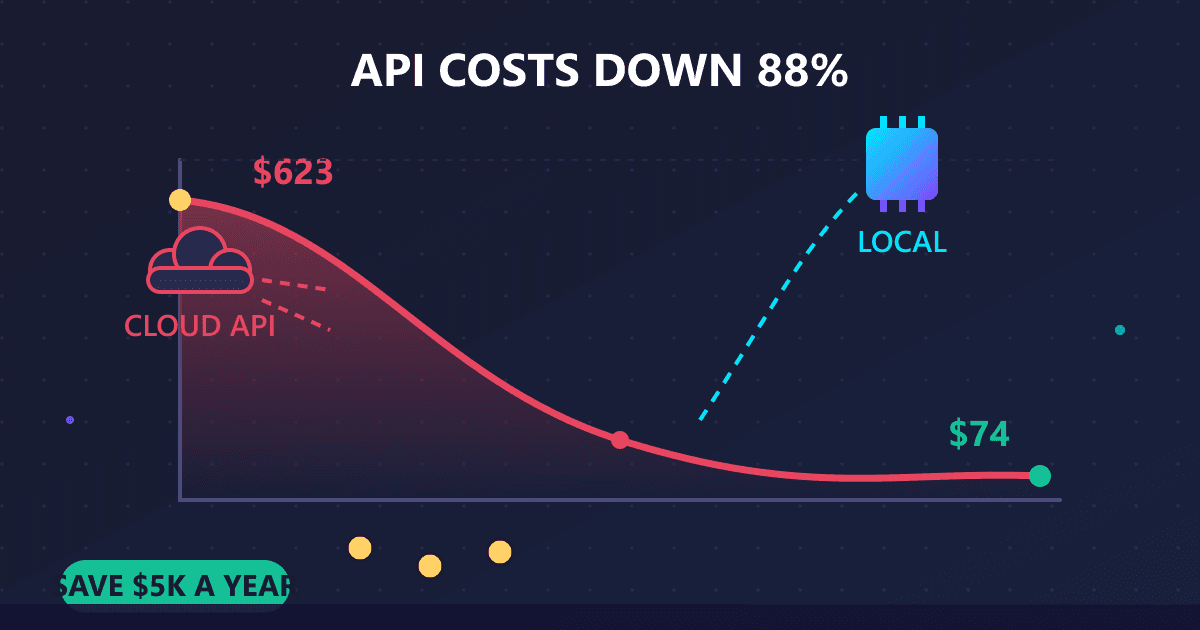
How much do AI API costs really add up to? After six months of intensive use, my Claude and GPT API spending peaked at $623 per month, totaling over $2,500 before I switched approaches. By moving 80% of my workload to local AI models running on an RTX 3080 I already owned, I reduced ongoing costs to approximately $75-90 per month in cloud API fees plus minimal electricity costs. Annual savings: approximately $5,000.
My phone buzzed at 2:37 AM on a Tuesday. Not a call, just an AWS billing alert. I had crossed my configured threshold again. Groggily, I opened the email: my AI API spending for the month had hit $623, and I still had six days left in the billing cycle.
Try AI Chat — free, no sign-up, and it runs entirely in your browser.
I sat up in bed and did the math. Six hundred dollars. Every month. For what was supposed to be a cost-effective productivity tool. Over a year, I would spend more on AI assistance than my entire cloud hosting infrastructure, development tools subscriptions, and even my health insurance copays combined.
That is when I knew something had to change.
I'm a freelance developer who builds web applications, automation tools, and occasionally takes on consulting projects. When GPT-4 and Claude became available via API in early 2024, I jumped at the opportunity. The ability to integrate AI directly into my development environment, scripts, and workflows felt revolutionary. No more copying code into web interfaces. No more hitting subscription message limits during critical debugging sessions. Pure, unlimited access to frontier AI models.
Or so I thought.
What I didn't fully appreciate was how those small API calls would accumulate. A few cents here for code suggestions. Twenty cents there for documentation generation. A dollar for a complex debugging session. By themselves, each call felt trivial. Combined over weeks of intensive development work, they became a significant business expense.
This is the story of those six months: what I spent, where the money went, my attempts to optimize costs, and the eventual decision to move most of my AI workload to local models running on hardware I control. If you're a developer, startup founder, or anyone watching AI costs climb, this might save you from learning the same expensive lessons I did.
What Causes AI API Costs to Spiral Out of Control?
Let me start by explaining exactly what I was doing with these APIs, because context matters. I wasn't just casually asking ChatGPT to write birthday messages. I had built a comprehensive AI-assisted development environment that touched nearly every aspect of my workflow.
IDE Integration
I created a VS Code extension that sent code snippets to Claude for real-time suggestions. When I finished writing a function, a quick keyboard shortcut would send it for review, receiving back suggestions for improvements, potential bugs, and edge cases I hadn't considered. I also built automatic documentation generation—finish a function, and docstrings would appear automatically based on the code's logic.
Command Line Tools
My terminal became AI-aware. I created shell aliases that piped error messages directly to GPT-4 for explanation. Cryptic stack traces from obscure libraries? Instant analysis. Log files that would take minutes to parse manually? Summarized in seconds. I even had a tool that generated boilerplate code from natural language descriptions typed directly into the terminal.
Automation Scripts
This is where things got expensive without me realizing it. I built scripts that ran automatically:
- Every morning, my application logs from the previous day were summarized with key issues highlighted
- Customer support emails were automatically analyzed and draft responses generated
- Code documentation synced whenever I pushed commits, with AI updating descriptions based on changes
- Weekly analytics reports included AI-generated insights about user behavior patterns
These scripts ran constantly, making hundreds of API calls without me consciously triggering them. Each call was small. But hundreds per day adds up fast.
Development Support
Beyond automation, I used AI interactively throughout the day. Debugging complex async issues. Discussing architecture decisions for new features. Generating test cases for edge scenarios. Writing API documentation. Each session might involve 10-30 back-and-forth exchanges with the AI.
The flexibility was intoxicating. AI was everywhere in my workflow, always available, never rate-limited. Until I saw what that convenience cost.
What Did AI API Costs Look Like in Month One?
March 2024 was my first full month with comprehensive API integration. I'd been using cloud AI casually before, spending maybe $30-50 monthly. But March was different—this was the month I went all-in on AI-assisted development.
Looking back at my billing breakdown:
Code Assistance via GPT-4 Turbo: $67 Approximately 1.4 million input tokens, 0.6 million output tokens. This covered inline code suggestions, refactoring recommendations, and quick explanations of unfamiliar code patterns.
Documentation Generation via Claude Sonnet: $31 Generating docstrings, API documentation, and README updates. Claude's longer context window made it better for documentation tasks.
Debugging Sessions via Claude Opus: $48 For really tough problems, I'd use Claude's most capable model. Complex async bugs, race conditions, and architectural questions justified the premium pricing.
Automated Log Analysis via GPT-3.5-turbo: $8 My daily log summarization script ran cheaply on the least expensive model.
Miscellaneous (commit messages, email drafts, etc.): $24
Total: $178 for the month.
At the time, this felt reasonable. I was maybe 30% more productive. Code reviews were faster. Documentation was better. Debugging sessions were shorter. For a freelance developer billing at $150/hour, if AI saved me just 90 minutes a month, it paid for itself.
But I didn't consider how my usage would grow.
How Did AI API Costs Increase Over Time?
Here's what nobody tells you about productivity tools: when something works well, you use it more. And when you use it more, you find new use cases. And those new use cases lead to even more usage.
By April, I'd added new workflows:
- Automated code review on every git commit before pushing
- AI-generated test cases for new features
- Intelligent email inbox triage
- Meeting notes summarization
- Research assistance for technical documentation
My May billing statement showed the pattern clearly. I'd also taken on a complex project that involved refactoring a legacy codebase. Lots of "explain this code" queries. Lots of "suggest improvements" iterations. The API costs reflected that increased activity.
June brought another spike. A client needed extensive documentation for their API. Instead of writing it manually, I had AI generate initial drafts from the code, then refined them. Saved hours of boring documentation work. Cost $200 in API fees.
The Pattern That Emerged
Every efficiency gain encouraged more usage. More usage increased costs. Increased costs were justified by productivity gains. Productivity gains led to taking on more work. More work meant more AI usage. The cycle fed itself.
The fundamental problem: cloud AI pricing scales linearly with usage. The more productive I became, the more the productivity tool cost. There was no economy of scale. No volume discount that mattered. Just per-token pricing that grew with every query.
How Can You Reduce AI API Costs Through Optimization?
After June's $623 bill, I got serious about cost reduction. I spent two weeks analyzing my usage patterns and implementing optimization strategies.
Strategy 1: Aggressive Prompt Engineering
I rewrote every system prompt I used to be more concise. My original code review prompt was 240 words of detailed instructions. I compressed it to 38 words without meaningful quality loss. Across all my prompts, I cut token usage by roughly 60%.
Strategy 2: Strict Model Tiering
I created rules for which model handled which task:
- GPT-3.5-turbo: Commit messages, simple code formatting, log summarization
- Claude Sonnet / GPT-4-turbo: Code review, documentation, test generation
- Claude Opus / GPT-4: Only for genuinely complex problems that cheaper models failed on
This single change cut my costs about 25%. Turns out most tasks don't need the most expensive models.
Strategy 3: Response Caching
I implemented a simple caching layer with Redis. If I'd asked about the same error message before, serve the cached response instead of making a new API call. Hit rate was surprisingly good—about 18% of my queries were cacheable. That's an 18% cost reduction on applicable categories.
Strategy 4: Output Length Limits
I added strict max_tokens parameters to every API call. Previously, I'd let models generate unlimited output. Now everything had a cap. Reduced output token usage by roughly 30%.
Strategy 5: Batching Requests
Instead of reviewing each function individually (20 API calls for 20 functions), I batched them into single requests where possible. Reduced overhead and enabled better context sharing.
The Results
July: $401 (35% reduction from June) August: $368 (another 8% reduction)
Progress, but still expensive. Even optimized, I was on track for $4,400 annually on AI APIs. For a solo freelancer, that's a significant line item.
Worse, the constant cost pressure was exhausting. Every query had a mental calculation attached: "Is this worth 15 cents?" That cognitive overhead was the opposite of what I wanted from productivity tools.
What Made Me Finally Switch to Local AI?
Late August, I encountered a particularly nasty bug in a client's React application. Race condition involving async state updates, third-party library quirks, and browser-specific timing issues. The kind of bug that makes you question your career choices.
I spent three hours debugging with AI assistance. Extensive back-and-forth. Long code snippets. Multiple approaches tried and abandoned. I finally identified the issue, fixed it, and closed my laptop feeling accomplished.
The next day, I checked my API usage out of curiosity. That single debugging session had cost $37.
Thirty-seven dollars. For three hours of AI assistance. On one bug.
Now, arguably it was worth it—the bug was fixed, the client was happy, I billed my time. But the math bothered me. A single intensive work session shouldn't cost what I used to pay monthly for my entire development tool stack.
That was my breaking point. I started researching local alternatives seriously.
How Do You Get Started with Local AI Using Ollama?
I'd known about open-source language models vaguely. Llama, Mistral, stuff enthusiasts talked about. I'd dismissed them as inferior hobbyist tools compared to the frontier models I was paying for.
But in September 2024, the landscape had changed dramatically. Llama 3.1 had released, and benchmarks showed it competing with GPT-3.5 and approaching GPT-4 on many tasks. Mistral had improved significantly. The quality gap I'd assumed existed was narrowing rapidly.
More importantly, I already owned capable hardware. My workstation had an RTX 3080 with 10GB of VRAM that mostly sat idle during development work. I didn't need to buy anything—I could test local AI with existing resources.
The Setup Process
Installing Ollama took about 10 minutes. Running my first local model:
ollama pull llama3.1:8b
ollama run llama3.1:8b
Two commands. That's it. Within minutes, I was chatting with a model running entirely on my local hardware.
The response quality was... surprisingly good. Not identical to GPT-4, but much better than I expected. For straightforward code review and documentation tasks, it was completely adequate.
The Hardware Reality
My RTX 3080 ran Llama 3.1 8B at about 35-40 tokens per second. Not instant like cloud APIs, but fast enough for practical use. Longer responses took a few seconds instead of feeling instantaneous, but the difference was tolerable.
For more complex tasks, I downloaded Llama 3.1 70B quantized to fit in my VRAM. Slower—maybe 12-15 tokens per second—but the quality matched GPT-4 for most of my work.
The Critical Test
I ran my actual daily workload through local models for a week. Same tasks I'd been using cloud APIs for. Code review, documentation, debugging assistance, commit messages, everything.
Results:
- 80% of tasks: Local models performed adequately with no noticeable quality loss
- 15% of tasks: Local models were slightly worse but still useful
- 5% of tasks: Local models struggled; these genuinely needed frontier cloud models
That 80% was the key number. If I could handle 80% of my AI queries locally, my costs would drop by 80%. Simple math.
What Is the Best Hybrid Approach for Local and Cloud AI?
I didn't switch entirely to local models overnight. Instead, I implemented a hybrid approach that used local models as the default and cloud APIs as a fallback.
The Architecture
I modified my AI integration to:
- Try the local model first for most tasks
- Automatically escalate to cloud APIs if local quality was insufficient
- Reserve premium cloud models (GPT-4, Claude Opus) for genuinely complex tasks
- Keep a simple cache of API responses for repeated queries
Local Model Usage (September-October)
- Commit message generation: 100% local (Mistral 7B)
- Code review: 90% local (Llama 3.1 8B)
- Documentation drafts: 85% local (Qwen2.5 14B)
- Log analysis: 100% local (Llama 3.1 8B)
- Basic debugging: 75% local (Llama 3.1 8B)
Cloud API Usage (September-October)
- Complex architecture decisions: Claude Opus
- Novel problem-solving: GPT-4
- Tasks requiring recent knowledge: Cloud models
- High-stakes client deliverables: Cloud models
- Fallback when local models failed: Various
The Cost Reality
September API costs: $89 October API costs: $74
From $623 in June to $74 in October. An 88% reduction.
Annual projection: roughly $900 instead of $7,500. Savings of $6,600 annually.
The Electricity Consideration
Running local AI does consume electricity. My gaming PC with an RTX 3080 draws about 350W under load. Assuming 6 hours daily of AI workload, that's roughly 63 kWh per month. At $0.12 per kWh (my local rate), that's about $7.50 monthly in electricity.
Even accounting for electricity, my costs dropped from $600+ to under $82 monthly. The savings were real and significant.
What Are the Pros and Cons of Local AI vs Cloud APIs?
After three months running mostly local AI (September-November 2024), here are the honest lessons:
What Worked Exceptionally Well
No rate limits: During intensive debugging sessions, I could make unlimited queries without watching a cost meter. This freedom changed how I approached problems. No more hesitation before asking follow-up questions.
Batch processing freedom: I stopped worrying about processing costs. Analyzing an entire codebase for documentation? Fine, process 200 files. Previously, I'd have calculated whether each file was "worth" the API cost.
Experimentation: Testing different prompts and approaches had zero marginal cost. This led to better results overall because I could iterate freely.
Privacy improvement: Client code processing happened entirely on my machine. No external transmission. For sensitive projects, this was a meaningful improvement.
What Didn't Work as Well
Latency differences: Local inference at 35 tokens/second feels slower than cloud APIs. For interactive use, this was noticeable. Not dealbreaking, but definitely different.
Context window limitations: Smaller local models had shorter context windows. For really long documents or extensive codebase analysis, I still needed cloud models with larger windows.
Cutting-edge capabilities: The newest features (improved reasoning, specialized functions, vision capabilities) appeared in cloud models first. Local models lagged by months.
Hardware dependency: My workflow became tied to my workstation. Working from a laptop while traveling meant reverting to cloud APIs or accepting degraded local performance.
What I Was Surprised By
Quality was closer than expected: The gap between local Llama 3.1 8B and cloud GPT-3.5 was minimal for my tasks. Local Llama 3.1 70B genuinely matched GPT-4 for most work.
Setup was easier than feared: I expected complex configuration and troubleshooting. Ollama made it trivially easy. From zero to running models locally took under an hour.
Maintenance was minimal: After initial setup, local models just worked. No ongoing management or tuning required. Update Ollama occasionally. That's it.
What Is the Break-Even Point for Switching to Local AI?
Let's talk actual numbers for anyone considering this switch.
My Costs (September-December 2024)
Cloud API usage: $74, $68, $81, $77 monthly average = $75/month Electricity (estimated): $7.50/month Hardware: $0 (already owned RTX 3080) Time investment (setup and integration): ~20 hours = ~$3,000 equivalent
Total first-year cost: $75 × 12 = $900 + $90 electricity + $3,000 setup = $3,990
Previous Cloud-Only Cost Projection
Based on June-August averages: $497/month Annual projection: $5,964
Savings: $1,974 first year (even including setup time)
Subsequent years: $1,080 local vs $5,964 cloud = $4,884 annual savings
If I'd Needed to Buy Hardware
RTX 4070 12GB (better than my 3080): $600 Additional RAM upgrade: $100 Total hardware: $700
Even with hardware purchase: $3,990 + $700 = $4,690 first year vs $5,964 cloud Break-even in first year. Massive savings after.
For someone spending $500+/month on AI APIs, dedicated hardware pays for itself in weeks.
Who Should Switch from Cloud APIs to Local AI?
This approach isn't universal. It makes sense when:
High volume, routine tasks: You're making hundreds of API calls monthly for repetitive work like code generation, documentation, summarization. Each call is small, but they accumulate.
Cost sensitivity: API costs are a significant line item in your budget. For businesses spending $1,000+/month, local alternatives deserve serious consideration.
Privacy requirements: Your data is sensitive enough that external transmission creates risk or violates agreements. Local processing eliminates this concern entirely.
Iteration-heavy workflows: You want to experiment, test variations, or refine prompts without financial anxiety. Unlimited usage enables better results.
It probably doesn't make sense when:
Low volume usage: Spending under $50-100/month on APIs. Setup effort probably isn't worth the savings.
Need cutting-edge capabilities: Your work requires the absolute latest model capabilities that local options don't match yet.
Lack hardware: You don't have a GPU with 8GB+ VRAM and don't want to invest in one.
Mobile/distributed work: You work primarily from laptops or need AI access from multiple locations. Local models tied to one workstation create friction.
High-stakes, quality-critical work: Every output must be absolutely top quality, and even small degradations aren't acceptable.
What Does a Hybrid Local and Cloud AI Workflow Look Like?
Four months after switching to primarily local AI, here's what I actually do:
Morning routine:
- Check automated log summaries (generated locally overnight)
- Review commit messages from yesterday (local AI generates these)
- Process inbox triage (local AI categorizes and prioritizes)
Active development:
- Code suggestions and review: 95% local (Llama 3.1 8B)
- Documentation generation: 100% local (Qwen2.5 14B)
- Commit messages: 100% local (Mistral 7B)
- Basic debugging: 90% local, escalate to cloud for tough issues
Complex tasks:
- Architecture decisions: Claude Sonnet (cloud)
- Client deliverables: GPT-4 (cloud) for quality assurance
- Learning new technologies: Mix of local and cloud
Batch processing:
- Codebase documentation updates: Local
- Test generation: Local
- Research synthesis: Local
Total cloud API usage: 10-15% of queries, 20-25% of tokens Monthly cloud costs: $70-90 depending on complexity of projects
The key is having both options available. Local handles the bulk of routine work cheaply. Cloud handles the exceptions where quality really matters.
What Tools Do You Need for Local AI Development?
For anyone wanting to replicate this setup:
Ollama (https://ollama.ai): The easiest way to run local models. Download, install, pull models, run them. Simple API compatible with OpenAI's format.
Models I use regularly:
- Llama 3.1 8B: Fast, good quality for routine tasks
- Mistral 7B: Excellent instruction following
- Qwen2.5 14B: Great for documentation and technical writing
- Llama 3.1 70B (quantized): For complex work needing GPT-4 level quality
Integration:
- VS Code extension pointing to local Ollama endpoint
- Modified existing API client to support local endpoint with fallback to cloud
- Simple environment variable switches between local and cloud
Hardware:
- NVIDIA GPU with 8GB+ VRAM minimum (12GB+ recommended)
- 32GB system RAM for larger models
- Fast NVMe SSD for storing model files
Cost for capable setup: $1,000-1,500 if building from scratch. Less if upgrading existing hardware.
Frequently Asked Questions About AI API Costs and Local Alternatives
How much do GPT-4 and Claude API costs typically run per month?
For light use (occasional queries), expect $20-50 monthly. For moderate developer use with automation, $100-300 monthly. For heavy integrated use with automated scripts and constant assistance, $400-700+ monthly. Costs scale linearly with token usage, meaning productivity gains directly increase costs.
Is local AI quality good enough to replace cloud APIs?
For 80% of routine tasks including code generation, documentation, log analysis, and basic debugging, local models like Llama 3.1 8B provide comparable quality. The remaining 20% of complex reasoning tasks may still benefit from cloud APIs. A hybrid approach captures most savings while maintaining quality where it matters.
What is the minimum hardware needed to run local AI cost-effectively?
An existing gaming PC with 16GB RAM and a GPU with 8GB+ VRAM can run useful models. If purchasing hardware, an RTX 3060 12GB ($200-250 used) or RTX 4070 12GB ($550 new) provides excellent performance. Apple Silicon Macs with 16GB+ unified memory also work well.
How long does it take to set up local AI after using cloud APIs?
Initial Ollama setup takes about 10 minutes. Downloading models takes another 10-30 minutes depending on size and internet speed. Integrating with existing development workflows typically takes a few hours to a day. Most developers are comfortable with the new workflow within one week.
Do local AI models work offline?
Yes. Once models are downloaded (4-50GB depending on size), they run entirely offline without any internet connection. This enables working on planes, in secure facilities, or during internet outages.
How much electricity does running local AI cost?
A GPU under heavy AI load draws approximately 300-400W. Running AI workloads 6 hours daily costs roughly $5-10 per month in electricity at typical US rates. Even with electricity factored in, local AI is dramatically cheaper than cloud API fees for heavy users.
Can you still use cloud APIs alongside local AI?
Yes, and this hybrid approach is recommended. Use local AI for routine tasks (80% of queries) and reserve cloud APIs for complex reasoning, cutting-edge capabilities, or when maximum quality is critical. This provides most of the cost savings while maintaining access to frontier model capabilities.
The Bottom Line After Six Months
I spent six months learning the hard way that cloud API pricing doesn't align with productivity gains. The more value I extracted from AI, the more it cost. The pricing model worked against me.
Switching to local AI for most tasks solved the fundamental problem. My costs became nearly fixed—electricity and occasional cloud API usage for edge cases. Usage became unlimited within my local capacity. The meter stopped ticking.
Key numbers:
- Peak cloud API spending: $623/month (June 2024)
- Optimized cloud spending: $368/month (August 2024)
- Hybrid approach spending: $75-90/month (Sept-Dec 2024)
- Annual savings: ~$5,000
- Payback period: Immediate (I had hardware); 2-3 months if buying hardware
Quality trade-offs:
- 80% of tasks: No noticeable quality difference
- 15% of tasks: Slightly lower quality but acceptable
- 5% of tasks: Still need cloud models
For my usage patterns, that's a fantastic trade. Massive cost reduction with minimal quality impact.
The freedom factor: The most significant improvement isn't just cost—it's the removal of the cost meter from my consciousness. I use AI freely now. No mental calculations. No hesitation. No watching usage dashboards. Tools should reduce cognitive load, not add to it.
If you're spending significant money on AI APIs and your workflows involve sensitive data or repetitive tasks, local AI deserves serious evaluation. The setup is easier than you think. The quality is better than you expect. The savings are immediate and ongoing.
Six months ago, I couldn't imagine development without cloud AI APIs. Today, I can't imagine going back to paying for every token when local alternatives work this well.
For file processing that shares this local-first philosophy, check out our browser-based conversion tools. Like local AI, everything processes on your device with no server uploads. Same privacy principle, different application.
Costs and experiences based on actual API usage September 2023 through December 2024. Your results will vary based on usage patterns, hardware, and specific workflows. Test with small deployments before committing to hardware investments.