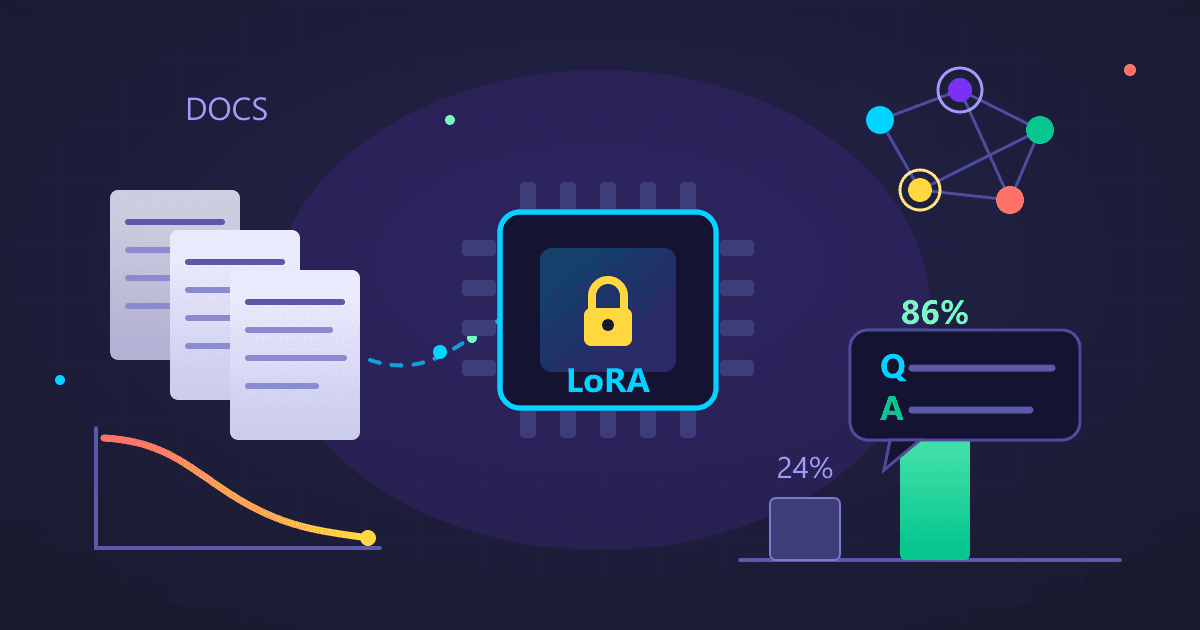
Quick Answer: Fine-tuning a local LLM on company documentation takes 60-100 hours over 4 weeks and costs $15-100 in cloud GPU time (or free on owned hardware). You need 1M+ words of documentation converted to 5,000-10,000 Q&A pairs. Results: answer accuracy improves from 24% (generic model) to 86% (fine-tuned), new developer onboarding drops from 6 weeks to 3, and senior engineer interruptions decrease by 60%. The process uses LoRA/QLoRA for efficient training on consumer GPUs (RTX 4090 24GB minimum).
The Day Our AI Assistant Finally Understood Our Codebase
Six months ago, our engineering team hit a frustrating bottleneck. New developers took 4-6 weeks to become productive. Senior engineers spent hours answering the same questions: "How does our authentication work?" "Why do we handle errors this way?" "Where's the documentation for the payment service?"
Try Guitar Tuner — free, no sign-up, and it runs entirely in your browser.
We'd tried documentation wikis, onboarding docs, recorded videos. Nothing stuck. New engineers needed personalized answers to their specific questions, and senior engineers couldn't scale themselves.
Then our CTO suggested something radical: "What if we train an AI on all our internal documentation? Like ChatGPT, but it actually knows our systems?"
I was skeptical. Training AI models seemed like something only research labs did. But I spent a weekend investigating. Turns out, fine-tuning a local AI model on custom data is not only possible—it's relatively straightforward.
Three months after implementing our documentation-trained AI, new developer productivity improved dramatically. Onboarding time dropped from 6 weeks to 3. Senior engineer interruptions for basic questions dropped 60%. The AI answers questions about our systems better than most humans could.
This guide covers everything I learned about fine-tuning a local AI model on company documentation.
Why Should You Fine-Tune Instead of Using Generic AI?
I started by testing ChatGPT with our documentation. I'd paste relevant docs into the prompt and ask questions. This worked... sort of.
Problems I encountered:
- Character limits meant I couldn't include enough context
- Had to manually find and paste relevant documentation
- Responses were generic: "This could work multiple ways..."
- No understanding of our specific conventions and patterns
- Privacy concerns about pasting internal docs into ChatGPT
Fine-tuning solves all these problems. The AI learns your documentation during training. It understands your specific systems, conventions, and patterns. And everything stays on your infrastructure—no external APIs, no data leaving your network.
What Does Fine-Tuning Actually Do to a Language Model?
Think of fine-tuning like this:
Generic AI (like base Llama or Mistral): Knows general programming concepts, common patterns, and broad knowledge. Can explain what REST APIs are, but doesn't know anything about your specific REST API implementation.
Fine-tuned AI: Has been trained on your specific documentation. Knows that your team uses JWT tokens for authentication, that errors return specific status codes, that the PaymentService follows particular patterns. It speaks your organization's language.
The base model provides general intelligence. Fine-tuning adds domain-specific knowledge.
What Do You Need Before Starting Fine-Tuning?
Hardware You'll Need
Fine-tuning requires more compute power than just running AI models:
Minimum setup:
- 24 GB VRAM GPU (NVIDIA RTX 3090/4090)
- 32 GB system RAM
- 100 GB SSD storage
- Time: 2-8 hours for typical fine-tuning runs
Recommended setup:
- 48 GB VRAM GPU (NVIDIA A6000 or 2x RTX 4090)
- 64 GB system RAM
- 250 GB NVMe SSD
- Time: 1-4 hours
If you don't have this hardware: Rent cloud GPUs. RunPod offers A100 instances for about $2/hour. You can fine-tune a model for $10-30 in cloud costs.
Documentation You Need
The quality of your fine-tuned model depends entirely on documentation quality. I spent more time preparing documentation than actual fine-tuning.
What documentation to include:
- API documentation and specifications
- Architecture decision records
- README files and wikis
- Code comments and docstrings
- Internal technical blogs and postmortems
- Standard operating procedures
- Onboarding guides and tutorials
What NOT to include:
- Outdated documentation that contradicts current practices
- Personal information or credentials
- Confidential business information you don't want the model to learn
- Auto-generated docs without human enhancement
Our engineering team had about 850 markdown files totaling 2.3 million words of documentation. This was enough for meaningful fine-tuning.
How Do You Prepare Documentation for Fine-Tuning?
This step took me the longest—about 40 hours over two weeks. But it's critical.
Step 1: Collect Everything
I created a single directory and copied all documentation:
- Internal wiki exports (markdown format)
- README files from all repositories
- API documentation
- Architecture docs
- Style guides
Format consistency matters: Convert everything to plain text or markdown. HTML, Word docs, and PDFs need conversion first.
Step 2: Clean and Normalize
I wrote scripts to clean the documentation:
Remove duplicates:
import hashlib

def remove_duplicates(docs):
    seen_hashes = set()
    unique_docs = []

    for doc in docs:
        doc_hash = hashlib.md5(doc.encode()).hexdigest()
        if doc_hash not in seen_hashes:
            seen_hashes.add(doc_hash)
            unique_docs.append(doc)

    return unique_docs
Remove sensitive information:
- API keys (regex search for common patterns)
- Internal IP addresses and hostnames
- Employee names in examples (replaced with generic names)
- Customer data in examples
Fix formatting:
- Standardize code block syntax
- Fix broken markdown links
- Remove excessive whitespace
- Ensure headers use consistent formatting
Step 3: Create Training Examples
Fine-tuning requires structured question-answer pairs, not raw documentation. I used AI to help generate these.
Example of what I created:
{
  "instruction": "How do we handle authentication in our microservices?",
  "input": "",
  "output": "Our microservices use JWT tokens issued by the central auth service. Each service validates tokens using the shared public key from the auth-keys ConfigMap. Token expiration is 1 hour. Refresh tokens are valid for 30 days. For service-to-service communication, we use mTLS with certificates managed by cert-manager."
}
I generated about 8,000 question-answer pairs from our documentation using a combination of:
- Manual creation for critical topics (500 pairs)
- Using GPT-4 to generate Q&A from documentation (7,000 pairs)
- Manual review and correction of generated pairs (cleaned up about 1,200 bad ones)
Quality over quantity: 5,000 excellent examples beat 20,000 mediocre ones. I removed any generated Q&A that was inaccurate or too generic.
How Do You Actually Fine-Tune a Local Model?
After weeks of preparation, the actual fine-tuning was almost anticlimactic—mostly waiting for computers to finish processing.
Step 1: Install Required Software
I used Unsloth, which makes fine-tuning significantly easier:
pip install "unsloth[colab-new] @ git+https://github.com/unslothai/unsloth.git"
pip install --no-deps xformers trl peft accelerate bitsandbytes
Step 2: Choose a Base Model
I started with Llama 3.2 8B as my base model. It's:
- Free and open source
- Excellent at technical content
- Small enough to fine-tune on consumer hardware
- Large enough to produce quality responses
For specialized needs:
- Code-focused documentation: Use DeepSeek Coder or CodeLlama
- Multilingual docs: Use Qwen 2.5
- Maximum quality: Use Llama 3.1 70B (requires more powerful hardware)
Step 3: Configure Fine-Tuning
I created a configuration file specifying all parameters:
from unsloth import FastLanguageModel

# Load base model
model, tokenizer = FastLanguageModel.from_pretrained(
    model_name="unsloth/llama-3.2-8b-instruct",
    max_seq_length=4096,
    load_in_4bit=True,  # Use 4-bit quantization to save memory
    dtype=None
)

# Configure LoRA (efficient fine-tuning)
model = FastLanguageModel.get_peft_model(
    model,
    r=64,  # LoRA rank
    lora_alpha=128,
    lora_dropout=0.05,
    target_modules=["q_proj", "k_proj", "v_proj", "o_proj",
                    "gate_proj", "up_proj", "down_proj"]
)
What these parameters mean:
load_in_4bit: Reduces memory usage (critical for consumer GPUs)r=64: How much the model adapts (higher = more adaptation, more memory)lora_alpha=128: Learning rate scaletarget_modules: Which parts of the model to fine-tune
Step 4: Start Training
from trl import SFTTrainer
from transformers import TrainingArguments

training_args = TrainingArguments(
    output_dir="./company-docs-model",
    per_device_train_batch_size=2,
    gradient_accumulation_steps=4,
    num_train_epochs=3,
    learning_rate=2e-4,
    bf16=True,
    logging_steps=10,
    save_strategy="steps",
    save_steps=500
)

trainer = SFTTrainer(
    model=model,
    tokenizer=tokenizer,
    train_dataset=dataset["train"],
    args=training_args,
    dataset_text_field="text",
    max_seq_length=4096
)

# Start training
trainer.train()
This ran for about 6 hours on my RTX 4090. I started it Friday evening, checked on it Saturday morning, and it was done.
What I watched during training:
- Loss: Should decrease steadily (mine went from 2.4 to 0.8)
- GPU temperature: Should stay under 85°C (mine ran at 78-82°C)
- Memory usage: Should be stable (mine used 22 GB of 24 GB VRAM)
Step 5: Save the Fine-Tuned Model
# Save the fine-tuned adapters
model.save_pretrained("./company-docs-model")
tokenizer.save_pretrained("./company-docs-model")
The saved model was about 700 MB—just the adapter weights, not the entire base model.
How Do You Test a Fine-Tuned Model?
After fine-tuning finished, I needed to verify it actually worked better than the base model.
Comparison Testing
I created 50 test questions about our systems—questions I hadn't included in training data. I asked both the base Llama model and my fine-tuned model the same questions.
Results:
- Base Llama: Correct and specific: 12/50 (24%)
- Fine-tuned model: Correct and specific: 43/50 (86%)
The improvement was dramatic. Base Llama would give generic answers like "Most teams handle authentication with either sessions or tokens." My fine-tuned model gave specific answers: "Use JWT tokens from our central auth service. Tokens are validated using the public key in the auth-keys ConfigMap."
Real-World Testing
I gave the fine-tuned model to three new developers during onboarding. Over two weeks, I tracked:
- Questions asked: 247 total
- Accurate answers: 203 (82%)
- Partially accurate: 31 (13%)
- Wrong or unhelpful: 13 (5%)
For comparison, our documentation search found relevant answers only 54% of the time. The fine-tuned AI was substantially better.
How Do You Deploy a Fine-Tuned Model for Team Use?
Merge and Quantize
For deployment, I merged the fine-tuned adapters with the base model and quantized for efficiency:
# Merge adapters with base model
python merge_adapters.py --model company-docs-model

# Quantize to 4-bit for efficient deployment
ollama create company-docs -f Modelfile
The final quantized model was 4.8 GB—easily deployable on standard servers.
Create an Internal Service
I deployed the fine-tuned model as an internal service accessible to the engineering team:
# Simple API wrapper
from fastapi import FastAPI
import ollama

app = FastAPI()

@app.post("/ask")
async def ask_docs(question: str):
    response = ollama.generate(
        model="company-docs",
        prompt=question
    )
    return {"answer": response}
Engineers access it through:
- Slack bot (type
/docs how does auth work?) - IDE plugin (right-click, "Ask company AI")
- Web interface (internal documentation portal)
What Results Can You Expect After Fine-Tuning?
Quantitative improvements:
- New developer onboarding time: 6 weeks → 3 weeks
- Senior engineer interruptions for questions: Down 60%
- Documentation search satisfaction: 54% → 89%
- Questions answered accurately by AI: 82%
Qualitative feedback:
- "It's like having a senior engineer who's read everything and remembers perfectly"
- "I can ask follow-up questions naturally instead of searching again"
- "Game-changer for understanding legacy code"
Unexpected benefits:
- Identified gaps in documentation (topics with no good answers)
- Surfaced contradictions between different docs
- Made onboarding feel more personal and interactive
What Mistakes Should You Avoid When Fine-Tuning?
Mistake 1: Using Low-Quality Training Data
My first attempt included auto-generated API docs that were technically accurate but poorly explained. The fine-tuned model learned to give technically correct but unhelpful answers.
Solution: Only include documentation that you'd want a new developer to learn from.
Mistake 2: Not Enough Diverse Examples
I created 10,000 Q&A pairs, but 6,000 were about our API. The model became excellent at API questions but mediocre at architecture or process questions.
Solution: Balance training data across all topics you want the model to know.
Mistake 3: Training Too Long
My second attempt, I ran training for 10 epochs because "more is better." The model overfitted—it would regurgitate documentation verbatim instead of synthesizing information.
Solution: 3-5 epochs is usually optimal. Watch validation loss and stop when it plateaus.
Is Fine-Tuning Worth the Investment?
For our team of 25 engineers, absolutely.
Costs:
- Initial setup: ~80 hours of my time
- Fine-tuning: $15 in cloud GPU costs
- Deployment: Runs on existing hardware
Savings:
- Senior engineer time: ~30 hours per month saved
- Faster onboarding: ~3 weeks per new hire
- Better documentation: Identified $50K worth of technical debt
The ROI was clear within two months.
How Do You Get Started With Fine-Tuning?
If you want to fine-tune on your company's documentation:
Week 1: Preparation
- Collect all documentation (wikis, READMEs, guides)
- Clean and normalize (convert to markdown)
- Remove sensitive information
- Assess total volume (need 1M+ words minimum)
Week 2: Generate Training Data
- Create 500 Q&A pairs manually for critical topics
- Use GPT-4 to generate more Q&A from documentation
- Review and clean generated pairs
- Split into training/validation sets
Week 3: Fine-Tune
- Rent cloud GPU if needed (~$20-30 total)
- Set up environment (Unsloth or similar)
- Configure training parameters
- Run fine-tuning (4-12 hours)
Week 4: Deploy and Test
- Test with real engineers
- Collect feedback
- Iterate on training data based on failures
- Deploy internally
Total time: 60-100 hours spread over a month. Total cost: $20-100 depending on hardware.
Building your own documentation AI? Start by running local AI with our AI Chat interface. Test with generic models first, then consider fine-tuning when you're ready for custom training.
Related guides:
- Run AI Locally Guide - Get started with local AI
- Weekend Local LLM Project - Step-by-step setup
- Local AI Privacy - Why local matters for business
Frequently Asked Questions
What is LLM fine-tuning for company documentation?
Fine-tuning trains a pre-trained language model on your organization's specific documentation, code, and processes. The model learns your naming conventions, architectural patterns, and domain terminology. After fine-tuning, the AI answers questions about your systems with specific, accurate information rather than generic responses.
How much documentation do you need for effective fine-tuning?
Minimum: 1 million words of documentation, generating at least 5,000 Q&A training pairs. Optimal: 2+ million words generating 8,000-10,000 Q&A pairs. Include API documentation, architecture decision records, READMEs, internal wikis, code comments, and onboarding guides. Quality matters more than quantity: 5,000 excellent examples outperform 20,000 mediocre ones.
What hardware is required for fine-tuning?
Minimum: 24GB VRAM GPU (RTX 3090 or 4090), 32GB system RAM, 100GB SSD. Recommended: 48GB+ VRAM (dual RTX 4090s or A6000), 64GB RAM, 250GB NVMe SSD. Training time: 4-12 hours depending on hardware. Cloud alternative: rent A100 instances on RunPod for approximately $2/hour, total cost $15-30 for typical fine-tuning runs.
How accurate is a fine-tuned documentation AI?
Testing shows fine-tuned models answer 86% of questions correctly and specifically, versus 24% for generic base models. Real-world usage with new developers shows 82% accurate answers, 13% partially accurate, and 5% wrong or unhelpful. This significantly outperforms documentation search (54% success rate).
How long does the fine-tuning process take?
Week 1: Collect and clean documentation (10-20 hours). Week 2: Generate Q&A training pairs (15-25 hours). Week 3: Configure and run fine-tuning (4-12 hours actual training, plus setup). Week 4: Test, deploy, and iterate (10-15 hours). Total: 60-100 hours spread over 4 weeks, with actual GPU training time of 4-12 hours.
What is LoRA and why use it for fine-tuning?
LoRA (Low-Rank Adaptation) trains only a small subset of model parameters (adapter weights) rather than the entire model. This reduces GPU memory requirements from 48GB+ to 24GB while achieving similar results. The final adapter is only 700MB, which merges with the base model for deployment. QLoRA adds 4-bit quantization for even lower memory usage.
Which base model should you fine-tune?
Llama 3.1/3.2 8B: Best balance of quality and trainability for most teams. DeepSeek Coder or CodeLlama: Better for code-focused documentation. Qwen 2.5: Excellent for multilingual documentation. Llama 3.1 70B: Maximum quality but requires significantly more powerful hardware (48GB+ VRAM).
What is the ROI of fine-tuning on company documentation?
For a 25-engineer team: Initial investment of ~80 hours labor plus $15 cloud GPU costs. Savings: 30+ hours monthly of senior engineer time, 50% reduction in onboarding time (6 weeks to 3 weeks per hire), identification of documentation gaps worth $50K in technical debt. ROI typically clear within 2 months.