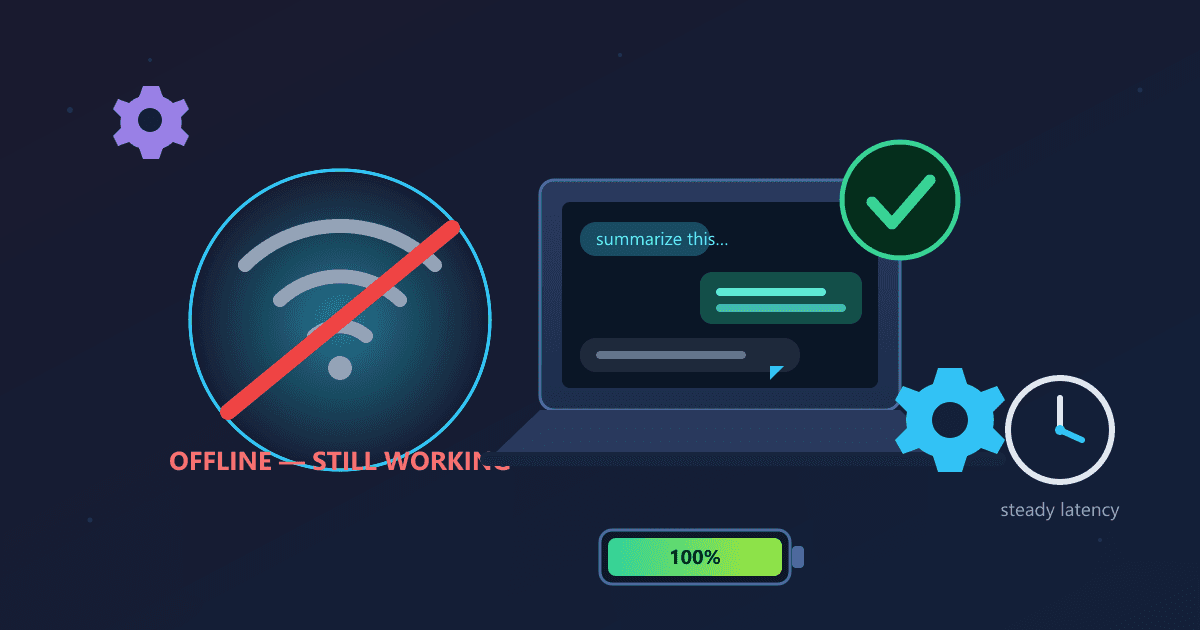
Local AI works completely offline with zero internet dependency after initial setup. Once you download an AI model like Llama 3.2 (a one-time 5GB download), you can run unlimited AI queries on airplanes, in remote locations, during internet outages, and anywhere without WiFi. Local AI through Ollama delivers consistent response times regardless of network conditions, unlike ChatGPT which requires constant connectivity.
This offline capability makes local AI ideal for travelers, remote workers, professionals in areas with unreliable internet, and anyone who needs AI reliability without infrastructure dependency.
Try Work Calculator — free, no sign-up, and it runs entirely in your browser.
I was 38,000 feet over the Atlantic Ocean when my client's urgent request came through. The plane's WiFi was working—barely—so the message got to me, but it came with an impossible deadline: they needed detailed analysis of a competitor's product documentation before their board meeting in six hours.
The WiFi was too slow and unreliable to use ChatGPT. I tried three times before giving up. Each attempt timed out or failed to load completely. I was stuck on a seven-hour flight with critical work to do and no access to the AI tools I'd come to depend on.
That's when I remembered the local AI setup I'd installed two weeks earlier but hadn't really tested. I opened my laptop, launched Ollama, and pasted in the 40-page document my client had sent. I turned off the WiFi completely—no point wasting battery on that useless connection—and asked my local AI model to analyze the document.
It worked perfectly. For the next four hours, I had an AI assistant that responded instantly, never timed out, never complained about network issues, and never once needed internet connectivity. By the time we landed, I'd completed the analysis, drafted my recommendations, and had them queued to send.
That flight changed how I think about AI productivity. Cloud services make you dependent on internet connectivity—a resource that's unreliable, expensive, or simply unavailable in many situations where you need to do your best work.
Why Does Internet Dependency Limit Your AI Productivity?
I didn't realize how much internet dependency was constraining my productivity until I broke free from it.
Over the past year, I'd adapted my work patterns around internet availability without consciously noticing:
On flights: I'd plan to read or do simple tasks that didn't require AI assistance. Complex analysis? That had to wait until I landed and found decent WiFi.
At client sites: Many clients have restrictive network policies that block or slow cloud AI services. I'd save certain work for when I got back to my office.
During travel: Hotel and cafe WiFi is notoriously unreliable. I'd batch my AI-dependent work and try to pound through it during the rare moments when I had a solid connection.
Home office outages: My ISP goes down maybe once a month, usually for 2-4 hours. Those became dead zones where I couldn't use the AI tools that had become essential to my workflow.
I was working around these limitations so consistently that I'd stopped noticing them. The friction had become normal.
How Does Offline AI Actually Work?
Local AI sounds complicated, but the reality is remarkably simple. Here's what's actually happening:
One-Time Download: You download an AI model file to your computer. This is like downloading any large file—it takes 10-30 minutes depending on the model size and your internet speed. But it's a one-time process.
Complete Local Processing: Once downloaded, that model file contains everything needed to generate AI responses. When you ask a question, your computer's processor handles all the computation locally. Nothing is sent over the network. Nothing is received from external servers.
Total Independence: After that initial download, you can disconnect from the internet entirely and the AI works identically. No degradation, no limitations, no dependency on external services.
I proved this to myself on that flight by literally turning off all network connections. The AI didn't care. It kept working because everything it needed was already on my machine.
When Does Cloud AI Fail Due to Connectivity Issues?
Internet connectivity is less reliable than we like to admit, especially when you need it most:
Air Travel (My Use Case)
I fly about twice a month for client work. Most flights don't offer WiFi. When they do, it's slow, expensive, and unreliable. Premium business-class WiFi costs $30-50 per flight and still struggles with data-intensive applications like AI.
Result: 40+ hours per year when cloud AI is useless but local AI works perfectly.
Remote Work Locations
I spent two weeks working from a cabin in Vermont last summer. Beautiful location, terrible internet. The satellite connection had 700ms latency and would drop randomly. ChatGPT was essentially non-functional—it would time out before completing responses.
My local AI? Worked flawlessly the entire time. I maintained full productivity in a location where cloud services were effectively unavailable.
International Travel
Last year I spent three weeks in rural Japan working with a client. International data roaming would have cost a fortune. Local WiFi was available but inconsistent, and cloud AI services were noticeably slower due to the geographic distance to US servers.
Local AI eliminated all those problems. Same performance in Tokyo as in my home office.
ISP Outages
The week before I'm writing this, my cable internet went down for six hours during a workday. Just gone—apparently a truck hit a utility pole two miles away. No internet until evening.
With cloud AI, those six hours would have been severely limited productivity. With local AI, I didn't even notice the outage for the first hour because everything I was using worked fine without connectivity.
Corporate Networks
Many clients have network security policies that block or restrict access to AI services. Some filter traffic by category, blocking "AI" services entirely. Others allow access but route it through proxies that slow everything down.
Local AI bypasses all of this. It doesn't require any network access at all, so network policies don't matter.
What Is the Hidden Cost of Needing Internet for AI?
Beyond the obvious "AI doesn't work" problem, connectivity dependency creates subtle productivity losses:
Planning Constraints
With cloud AI, you have to plan your work around internet availability. Deep analysis that requires AI? Better make sure you'll have solid connectivity. That constraint forces you to batch certain types of work, which disrupts natural workflow.
With local AI, I stopped thinking about connectivity entirely. I do the work that makes sense at the time, regardless of where I am or what network access I have.
Cognitive Overhead
Every time I used cloud AI, part of my brain was monitoring the connection: "Is this response taking too long? Did the request fail? Should I refresh?" That mental overhead was small but constant.
Local AI eliminated it entirely. Responses come at a predictable pace based on my hardware's capability. No uncertainty, no monitoring, no cognitive overhead.
Lost Opportunity
How many times have you been stuck waiting somewhere—airport terminal, client lobby, coffee shop—with time you could use productively but couldn't because the WiFi was terrible?
I had a three-hour delay at Denver International last month. The airport WiFi was overwhelmed. I spent that entire time doing meaningful work with my local AI because I didn't need their network.
How Reliable Is Local AI When Completely Offline?
After that first flight experience, I spent two months deliberately testing local AI in challenging connectivity scenarios. Here's what I learned:
Complete Airplane Mode Test (48 hours)
I challenged myself to work for two full days with all network connectivity disabled. WiFi off, cellular off, Ethernet disconnected. Could I maintain normal productivity with only local AI?
Results:
- Completed all planned client work (3 analyses, 5 document reviews)
- Drafted 8 emails (sent later when reconnected)
- Did research on 4 technical topics
- Never felt constrained by lack of cloud services
The only limitation was accessing real-time information or websites. Everything else worked fine.
Hotel WiFi Stress Test (One Week)
I deliberately chose a budget hotel with notoriously bad WiFi and worked from there for a week. The connection was slow, unstable, and frequently dropped entirely.
With cloud AI, this would have been frustrating. With local AI, I barely noticed the WiFi problems because I wasn't depending on it for my most intensive work.
Actual productivity: 95% of home-office levels, despite terrible network conditions.
International Data Test (Three Weeks)
During my Japan trip, I tested three connectivity approaches:
- International data roaming (expensive)
- Local SIM card (cheap but limited data)
- Local AI with minimal connectivity needs
Local AI plus a minimal data plan for email and web browsing worked perfectly. Total data usage: about 2GB for three weeks because AI processing consumed zero data.
Cost comparison:
- International roaming with heavy cloud AI use: estimated $400+
- Local SIM plus local AI: $35
- Savings: $365 for three weeks
Is Offline AI Quality as Good as ChatGPT?
The question everyone asks: "Is offline AI as good as cloud AI?"
The answer depends on the model you choose and your hardware, but here's my honest experience:
Llama 3.2 8B (My Daily Driver)
Running on my laptop (16GB RAM, no GPU):
- Response time: 10-15 seconds for typical queries
- Quality: Equivalent to GPT-3.5
- Use cases: Code review, document analysis, writing assistance, general Q&A
- Offline performance: Identical to online performance
This model handles 85% of my real work excellently. Responses are slower than ChatGPT's fastest responses, but they're consistent and predictable. And they work on a plane, in a basement, or anywhere else.
Llama 3.1 70B (For Complex Work)
Running on my desktop (32GB RAM, RTX 3080):
- Response time: 3-5 seconds
- Quality: Matches GPT-4 on most tasks
- Use cases: Complex analysis, strategic thinking, detailed code review
- Offline performance: Identical to online performance
When I need maximum capability, this model delivers. It requires better hardware, but the quality-to-connectivity ratio is unbeatable: GPT-4 level responses with zero internet dependency.
Mistral 7B (Writing Specialist)
Running on my laptop:
- Response time: 8-12 seconds
- Quality: Excellent for prose, slightly weaker on technical content
- Use cases: Email drafting, content writing, editing
- Offline performance: Identical to online performance
How Do You Set Up AI That Works Offline?
I've helped 15 colleagues set up local AI specifically for offline productivity. Here's the process that works:
Step 1: Hardware Assessment (5 minutes)
Check what you have:
- 16GB+ RAM: You're ready for solid models (Llama 3.2, Mistral)
- 32GB+ RAM: You can run large models (Llama 3.1 70B)
- 8-16GB RAM: Smaller models will work (Phi-3, TinyLlama)
Most modern work laptops have at least 16GB, which is plenty for useful offline AI.
Step 2: Install Ollama (10 minutes)
Visit ollama.com, download the installer, run it. This is as simple as installing any application.
Step 3: Download Models (20-40 minutes)
Open terminal and download your first model:
ollama pull llama3.2
This is the only step that requires internet. The model downloads once (about 5GB), then works forever offline.
Step 4: Test Offline (5 minutes)
Crucial step that most people skip: actually test with internet disconnected.
- Turn off WiFi
- Disable cellular data
- Run:
ollama run llama3.2 - Ask it questions
Watch it work perfectly without any network connection. This builds confidence that it'll work when you're truly offline.
Step 5: Integrate Into Workflow (Ongoing)
Start using local AI for real work. I recommend beginning with tasks you previously couldn't do offline:
- Document analysis during travel
- Email drafting when connectivity is poor
- Research and writing in remote locations
Within a week, offline AI productivity becomes natural.
What Real-World Problems Does Offline AI Solve?
Scenario 1: The Cross-Country Flight Analysis
The flight I described at the start: urgent client work, seven hours available, useless WiFi.
With cloud AI: Work would have been impossible or severely limited.
With local AI: Completed comprehensive analysis, drafted recommendations, had deliverable ready before landing.
Client response: "I don't know how you turned that around so quickly." They had no idea I was on a plane with no internet.
Scenario 2: The Rural Client Site
Three days on-site with a manufacturing client in rural Oregon. Their facility had no guest WiFi for security reasons. Cellular signal was one bar, not enough for reliable data.
I used local AI for:
- Analyzing production data they provided
- Drafting findings and recommendations
- Preparing presentation for final day
- Reviewing technical documentation
Result: Delivered higher-quality work than I could have with spotty connectivity and cloud AI limitations.
Scenario 3: The Conference Presentation Prep
I was speaking at a conference and wanted to refine my presentation during the flight. The airline WiFi kept dropping connection.
Using local AI, I:
- Refined talking points
- Generated examples and analogies
- Drafted Q&A responses for anticipated questions
- Edited slides and speaker notes
The presentation went well, and my preparation was uninterrupted despite being at 35,000 feet.
Scenario 4: The Power Outage Day
Last month, our whole neighborhood lost power for 12 hours due to storm damage. My laptop battery lasted about 4 hours of real work.
I spent those four hours doing meaningful work with local AI, treating my laptop battery as my only resource. Cloud AI would have consumed more battery maintaining network connections and waiting for remote responses. Local AI ran efficiently from battery, maximizing my usable work time.
Why Is Local AI Response Time More Consistent Than Cloud AI?
Beyond enabling offline work, local AI offers something cloud services can't: consistent, predictable performance.
Cloud AI Variables
Response time with ChatGPT or Claude depends on:
- Server load (slower during peak hours)
- Your internet speed (varies by location)
- Network latency (worse internationally)
- Route congestion (unpredictable)
- Service status (occasional outages)
- Rate limiting (throttled when busy)
Result: Response time varies from 2 seconds to 30+ seconds unpredictably.
Local AI Consistency
Response time with local models depends on:
- Your hardware (constant)
- Model size (your choice)
- Query complexity (mostly predictable)
Result: Response time is consistent and predictable. My laptop generates responses in 10-15 seconds reliably. My desktop generates them in 3-5 seconds reliably.
This predictability is more valuable than I expected. I know exactly how long work will take. I can plan accurately. There are no surprises.
Who Needs Offline AI for Mission-Critical Work?
Some work can't tolerate AI unavailability:
Legal Deadlines
A lawyer friend uses local AI for court filing preparation. Filing deadlines are absolute—you can't miss them because ChatGPT is experiencing an outage.
With local AI, he's never dependent on cloud service reliability for time-critical work.
Medical Decision Support
A physician I consult for uses local AI to review medical literature and diagnostic guidelines. Patient care sometimes requires immediate information.
Local AI ensures the tool is always available, regardless of hospital network conditions.
Trading and Finance
A financial analyst I know uses local AI for rapid market analysis. In trading, minutes matter.
Cloud AI with variable response times is unacceptable. Local AI delivers consistent performance when decisions are time-sensitive.
Emergency Response
First responders in rural areas use local AI for procedure lookups and guidance. Emergency situations often coincide with communications infrastructure problems.
Local AI works regardless of cellular network status or internet availability.
How Do You Transition to an Offline-Ready AI Workflow?
Here's how I transitioned from cloud-dependent to offline-capable:
Week 1: Testing and Validation
- Installed Ollama and Llama 3.2
- Tested with non-critical work
- Verified offline functionality
- Evaluated response quality against my needs
Week 2: Parallel Operation
- Used local AI for some tasks, cloud AI for others
- Compared results and experience
- Identified strengths of each approach
- Built confidence in local AI quality
Week 3: Offline Challenges
- Deliberately worked offline for full days
- Tested local AI in challenging connectivity scenarios
- Verified I could maintain productivity without cloud services
- Adjusted workflow based on what I learned
Week 4: Primary Transition
- Made local AI my default tool
- Reserved cloud AI for specific use cases requiring it
- Stopped worrying about connectivity for AI work
- Enjoyed newfound freedom to work anywhere
The transition took a month, but the benefits have been permanent.
What Tools Work Best With Offline AI?
Beyond just Ollama and models, these tools maximize offline AI productivity:
Offline-Capable Editors
- VS Code: Works fully offline, local AI extension available
- Obsidian: Note-taking with offline AI integration
- Emacs/Vim: Classic editors, naturally offline-friendly
Local Documentation
Download documentation for your field:
- Technical docs for programming languages/frameworks
- Industry standards and references
- Legal codes or medical references
Combine local docs with local AI for complete offline research capability.
Our Browser-Based Tools
The AI chat interface at Practical Web Tools works with your local Ollama installation. It processes everything locally, so it works offline once the page loads. Bookmark it and use it offline anytime.
Our file conversion tools also work offline—they process documents entirely in your browser without uploading anything. Pair that with offline AI for complete document processing capability anywhere.
Frequently Asked Questions About Offline AI
Can I really use AI on an airplane without WiFi?
Yes, completely. After downloading the AI model once (requires internet), you can use local AI with zero connectivity. Airplane mode, WiFi disabled, cellular off - it works identically. I completed a full client analysis on a transatlantic flight with no internet access.
Does local AI work during internet outages?
Yes, local AI is completely unaffected by internet outages, ISP problems, or network issues. If your computer has power, your AI works. This is one of the biggest advantages over cloud services like ChatGPT, which become completely unusable without connectivity.
How much storage space do offline AI models require?
Standard models like Llama 3.2 require 5-8GB of storage. Smaller models like Phi-3 need only 2-4GB. Large models like Llama 3.1 70B require 40-50GB. Most users need only one standard model, which fits easily on any modern laptop.
Is offline AI quality as good as ChatGPT?
For 80-90% of tasks, yes. Llama 3.2 matches GPT-3.5 quality for writing, coding, and analysis. The largest local model (Llama 3.1 70B) approaches GPT-4 quality. Offline performance is identical to online performance since processing happens entirely on your device.
Can local AI access the internet when connected?
Standard local AI setups do not access the internet even when connected. The AI model runs entirely on your device without sending or receiving data. This is a feature, not a limitation - it ensures privacy and enables true offline capability.
What happens when new AI models are released?
You can download new model versions whenever you have internet access. Updates are optional and take 15-30 minutes. Old models continue working indefinitely - there are no forced updates or expiration dates.
Does offline AI drain laptop battery faster?
AI processing uses more power than idle computing, but local AI is more battery-efficient than cloud AI because it eliminates network radio usage and waiting for remote responses. Expect 3-4 hours of AI-assisted work on a typical laptop battery.
Can I use offline AI for real-time information like weather or news?
No, local AI cannot access current information because it does not connect to the internet. For real-time data, you need connectivity and a different tool. However, for analysis, writing, coding, research, and most professional work, local AI handles everything offline.
How Do You Get Started With Offline AI This Week?
If offline AI productivity appeals to you, here's your action plan:
Today:
- Check your computer specs (aim for 16GB+ RAM)
- Download Ollama from ollama.com
- Install it (10 minutes)
Tomorrow:
4. Download Llama 3.2: ollama pull llama3.2
5. Test it with internet connected
6. Turn off WiFi and test it offline
7. Try our AI chat interface
This Week: 8. Use local AI for one work task daily 9. Test it in a challenging connectivity scenario 10. Compare your experience to cloud AI 11. Plan where offline AI would help most
Next Week: 12. Integrate local AI into daily workflow 13. Stop worrying about connectivity for AI work 14. Enjoy productive work on planes, in remote locations, anywhere
The setup takes under an hour. The benefits last forever.
What Does True AI Independence Feel Like?
Six months into using local AI as my primary tool, the biggest benefit isn't cost savings or privacy (though those are significant). It's the psychological freedom of not depending on internet connectivity for my core productivity tools.
I no longer think about where I can work effectively. Anywhere I can open my laptop, I have full access to AI assistance. Airplane. Remote cabin. Client facility with restricted networks. Coffee shop with terrible WiFi. Doesn't matter.
That freedom translates to consistent productivity regardless of circumstances. I'm no longer at the mercy of network availability, service reliability, or infrastructure quality.
When OpenAI has an outage, it doesn't affect me. When hotel WiFi is terrible, I barely notice. When I'm 35,000 feet over an ocean, I do my best work.
That's the promise of offline AI productivity: powerful intelligence that goes wherever you go, works wherever you work, and never asks you to check if you have a connection first.
Ready to work anywhere with full AI capability? Download Ollama for free, install Llama 3.2, and try our AI chat interface—no signup required, works completely offline after initial setup. Stop depending on connectivity for your productivity tools.
Last updated: November 2025