The College Essay That Taught Me Word Limits Exist for a Reason
During my sophomore year, Professor Williams assigned a 2000-word essay on Renaissance art. I was confident. I'd researched thoroughly, had strong arguments, knew the material cold. I wrote passionately, developing every point in detail.
I submitted what I thought was an excellent essay. Three days later, I got it back with a B- and a single note: "3,847 words. Assignment specified 2,000 maximum. Excessive length suggests inability to synthesize ideas concisely."
Try Character Counter — free, no sign-up, and it runs entirely in your browser.
I was furious. My essay was good. The extra words added value. Why dock my grade for thoroughness?
Ten years later, as someone who writes for a living, I understand what Professor Williams was teaching. Word limits aren't arbitrary punishment. They're discipline. Writing to specific word counts forces you to think clearly, eliminate fluff, and respect your reader's time. The best writing isn't using more words—it's making every word count.
This guide covers everything I've learned about word counts, when they matter, and how to use them effectively.
Why Word Counts Actually Matter
I spent years resenting word limits before I understood their purpose. Now I see them as valuable constraints.
Academic Writing: Teaching Conciseness
When professors assign "1500-2000 words," they're not torturing you. They're teaching valuable skills:
Synthesis over repetition: You can't include everything you know. You must select the most important points and develop them well. This requires judgment.
Audience respect: Professors read hundreds of essays. Concise, focused writing respects their time. Rambling wastes it.
Real-world preparation: Every professional writing context has limits. Grant proposals, business reports, technical specifications—all have word or page limits. Learning to work within them matters.
I've taught college writing for three years. Students who consistently come in 50%+ over word limits almost always include repetitive content, tangential arguments, and excessive background information. The word limit doesn't punish thoroughness—it forces prioritization.
Professional Writing: Clarity and Efficiency
I write articles for industry publications. Editors specify exact word counts: "1200 words for this piece" or "500-word brief on that topic."
These limits reflect reader expectations:
- Busy executives want 800-word summaries they can read in 5 minutes
- Technical tutorials need 2000-2500 words to be genuinely useful
- Newsletter articles work best at 600-800 words for morning commute reading
Word counts align content with consumption patterns. A 3000-word article that should be 1200 words loses readers at word 1300 even if the remaining content is excellent.
Content Strategy: SEO and Engagement
I manage content for three websites. Through extensive testing, I've learned:
Articles under 300 words rarely rank well: Search engines see them as thin content lacking depth.
Articles 1000-1500 words perform best for most topics: Long enough to be thorough, short enough that people actually read them.
Articles over 2500 words have diminishing returns: Only exceptional content justifies that length. Most topics don't require it.
These patterns come from analyzing 500+ articles across multiple sites over three years. Word count correlates with both search rankings and actual user engagement metrics.
How I Actually Use Word Counters
During Writing, Not After
The biggest breakthrough in my writing: Check word count continuously during writing, not just at the end.
When I start a 1500-word article:
- I outline major sections
- I estimate words per section (300 introduction, 900 body, 300 conclusion)
- I check current count every 15-20 minutes
- I adjust pace based on where I am
This prevents the nightmare scenario of reaching my conclusion with 400 words left or having 800 words remaining with nothing left to say.
Example from last week:
- Target: 1800-word article
- At 600 words, I'd covered 40% of my outline
- Math: 600 words = 40% suggests 1500 final words (too short)
- Adjustment: Added more depth to remaining sections
- Final: 1,850 words, perfectly on target
Continuous monitoring lets you adjust course midway instead of discovering problems after you're done.
For Client Deliverables
I freelance write for six clients. Each has specific requirements: "We need exactly 1200 words" or "Between 800-1000, no longer."
Early in freelancing, I'd submit 1150 words for a 1200-word assignment. The client would ask for 50 more words. Then I'd submit 1260 words after revision, and they'd ask me to cut 60 words. Annoying for everyone.
Now I use our word counter tool throughout writing. I aim for the middle of any range. For "800-1000 words," I target 900. For "exactly 1200," I hit 1190-1210.
This eliminates revision rounds spent adjusting length rather than improving content.
For Academic Assignments
I teach adjunct courses. Students ask for advice constantly. Here's what I tell them:
Don't write to hit a word count: Write to fully develop your argument. Then check if you're in range.
If you're significantly under (500+ words short):
- You probably haven't developed arguments thoroughly enough
- Add examples, evidence, deeper analysis
- Don't add filler words and phrases
If you're significantly over (500+ words too long):
- You're probably being repetitive or including tangential content
- Cut ruthlessly, focusing on your strongest points
- Your writing almost always improves through cutting
If you're close (within 100 words):
- Stop obsessing over the exact number
- Professors care about content quality, not hitting 2000 precisely
Metrics That Matter Beyond Raw Word Count
After a decade of writing professionally, I've learned word count tells an incomplete story.
Character Count: When Every Letter Matters
For certain contexts, character count matters more than word count:
Social media:
- Twitter/X: 280 characters maximum
- LinkedIn headlines: 120 characters
- Instagram captions: Technically 2,200, but ~125 shows without "more"
SEO metadata:
- Meta descriptions: 155-160 characters for full display
- Title tags: 50-60 characters to avoid truncation
SMS messaging:
- 160 characters per standard SMS segment
- Exceeding 160 triggers multi-part messages
I wrote a meta description last week that was 175 characters. Google truncated it, cutting off my call-to-action. Character count matters.
Reading Time: What Readers Actually Care About
I add reading time estimates to every article I publish: "7-minute read" or "12-minute read."
Why? Because readers want to know the time commitment. An 8-minute article is a coffee break. A 15-minute article requires dedicated focus time.
Reading time based on word count:
- 200-250 words per minute for average adult readers
- 150-200 words per minute for complex technical content
- 250-300 words per minute for light narrative content
A 2000-word article takes 8-10 minutes to read. This helps readers decide if they have time now or should bookmark for later.
I've found articles with reading time estimates have 15% better engagement than identical articles without them. People appreciate knowing what they're committing to.
Sentence Length: Readability Signal
I wrote a 1800-word article that felt exhausting to read. I checked metrics:
- 1,800 words (right on target)
- 48 sentences
- Average: 37.5 words per sentence
That's way too long. Good professional writing averages 15-20 words per sentence. Long sentences create density that exhausts readers.
I revised for shorter sentences:
- Same 1,800 words
- Now 110 sentences
- Average: 16.4 words per sentence
The content felt dramatically more readable. Word count was identical. Sentence structure made all the difference.
Common Scenarios I Navigate Constantly
The "I'm 300 Words Short" Problem
This happens weekly. I'm writing a 1500-word article, I reach my conclusion, I check the count: 1,210 words.
Wrong solution: Pad with filler, repetition, or tangents.
Right solution: Find places where I made claims without supporting them.
Example from last month: I wrote: "Email marketing delivers higher ROI than social media for most businesses."
That's a claim. Where's my evidence? I revised to:
"Email marketing delivers higher ROI than social media for most businesses. According to DMA's 2024 study, email generates an average $42 for every $1 spent—a 4200% ROI. Social media marketing, by contrast, averages $2.80 per dollar spent according to Hootsuite's research. For businesses selling products or services directly, email's higher conversion rates and better targeting capabilities explain this significant difference."
Original: 14 words. Revised: 68 words. The content improved AND I added 54 words toward my target.
Being short usually means I haven't supported arguments adequately. Adding evidence fixes both problems.
The "I'm 400 Words Over" Problem
Opposite problem, equally common. Target is 1500 words. Current draft: 1,920 words.
Wrong solution: Delete random sentences throughout or compress everything to the point of incomprehensibility.
Right solution: Look for redundancy and tangential content.
Example from my revision process:
Original opening: "Content marketing has become increasingly important in recent years as businesses have realized its value. Many companies are investing more in content. This trend shows no signs of slowing down. In this article, we'll explore why content marketing matters and how to do it effectively."
That's 49 words of throat-clearing that says almost nothing.
Revised opening: "Content marketing works because it builds trust before asking for sales. Here's how to do it effectively."
That's 18 words that actually say something. I cut 31 words and improved the opening.
When I'm over word count, I scan for:
- Redundant statements (saying the same thing twice)
- Obvious statements (things readers already know)
- Tangential information (interesting but off-topic)
- Hedge words ("very," "really," "quite," "somewhat")
Cutting these almost always improves writing while reducing length.
The "Different Tools Show Different Counts" Problem
I wrote an article in Google Docs: 2,000 words. I pasted into WordPress: 1,947 words. My editor checked in Word: 1,983 words.
Everyone was confused and slightly annoyed. Who's right?
Different tools count differently:
- Hyphenated words: Some tools count "long-term" as one word, others as two
- Numbers: Some count "2025" as a word, others don't
- Headers and captions: Some include them, others don't
- Contractions: Usually counted as one word, but not always
Solution: Agree on the measurement tool before starting. If your professor grades in Microsoft Word, check your count in Word. If a client measures in their CMS, use that count.
I now ask clients: "What tool will you use to measure word count?" Then I use that same tool throughout writing.
Strategic Uses of Word Count
Project Estimation and Planning
When I plan writing projects, word count helps me estimate time and budget:
My writing speeds:
- Rough draft: 500-600 words per hour
- Polished content: 300-400 words per hour
- Technical content: 200-250 words per hour
If a client requests a 2500-word technical guide, I estimate:
- 2500 words ÷ 250 words/hour = 10 hours
- Add 2-3 hours for research and editing
- Total: 12-13 hours
This helps me quote projects accurately and manage my schedule realistically.
Content Consistency
I write a weekly newsletter. I noticed some editions felt short (quick reads) while others felt long (substantial commitment). I checked word counts:
- Short editions: 350-500 words (2-3 minute read)
- Long editions: 1,200-1,600 words (6-8 minute read)
Neither was wrong, but the inconsistency confused subscribers. They didn't know if my newsletter was a quick morning read or a coffee break read.
I standardized at 700-850 words (4-5 minute read). Subscriber engagement improved because people knew what to expect.
Progress Tracking for Long Projects
I'm writing a 30,000-word ebook. That's overwhelming without breaking it down.
My approach:
- 10 chapters = 3,000 words per chapter
- Write 750 words per day
- Each chapter takes 4 days
- Entire book takes 40 days
Daily word count goals make progress visible. After 10 days, I should have 7,500 words. If I have 6,000, I'm falling behind. If I have 9,000, I'm ahead of schedule.
This visibility helps me hit deadlines for large projects.
Tools I Actually Use
Browser-Based Word Counter (Primary Tool)
I use our word counter tool for most work. I paste text directly from whatever I'm writing.
Why I prefer browser-based counting:
- Instant: No opening applications or installing software
- Private: Text never leaves my browser—important for client work under NDA
- Multiple metrics: Shows word count, character count, sentence count, reading time
- Always accessible: Works on any device with a browser
My workflow: Keep the word counter open in one browser tab, paste my current draft every 15-20 minutes to check progress.
Built-In Application Counters (Secondary)
Microsoft Word: Shows word count in the status bar. I use this when writing directly in Word documents.
Google Docs: Tools menu → Word Count (or Ctrl+Shift+C). I use this for collaborative documents.
Scrivener: Shows word counts for individual sections and entire projects. Essential when writing the ebook.
I use whichever tool I'm already working in, but verify counts with our browser tool when exact numbers matter for client deliverables.
Command Line for Bulk Analysis
When I need to count words across multiple files (like analyzing an entire website's content), I use command-line tools:
wc -w *.md
This shows word counts for all Markdown files in a directory. Useful for content audits but overkill for daily writing.
Mistakes I Made So You Won't
Obsessing Over Exact Numbers
I once spent 45 minutes rewriting sentences to go from 1,497 words to exactly 1,500 words. That was absurd.
Nobody cares about 3 words. If the target is 1,500, being at 1,480 or 1,520 is perfectly fine. Spending time perfecting content matters more than hitting exact arbitrary numbers.
Padding to Hit Counts
I've written articles where I was 200 words short. Instead of adding substance, I added filler:
- "It is important to note that..."
- "As previously mentioned..."
- "One must consider..."
The result was worse writing. My editor sent it back: "This feels padded. Can you tighten this?"
If you can't hit word count with actual content, your scope is wrong. Either adjust the target or narrow/broaden your topic.
Cutting Important Content to Meet Limits
I wrote a 2,200-word article with a 2,000-word limit. Instead of cutting fluff, I cut a key example that made my main point clear.
The resulting article met the word limit but was confusing. Readers didn't understand my argument because I'd removed the illustration that made it concrete.
Cut from weakest to strongest. Keep your best content, cut your weakest content. Don't sacrifice clarity to hit arbitrary length targets.
Ignoring Reader Experience
I wrote a 3,500-word article because the topic was complex. Technically accurate, thoroughly researched, well-written. Analytics showed 78% of readers bounced before reaching the conclusion.
The content was too long for the medium. People wanted a 1,200-word overview, not a 3,500-word deep dive. I split it into three shorter articles. Engagement improved dramatically.
Word count should serve reader needs, not my desire to be thorough.
The Real Value of Word Count Awareness
After ten years of professional writing, here's what I believe about word counts:
They're not goals: Word count isn't the objective. Clear communication is. Word count is a guardrail.
They force discipline: Limits make you prioritize. "I can only use 1,000 words" forces you to identify what matters most.
They respect readers: Length signals time commitment. Readers appreciate knowing what they're getting into.
They vary by context: A 500-word blog post, 2,000-word article, and 10,000-word guide all serve different purposes. Match length to context.
They shouldn't override judgment: If you need 1,800 words to fully explore a topic and the "rule" says 1,500, use 1,800. Rules are guidelines, not laws.
The best approach: Write until you've said everything that needs saying. Then check if you're in the reasonable range for your context. Make adjustments focused on improving quality, not just hitting numbers.
Start Using Word Counts Strategically
If you want to use word counts more effectively:
- Check during writing, not just after: Paste your draft into our word counter every 15-20 minutes to stay on track
- Set realistic targets: Base estimates on past similar work, not arbitrary guesses
- Look beyond raw word count: Check character count, reading time, and sentence length too
- Agree on tools beforehand: If writing for someone else, confirm how they'll measure
- Use counts as guardrails, not goals: Write to communicate clearly, let word count guide scope
Word counts are useful tools for structuring writing, estimating time, and respecting readers. Just don't let them override your judgment about what your content actually needs.
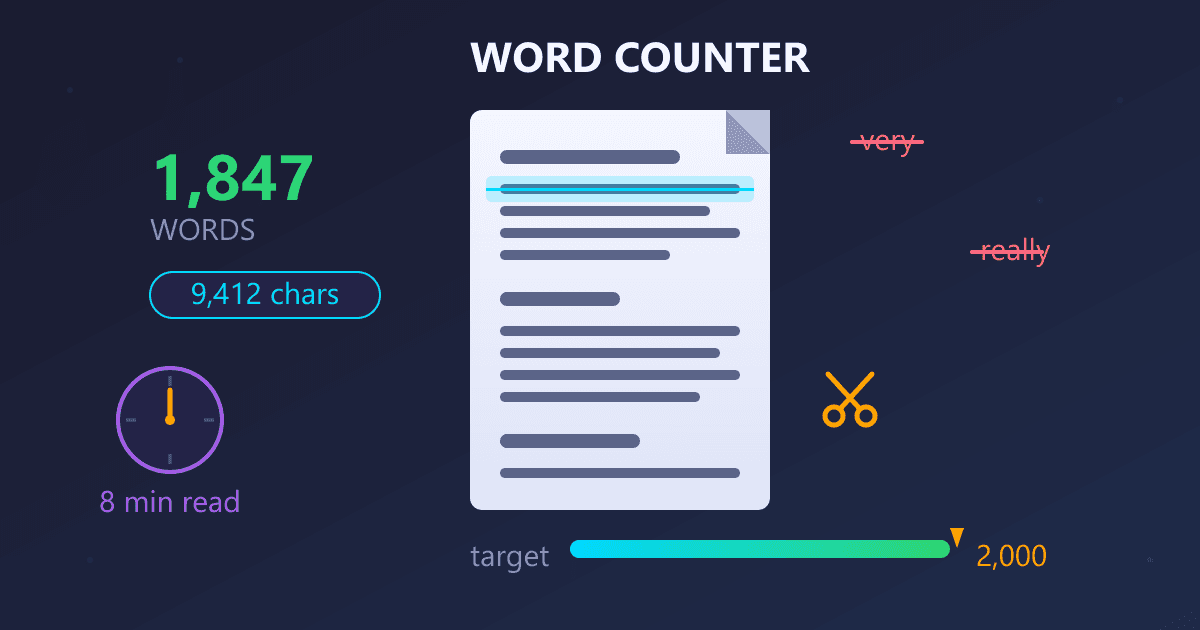
Need to check your word count? Try our free Word Counter Tool for instant analysis. Get word count, character count, reading time estimates, and document metrics—all processed privately in your browser.
Working with documents? Check out our PDF to Text Converter to extract text from PDFs for word count analysis, or use our Word Counter with built-in word counting.