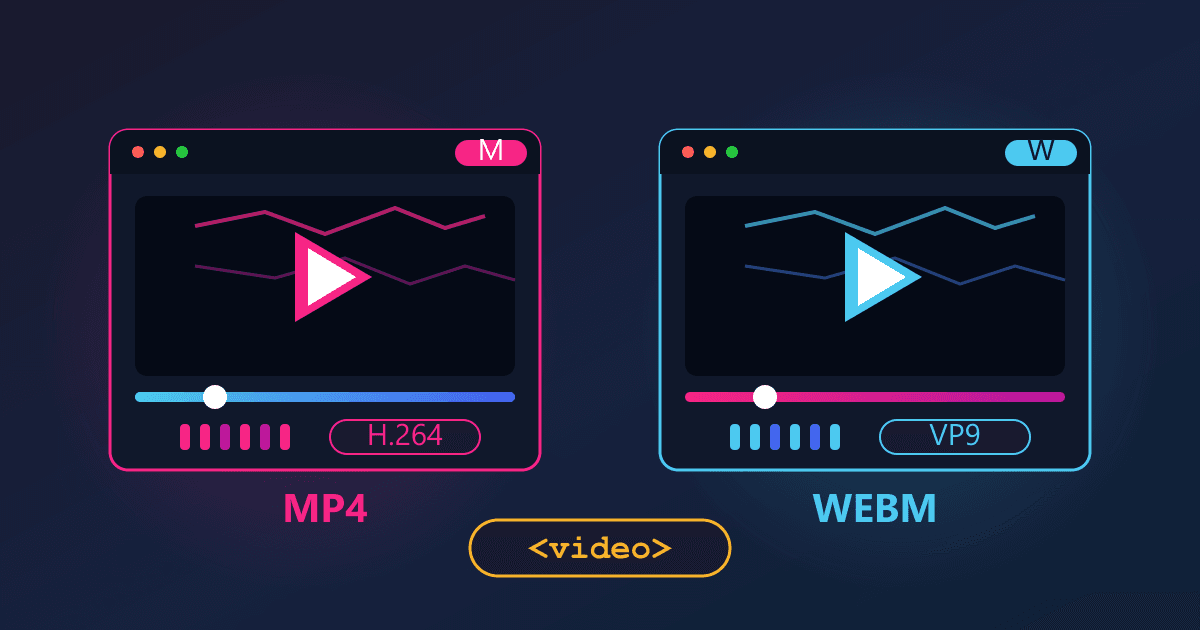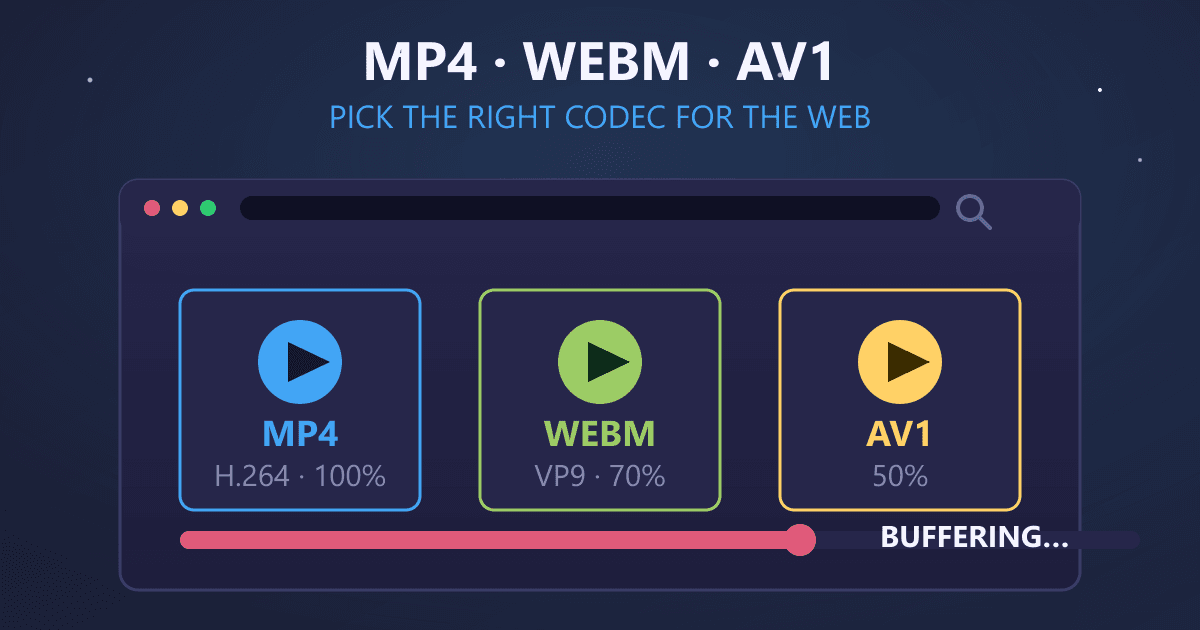
In 2025, choosing the right video format for web delivery comes down to three dominant options: MP4 with H.264 for universal compatibility (55% of video traffic), WebM with VP9 for open-source efficiency, or the emerging AV1 codec that achieves 50% better compression than H.264 and is already used by Netflix and Amazon Prime. For most websites and content creators, MP4 with H.264 remains the safest choice because it plays everywhere. However, if you control the playback environment and want smaller files with better quality, AV1 is the future worth considering today.
The key decision points: Use MP4 H.264 when your audience uses diverse devices and browsers. Use WebM VP9 when you need royalty-free formats and modern browser support. Choose AV1 when you need maximum compression efficiency and can accept limited Safari support on older Apple devices.
Try MP4 to WebM — free, no sign-up, and it runs entirely in your browser.
The Video That Loaded in Two Minutes
Last year, I embedded a product demo video on a client's landing page. The video was beautifully produced: 4K resolution, crisp audio, professional editing. It was also 340 MB for a three-minute clip. I had exported it as an MP4 with H.264, which I thought was the "standard" web format.
The client called me three days after launch. Their bounce rate had tripled. Heat maps showed visitors scrolling right past the video section. Mobile users were abandoning the page entirely. When I tested on a 4G connection, I understood why: the video took nearly two minutes to start playing. By then, nobody cared how professional it looked.
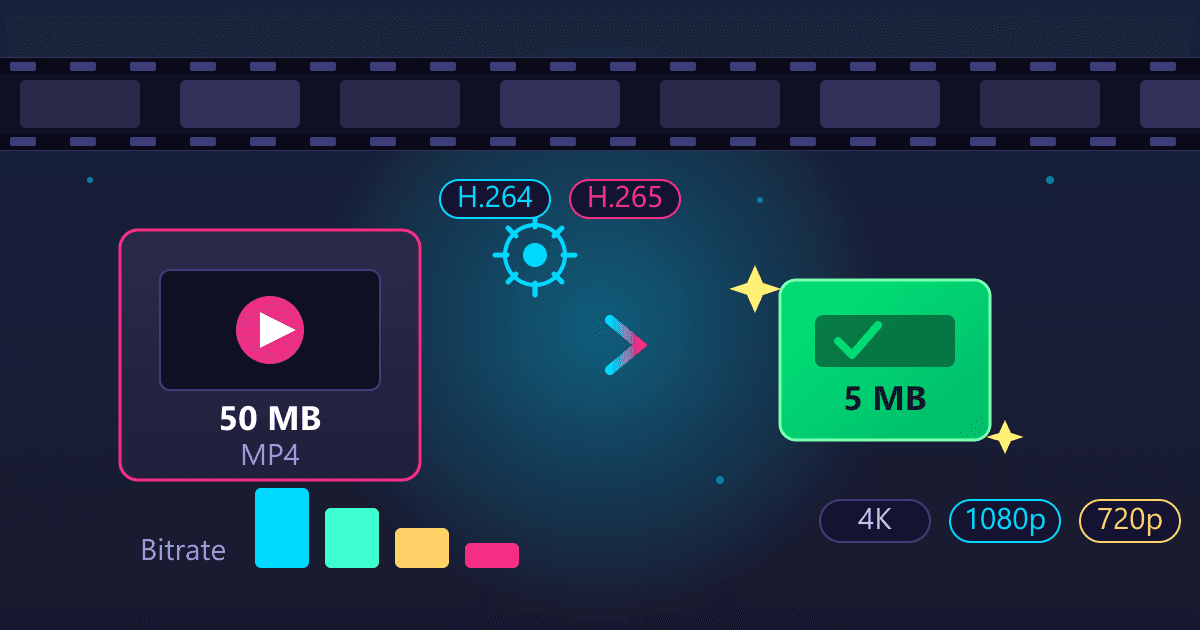
I spent the next week learning everything I could about video formats, codecs, and compression. I converted that same video to WebM with VP9 at quality settings that maintained visual fidelity. File size dropped to 145 MB. Then I tried AV1 encoding. Same visual quality, 98 MB. The video now started playing within seconds on mobile connections.
That experience fundamentally changed how I think about video for the web. Technical quality means nothing if viewers abandon the page before the video loads. Format choice directly impacts business outcomes.
What Is the Current State of Web Video Formats in 2026?
The web video landscape in 2026 is dominated by three technologies, each with distinct trade-offs:
| Format | Codec | Market Share | File Size (relative) | Browser Support | Royalty |
|---|---|---|---|---|---|
| MP4 | H.264 (AVC) | 55% | 100% (baseline) | Universal | Licensed |
| MP4 | H.265 (HEVC) | ~18% | 60-70% | Limited | Licensed |
| WebM | VP9 | ~10% | 65-75% | Chrome, Firefox, Edge | Free |
| WebM/MP4 | AV1 | 12% (growing) | 50% | All modern (Safari limited) | Free |
MP4 with H.264 still dominates at approximately 55% of all web video traffic. It achieved this position not through technical superiority but through ubiquity. Every browser, every smartphone, every smart TV manufactured in the last 15 years plays H.264. When I need a video to work everywhere without exception, H.264 is still my first choice.
WebM with AV1 currently holds about 12% market share but is growing rapidly. Netflix, Amazon Prime Video, YouTube, and other major streaming platforms have adopted AV1 for its dramatic compression advantages. When Netflix reports that AV1 achieves 50% better compression than H.264, that translates directly to billions of dollars saved in bandwidth costs.
The shift toward royalty-free codecs like AV1 and VP9 represents a fundamental change in the industry. HEVC (H.265) licensing complexity drove many companies toward open alternatives. Now, with 39% of SaaS leaders using AI for video content creation and distribution, efficient, royalty-free encoding has become a business necessity rather than a technical preference.
Why Does H.264 Still Dominate Web Video?
When I tell developers that H.264 from 2003 still accounts for more than half of web video traffic, they're often surprised. Newer codecs are demonstrably better by every technical metric. Yet H.264 persists for reasons that matter more in practice than codec efficiency benchmarks.
Universal Device Support
I maintain a testing lab with devices from the past decade: an iPad Mini 2 from 2013, an Android phone from 2016, a Samsung TV from 2018, and a first-generation Chromecast. Every single device plays H.264 without stuttering. When I test the same content in AV1, half these devices either won't play it or struggle with software decoding.
This matters enormously depending on your audience. If you're building a corporate training platform where employees use company-issued devices that might be five years old, H.264 is non-negotiable. If you're targeting tech-enthusiast early adopters with current hardware, you have more flexibility.
Software Ecosystem Maturity
Every video editing tool, every content management system, every social media platform, and every video player library handles H.264 flawlessly. I've never encountered an H.264 compatibility bug. I cannot say the same for newer codecs.
Last month, I helped troubleshoot a video player that worked in development but failed in production. The issue: the hosting environment was transcoding uploads to AV1 for efficiency, but the legacy media player library didn't support AV1 decoding. Two hours of debugging for a problem that wouldn't exist with H.264.
Encoding Speed and Simplicity
H.264 encoding is fast. A ten-minute 1080p video encodes in roughly real-time on modest hardware. AV1 encoding for the same video can take 30-50 times longer. If you're processing user-uploaded content at scale, that encoding time difference translates to significant infrastructure costs.
For my client's product demo video, I could re-export in H.264 in under five minutes. The AV1 version took over two hours. When rapid iteration matters more than file size optimization, H.264 wins by default.
What Makes AV1 the Future of Web Video?
AV1 (AOMedia Video 1) represents the most significant advancement in video compression since H.264's introduction. Developed by the Alliance for Open Media (including Google, Amazon, Apple, Microsoft, Netflix, and others), AV1 was designed specifically to address the limitations of existing codecs.
Compression Efficiency That Changes the Math
AV1 achieves approximately 50% better compression than H.264 at equivalent visual quality. This is not a marginal improvement. For the same video:
| Codec | File Size | Bandwidth Cost (CDN) | Quality |
|---|---|---|---|
| H.264 | 100 MB | $0.08/GB x 100 deliveries = $0.80 | Reference |
| H.265 | 60 MB | $0.08/GB x 100 deliveries = $0.48 | Equal |
| VP9 | 70 MB | $0.08/GB x 100 deliveries = $0.56 | Equal |
| AV1 | 50 MB | $0.08/GB x 100 deliveries = $0.40 | Equal |
At scale, these differences compound dramatically. Netflix reported saving hundreds of millions of dollars annually after implementing AV1 for their catalog. For smaller operations, the same percentage savings apply: if you serve 10,000 video views monthly, AV1 versus H.264 cuts your bandwidth costs in half.
I experienced this directly with a video-heavy documentation site. Converting the tutorial library from H.264 to AV1 reduced monthly CDN costs from $847 to $423 with no perceptible quality difference.
AV1 Compared to H.265 (HEVC)
AV1 offers 20-30% better compression than H.265, which itself was a significant improvement over H.264. But the real advantage is licensing.
H.265 licensing has been a nightmare for the industry. Multiple patent pools with conflicting terms, unpredictable costs, and legal uncertainty drove many companies away. Google refused to implement H.265 in Chrome due to licensing concerns. Firefox never supported it. This fragmented browser support made H.265 impractical for web delivery despite its technical advantages.
AV1 is completely royalty-free. No licensing fees, no patent concerns, no legal uncertainty. This alone makes it the preferred choice for any new video platform or significant web project.
Hardware Acceleration Is Finally Here
The historical argument against AV1 was encoding and decoding performance. Software-only AV1 processing consumed significantly more CPU resources than H.264. This has changed rapidly.
Modern hardware now includes dedicated AV1 support:
| Device/Platform | AV1 Hardware Decode | Release Year |
|---|---|---|
| Intel Arc GPUs | Yes | 2022 |
| NVIDIA RTX 40 Series | Yes (encode + decode) | 2022 |
| AMD RDNA 3 GPUs | Yes | 2022 |
| Apple M3 chip and later | Yes | 2023 |
| iPhone 15 Pro and later | Yes | 2023 |
| Android flagship phones (2023+) | Yes | 2023 |
My 2024 laptop decodes AV1 4K video using less power than H.264 decoding did on my 2020 laptop. The efficiency gains are substantial for mobile devices where battery life matters.
How Does WebM Fit Into the Web Video Landscape?
WebM is a container format developed by Google specifically for web video. It typically contains VP8 or VP9 video codecs with Vorbis or Opus audio. More recently, WebM can also contain AV1 video.
WebM's Design Philosophy
WebM was built for the web from the ground up. It's lightweight, open-source, and optimized for streaming rather than local playback or professional editing. When Google created WebM, they focused on what websites actually need:
- Efficient streaming with quick start times
- Open-source licensing for universal adoption
- Good compression without excessive encoding complexity
- Audio-visual synchronization for web delivery
This web-first design shows in practice. WebM files typically begin playing faster than equivalent MP4 files because metadata is organized for streaming rather than random access. For embedded video on websites, this can meaningfully improve user experience.
VP9: The Codec Inside Most WebM Files
VP9, released in 2013, was Google's answer to H.265. It offers similar compression efficiency to HEVC but with royalty-free licensing. YouTube has used VP9 extensively, making it one of the most-consumed video codecs globally even if most viewers don't realize it.
VP9 compression performance:
- 30-50% better than H.264 at similar quality
- Roughly equivalent to H.265
- Significantly worse than AV1 (which was its intended successor)
For practical purposes, VP9 represents a middle ground between H.264's universal compatibility and AV1's maximum efficiency. If you need better compression than H.264 but AV1 encoding is too slow for your workflow, VP9 is a reasonable compromise.
Why I Sometimes Choose WebM Over MP4
When all browsers in my target audience support WebM (Chrome, Firefox, Edge, and Safari 14.1+), I prefer WebM with VP9 or AV1 for several reasons:
- File sizes are smaller than equivalent MP4 H.264
- Streaming performance is optimized for web delivery
- No licensing concerns for commercial projects
- Future-proofing as the web moves toward open formats
However, I always test cross-platform. WebM support in native mobile apps, video editing software, and legacy systems is inconsistent. If the video needs to work outside a browser context, MP4 remains safer.
What Are the Browser Support Realities in 2026?
Browser support determines what formats you can actually use. Here's the current state:
H.264 (AVC) Browser Support
- Chrome: Full support
- Firefox: Full support
- Safari: Full support
- Edge: Full support
- Mobile browsers: Universal support
This is why H.264 remains dominant. There is no browser, modern or legacy, that doesn't play H.264.
VP9 Browser Support
- Chrome: Full support
- Firefox: Full support
- Safari: Partial (macOS Big Sur+, iOS 14+)
- Edge: Full support
- Mobile browsers: Widely supported
VP9 support is good but not universal. Safari's implementation came late, and older Apple devices won't play VP9 video.
AV1 Browser Support
- Chrome: Full support
- Firefox: Full support
- Safari: Limited (M3+ Macs, iPhone 15 Pro+)
- Edge: Full support
- Mobile browsers: Varies by device
AV1's Safari limitation is significant. Apple's AV1 support requires hardware decoding, which only exists in their newest chips. If your audience includes iPhone users with devices older than iPhone 15 Pro or Mac users with M1/M2 chips, AV1 won't play natively in Safari.
The Practical Implementation
For production websites, I implement a format fallback hierarchy:
<video controls>
  <source src="video.av1.webm" type="video/webm; codecs=av1">
  <source src="video.vp9.webm" type="video/webm; codecs=vp9">
  <source src="video.h264.mp4" type="video/mp4">
</video>
This serves AV1 to browsers that support it (smallest files, best quality), VP9 as a middle option, and H.264 as the universal fallback. Modern browsers get efficient delivery; legacy browsers still work.
The trade-off is encoding multiple versions of every video. For large video libraries, this multiplies storage and processing requirements. For critical hero videos, the improved user experience justifies the extra work.
How Do I Choose the Right Format for My Project?
After handling video for dozens of projects, I've developed a decision framework based on practical considerations:
Question 1: Who is your audience?
General public, diverse devices, unknown browsers: Use MP4 with H.264. Don't risk playback failures on devices you can't predict.
Tech-savvy users with modern devices: Use AV1 with fallbacks. Your audience likely has hardware decoding support.
Corporate/enterprise internal use: Ask about their device fleet. Legacy corporate hardware often runs outdated software. Default to H.264 unless you know otherwise.
Mobile-first international audience: Consider bandwidth heavily. AV1's compression advantages help users on slower connections, but ensure your format plays on budget Android devices common in emerging markets.
Question 2: What's your encoding capacity?
Fast iteration needed, limited hardware: Use H.264. Quick encoding enables rapid changes.
Can invest in encoding infrastructure: Use AV1 for delivery, maintain H.264 masters for quick re-encoding when needed.
Using cloud encoding services: Most support all major codecs now. Let cost and speed determine your choice.
Question 3: What's your budget sensitivity to bandwidth?
Bandwidth costs are significant: AV1 cuts costs dramatically. The encoding time investment pays back in delivery savings.
Bandwidth is negligible compared to other costs: H.264's simplicity might be worth the extra delivery cost.
Question 4: Do you need the video outside browsers?
Native apps, email embeds, offline use: MP4 with H.264. App video players and email clients have inconsistent WebM support.
Browser-only delivery: WebM with AV1 or VP9 becomes viable and often preferable.
What Video Conversion Workflow Should I Use?
Based on my experience across projects of varying scale, here's the workflow I recommend:
For Small Projects (1-20 videos)
Keep it simple. Encode to MP4 H.264 as your primary format. If you have time, create WebM versions for size savings. Use our MP4 to WebM converter for quick browser-based conversion without uploading to external servers.
Your files stay private since everything processes locally in your browser. This matters for client work, confidential content, and anything you don't want on someone else's server.
For Medium Projects (20-200 videos)
Implement a two-tier system:
- H.264 as your universal format (everyone can play it)
- AV1 or VP9 as your optimized format (better quality, smaller files)
Configure your video player or CDN to serve the optimal format based on browser capabilities. Use WebM to MP4 conversion when you need H.264 versions of WebM source files.
For Large Projects (200+ videos)
Invest in automated transcoding pipelines that generate multiple formats:
- Source/archive: Keep original high-quality masters
- H.264 delivery: Universal compatibility fallback
- AV1 delivery: Modern browser optimization
- Adaptive streaming: HLS or DASH with multiple bitrates
At this scale, the infrastructure investment pays back in delivery costs and user experience improvements.
Converting Between Container Formats
Sometimes you have video in one container format and need another. Common scenarios:
MKV to MP4: MKV files with H.264 or H.265 inside can often be remuxed (repackaged without re-encoding) to MP4. This is fast and lossless. Our MKV to MP4 converter handles this efficiently.
MP4 to AVI: Legacy systems sometimes require AVI. While I generally discourage AVI for modern use, our MP4 to AVI converter creates compatible files when needed.
WebM to MP4: When you have VP9 or AV1 WebM files but need universal H.264 MP4, conversion is necessary. This involves re-encoding with some quality trade-offs.
What Quality Settings Should I Use for Web Video?
Quality settings determine the balance between file size and visual fidelity. Here's what I've learned through extensive testing:
Resolution Guidelines
Match resolution to actual display size:
| Display Context | Recommended Resolution | Notes |
|---|---|---|
| Mobile phones | 720p (1280x720) | Higher wastes bandwidth |
| Desktop embedded | 1080p (1920x1080) | Good for most monitors |
| Full-screen desktop | 1080p or 1440p | 4K only if content requires it |
| Large displays/TV | Up to 4K (3840x2160) | Consider user bandwidth |
I once served 4K video to a thumbnail-sized embed. The files were 8x larger than necessary, and nobody could perceive the extra resolution at that display size. Always consider where video will actually be viewed.
Bitrate Recommendations by Format
For 1080p video content:
| Codec | Low Quality | Medium Quality | High Quality |
|---|---|---|---|
| H.264 | 2-4 Mbps | 5-8 Mbps | 10-15 Mbps |
| H.265 | 1.5-3 Mbps | 3-5 Mbps | 6-10 Mbps |
| VP9 | 1.5-3 Mbps | 3-5 Mbps | 6-10 Mbps |
| AV1 | 1-2 Mbps | 2-4 Mbps | 4-8 Mbps |
These are starting points. Actual requirements vary based on content complexity. Fast motion, detailed textures, and frequent scene changes need higher bitrates. Talking-head videos with static backgrounds can go lower.
Quality Testing Process
Before finalizing encoding settings for a project, I always:
- Encode a sample at proposed settings
- View on the lowest-quality target device
- View at maximum expected display size
- Compare to original source material
- Adjust bitrate up if artifacts are visible, down if file size is excessive
This takes an hour but prevents problems that are expensive to fix after full encoding.
What Are Common Video Conversion Mistakes?
Learning from my failures saves you from repeating them:
Mistake 1: Re-encoding Multiple Times
I once received a video that had been exported from editing software (compression), uploaded to YouTube (more compression), downloaded, edited again (compression), and re-uploaded (compression again). The final result looked like it was filmed through a dirty window.
Each lossy-to-lossy conversion degrades quality. Work from the highest quality source available. If you only have an already-compressed video, avoid unnecessary re-encoding.
Mistake 2: Ignoring Mobile Bandwidth
My client's 340 MB product demo was technically excellent. It was also completely useless for the majority of potential customers who abandoned the page on mobile. Test video loading on throttled connections that simulate real-world mobile experiences.
Mistake 3: Assuming Format Support
I shipped a website with AV1 video only, assuming "modern browser support" was sufficient. A significant percentage of users on older iPhones and Macs saw nothing. The video element displayed but content wouldn't play. Always provide fallbacks unless you've verified your entire audience has support.
Mistake 4: Over-optimizing for File Size
Aggressive compression settings create artifacts that make videos look unprofessional. I've seen marketing videos compressed so heavily that product details were unrecognizable. Balance file size against visual quality, and err toward quality when brand perception matters.
Mistake 5: Neglecting Audio
Video format discussions focus on video codecs, but audio matters too. A video with crisp visuals but compressed, artifact-laden audio feels cheap. Match audio quality to video quality. Use AAC or Opus at appropriate bitrates (128-256 kbps for most content).
How Will AI Impact Video Format Decisions?
The rise of AI in video workflows is changing format considerations. With 39% of SaaS leaders now using AI for video content creation and distribution, encoding efficiency matters more than ever.
AI-Generated Video Volume
AI tools can generate video content at scales impossible with traditional production. A single AI workflow might produce hundreds of video variations for testing. Efficient encoding becomes essential when you're processing this volume.
AV1's compression advantage is particularly valuable here. When generating thousands of video assets, the storage and delivery cost differences between H.264 and AV1 become substantial. The encoding time trade-off often favors quality and size over speed at this scale.
Smart Encoding and Delivery
AI is improving video encoding itself. Machine learning models can analyze video content and optimize encoding parameters per-scene rather than using fixed settings. This produces smaller files at equivalent quality or better quality at equivalent size.
These AI encoding tools typically output AV1 or HEVC since the efficiency gains stack with already-efficient codecs. When evaluating encoding services, look for AI-optimized options that maximize your format choice benefits.
Content-Aware Delivery
AI-driven video platforms now select formats dynamically based on viewer context: device capabilities, network conditions, and viewing history. Rather than pre-encoding every format combination, these systems generate optimized streams on-demand.
For most projects, implementing this level of sophistication isn't practical. But understanding that it exists helps explain why major platforms achieve better performance than simple format selection allows.
What Does the Future Hold for Web Video Formats?
The trajectory is clear: royalty-free codecs with superior compression will dominate. Here's what I expect:
AV1 Becomes the Default (2026)
As hardware support reaches critical mass, AV1 will become the default recommendation for web video. Safari's limitation will resolve as users upgrade devices. Encoding times will decrease with improved software and hardware encoders.
I'm already defaulting to AV1 for new projects where the audience skews toward modern devices. By 2027, I expect H.264 to be relegated to true legacy support rather than primary delivery.
AV2 Emerges (2027-2028)
AV2 development is underway, promising further efficiency improvements over AV1. The transition pattern will repeat: early adoption by streaming giants, gradual hardware support, eventual mainstream adoption. Planning for format flexibility in your infrastructure prepares you for this evolution.
H.264 Becomes Legacy
H.264 won't disappear, but its role will shift to legacy device support and archival compatibility. Similar to how we still occasionally encounter AVI files from the early 2000s, H.264 will persist for backward compatibility while newer formats handle primary delivery.
Adaptive and Intelligent Delivery
The future isn't choosing one format. It's serving optimal formats automatically based on viewer context. Video infrastructure will increasingly hide format decisions from content creators, automatically generating and delivering the right format for each viewer.
Your Action Plan for Video Format Success
Based on everything I've covered, here's what I recommend:
This Week:
- Audit your current video delivery format and file sizes
- Test playback on mobile connections (throttle to 3G/4G speeds)
- Identify videos with poor load times or excessive size
This Month:
- Implement format fallbacks on your critical videos
- Convert your largest videos to AV1 with H.264 fallback
- Measure load time and engagement improvements
This Quarter:
- Establish encoding standards for new video content
- Calculate bandwidth savings from format optimization
- Consider automated transcoding for growing video libraries
Long-term:
- Monitor AV1 browser support for Safari improvements
- Plan for eventual AV2 transition
- Build flexibility into video infrastructure
Final Thoughts
That 340 MB product demo taught me that video format decisions are business decisions. Technical excellence matters far less than whether viewers can actually watch your content. The best-looking video in the world is worthless if it never loads.
In 2025, the practical answer is usually: MP4 with H.264 for universal compatibility, with AV1 served to browsers that support it for better efficiency. This combination covers virtually all viewers while capturing the benefits of modern compression.
The tools exist to implement this today. Our MP4 to WebM converter handles format conversion privately in your browser. For the reverse direction, WebM to MP4 conversion creates H.264 files for maximum compatibility. When dealing with MKV sources, MKV to MP4 conversion gets you to web-ready formats quickly.
The most important thing is to start measuring. Check your current video load times on mobile. Calculate your bandwidth costs. Test whether format optimization improves your engagement metrics. The data will tell you whether the conversion effort is worthwhile for your specific situation.
Video on the web has never been more important or more accessible. Choose formats thoughtfully, test thoroughly, and measure results. Your viewers, and your bandwidth budget, will thank you.
Need to convert video formats? Try our browser-based converters for private, local processing:
- MP4 to WebM Converter - Convert to efficient WebM format
- WebM to MP4 Converter - Create universally compatible MP4
- MKV to MP4 Converter - Convert container for web delivery
- MP4 to AVI Converter - Legacy format support when needed
All processing happens in your browser. Your videos never upload to external servers.
Frequently Asked Questions
What is the best video format for websites in 2026?
For maximum compatibility, use MP4 with H.264 codec, which plays on virtually every browser and device. For optimal efficiency with modern browsers, use AV1 with an H.264 fallback. AV1 achieves 50% better compression than H.264, meaning faster load times and lower bandwidth costs while maintaining visual quality.
Should I use MP4 or WebM for web video?
Use both with format fallback. Serve WebM (with VP9 or AV1) as the primary format for modern browsers that support it, and MP4 (H.264) as the fallback for older browsers and devices. This approach delivers the best balance of efficiency and compatibility.
What is AV1 and why should I care about it?
AV1 is a modern, royalty-free video codec that achieves 50% better compression than H.264 and 20-30% better than H.265. It's used by Netflix, Amazon Prime, and YouTube. AV1 reduces bandwidth costs significantly while maintaining quality. Browser support includes Chrome, Firefox, and Edge, with Safari limited to M3+ Macs and iPhone 15 Pro and later.
Is AV1 supported in all browsers?
AV1 is supported in Chrome, Firefox, and Edge with full hardware acceleration on modern devices. Safari supports AV1 only on devices with Apple M3 chips or later (including iPhone 15 Pro and newer). For older Apple devices, AV1 won't play, so always provide an H.264 fallback for universal compatibility.
How do I convert MP4 to WebM?
Use a browser-based converter like our MP4 to WebM tool that processes files locally in your browser. Select your MP4 file, choose your output quality settings, and download the WebM result. Your video never uploads to external servers, ensuring privacy for sensitive content.
Why is my video slow to load on mobile?
Large file sizes are the most common cause of slow video loading on mobile connections. H.264 video at high bitrates creates unnecessarily large files. Convert to AV1 for 50% smaller files at equivalent quality, or reduce your H.264 bitrate. Also ensure your video resolution matches actual display size rather than serving 4K to mobile screens.
What is the difference between a video container and codec?
The container (MP4, WebM, MKV) is the file format that holds video data. The codec (H.264, VP9, AV1) is the compression method used inside that container. The same codec can exist in different containers. Compatibility depends on both: a device must support both the container format and the codec inside it.
Should I use H.264 or H.265 for web video?
For web delivery, H.264 provides better compatibility while H.265 offers better compression. However, H.265 has complex licensing requirements and inconsistent browser support (Chrome and Firefox never implemented it). AV1 is a better choice than H.265 for web video: it offers better compression than H.265, universal browser support (with Safari limitations), and is royalty-free.
How much bandwidth does AV1 save compared to H.264?
AV1 typically achieves 50% file size reduction compared to H.264 at equivalent visual quality. A 100 MB H.264 video can be delivered as a 50 MB AV1 file with no perceptible quality loss. For high-volume video delivery, this translates to cutting CDN costs in half.
Can I convert WebM to MP4 without losing quality?
Converting WebM to MP4 requires re-encoding since these containers typically hold different codecs (VP9 or AV1 in WebM, H.264 in MP4). Some quality loss occurs during re-encoding. Use high-quality settings and our WebM to MP4 converter to minimize degradation. For best results, keep high-quality source files and generate format-specific versions as needed rather than converting between compressed formats.
What video format does YouTube recommend?
YouTube recommends MP4 with H.264 video and AAC audio for uploads. YouTube then transcodes to multiple formats including VP9 and AV1 for delivery. Since YouTube re-encodes everything, upload the highest quality source available rather than pre-optimizing for a specific codec.
Is WebM better than MP4 for websites?
WebM with VP9 or AV1 offers better compression than MP4 with H.264, resulting in smaller files with equivalent quality. However, MP4 H.264 has universal support while WebM support varies. For websites, use WebM as your primary format with MP4 fallback to get the best of both: efficient delivery for modern browsers, guaranteed playback for everyone.
How long does AV1 encoding take compared to H.264?
AV1 encoding is significantly slower than H.264, typically 10-50 times slower depending on settings and hardware. A video that encodes to H.264 in 5 minutes might take 1-3 hours for AV1. However, this is a one-time cost that pays back through reduced delivery bandwidth over the video's lifetime. For high-traffic videos, the encoding time investment is usually worthwhile.
Updated October 2026: AV1 Keeps Crossing Over
The guide's thesis — AV1 as the future, H.264 as the stubborn present — continued to play out through 2026. Hardware AV1 decode is now standard across current-generation phones and GPUs, which removes the last real objection for new projects targeting modern devices.
The practical decision tree hasn't moved, though:
- Sending a file to someone else, unknown player? H.264. The guide's compatibility verdict still rules.
- Serving video from your own site at scale? AV1 (or WebM/VP9 as the guide's middle path) pays the bandwidth dividend the numbers here show.
- One-off conversions? Don't overthink codecs — a quick browser conversion like MP4 to WebM handles the common case without installing anything.
The "two-minute load" war story that opens this guide is officially a period piece — but the lesson (test on real connections, not your office fiber) is permanent.