Personal planning tools have a growth path you already know: you sign up for free, you get a board, and within a week the product is explaining which features belong to the team tier. Trello-class boards gate collaboration behind paid plans; Notion-class planners are account-first by design. For planning one person's work — a side project, a content pipeline, a freelance week — none of that machinery helps. It is overhead you pay for in logins, sync bugs, and upsell emails.
This post covers a planner kit that skips all of it: a personal kanban board and a content calendar planner, both free, both running entirely in your browser with no account. Data lives in your browser's IndexedDB storage, exports to JSON when you want a backup, and nothing you type leaves your device. One tool handles the day-to-day flow of tasks; the other handles the month-level rhythm of what you publish. Together they cover about everything a personal planning system needs.
Try Content Calendar Planner — free, no sign-up.
Why One Board With Three Columns Beats a 40-Task List
A long task list fails for a structural reason, not a discipline reason. It shows you forty items of equal size, equal urgency, and equal staleness, and it lets you start new work without ever confronting unfinished work. Psychologically it becomes a wall of guilt you learn to not look at. Most people's "planning problem" is actually this: too much started, too little finished, no mechanism for noticing either.
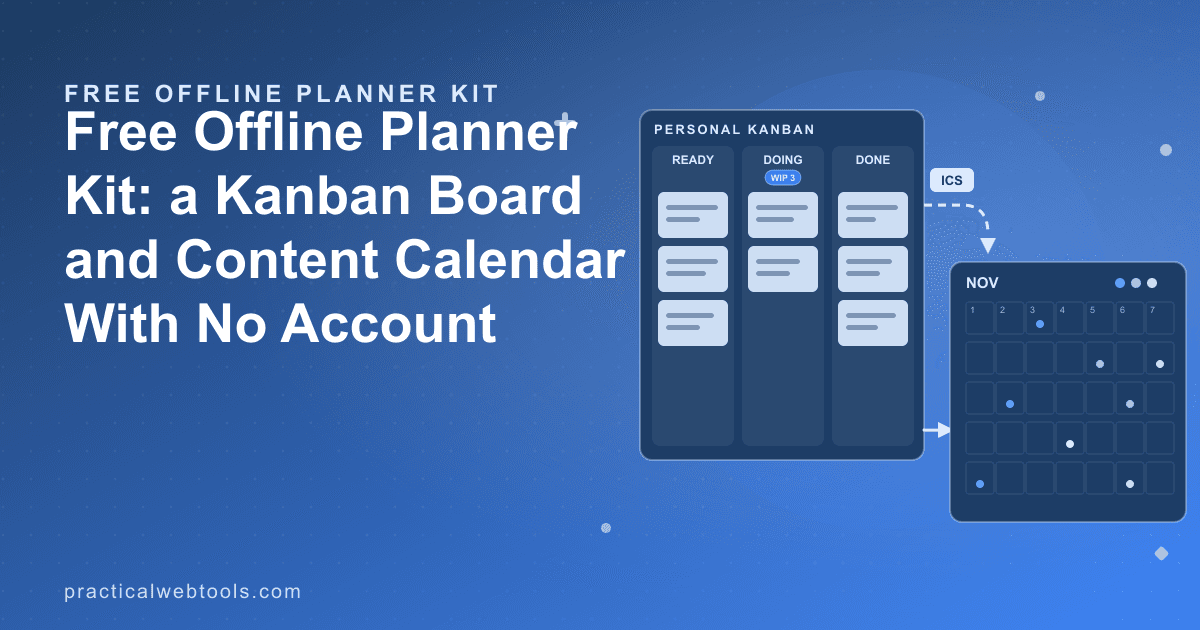
Personal kanban fixes the structure. The whole method is one board with three columns — Ready, Doing, Done — and one rule, a work-in-progress (WIP) limit on the middle column:
- Ready is everything you might do next, prioritized top to bottom.
- Doing holds the two or three things you are actually working on — no more.
- Done is your finished work, which doubles as a progress log you will otherwise not have.
The WIP limit is the load-bearing rule. When Doing is full, you cannot start anything new; you finish something or you explicitly swap it back to Ready. That single constraint converts a vague feeling of being busy into a visible queue with a bottleneck. It also makes estimation honest: if you finish two cards a day, a Ready column of forty cards is three weeks of work, and no amount of optimism changes the arithmetic.
The 40-task list and the three-column board can contain identical items. The difference is that the board forces a finishing discipline the list cannot express.
Setting Up the Board
The free personal kanban board keeps the method intact: boards, lists, and cards with drag-and-drop between them, stored in your browser. A working setup takes about ten minutes:
- Create one board. Name it for the area of life it covers — "Freelance", "Side project", "Home". Resist a second board until the first has run for a month; splitting too early recreates the scattered-system problem you are escaping.
- Make three lists: Ready, Doing (limit 3), Done. You can add a "Next up" or "Blocked" list later if a real need appears. Start with three.
- Brain-dump every open item into Ready as a card. One card equals one finishable outcome. "Research blog platform options" is a card; "website" is not.
- Order Ready top to bottom. The top card is what you do next when Doing has space. This ordering replaces daily prioritizing — you do it once, then maintain it.
- Pull the top two cards into Doing and work. When something finishes, drag it to Done and pull exactly one new card. That pull, repeated, is the entire operating system.
Two habits keep it healthy. First, review Done at the end of the week — it is the most accurate record of your actual throughput you will ever have. Second, export the board to JSON regularly. The board's data lives in your browser's IndexedDB store; the JSON export is your backup file, and it is also how you move a board between machines (more on that in the tradeoffs section below).
The Content Calendar Rhythm
A kanban board is bad at one thing: time. "Draft newsletter" can sit in Doing for three weeks without the board noticing, because a board tracks state, not dates. Content work is date-driven by nature — publish dates, campaign moments, seasonal themes — which is why a content calendar is a separate tool rather than a fourth column.
The content calendar planner gives you the month grid version of this: a month-at-a-time view where each planned piece is an entry with a status and a campaign tag. The statuses carry your drafting pipeline — idea, drafting, scheduled, published — and the tags group entries by campaign so you can see at a glance that November is heavy on the product series and light on everything else.
The rhythm that works:
- Monthly: fill the grid. Slot planned pieces onto target dates, tagged by campaign. A quick balance check — how many posts, how many newsletters, how many videos — is easier on a grid than in a list.
- Weekly: read statuses, not dates. Anything still "idea" with a date two weeks out needs to become "drafting" this week or move to a later date. The calendar makes the backlog visible; it does not write the posts.
- Per piece: track the pipeline. Idea → drafting → scheduled → published. The status set is small on purpose; a five-stage pipeline for one person is procrastination wearing a process costume.
- Export deadlines as ICS and import the file into your real calendar — Google Calendar, Apple Calendar, and Outlook all accept ICS. Now "newsletter goes out Thursday" lives where your actual Thursday lives, instead of in a planning tool you check when you remember.
The other exports matter less often but earn their place: CSV hands a content plan to a client or teammate in a form anyone can open, and PNG snapshots a month view for a status update or a pinned channel message — a picture of the plan, not access to the tool.
If your planning leans toward paper as well as pixels, the month-grid mental model translates directly: the printable calendar guide covers planning a year month by month on paper, which pairs neatly with a digital board for execution.
Pairing Them: A Weekly Loop
The two tools cover different axes — the board handles flow, the calendar handles time — and a fixed weekly loop keeps them in sync:
- Monday (10 minutes): open the calendar, check statuses against dates, decide what must move this week. Pull those items onto the kanban board's Ready top.
- Daily (1 minute): work the board. Done grows; Doing never exceeds the limit.
- Friday (10 minutes): review Done, update calendar statuses to match reality, export the board's JSON as a backup, and prune Ready of anything that has aged into irrelevance.
The loop is deliberately small. Personal systems die from ceremony, and ten minutes twice a week is a cost low enough to survive a bad month — which is exactly when a planning system proves whether it works.
The No-Account Tradeoff, Honestly
Local-first planning is a real tradeoff, not a free lunch. What you give up:
- No sync between devices. The board and calendar live in the browser on the machine you use them on. Moving to a new computer means exporting JSON from the old one and importing it on the new one — a deliberate five-minute ritual, not a background service.
- No sharing or collaboration. The CSV and PNG exports are how you show the plan to others; there is no multiplayer editing, because there is no server.
- Browser data is browser data. Clearing site data for the tool clears your board with it. The JSON export habit exists precisely for this: export files are your backup, and the export takes seconds.
What you get in exchange: no account to create or secure, no subscription ceiling to bump into, no upsell emails, and a system whose continued function depends on no company's roadmap. Your data sits in your own browser, and the export files are yours in a format any future tool can read.
For team planning, none of this is the right answer — a team needs shared state, and hosted tools earn their tiered pricing providing it. For one person planning one workload, the local-first kit is the version with nothing missing.
Frequently Asked Questions
Where is my data actually stored?
In your browser's IndexedDB storage, on your device. The board and calendar run entirely in the browser — there is no server holding your tasks, and nothing you type leaves your device. The JSON export writes a backup file you control.
What happens if I clear my browser data or switch computers?
Clearing the site's browser data removes your boards and calendar entries, so keep the JSON export habit — export weekly or after big changes. Switching machines is an export from the old browser and an import on the new one; the JSON files carry everything.
Can the content calendar sync with Google Calendar?
It exports ICS files, which Google Calendar, Apple Calendar, and Outlook all import. It is an export-and-import step rather than live syncing — deliberate, since live sync would require an account and a server, which is exactly what this kit does without.
Why three columns instead of the eight-stage workflow my team uses?
Personal work does not need a team's process overhead. Ready, Doing, and Done plus a WIP limit expose the only constraints that matter to one person — what is next, what is unfinished, what is piling up. Extra stages add status bookkeeping without adding finishing.
Is this really free, and what is the catch?
Both tools are free with no account and no paid tier to be pushed toward. The catch is the tradeoff above: per-device data and manual JSON exports instead of cloud sync. For personal planning, that is usually a fair trade — and the exports make your data portable regardless.