Somewhere between your social profile and your email signature sits the link-in-bio page: one short URL that collects the handful of places you actually want visitors to go — your shop, your portfolio, your latest video, your newsletter. Hosted services made this format ubiquitous, and their free tiers are a reasonable place to start. The catch shows up later. The page lives on the platform's domain under the platform's rules, and the limits keep reminding you of it: Linktree's free tier, as of late 2026, limits blocks and analytics and keeps themes behind the Pro paywall.
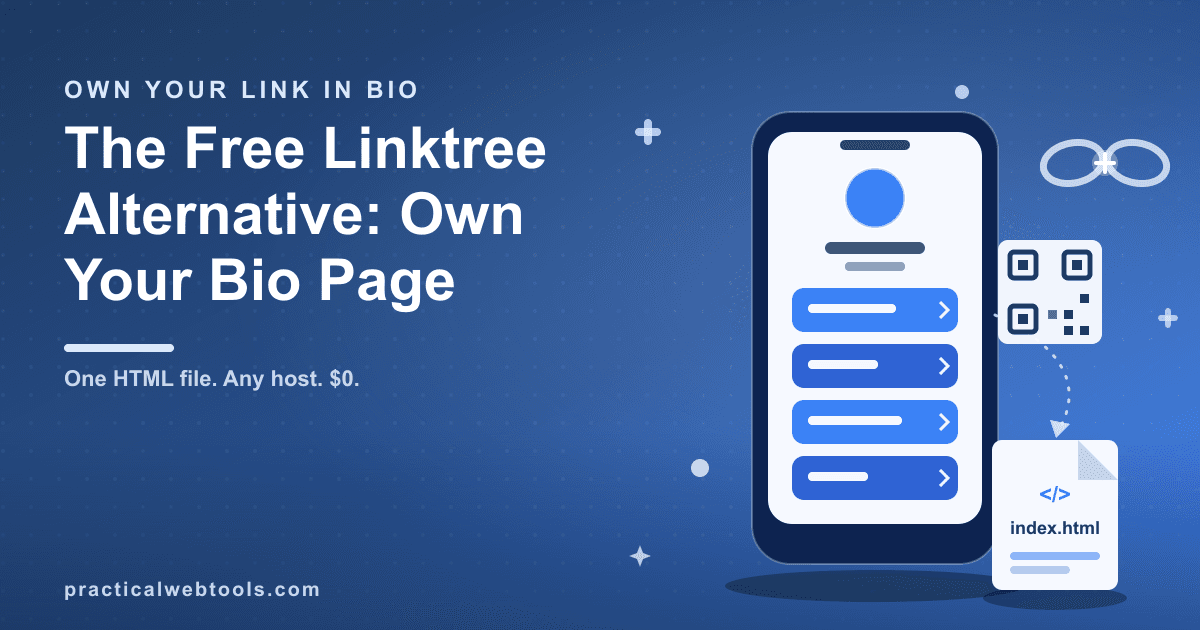
There is another shape this page can take. The free link-in-bio page generator gives you a block editor — links, text blocks, dividers — and exports your finished page as one self-contained HTML file, plus a QR code. A live iframe preview renders the exported page itself while you build, so what you see is the file you will get, not a mock-up. From the moment you export, the tool's job is done: the file is your page, and anywhere that can serve a static file can host it.
Try Link-in-bio Page Generator — free, no sign-up.
This post covers why owning that single file matters, how to build and ship a page in about ten minutes, what the QR code is for, and the tradeoffs you accept in exchange for zero subscription and zero platform risk.
What a hosted bio page costs you besides money
The deal behind a hosted bio page is convenient and mostly invisible. You build on the platform, the platform serves the page at its address, and in exchange the free tier decides how much of the product you get. As of late 2026, Linktree's free tier limits how many blocks you can add, limits analytics, and gates the theme selection behind Pro. None of that is hidden — it is the business model — but the constraints tend to bite at awkward moments, like when your page needs one more link than the free tier allows or when you want the page to match your actual branding instead of a shared template.
The deeper cost is platform risk. The URL sitting in every one of your profiles belongs to someone else's domain, which creates two failure modes you do not control. If the service has an outage, every profile pointing at it links to nothing, and you find out from your audience rather than from a status page you watch. If the platform changes policy — reinterpreting which links are acceptable, freezing pages its review systems flag — your bio link is subject to their rules, applied on their schedule.
| Hosted free tier | Hosted Pro | Self-owned HTML file | |
|---|---|---|---|
| Address | Platform's domain | Platform's domain | Any static host, or your own domain |
| Monthly cost | $0, feature-limited | Paid subscription | $0 |
| Blocks and themes | Block limits, analytics limits, themes gated | Unlocked | The page is exactly what you build |
| Click analytics | Limited on free | Included | Add any script you choose |
| Outage or policy change on the platform | Your link is their problem | Still their problem | File unaffected; move hosts |
The last row is the one that matters if your income runs through that link.
One HTML file, zero dependencies
The export from the generator is a single self-contained HTML file. Styles live inside it, the blocks you built are encoded in it, and it asks nothing of the outside world when it opens. That has three practical consequences.
First, the page cannot be deplatformed. There is no account to suspend and no platform policy that applies to a file on your disk. If a host ever shuts down or falls out of favor, you upload the same unchanged file somewhere else and the page is back. Second, it loads fast. The entire page is one document — one request, no third-party scripts unless you deliberately add one, no theme framework pulling assets from a CDN. Third, it costs nothing to run. Static hosting is free in practice: a bio page is a few kilobytes of HTML, far below any provider's free-tier limits.
A self-contained file is also easy to keep. Copy it into a folder you back up, keep dated versions as you revise, and you have a history of your page that no dashboard export could give you.
The ten-minute build: blocks, preview, export
The build itself is short because a bio page is short. Here is the whole workflow.
- Open the generator and stack your blocks. The editor supports three block types: links, text, and dividers. That is deliberately small — a bio page is a list of destinations with a bit of context, not a website project.
- Order for the click you actually want. Put the one link that matters most at the top; attention drops fast down a stacked list. Use text blocks sparingly for a one-line identity or a time-sensitive note, and dividers to separate the evergreen links from the timely ones.
- Watch the preview, not a promise. The preview pane is an iframe rendering the exported page itself. In testing, the downloaded file matched the preview — what you see while building is the artifact you will ship.
- Export. You receive the single HTML file plus a QR code for the page.
- Sanity-check locally. Double-click the exported file. It opens straight from your disk in any browser and works, because it has no dependencies. If it renders correctly from your Downloads folder, it will render correctly on any host.
That is the entire build. Two minutes of writing good link labels will do more for the page than any amount of fiddling with order.
Shipping it for $0: three options
Once the file exists, you need it reachable at a URL. Three paths, all free.
Any static host. Drag the file into a static hosting service's upload area and it assigns your file a URL. This is the fastest path from export to a link you can paste into a profile.
GitHub Pages. Push the file to a repository with Pages enabled and GitHub serves it as a site. This takes a few more steps the first time but gives you version history for free — every update to your page is a commit, and rolling back is one click.
No host at all. A self-contained HTML file works when opened directly from disk or from an attachment. You can literally email the file to someone — a client, an event organizer — and they open your page with everything intact. For a speaker one-pager or a media kit behind a button, that is sometimes all the distribution you need.
If you want the address itself under your control, point a domain you own at whichever host you chose. That combination — your domain, your file — removes the last piece of the stack that anyone else can move without you.
The QR code that ships with the export
Every export includes a QR code for the page, and the print uses are the quiet advantage of owning the page. Stickers, business cards, flyers, packaging inserts, table signs at an event, the back page of a zine — anything physical can carry the code, and one scan lands on your live page with every link current.
Because the QR encodes your page's URL and the page is yours, no one can impose campaign limits, expiry dates, or per-scan pricing on it. The one honest caveat runs the other direction: a QR code is frozen at print time. If you later change the page's URL — moving hosts, switching domains — old prints keep pointing at the old address. Keep the URL stable, or set up a redirect you control before you ink anything.
Honest tradeoffs — and the fix for each
No built-in click metrics. Hosted services hand you a dashboard with per-link counts; your file ships with none, because a static HTML page has nothing to count with. The fix is structural: you own the file, so you can open it and paste in any analytics snippet you like. That is a deliberate one-time edit and a choice about what data you collect, rather than a subscription line item.
Updates are manual. Editing the page means returning to the generator, changing the blocks, exporting, and re-uploading the file. In practice that is a minute or two, but it is a real step — there is no hosted "save" button that updates the live page instantly. If you change your links weekly, decide whether that minute bothers you.
No theme marketplace. The editor covers links, text, and dividers — the essentials of the format, not a design store. You get a clean page, not a catalog of skins. Whether that is a limitation or a relief depends on how much you enjoy theme shopping.
The same ownership logic applies across a creator toolkit: a browser video editor with no watermark matters for the same reason this file matters — when the tool hands you a finished artifact, the platform cannot hold your work hostage later. Build the bio page with the link-in-bio generator, keep the file, and the page is yours for as long as you want it.
Frequently Asked Questions
Is one HTML file really enough for a link-in-bio page? Yes. A bio page is a list of links, a little text, and styling — no database, no login, no server-side code. A static HTML file handles all of it, and static HTML is the same technology that serves most of the web's pages.
How much does hosting cost? Nothing, in practice. Static hosts and GitHub Pages serve files at no cost, and a bio page is a single small file — orders of magnitude below any free-tier limit.
What happens if my host disappears? You still have the HTML file, so you upload it somewhere else and the page works again. The caveat is the address: if you were using a host-provided URL, it changes with the move, which is one reason creators point their own domain at the file.
Can I get click statistics without paying for a hosted plan? Yes, because you own the file. Open it in any text editor and add whichever analytics snippet you prefer. The default state is no metrics at all, so this is a choice you make once, deliberately.
How do I move off an existing hosted page without breaking anything? Run both in parallel. Rebuild the page in the generator, host the exported file, and switch the links in your profiles one at a time. The old hosted page keeps working until you delete it, so nothing goes dark mid-migration.
Does the exported page keep working if the generator goes away? Yes. The export is self-contained and the tool plays no role in serving it — the file renders identically whether the generator exists or not. That independence is the entire point of owning the artifact.