If you have used ChatGPT or Claude for more than a few months, a meaningful slice of your thinking lives in those chat histories: the debugging session that finally cracked a bug, the draft you iterated into shape, the explanation of a concept you half-remember and keep meaning to look up again. Those conversations sit inside an account you could lose — a lost email address, a hijacked login, a ban from an automated system — and a chat you delete in a fit of spring cleaning is not coming back. Both platforms offer the way out: you can request a data export from settings, under data controls, and what comes back is a ZIP archive with your conversations stored as JSON.
JSON is exactly the right format for a machine and a miserable one for a person. The AI Chat Export Converter bridges that: you drop the export ZIP, and it writes out your conversations as per-conversation Markdown and structured files. The whole thing runs in your browser tab — no upload, no sign-up, nothing you type or drop leaves your device — so the archive of your own conversations never needs to touch a third-party converter site.
Try AI Chat Export Converter — free, no sign-up.
This post covers why archiving is worth the ten minutes, what is actually inside each export, how the conversion works, how to get the resulting Markdown into Obsidian or Notion, and how to redact a transcript before you share it with anyone.
Why your AI chats are worth archiving
The instinct to treat chat history as disposable made sense when chats were trivia generators. In 2026 they are closer to lab notebooks, and the failure modes are predictable.
Account loss. The conversations are tied to an account. Lose the account — through a compromised email chain, a 2FA reset gone wrong, or a platform-side suspension — and the history goes with it. An export on your own disk is the copy no one can revoke.
Deleted-chat regret. People delete chats to reduce clutter, then need the solution they arrived at six months later. A periodic export gives you a trash-free working account and a complete archive at the same time.
Switching tools. Moving between ChatGPT, Claude, or a local model does not have to mean abandoning the accumulated context. Your best conversations, converted to notes, travel with you.
A personal knowledge base. This is the quiet payoff. Chat history is a record of the questions you actually asked and the answers that actually helped. As Markdown files, those become searchable, linkable notes instead of a scroll bar you visit with dread. The retention question — what platforms keep, for how long, and what happens to files you upload along the way — is covered in detail in what actually happens to files you give an AI service; the short version is that the export is the copy you control.
Requesting the export from each platform
Both platforms let you request your data, and the path is the same on both: open settings, find the data controls section, and request the export. The archive arrives as a downloadable ZIP. There is nothing to configure beyond the request itself — you get the account's data, not a selection.
A few practical notes from doing this repeatedly:
- Request it, then step away. The archive is not generated the instant you click; do something else and come back to the notification rather than refreshing.
- Keep the ZIP. Even after converting, the original archive is your canonical backup — the raw data any future tool can re-read. Store it wherever your other important documents live.
- Re-export on a rhythm. An archive from last year is better than nothing and worse than one from last month. A quarterly habit is enough for most people.
What is inside the ZIP, in plain words
Unpacking the archive, the conversations are stored as JSON — structured text that a program can read directly. Stripped of jargon, each conversation is a title plus a list of messages, and each message records who said it (you or the assistant) and the text itself. That is the whole trick: the conversation you experienced as a flowing chat is serialized as an ordered list of role-and-content pairs, which is precisely what a converter needs to rebuild it as a readable document.
The reason raw JSON is unpleasant to read is structural, not superficial. Everything is escaped and quoted — a code snippet full of quotes and newlines becomes a single long line of backslashes. Metadata sits interleaved with the text you care about. Timestamps are numbers. Open the file in a text editor and you are reading database output, which is exactly what it is.
Markdown, the target format, is the opposite trade-off: plain text with just enough markup — headings, lists, code fences — that both humans and every note-taking tool on earth can read it. Converting from the first to the second is a mechanical transformation, which is why it is safely done by a script in your browser rather than a service you hand your data to.
From ZIP to Markdown in one drop
The conversion itself is deliberately small. Open the AI Chat Export Converter, drop the export ZIP, and it processes the archive locally and writes each conversation to its own Markdown file — one document per chat, ready to file, search, or import. Structured output formats are there too if you want something other than plain Markdown.
Two things are worth knowing about how it behaves. First, everything happens in the tab: the file is read in your browser, parsed there, and the output files are generated there. No upload, no sign-up — nothing you drop leaves your device — and your conversation archive never needs to touch a third-party converter site, which matters because this particular archive is a complete record of questions you may not want anyone else correlating. Second, the tool was verified against exports of both platforms' formats using synthetic test data, so the parsing of each format is exercised end to end; your real archive is processed by the same code path.
The privacy frame is the honest one: an export contains everything, by design. Treat the ZIP and the converted files like any other private correspondence — keep them in your backup, not in a shared drive.
Getting the files into Obsidian or Notion
The output of the conversion — a folder of Markdown files, one per conversation — happens to be the native format of the two most popular note tools, which is when archiving turns into something useful.
Obsidian stores notes as plain Markdown files in a folder it calls a vault. Copy the converted folder into your vault and the conversations appear as notes immediately: searchable, linkable, taggable. From there the interesting move is triage — most conversations are not worth keeping as notes, but the ones that solved a real problem can be promoted: strip the back-and-forth, keep the final answer, link it to the project it belongs to. The archive is raw material; the vault is where it becomes knowledge.
Notion imports Markdown directly. Use the import flow, point it at the converted files, and each conversation lands as a page. The structure survives — headings stay headings, code blocks stay code blocks — so long pages remain readable rather than collapsing into a wall of text.
In both cases, the workflow is the same shape: convert once, import, then search your years of chats the way you search anything else. "When did I figure out that CSS grid thing" becomes a query instead of an archaeology expedition.
Before you share a transcript, redact it
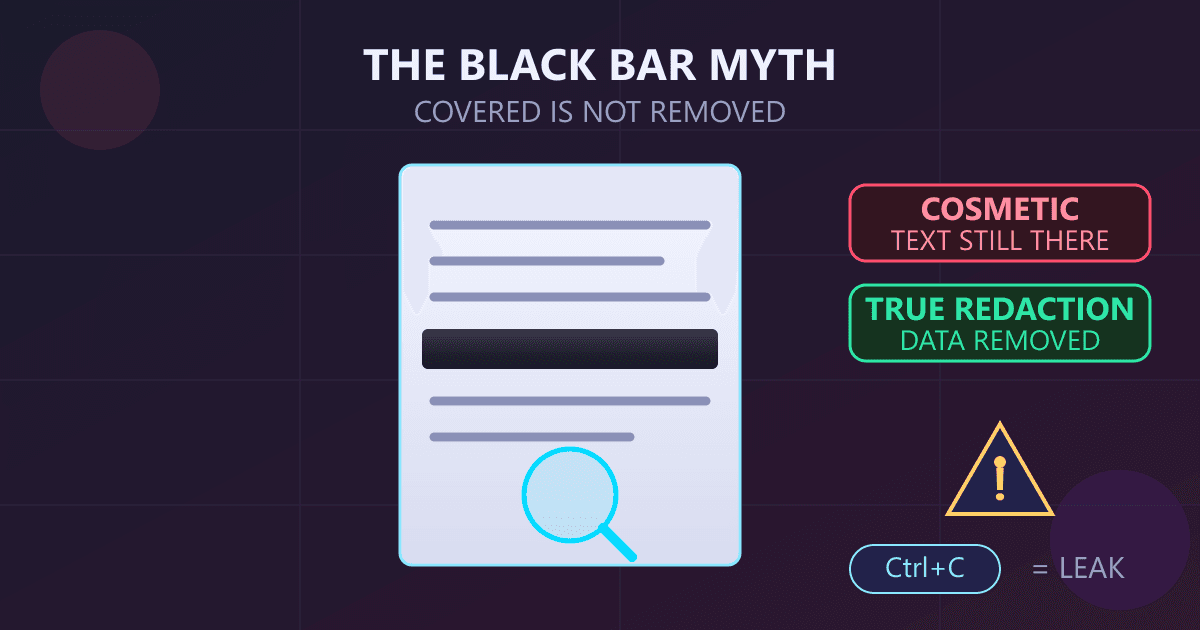
A natural next step after archiving is sharing — a useful conversation into a team channel, a debugging transcript attached to an issue, a snippet in a blog post. This is the moment to slow down, because chat logs are treacherous in a way prose is not. In the middle of debugging, people paste real URLs, real error messages, real API keys, real customer names. The transcript remembers all of it with total fidelity.
Make redaction a separate, deliberate pass. The PII Redactor catches the mechanical categories — emails, phone numbers, card and IBAN numbers, and similar patterns — with rule-based detection that runs locally, so the scrubbed text never leaves your device either. Run it over the Markdown file, review what it flagged, and only then paste the transcript anywhere public. Pattern matching is the floor, not the ceiling: names and secrets in prose still need a human read, but letting the rules catch the structured identifiers first removes the most common leak.
Frequently Asked Questions
Does the converter see my conversations? No. The ZIP is read and parsed entirely in your browser tab — no upload, no sign-up — nothing you drop leaves your device. That is the main argument for converting locally rather than pasting an export into an online converter.
Do exports from both ChatGPT and Claude work? Yes. Both platforms let you request an export from settings, under data controls, and both arrive as a ZIP containing conversations as JSON. The converter was verified against both formats using synthetic exports before real data touches it.
What exactly do I get out the other end? One Markdown file per conversation, plus structured output options if you want a different shape. Markdown is chosen because it imports cleanly into Obsidian and Notion and stays readable as plain text decades out.
How do I import the result into Obsidian or Notion? For Obsidian, copy the folder of Markdown files into your vault and the notes appear. For Notion, use its Markdown import and each file becomes a page. In both tools the conversations become searchable notes alongside everything else you keep.
Is the export a complete backup of my account? It contains your conversations, which is what this workflow is about. For the full picture of what a given platform's export includes, check the export page at request time — and read what actually happens to files you upload to an AI service for the retention side of the story.
How often should I export? Often enough that losing the account would sting but not cripple. Quarterly is a reasonable default for heavy users; the request takes a minute, and each export is a complete snapshot you can re-convert with any future tool.