Through 2026, search stopped being only a list of links. AI answer engines now read pages, synthesize an answer, and cite the sources they used — which means the machines deciding whether your site gets quoted are reading your markup, your structure, and increasingly your explicit hints. The industry acronym for this is GEO, generative-engine optimization, and it exploded through 2026. The commercial response was predictable: a wave of paid subscriptions. Incumbent graders of the Screpy class and the new GEO monitors all want a monthly fee.
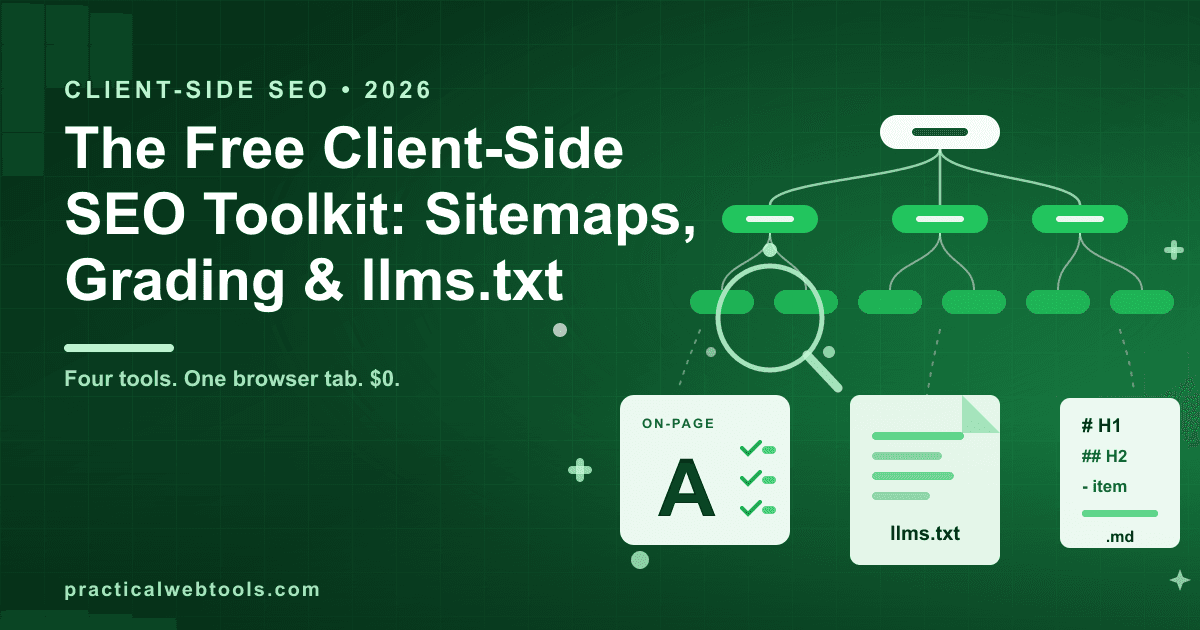
The browser-based response is quieter. Four tools that each do one audit job, all client-side: a visual sitemap builder that turns a URL list into a tree diagram and a valid XML sitemap, an on-page SEO and E-E-A-T grader that scores pasted HTML, an llms.txt generator that produces the new AI-crawler index file plus JSON-LD, and a webpage to Markdown converter that keeps an LLM-clean copy of any page. No account, no crawl budget — and because everything runs locally, you can audit staging pages before they deploy.
Try llms.txt Generator — free, no sign-up.
This post walks through each tool, what it genuinely checks versus what it can't, and how to chain the four into a 30-minute site audit that ends with a tree diagram, a scored report, an llms.txt file, and readable copies of your key pages.
Why client-side matters for an SEO audit
Most audit tools ask for your domain and crawl it. That design has two costs. The first is money: crawling at scale is the expensive part, which is why the incumbent graders run on subscriptions — the Screpy-class tools and the GEO monitors that appeared through 2026 are paid products. The second is control: a crawler sees your production site, after deployment, which means structural problems ship to the public before anything flags them.
A paste-based, client-side toolkit inverts both. You feed it exactly the material you want checked — a URL list, a page's HTML, a saved page file — and it processes it in the tab: no upload, no sign-up, nothing you paste or drop leaves your device. That matters most before a launch. Pasting staging HTML into a local grader means unreleased pages stay unreleased while still getting the full check, and a pre-deploy audit catches the missing title tag before the page is indexed wrong.
The honest tradeoff: these tools audit what you give them, not what exists. There is no automatic site-wide crawl, no scheduled re-check, no rank tracking. You get depth and privacy instead of coverage on a schedule.
Map the site first: from URL list to visual tree
Structure problems are invisible in a spreadsheet of URLs and obvious in a diagram. The visual sitemap builder takes a pasted URL list and lays it out as an auto-arranged tree — in testing, a 30-URL list produced a 31-node tree, the extra node being the root the pages hang from.
Reading the tree is where the value is:
- Orphaned pages show up as nodes hanging off the root that nothing else links to — dead ends for crawlers and users alike.
- Depth becomes geometric. Every level down is one more click from the home page, and pages buried four or five levels deep tend to get crawled less and clicked almost never.
- Lopsided sections are visible at a glance: one branch with 20 pages and three branches with two each is usually an editorial decision you forgot you made.
The export is the working artifact: the same tree as a PNG or SVG for the design review, and a valid XML sitemap.xml you can upload as-is. If your site grew organically and the sitemap is a stale artifact from three redesigns ago, regenerating it from a current URL list takes minutes.
Grade the page: one paste, 41 checks
The tree tells you where the pages are. The grader tells you what shape each one is in. The on-page SEO and E-E-A-T grader takes pasted HTML and returns a scored report — in testing, a single page triggered a 41-check run across these families:
| Check family | What it looks at |
|---|---|
| Title and meta | Presence and structure of the title tag and meta description |
| Heading structure | H1 presence and count, heading hierarchy |
| Keyword usage | Keyword density against your target term |
| Readability | Flesch score — how much schooling the prose demands |
| Image alt coverage | Share of images carrying alt text |
| E-E-A-T signals | Author byline, publication dates, outbound citations |
The mechanical checks need no interpretation: a missing meta description is missing whether a subscription tool says so or a free one does. The Flesch score deserves one sentence of honesty — it measures sentence length and syllable density, not clarity. A low score on deliberately technical documentation is fine; a low score on your marketing landing page is a real finding.
What a script can and cannot check about E-E-A-T
E-E-A-T — experience, expertise, authoritativeness, and trustworthiness — became the shorthand for how search engines judge who wrote a page and whether to believe it. The grader checks the machine-readable signals: is there an author byline, are there dates, does the page cite sources with outbound links.
What no script can check is the actual thing those signals point at. A byline proves an author exists, not that the author knows the subject. A citation proves a link, not that the linked source is good. Treat the E-E-A-T section of the report as a plumbing check: it verifies the signals are present for machines that look for them. Whether the expertise behind them is real remains a human problem, and pretending a letter grade solves it is how audit tools sell subscriptions.
llms.txt and JSON-LD: a table of contents for AI readers
llms.txt emerged through 2026 as a convention for exactly the readers GEO is about: a markdown file at the site root that acts as a table of contents for crawlers — what the site is, what the important pages are, in a format answer engines can parse without rendering anything. Alongside robots.txt for permissions and sitemap.xml for discovery, it is the third small file that says more about your site to machines than most of your design does.
The llms.txt generator builds it from a URL list or from pasted HTML, and in the same pass emits JSON-LD structured data — the typed, unambiguous description of your pages (what is an article, who wrote it, when) that machines can consume without guessing from markup.
Two honest notes. First, llms.txt is a young convention: shipping one is cheap and useful, but engines differ in how much weight they give it, so treat it as table stakes rather than a lever. Second, the generator works from what you paste, which is a feature here — the llms.txt for an unreleased section can be drafted and reviewed locally before anything is public.
Keep an LLM-clean copy of key pages
The fourth tool closes the loop. The webpage to Markdown converter takes pasted HTML or a dropped saved page and extracts the readable content as clean, LLM-ready Markdown — Readability-style extraction plus conversion, all local. Navigation chrome, ad slots, script tags, cookie banners: gone. What remains is the text a language model actually reads when it reads your page.
This has three practical uses. You see your content the way the machines citing it see it — a page whose markdown extraction is thin or scattered is a page an answer engine will struggle to quote. You get a paste-ready version for any AI workflow, without dragging nav markup into a chat. And you build an archive of your key pages in a format that will outlive any CMS. For more on why markdown keeps proving durable for exactly this, the HTML-to-markdown conversion guide covers the craft in depth, and the markdown writer's guide is the reference to keep around.
The 30-minute audit, start to finish
Here is the full workflow with all four tools, in order.
- Collect your URLs. Export them from your CMS, or lift them from your existing sitemap. One URL per line.
- Build the tree. Paste the list into the visual sitemap builder. Note orphans, depth, and lopsided branches.
- Pick your money pages. Three to five pages that matter most — landing pages, key articles, the pricing page.
- Grade each one. View source on each page (or grab the staging HTML), paste into the grader, read the scored report.
- Fix the mechanical findings first. Missing metas, absent alt text, missing bylines and dates. These are cheap fixes with real payoff.
- Generate the AI layer. Run the URL list through the llms.txt generator for the llms.txt file and JSON-LD; add the structured data where it's missing.
- Snapshot the key pages. Convert each money page to Markdown and keep the copies. Re-read them — the markdown view is the honest one.
- Re-run before every significant deploy, and regenerate the sitemap whenever the URL list changes.
Total tooling cost: $0. The trade is that you supply the discipline a subscription normally automates — nothing here re-crawls on a schedule, so put the audit in your launch checklist rather than hoping a dashboard will email you.
Frequently Asked Questions
What is llms.txt, exactly? It is a markdown file placed at a site's root that describes the site and lists its important pages — a table of contents written for AI crawlers and answer engines. It emerged as a convention through 2026 and complements sitemap.xml rather than replacing it.
Does the grader crawl my live site? No. It analyzes HTML you paste into it, entirely in your browser. That is deliberate: it means unreleased staging pages can be audited before deploy without anything being uploaded or made public.
Is a high E-E-A-T score a ranking boost? No, and be suspicious of any tool that implies it is. The checks verify machine-readable signals — bylines, dates, citations. Actual expertise is judged by readers and search quality systems, not by a script counting elements.
How is this different from a paid SEO platform? Paid platforms crawl your production site on a schedule, track rankings over time, and monitor competitors. These four tools audit exactly what you paste, on demand, for free — better for pre-deploy and staging work, weaker for ongoing monitoring.
How often should I re-run the audit? Before every significant deploy, and whenever you add or restructure a section. Regenerate the sitemap whenever the URL list changes, or search engines will happily keep indexing your old structure.
Can I use the sitemap export directly? Yes. The builder emits a valid XML sitemap.xml from your URL list, so the file can replace a stale one as-is. Keep the PNG or SVG export for the humans — tree diagrams are how structure problems actually get noticed.