Browser text-to-speech has existed for over a decade, and most of it still sounds like it was built for saying "your download is complete": flat pitch, pauses dictated by punctuation rules, emphasis on nothing. That is the ceiling of the classic voice engines that ship with operating systems. Meanwhile the natural voices — the ones that breathe, hesitate, and land a sentence the way a person reads it — sat behind commercial subscriptions, because natural speech is the product voice services sell.
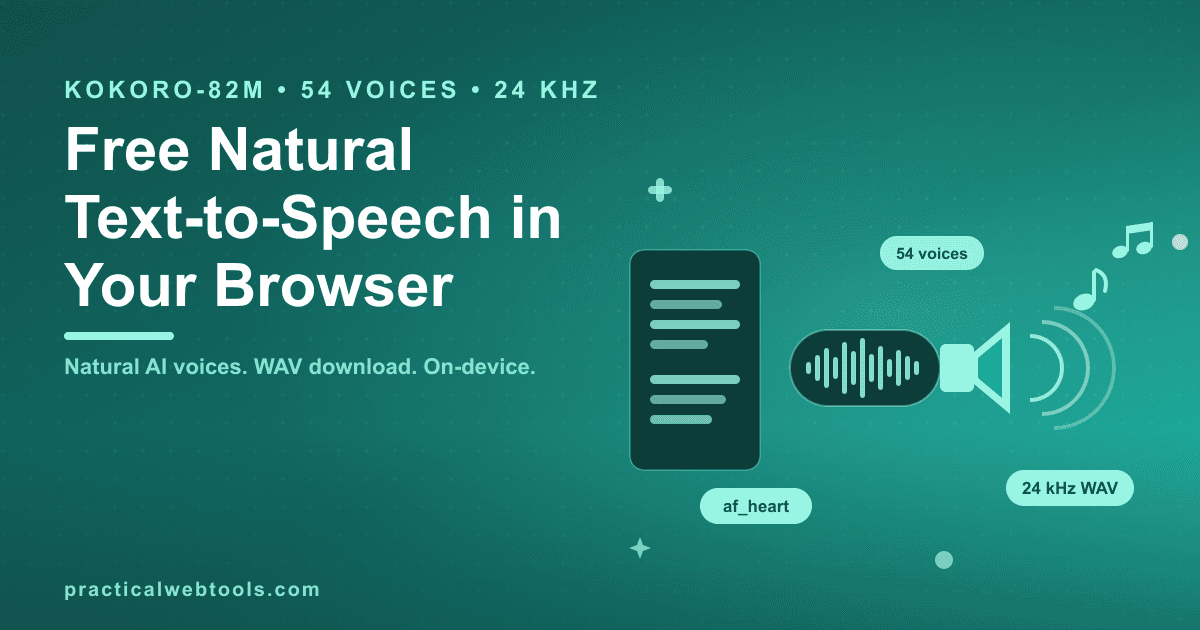
That changed on the open-source side. Kokoro-82M, an Apache-2.0 licensed voice model of roughly 82 million parameters, became the go-to open TTS model of 2026 on the strength of its output quality. The free text-to-speech tool now runs it in your browser: 54 voices across roughly 8–9 language groups, 24 kHz output, WAV download, and synthesis that happens on your own machine. The voices download once from a CDN, then run on-device — and the tool keeps its earlier browser-voice engines as an instant, no-download fallback.
Try Text to Speech — free, no sign-up.
This post covers what those 82 million parameters actually buy, how to pick a voice, the jobs where natural TTS pays off, and the honest tradeoffs — including exactly what network traffic happens and when.
Why classic browser voices sound robotic
A traditional TTS engine assembles speech from rules: text is split into phonemes, each phoneme gets a fixed sound, and pauses are inserted where the punctuation says so. Nothing in that pipeline knows what the sentence means. A question and a statement with identical words get nearly identical delivery, because the engine is following spelling, not intent.
What listeners perceive as "robotic" is the absence of prosody — the layer of speech that carries meaning through timing and melody. Which word gets stressed in "I didn't say she stole it" changes the entire sentence, and human readers choose that stress automatically. Classic engines don't, so every sentence lands with the same indifferent contour.
Models like Kokoro-82M learn prosody from real speech instead of rules. The model has heard how humans time pauses, where pitch rises before a comma, how emphasis shifts when a sentence lists three things. That learned timing is the difference between an announcement and a narration, and it is the specific quality that made this model the open TTS benchmark of 2026.
What 82 million parameters buys you
The numbers worth knowing, all verifiable on the tool's page:
| Property | Detail |
|---|---|
| Model | Kokoro-82M, Apache-2.0 licensed open voice model |
| Parameters | ~82 million — small enough to run on ordinary hardware |
| Voices | 54, spanning roughly 8–9 language groups |
| Output | 24 kHz audio, downloadable as WAV |
| Where it runs | In your browser tab, on your device |
| Cost | $0, no account |
The Apache-2.0 license matters as much as the parameter count. An open license means the model weights are a public artifact: the tool can ship it, you can run it, and the naturalness of the output is not metered by anyone's billing system. That is the structural contrast with commercial voice platforms — ElevenLabs-class services monetize natural voices through subscriptions, because voice quality is precisely what they gate. An open model running on your hardware removes the gate along with the bill.
Picking a voice: the af_ and am_ naming system
Kokoro's voice names look like af_heart, and the prefixes are a code you learn once: they indicate gender and language/region. Voices beginning with af_ are female, am_ begins the male voices, and the rest of the name identifies the individual voice — af_heart being one of the most-used picks across the set. With 54 voices across 8–9 language groups, the naming lets you narrow to the right shelf before you audition.
The workflow on the tool page is short: type or paste your text, pick a voice, listen, and download the result as a WAV. Two practical notes from using it repeatedly. First, audition voices with your own text, not a test sentence — a voice that handles formal prose gracefully can stumble on dialogue or dense technical terms, and yours is the text that matters. Second, the first synthesis with a voice triggers its one-time download; after that, the voice is on your device and the network stays quiet.
That first-download moment deserves the honesty up front: the only network traffic in this tool is the one-time model download from a CDN. After the voices are on your machine, synthesis happens on-device — your text is not sent anywhere to be spoken, which is the entire difference between this and a cloud TTS service you paste drafts into.
Four jobs where natural TTS pays off
Video scratch narration. The standard editing workflow for any narrated video is a scratch track: a temporary voiceover cut into the timeline so pacing, shots, and script length can be judged before anyone books studio time. A WAV from your browser drops straight into any editor's timeline, and a natural-sounding scratch track is good enough that plenty of tutorial, internal, and social video ships with it. When the final video does need a human voice, the scratch cut made the script better first.
Listening to long text. Accessibility is the obvious frame — screen-time fatigue, low vision, reading difficulties — but the practical use is broader: any text you would rather hear than read. Articles while commuting, documentation while your eyes are on a terminal, a draft report consumed on a walk. Natural voices make hours of listening possible where a robotic voice makes it unpleasant.
Proofreading by ear. This is the underrated one. Hearing your own draft read back catches what silent reading smooths over: the doubled word, the sentence that only parses on the second listen, the rhythm that falls apart in the third paragraph. Writers who talk about this tend to pair it with dictation — the same ears-over-eyes instinct that drove the shift to voice typing for drafting runs in reverse here, with TTS as the read-back pass.
Prototyping anything with a voice in it. Apps, interactive lessons, IVR menus, exhibit kiosks — anything where a spoken line needs to be evaluated in context before budget is spent on production audio. A minute of WAV from the browser settles the question.
One adjacent note for the listening crowd: if you are sharing audio person-to-person rather than downloading files, keep the quality story in mind — compressed voice notes through messaging apps are why voice recordings sent over WhatsApp sound so bad, and a WAV you control sidesteps that entirely.
The fallback ladder
The tool did not start with Kokoro, and it did not drop its earlier engines. The browser-voice engines that were always there remain available: instant, requiring no download at all, useful when you just need to hear text quickly. The result is a two-rung ladder.
- Rung one — instant browser voices. Zero setup, zero waiting. Fine for a quick read-back of a paragraph, a pronunciation check, a throwaway scratch line. You pay for the instant start with the classic robotic delivery.
- Rung two — Kokoro-82M voices. A one-time download per voice, then natural output at 24 kHz with WAV export. This is the rung for anything you will keep: narration that ships, audio you will listen to twice, drafts read back properly.
The ladder shape is honest about the trade: patience buys quality. Nothing forces you to wait for a model download to hear a sentence, and nothing forces you to accept robotic audio for a deliverable.
Honest limitations
The one-time download is real. The first click on a Kokoro voice fetches it from a CDN, and on a slow connection that wait is the cost of admission — once per voice, cached afterward, but not zero. If you need audio in the next five seconds, that is what the fallback engines are for.
Synthesis speed follows your hardware. The model runs on your machine, which means your machine's speed is the ceiling — a modern laptop handles it comfortably, an older one takes longer. There is no server picking up slack, because there is no server.
The voice set is fixed. You choose from the 54 shipped voices across their language groups, which covers a wide range of delivery but not a custom voice built from a sample — that capability belongs to the commercial cloning services and their subscriptions, and it is precisely the feature their pricing is built around. For choosing among existing natural voices, the open model competes directly; for inventing a new one, it does not.
Output is 24 kHz WAV — clean, fully adequate for narration, video, and listening, and honest about not being a studio mastering format. If your project needs further processing, the WAV is a normal audio file that any editor accepts.
The economics, last: the tool is free with no sign-up, and the freedom is structural rather than promotional — the model's Apache-2.0 license and your own hardware do the work. Open the text-to-speech tool with a paragraph of your own writing, audition af_heart and its neighbors, and judge the naturalness on the text you actually work with.
Frequently Asked Questions
Is it really free, with no sign-up? Yes. The tool runs in your browser and the model is Apache-2.0 licensed, so there is no metering, no account, and no export cap — the WAV files you generate are ordinary audio files you own.
Why does something download the first time I use a voice? Each Kokoro voice is fetched once from a CDN and then runs on your device. That one-time download is the only network traffic in the tool; after it completes, synthesis is entirely local.
How many voices are there, and how do I pick one?
There are 54 voices across roughly 8–9 language groups. The names encode gender and region — af_ for female voices, am_ for male — with the individual voice name following, like af_heart. Audition two or three against your own text.
What do I get when I export? A WAV file at 24 kHz — an uncompressed, standard audio format that imports into every video and audio editor without conversion.
How natural is it, honestly? Natural enough that its quality made Kokoro-82M the standard open TTS model of 2026: real prosody, breathing, and emphasis rather than flat rule-based speech. It is still a fixed set of voices rather than a custom human recording, so test it on your own material before committing a project to it.
Can I use it offline? After the one-time voice download, synthesis runs on-device, so generating audio does not require a connection. Loading the tool page itself, like any web page, does.