The digital landscape is constantly evolving, and at its forefront is the transformative power of Artificial Intelligence. Among AI's most practical and impactful applications is automated image background removal. What was once a tedious, manual graphic design task has become an instant, highly accurate process, democratizing professional-quality visuals for everyone from e-commerce entrepreneurs to everyday content creators.
This isn't just a convenience; it's a competitive necessity. The global AI background removal market, valued at approximately USD 468 million in 2024, is projected to skyrocket past USD 3.12 billion by 2033 1. This exponential growth underscores a clear message: mastering AI-driven background removal isn't optional—it's essential for anyone looking to thrive in the visual-first digital economy.
Try Background Remover — free, no sign-up, and it runs entirely in your browser.
While the underlying algorithms are complex, the tools are user-friendly. Yet, true mastery goes beyond a simple click. It requires understanding market dynamics, the technology that powers these tools, and critically, how different image file formats impact transparency, compatibility, and even your website's search engine ranking. This guide from Practical Web Tools will equip you with that comprehensive understanding, bridging technology with usability to maximize your visual content strategy.
The AI Revolution in Image Editing: Market & Mechanics
The integration of AI into image editing has transitioned from a niche innovation to a foundational pillar of the digital economy. Driven by the surge in online shopping, social media engagement, and remote work, there's an insatiable demand for high-quality, visually appealing images 1.
Explosive Market Growth and Industry Adoption
Research confirms that the AI Background Removal market is on a robust upward trajectory. From its 2024 valuation of USD 468 million, forecasting models predict a Compound Annual Growth Rate (CAGR) of 21.7% from 2025 to 2033, reaching an estimated USD 3.12 billion 1. Broader reports echo this optimism, projecting the entire background removal software market to hit USD 500 million by 2025, with a 15% CAGR through 2033 11, 12.
This growth isn't uniform, but heavily concentrated in sectors where visual fidelity directly translates to revenue:
- E-Commerce: This sector dominates, accounting for nearly 35% of the market share in 2024 1. Online retailers rely on standardized, high-quality product images, with over 80% requiring background separation for marketplace listings 13. AI tools enable businesses to process thousands of products without the overhead of expensive studio setups or manual photo editors 11, 13.
- Media and Entertainment: From advertising to film production, this sector leverages background removal for compositing, virtual production, and creating engaging digital content 1, 12.
- Enterprise vs. SMEs: While enterprises hold a significant market portion (estimated 42.30% in 2024) for automated, cost-saving solutions, Small and Medium Enterprises (SMEs) represent a rapidly growing segment. Affordable AI empowers SMEs to produce professional visuals that rival larger competitors 1, 11.
The vast majority of these solutions (over 65% market share in 2024) are cloud-based, offering scalability, accessibility, and real-time updates without requiring local GPU infrastructure 1.
Algorithmic Foundations: Precision and Speed
Modern background removal tools are powered by sophisticated machine learning architectures, primarily deep neural networks 2.
- Convolutional Neural Networks (CNNs): These networks are trained on millions of images, learning to recognize patterns, edges, and textures. When processing an image, a CNN performs semantic segmentation, differentiating the subject (foreground) from the background at a pixel level. This technology achieves approximately 95% precision under optimal conditions 3, 13.
- Edge Preservation: A key advancement in 2024-2025 is the integration of edge-preserving AI. Historically, tools struggled with fine details like hair or fur, leading to jagged cutouts or 'halos.' Edge-preserving algorithms ensure natural, sharp cutouts, making images immediately ready for professional use 13, 14.
- Generative AI: Generative Adversarial Networks (GANs) and generative fill further enhance background removal. Once a background is removed, AI can seamlessly generate contextually relevant, realistic new backgrounds or repair missing data with prompt-assisted editing 3, 15.
- Blazing-Fast Latency: Speed is paramount for high-volume users. While manual masking could take 15-30 minutes per complex image, state-of-the-art API solutions boast output latencies as low as 190 milliseconds per image. This enables real-time background manipulation and radically improves workflow efficiency for enterprise-level batch processing 3, 10, 13.
The Crucial Role of Image File Formats in Transparency Workflows
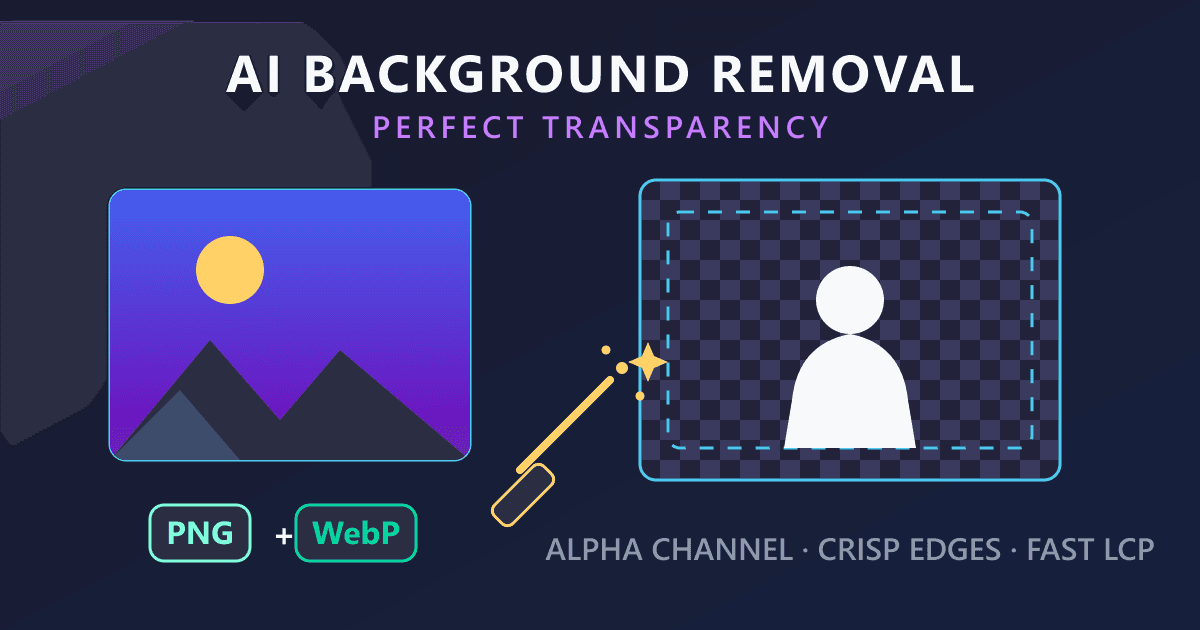
An AI-perfect cutout is useless if saved in the wrong format. Background removal relies on the alpha channel, a layer of data that dictates opacity and transparency. Not all formats support this, making file conversion an unavoidable step.
Understanding the Formats: JPEG, PNG, WebP, and HEIC
To truly leverage background removal, content creators must navigate the nuances of lossy vs. lossless compression, alpha channels for transparency, and cross-platform compatibility. Here's a breakdown of the dominant image formats:
| Format | Compression Type | Supports Transparency? | Typical Use Case | Market & Browser Support |
|---|---|---|---|---|
| JPEG / JPG | Lossy | No | General photography, minimal file size required. | Universal |
| PNG | Lossless | Yes | Logos, graphics, removed backgrounds requiring sharp edges. | Universal |
| WebP | Lossy & Lossless | Yes | Modern web design, SEO optimization, high-speed loading. | 97%+ Modern Browsers 17 |
| HEIC | Lossy | Yes | High-efficiency native storage on Apple iOS devices. | Limited (Apple ecosystem primarily) 18 |
The JPEG Constraint
JPEG (JPG) uses lossy compression to reduce file sizes, making it ideal for standard photography 6, 19. However, JPEG lacks an alpha channel. If you remove a background and save it as a JPEG, the transparent area will automatically be filled with a solid color, typically white or black 6. While a great input format, JPEG is unsuitable for output when transparency is desired.
The PNG Solution
Portable Network Graphics (PNG) was designed for lossless compression and full alpha-channel transparency 20. This makes PNG the most reliable format for saving images after background removal, preserving 100% of pixel data and ensuring crisp edges from AI cutouts. The trade-off is larger file sizes, which can impact website loading speeds 20, 21.
The WebP Advantage
Developed by Google, WebP offers both lossy and lossless compression with full transparency support 17, 20. WebP lossless images are about 26% smaller than equivalent PNGs, and lossy WebP can be 25-34% smaller than JPEGs 17, 21. By converting transparent images to WebP, you maintain perfect transparency while drastically improving page load speeds and Core Web Vitals, directly boosting your SEO 17, 22.
The HEIC Dilemma
High-Efficiency Image Container (HEIC) is the default for modern Apple iOS devices, offering superior quality and 16-bit color depth at half the JPEG size 18, 19. However, its compatibility is limited; many web platforms, Windows machines, and older software can't natively open HEIC files 9, 23. iPhone users often face "unsupported file format" errors before they can even begin background removal.
Recommended Format Conversion Workflows with Practical Web Tools
Practical Web Tools offers seamless solutions for these format challenges, ensuring your background removal workflow is efficient and effective.
- The Mobile Input Workflow (HEIC to JPG): If your product photo is a HEIC from an iPhone, convert it first for universal compatibility before uploading to most web-based editors. Use our HEIC to JPG converter to transform your Apple-native files into a universally accepted format 18, 23.
- The Transparency Output Workflow (JPG to PNG): After removing the background from a JPG, you need a format that preserves transparency. To maintain absolute lossless quality for logos or graphics, use our JPG to PNG converter.
- The SEO Optimization Workflow (JPG to WebP): For e-commerce sellers uploading transparent product images to Shopify or WordPress, heavy PNGs can slow down your site 7, 24. Optimize by using our JPG to WebP converter (or convert a PNG output to WebP) to reduce file size by up to 26% while keeping transparency, ensuring lightning-fast page loads 17, 21.
- The Storage Optimization Workflow (JPG to HEIC): If you want to archive original photos efficiently on your Apple devices, use our JPG to HEIC converter to compress files by up to 50% for high-efficiency storage within the Apple ecosystem 18, 19.
How to Remove Image Backgrounds: Step-by-Step Guides
Here's how to remove backgrounds across various popular platforms and tools, ensuring you get professional results.
1. Browser-Based AI Removal: The Universal Method (Practical Web Tools)
For professional results without software downloads or complex design skills, web-based AI tools are ideal.
Tutorial: Using Practical Web Tools - Background Remover
- Prepare Your Image: Ensure good lighting and contrast. If it's a HEIC file, use our HEIC to JPG converter first.
- Access the Tool: Navigate to our dedicated Background Remover tool.
- Upload: Drag and drop your JPG or PNG file into the interface.
- AI Processing: The AI's CNNs will instantly analyze the pixels, detect edges, and remove the background in seconds.
- Download: Export your image. Crucially, select PNG or WebP as the final format to preserve transparency.
2. Mobile Ecosystems: iOS 16, 17, and 18 Built-in Tools
Apple's iOS has integrated powerful system-wide features for 'lifting subjects' from backgrounds, starting with iOS 16 25, 26.
Tutorial: The "Visual Look Up" Method on iPhone
- Open Photos App: Select an image with a clear subject 25, 27.
- Long-Press: Tap and hold your finger directly on the subject. A white outline will appear, indicating isolation 27, 28.
- Lift and Share/Copy: You can drag the subject to another app or release your finger to see "Copy" and "Share" options.
- Save with Transparency: Tap "Share" and "Save Image." The cutout will be saved as a transparent PNG to your camera roll 27, 28.
Tutorial: The Files App Method on iPhone For a direct file-management approach:
- Save your image to the Apple Files app.
- Locate the file, tap and hold it to open the context menu.
- Select Quick Actions, then tap Remove Background 28, 29.
- A transparent PNG duplicate will instantly appear in the same folder 29.
3. Desktop Ecosystems: macOS Native Workflows
Mac users have native tools for basic background removal, no third-party software needed.
Tutorial: Removing Backgrounds using macOS Preview
- Open the image in the native Preview application on Mac.
- Click the Markup Toolbar icon (pen tip).
- Select the Instant Alpha tool (magic wand icon) 30.
- Click and drag over the background. The selected area will highlight in red.
- Press the Delete key. If the original was a JPEG, Preview will prompt you to convert to PNG 30.
Note: While Instant Alpha works for basic shapes, it struggles with complex edges like hair, relying on manual pixel color similarity. For professional, precise results, a dedicated AI tool like Practical Web Tools' Background Remover is highly recommended.
E-Commerce Specifications and SEO Implications
Background removal is not merely an aesthetic choice; in e-commerce, it's a strict regulatory requirement that directly impacts search visibility, customer trust, and conversions.
Amazon and eBay Strict Compliance Rules
Selling on major marketplaces like Amazon and eBay demands strict adherence to image guidelines. Non-compliance often leads to listing suppression, hiding your product from search results 5, 31.
The Pure White Standard: Amazon strictly mandates that the main product image must feature a pure white background. The exact color value is RGB 255, 255, 255 (or Hex code #FFFFFF) 31, 32.
- No Exceptions: Off-white, light gray, or textured backgrounds are forbidden for the main image 5, 32.
- No Distractions: The image must not contain logos, watermarks, text, or extra props not included in the purchase 5, 32.
- Frame Fill: The product must fill at least 85% of the total image frame 32, 33.
- Clean Edges: No residual artifacts, jagged outlines, or remaining off-white backdrops after background removal 5. Minimal, realistic shadows are the only permitted exception 4, 5.
Why These Rules?
- Consistency: Pure white backgrounds create a uniform, professional shopping experience across millions of listings 31, 32.
- Focus: Distraction-free imagery keeps the buyer's attention solely on the product 31, 33.
- Mobile Optimization: Clean images load faster and display better on mobile devices, where most purchases occur 31.
Actionable Advice for E-commerce Sellers: Photograph your products in front of a contrasting backdrop. Then, upload to an AI background remover. Once transparent, electronically drop a pure RGB 255, 255, 255 white layer behind the product. This guarantees 100% compliance with Amazon's automated image checkers 31, 33.
The Impact of File Size on Core Web Vitals and SEO
For businesses with their own e-commerce storefronts (Shopify, WooCommerce), image file weight becomes paramount. Images often account for the largest portion of a website's data 20. Hundreds of high-resolution PNGs (used for transparent or pure white backgrounds) will drastically slow your site 7, 21.
Google's search algorithm heavily weighs "Core Web Vitals," particularly Largest Contentful Paint (LCP), which measures how long the main content (often a product image) takes to load 17, 22. Slow images frustrate users, increase bounce rates, and harm SEO rankings.
The WebP Solution: To optimize performance, transition to next-generation formats like WebP. Engineered by Google, WebP allows you to route transparent product cutouts through a JPG to WebP converter (or save directly as WebP) to achieve:
Advanced Implementations and Future Trends (2025-2027)
The trajectory of AI background removal suggests several transformative developments are on the horizon:
- Real-Time Video Background Removal: Beyond static images, the 2025-2027 cycle focuses on instantaneous live video background removal, eliminating the need for green screens. AI already offers 95% cost reduction and 99% faster processing than traditional chroma keying 15.
- API Integration in AR: Background removal technology is powering Augmented Reality (AR) shopping apps. Consumers can instantly lift a product from a web store and visualize it within their physical environment in real-time 14.
- Generative AI Expansion: Tools are evolving beyond simple erasure to contextual understanding and replacement. An e-commerce seller could remove a plain studio background and prompt the AI to "place this coffee mug on a rustic wooden table next to a sunny window." The AI will generate the background and adjust lighting/shadows on the mug to match seamlessly 3, 15.
Conclusion
The ability to remove backgrounds from photographs has transformed from a tedious, specialized task into an instantaneous, AI-driven utility accessible to all. Market data overwhelmingly supports that AI image processing is a vital component of modern digital operations, projected to be a multi-billion dollar industry within the next decade 1.
However, wielding this technology effectively demands a comprehensive understanding of the digital ecosystem. For the readers of Practical Web Tools, simply clicking "remove background" isn't enough. Users must understand that an iPhone's HEIC file often needs conversion via a HEIC to JPG converter for compatibility 18, 23. They must recognize that a transparent cutout demands the lossless precision of a PNG, necessitating a JPG to PNG converter 20. And for those building the modern web, embracing the JPG to WebP converter pipeline is crucial for balancing pristine visuals with rapid page load speeds and SEO optimization 17, 21.
By combining powerful AI algorithms with intelligent file format management, creators, marketers, and developers can produce stunning, highly optimized content that meets the rigorous demands of platforms like Amazon, enhances user engagement, and drives measurable commercial success. Explore the full suite of tools at Practical Web Tools today to elevate your digital content game!
Sources
- dataintelo.com
- superagi.com
- prodia.com
- amazon.com
- amazon.com
- imagetoolo.com
- bluehost.com
- picsart.io
- ask.com
- tooljunction.io
- superagi.com
- superagi.com
- mindstudio.ai
- magichour.ai
- upscaleimage.ai
- aitools.fyi
- inspectwp.com
- adobe.com
- quora.com
- imageoptimizerpro.ai
- imageupsize.com
- mol-tech.us
- casemonkey.co.uk
- webhelpagency.com
- macmost.com
- tapsmart.com
- fliflik.com
- youtube.com
- macrumors.com
- capcut.com
- pixmiller.com
- clippingworld.com
- bgswap.io
- reddoor.biz