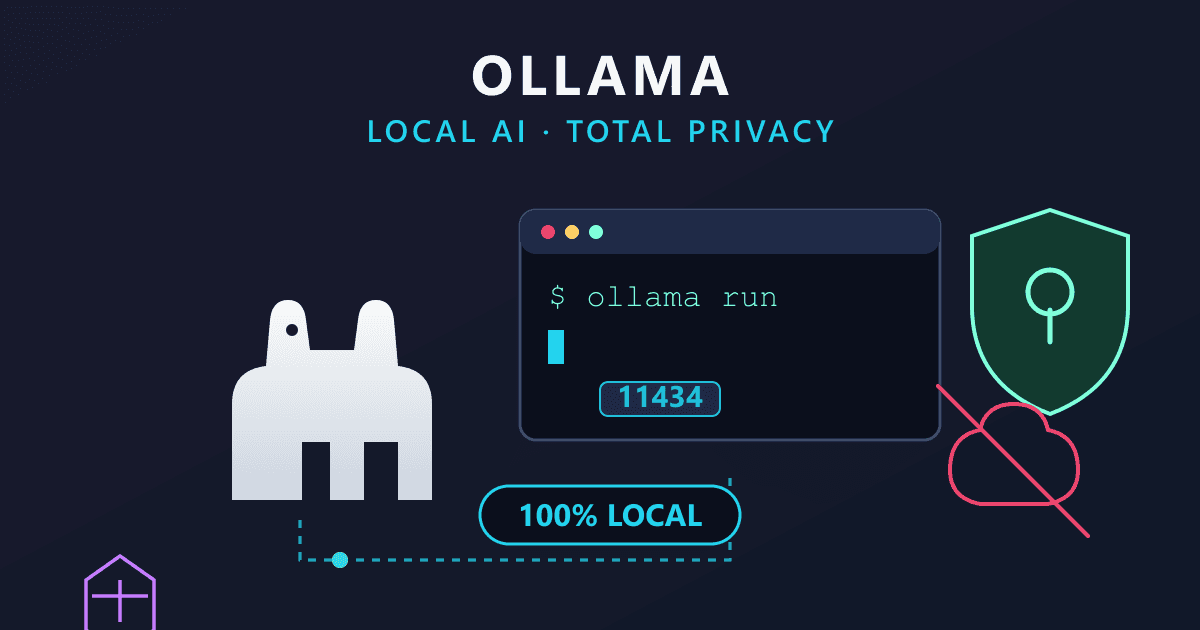
The world of artificial intelligence is undergoing a profound transformation. What was once confined to massive cloud data centers is rapidly moving to our desktops, laptops, and even edge devices. This shift towards Local AI promises unprecedented data privacy, reduced costs, and greater control over powerful language models. At the forefront of this revolution is Ollama, an open-source framework that has made deploying and interacting with large language models (LLMs) on personal hardware remarkably accessible.
Historically, the computational demands of AI meant that only tech giants with vast cloud infrastructures could truly harness their power. Companies like OpenAI, Anthropic, and Google dominated the landscape, with users relying on their Application Programming Interfaces (APIs) to access advanced AI capabilities. While effective, this cloud-first paradigm introduced inherent challenges: data privacy concerns, recurring API costs that could quickly spiral, and potential vendor lock-in (Source 2, 5).
Try Online Design Tool — Figma Alternative — free, no sign-up, and it runs entirely in your browser.
However, the release of highly capable open-weight models like Meta's LLaMA, Mistral, and Google's Gemma, combined with the maturation of inference engines and software wrappers, has democratized AI. Ollama stands out as a pivotal tool in this movement. It abstracts away the complex orchestration of AI models, simplifying everything from environment setup to memory management, allowing developers and enthusiasts alike to run sophisticated neural networks directly on their machines.
This comprehensive guide delves into the evolution, architecture, and practical applications of Ollama, spanning developments up to early 2026. We'll explore how this framework works, its profound impact on the AI ecosystem, hardware considerations, advanced capabilities, and how to effectively integrate local AI with complementary cloud tools, such as those offered by Practical Web Tools.
The Rise of Local AI: Ollama's Impact and Ecosystem Growth
Artificial intelligence has revolutionized human-computer interaction, enabling everything from generative text to complex predictive analytics (Source 1). The ability to deploy these models directly on consumer or enterprise edge hardware, entirely bypassing cloud servers, is what defines Local AI (Source 3, 4). Ollama has emerged as the leading open-source tool facilitating this, running LLMs natively on macOS, Linux, and Windows (Source 5, 6).
Think of Ollama as a Docker for AI models. It packages model weights, configuration, and execution environments into a unified entity known as a "Modelfile" (Source 7, 8). Built primarily upon the llama.cpp inference engine, Ollama eliminates the need for intricate command-line compilation, CUDA driver configurations, and manual memory management that previously deterred local AI development (Source 9, 10). With a simple command, users can download, run, and interact with complex neural networks, even without an internet connection post-installation (Source 3, 11).
Explosive Growth and Market Adoption (2024–2026)
The adoption of local AI, particularly through Ollama, has been nothing short of exponential. Between its inception and early 2026, Ollama has transformed from a niche hobbyist tool into an enterprise-grade solution, reflecting a significant industry shift (Source 12).
By the first quarter of 2026, Ollama achieved approximately 52 million monthly downloads, an astounding 520-fold increase from 100,000 downloads in Q1 2023 (Source 12). Its robust developer community is evident in GitHub metrics, with the Ollama repository amassing over 154,856 stars and 15,600 forks by late 2025 (Source 13, 14). The official Python client for Ollama also saw 1.27 million monthly NPM downloads and considerable PyPI traction (Source 13, 15).
This growth isn't isolated. The broader ecosystem has flourished, with HuggingFace, a central hub for machine learning models, hosting over 135,000 GGUF-formatted models optimized for local inference by 2026 (Source 12). The foundational llama.cpp project, the backbone of much of Ollama, surpassed 73,000 GitHub stars, further underscoring the demand for optimized edge computing (Source 12).
| Metric | 2023 / 2024 | 2025 / 2026 Data | Source |
|---|---|---|---|
| Monthly Ollama Downloads | ~100,000 (Q1 2023) | 52 Million (Q1 2026) | [12] |
| GitHub Stars | N/A | > 154,800 | [13, 14] |
| GGUF Models Available | ~200 (2023) | > 135,000 | [12] |
| OpenAI-Compatible Interfaces | Limited | Full Support (Streaming, Tool Calling) | [16, 17] |
This statistical surge is primarily fueled by three factors: open-weight models (like Llama 3) closing the quality gap with frontier models (like GPT-4), breakthroughs in quantization reducing model sizes, and tools like Ollama effectively removing technical deployment friction (Source 18).
Unpacking the Core: Architecture and Hardware Optimization
Running large language models locally is fundamentally a challenge of efficient hardware resource management. The architectural design of these models and their interaction with system memory are crucial determinants of local deployment viability.
Memory Bandwidth vs. Compute Power: The VRAM Imperative
While general computing tasks prioritize processor speed, LLM inference is primarily memory-bound (Source 19). During text generation, the LLM performs a forward pass, requiring its parameters to be loaded from memory to the processing unit for every single token generated (Source 8, 19).
This makes VRAM (Video RAM) on dedicated GPUs far superior to standard system RAM. Consumer system RAM (DDR4/DDR5) typically offers data transfer speeds of 20 to 90 GB/s. In contrast, GPU VRAM (GDDR6 or HBM) boasts speeds from 350 GB/s to over 4800 GB/s on enterprise hardware (Source 8, 19). If a model exceeds available VRAM, Ollama intelligently offloads remaining computational layers to the system CPU and RAM. While this prevents crashes, it drastically reduces token-per-second (TPS) generation speed (Source 8).
Apple Silicon architecture (M1 through M5 chips) offers a distinct advantage with its Unified Memory Architecture, sharing high-bandwidth memory between the CPU and GPU. An M2 Ultra with 192 GB of unified memory, for instance, can run massive 70B+ parameter models entirely within high-speed memory, bypassing the need for clusters of expensive discrete GPUs (Source 12, 20). By March 2026, Ollama introduced native preview support for Apple's MLX machine learning framework, further optimizing performance to deliver up to 2x faster token generation on M-series chips (Source 10, 16).
Quantization: Shrinking Giants for Local Hardware
To fit billions of parameters onto consumer hardware, Ollama heavily relies on quantization. This compression technique reduces the numerical precision of the weights within the neural network (Source 21, 22). Standard AI models are trained with 16-bit or 32-bit floating-point numbers (FP16/FP32). Quantization compresses these into lower bit representations, most commonly 4-bit integers.
A useful rule of thumb for 4-bit quantization (Ollama's default Q4_K_M tag) is that a model requires approximately 1.2 GB of VRAM per 1 billion parameters (Source 8). Thus, a 7B parameter model like Mistral 7B needs roughly 5 to 6 GB of RAM, while a 70B parameter model like Llama 3 70B demands upwards of 40 GB (Source 23, 24).
| Model Parameter Size | Uncompressed FP16 RAM | 4-bit Quantized RAM Required | Recommended Hardware |
|---|---|---|---|
| 1B - 3B | ~6 GB | ~2 - 4 GB | 8GB Unified RAM (M1) / Basic Laptop [20, 25] |
| 7B - 9B | ~14 GB | ~5 - 8 GB | 16GB RAM, RTX 3060/4060 [23, 26] |
| 12B - 14B | ~24 GB | ~10 - 12 GB | 16GB - 32GB RAM [23, 25] |
| 32B - 34B | ~64 GB | ~20 - 24 GB | RTX 3090/4090 (24GB VRAM) [10, 25] |
| 70B - 72B | ~140 GB | ~40 - 48 GB | Dual RTX 4090s / Mac Studio / Cloud GPU [25, 27] |
Ollama supports various quantization levels within the GGUF format (Source 10):
q2_K: Smallest and fastest, but can significantly degrade model quality.q4_K_M: The "sweet spot" default, offering about 95% of original capability at 25% of the memory footprint (Source 10, 20).q8_0: Near full precision (8-bit) for setups with substantial VRAM headroom (Source 10).
Dense vs. Sparse Architectures
Understanding hardware limits also requires distinguishing between Dense and Sparse models (Source 19).
- Dense Transformer Architecture (e.g., Meta's Llama 3): For every token generated, every single parameter (e.g., all 8 billion or 70 billion) must be activated and loaded. This creates a significant "memory wall" bottleneck (Source 19).
- Sparse Mixture-of-Experts (MoE) Architecture (e.g., Mistral Mixtral 8x7B, DeepSeek): While the total model size might be massive, only a subset of "expert" parameters (e.g., 14B out of 47B) is active during any single inference step (Source 19). This decouples model intelligence from immediate memory bandwidth consumption, enabling MoE models to perform surprisingly well even on standard CPU configurations (Source 19).
Advanced Capabilities and Recent Developments (2025–2026)
The local AI ecosystem matured rapidly between 2024 and 2026, transforming from basic command-line utilities into production-ready, feature-rich orchestration layers.
OpenAI API Interoperability and Tool Calling
One of the most impactful updates was the implementation of strict OpenAI API compatibility. Ollama natively serves a REST API on http://localhost:11434 (Source 28, 29). By conforming to the OpenAI /v1/chat/completions endpoint standard, developers can seamlessly swap proprietary cloud models for local models simply by changing the base_url parameter in their existing code (Source 17).
# Transitioning from OpenAI cloud to local Ollama (Source 17)
from openai import OpenAI
import os

# Before (OpenAI Cloud API)
# client = OpenAI(api_key=os.environ['OPENAI_API_KEY'])

# After (Ollama Local API)
client = OpenAI(
    base_url='http://localhost:11434/v1/',
    api_key='ollama' # Required by SDK, but ignored by local server
)

response = client.chat.completions.create(
    model='llama3.2', # Replacing 'gpt-4'
    messages=[{'role': 'user', 'content': 'Explain quantum physics.'}]
)
Furthermore, from late 2024 through 2025, Ollama integrated Tool Calling (also known as function calling) (Source 9, 16). This capability allows a local LLM to interact with external APIs, execute code, or query databases. When an application provides a JSON schema defining external functions, a compatible model (like Llama 3.1 or Mistral) can pause generation and output structured arguments, instructing the application to fetch real-world data (Source 9, 30).
It's important to understand that tool calling isn't an inherent trait of the model's neural weights; the model generates text following a schema, and the surrounding framework (Ollama) manages the execution flow (Source 31). Tools like ollama-openai-proxy have also emerged to translate bidirectional tool-calling formats seamlessly, enabling platforms like N8N to trigger advanced local workflows (Source 32).
Desktop GUIs, Multi-modal Support, and Claude Code
By mid-2025, Ollama transcended the command-line interface, releasing fully functional native desktop applications for macOS and Windows, complete with drag-and-drop support for PDFs and images (Source 18).
January 2026 brought compatibility with the Anthropic Messages API, allowing tools designed specifically for Claude (such as Claude Code) to run locally using open-weight models (Source 16). The platform also introduced experimental local image generation capabilities and robust structured output guarantees (JSON Schema adherence without parsing failures) (Source 16, 18). Additionally, reasoning models containing "thinking" algorithms (like DeepSeek-R1 and GPT-OSS) gained full support, emitting their internal logic trails before finalizing output (Source 30).
Local vs. Cloud: A Comparative Analysis
Deciding whether to deploy AI locally via Ollama or subscribe to cloud providers like OpenAI, Anthropic, or Google requires a careful evaluation of privacy, cost, and raw intelligence (Source 4).
Privacy, Security, and Compliance Imperatives
The most compelling advantage of local AI is unconditional data sovereignty. Cloud-based proprietary models necessitate sending prompts over the internet, introducing cybersecurity risks, raising concerns about data retention, and creating ambiguities regarding the use of proprietary corporate data for training future public models (Source 5, 22).
With Ollama, data never leaves your device (Source 3, 5). The model operates completely offline after the initial download (Source 1, 3). This is critical for heavily regulated sectors. Healthcare startups can use local AI to structure sensitive patient intake forms and summarize medical histories while remaining compliant with HIPAA regulations (Source 6, 33). Legal professionals and cybersecurity researchers can analyze privileged contracts or scan proprietary codebases for vulnerabilities without risking compliance breaches or intellectual property leakage (Source 3, 33, 34).
Economic Implications
Cloud APIs operate on a consumption-based pricing model (per-token billing), which can escalate unpredictably during high-volume data processing or autonomous agent loops (Source 2, 34). Ollama eliminates ongoing software costs entirely. The software is free, and the open-weight models are permissively licensed (Source 4, 35). The primary economic barrier is the initial capital expenditure for hardware (e.g., purchasing an Apple Mac Studio or NVIDIA RTX GPUs) and nominal electricity costs (Source 1, 3). For an early-stage startup performing automated code reviews on every git commit, the predictable infrastructure costs of a self-hosted server far outweigh unpredictable SaaS vendor fees (Source 34).
Performance Bottlenecks and Valid Criticisms
Despite the excitement, local AI is not a panacea. Criticisms regarding local LLM limitations are valid:
- Speed and Latency: Without enterprise-grade A100 or H100 GPUs, token generation can be slow. Generating complex code snippets on a standard laptop might take 30 seconds locally, compared to sub-second responses from OpenAI's optimized data centers (Source 19, 36).
- Reasoning Deficits and Hallucinations: While models like Llama 3 8B perform remarkably well for their size, they cannot match the emergent reasoning, extensive world knowledge, and low hallucination rates of massive trillion-parameter models like GPT-4 (Source 4, 23, 36). Developers often report that local models can be "slow, inaccurate, and unpredictable," requiring extensive parsing logic to clean up inconsistent structural outputs (Source 36).
- Framework Limitations: Power users note that Ollama abstracts away granular controls. For example, Ollama might dynamically constrain the context window to 4,096 tokens to save VRAM on mid-tier GPUs, which severely limits the model's ability to process large documents unless manually overridden (Source 29). While tools like
llama.cppdirectly yield higher token-per-second throughput, Ollama prioritizes user convenience over peak raw performance (Source 29).
Supported Models and Performance Benchmarks
Ollama serves as a gateway to an extensive library of open-weight models. Choosing the right model requires balancing hardware limitations against task complexity (Source 25).
- Llama 3 / 3.1 / 3.3 (Meta): The flagship open-source models. The 8B version is a highly capable generalist fitting in 6GB of VRAM. The Llama 3.1 70B model requires ~40GB of VRAM but directly competes with GPT-4 in logic, GSM8K math benchmarks (~84%), and HumanEval coding benchmarks (~72%) (Source 23). The 3.3 70B model excels in bilingual support and deep reasoning (Source 25).
- Mistral & Mixtral (Mistral AI): Mistral 7B is highly optimized for speed and instruction-following, making it a top choice for constrained hardware (8GB RAM) (Source 23, 25). However, it lags behind Llama 3 in complex coding tasks (~30% HumanEval score) (Source 23). Mistral Nemo (12B) offers a potent middle ground with a massive 128K context window (Source 23).
- Gemma 2 & 3 (Google): Lightweight, state-of-the-art models available in 1B, 2B, 9B, 12B, and 27B parameters. Gemma 3 12B is highly recommended for mid-range hardware (16GB RAM), providing excellent multilingual support and reliable quality (Source 25, 37, 38).
- DeepSeek & CodeLlama: Specifically designed for software development. DeepSeek-Coder 33B requires 22GB RAM but boasts supreme code generation accuracy across 80+ programming languages (Source 25).
- Phi-3 / Phi-4 (Microsoft): Extremely small models (3.8B to 14B) engineered for edge-device processing, offering surprisingly robust reasoning for their minimal footprint (Source 37).
Practical Implementation Guide and Tutorials
Setting up Ollama is designed to be frictionless, embodying a "time-to-first-token" philosophy that takes minutes, not days.
Installation and Basic CLI Usage
Ollama can be installed via direct download for Windows/macOS or via terminal scripts (Source 7, 14).
macOS/Linux Installation:
# macOS using Homebrew
brew install ollama

# Linux one-liner
curl -fsSL https://ollama.com/install.sh | sh

# Start the background service (if not auto-started)
ollama serve
Running a Model:
To download and interact with a model, use the run command. If the model isn't present locally, Ollama automatically pulls it from the central registry (Source 7, 39).
ollama run llama3.2
# The prompt will transition to an interactive REPL
>>> What is the capital of France?
Integrating Graphical User Interfaces (GUIs)
While the CLI is powerful, non-technical users often prefer graphical interfaces. AnythingLLM and Open WebUI are leading open-source dashboards that connect seamlessly to Ollama (Source 5, 40).
RAG Setup Tutorial with AnythingLLM: Retrieval-Augmented Generation (RAG) enables users to "chat" with their private documents (PDFs, code) (Source 40).
- Install Ollama and pull a general text model:
ollama run gemma3:4b(Source 40). - Install Nomic Embedder: A specialized model required to turn text into searchable mathematical vectors. Run:
ollama pull nomic-embed-text(Source 40). - Configure AnythingLLM: Download the desktop application. Navigate to settings and assign Ollama as the primary LLM provider. Under the "Embedder" section, select Ollama and choose the Nomic embedder. Set the document chunk size to 2000 for optimal indexing (Source 40).
- Execute: You can now drag and drop sensitive corporate documents into the interface. The Nomic model indexes the text locally, and Gemma 3 formulates natural language answers based solely on the ingested private data (Source 40).
Python SDK Integration
For developers building automated pipelines, the official Python library (pip install ollama) abstracts REST API calls (Source 41).
# Synchronous Chat Implementation (Source 41)
from ollama import chat

response = chat(
    model='llama3.1:8b',
    messages=[
        {'role': 'system', 'content': 'You are a cybersecurity expert.'},
        {'role': 'user', 'content': 'Explain SQL injection vulnerabilities.'}
    ]
)
print(response.message.content)
Enterprise and Niche Use Cases
Local AI deployment extends far beyond basic chatbots. Professionals across various disciplines are integrating Ollama into distinct workflows:
- Autonomous Code Review: Startups employ tools like
git-lrc, hooking an Ollama instance directly into thegit commitprocess. Before code merges, a local DeepSeek model reviews the diffs for security gaps, styling violations, and bugs without exposing proprietary source code to third-party web services (Source 28, 34). - Vulnerability Orchestration: Cybersecurity engineers utilize "abliterated" (uncensored) models running on MacBooks to dynamically generate custom scanner templates based on unique vulnerability data gathered during penetration tests (Source 33).
- Video Game Development: Game designers run models in the background to dynamically generate NPC (Non-Player Character) dialogue. Using a command like
ollama run mistral "Generate realistic medieval NPC dialogue", developers can procedurally populate expansive virtual worlds (Source 42). - Legal and Financial Analysis: In secure, air-gapped data centers, financial institutions run Llama 3 70B via enterprise orchestration tools to summarize case precedents or optimize portfolio risk, completely shielded from public network surveillance (Source 2, 3, 35).
Leveraging Practical Web Tools for Hybrid AI Strategies
While local inference via Ollama is unparalleled for privacy and cost control, it is fundamentally limited by the local machine's processing power. A 7B parameter model running on an 8GB laptop may struggle with highly creative writing, vast multi-lingual translation, or generating extremely long-form cohesive documents.
For maximum efficiency, modern workflows increasingly rely on a Hybrid AI Strategy. Users should deploy local Ollama models for processing highly sensitive data, coding tasks, and offline queries. However, for tasks demanding frontier-level reasoning, long-form creative generation, or when local hardware resources are constrained, utilizing accessible web-based AI tools is highly recommended.
You can leverage the privacy-focused suite at Practical Web Tools (practicalwebtools.com) to complement your local setups:
- For Everyday AI Assistance: Users whose laptops lack the VRAM to run sophisticated models smoothly can utilize the AI Chat tool. This provides immediate, high-quality conversational AI without the need to manage terminal commands, quantization settings, or worry about GPU cooling limits. It's perfect for quick brainstorming, general inquiries, or when you need robust, consistent performance for less sensitive data.
- For Long-Form Content Generation: Local models frequently struggle with context window exhaustion, losing track of narrative threads in lengthy texts. For authors, marketers, and researchers looking to compile extensive documents, the AI eBook Writer offers a specialized, cloud-backed engine designed specifically to maintain coherence and structure across chapters, circumventing the VRAM bottlenecks and reasoning limitations of consumer hardware.
By strategically assigning tasks—secure data and offline processing to Ollama, and heavy creative lifting or high-demand reasoning to Practical Web Tools—users achieve a perfect equilibrium of privacy, performance, and accessibility.
Conclusion and Future Trajectories
Ollama has undeniably catalyzed a revolution in the accessibility of artificial intelligence (Source 43). By abstracting away the daunting technical barriers of environment configuration and memory management, it has empowered individual developers, academic researchers, and massive enterprises to reclaim digital sovereignty over their cognitive architectures (Source 21, 43).
Looking toward the remainder of 2026 and beyond, the ecosystem is poised for further disruption. The anticipated rise of 1-bit quantization (BitNet) promises to reduce model footprints by an additional 4x, potentially allowing 70B parameter models to run interactively on standard $500 laptops with mere gigabytes of RAM (Source 12). Furthermore, the integration of Speculative Decoding—where a smaller "draft" model predicts text concurrently validated by a larger model—will drastically improve local inference speeds (Source 12).
Despite valid criticisms regarding raw inference speed and default configurations compared to lower-level software libraries (Source 29), Ollama's relentless cadence of updates—from tool calling to MLX framework integration and desktop GUI creation—cements its status as the premier gateway to self-hosted AI (Source 16, 18). As the dichotomy between cloud capability and local efficiency continues to blur, decentralized AI execution will transition from a niche privacy feature to an indispensable pillar of modern software engineering.
Embrace the power of local AI with Ollama for your sensitive tasks and daily coding, but remember to leverage specialized cloud tools like those on Practical Web Tools for when you need cutting-edge performance or extensive creative generation. This hybrid approach offers the best of both worlds, giving you control, privacy, and unparalleled access to the full spectrum of AI capabilities.