It is April 2026, and since I published my Ultimate Guide to Ollama Models, my inbox has become a graveyard of the same question:
"Cool list. But what machine do I actually buy?"
Try Memory Match — free, no sign-up, and it runs entirely in your browser.
Fair. Because picking the model is the easy part — the Ollama library is free. The hardware is where real money gets spent, and it's where most people get it catastrophically wrong.
I've watched friends drop $4,000 on an RTX 5090 build and then complain that their 70B model runs at 3 tokens per second. I've seen another guy buy a $3,500 MacBook Pro and get better real-world performance than a three-GPU PC rig — because he understood the one thing nobody talks about.
So let's talk about that one thing first.
1. The Rule Nobody Tells You: Memory Bandwidth Is Everything
LLMs are not compute-bound. They are memory-bound.
Every single token your model generates requires reading the entire model's weights from memory. A 70B model at 4-bit quantization is roughly 40GB. To generate 10 tokens per second, your system has to read 400GB of data per second. From memory. Constantly.
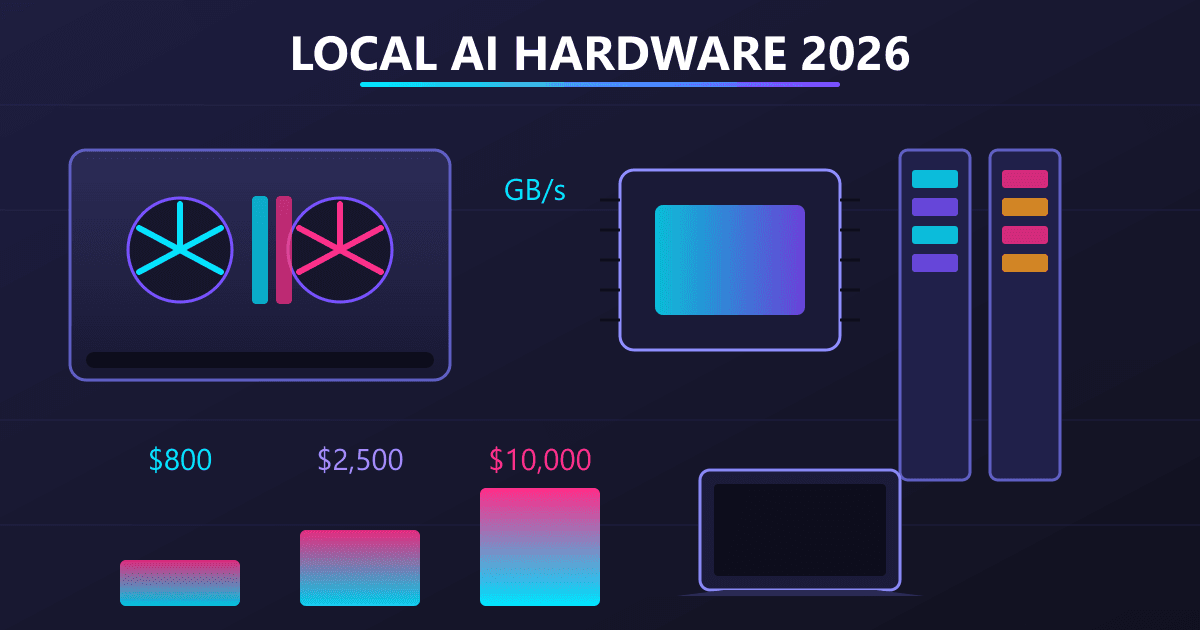
This is why the specs people brag about — clock speeds, core counts, "AI TOPS" — are mostly marketing fluff for local inference. The only number that matters is GB/s of memory bandwidth.
Here's the cheat sheet nobody will give you:
- DDR4 system RAM: ~25 GB/s. Awful.
- DDR5 system RAM: ~60 GB/s. Still bad.
- Apple M3/M4 Pro: ~270 GB/s. Good.
- Apple M3/M4 Max: ~400 GB/s. Great.
- Apple M3 Ultra: ~800 GB/s. Elite.
- NVIDIA RTX 4090: ~1,000 GB/s. Elite, but only for 24GB of it.
- NVIDIA RTX 5090: ~1,800 GB/s. Top of the food chain.
The moment your model spills out of fast memory and into slow memory, you fall off a cliff. Not a gentle slope — a cliff. 50 tokens/sec becomes 2 tokens/sec the instant even a single gigabyte overflows onto system RAM.
Keep that in mind for everything that follows. It's the single most important concept in this entire guide.
2. The Three Questions Before You Spend a Cent
Before you even open Newegg, answer these:
a) What's the biggest model you actually want to run? Be honest. If you mostly draft emails and debug small scripts, you don't need 70B. Gemma 3 12B runs on a $1,400 machine and will shock you.
b) Do you need to train or fine-tune, or just run inference? Training needs NVIDIA. No exceptions, no hacks. Inference can be done beautifully on Apple silicon.
c) Does this machine need to do anything else? A dedicated AI box is different from a daily driver. A Mac Studio makes a terrible gaming rig. An RTX 5090 PC makes a noisy, hot, power-hungry daily writing machine.
Answer those three honestly before you read another word. Most of the people who write me angry emails skipped this step.
3. Under $800 — The "Dip Your Toes In" Zone
Let's be clear. Under $800, you are not buying an AI workstation. You are buying a slightly-better-than-average computer that can also run small models.
What I'd actually buy: A used Mac Mini M2 with 16GB for $550–$650. Or a refurb M1 Mac Mini with 16GB for around $450 if you can find one.
What you can run:
- Llama 3.2 3B (instant)
- Phi-4 Mini (snappy)
- Gemma 3 4B (decent)
- Qwen2.5-Coder 7B (slow but workable)
What you cannot run:
- Anything with "70B" in the name
- DeepSeek-R1 32B
- Most of the useful vision models
The honest assessment: This tier is genuinely fun. The 3B and 7B class of models in 2026 is shockingly capable — they would have been flagship tier three years ago. But you will feel the ceiling within a month, and you'll start fantasizing about an upgrade.
What I'd skip: Anything with only 8GB of RAM. It's a trap. You'll regret it in two weeks. Always, always pay the extra hundred bucks for more memory instead of a faster CPU.
4. $1,500 – $2,500 — The Sweet Spot
This is where I send 80% of people who ask me. The price-to-capability ratio at this tier is obscene.
My top pick: MacBook Pro 14" with M4 Pro and 48GB of unified memory. New, around $2,400. Refurb, around $1,900.
Alternative: Mac Mini M4 Pro with 48GB, around $1,800 new. No screen, but if you already have one, this is the steal of the year.
What you can run:
- Everything in the tier above, obviously
- Qwen2.5-Coder 32B (comfortably)
- DeepSeek-R1 32B (with room to breathe)
- Gemma 3 27B (fast enough for real work)
- Llama 3.3 70B at heavy quantization (slow, but it runs)
The honest assessment: At 48GB of unified memory, you cross the line where local AI becomes a tool you actually reach for instead of a toy you play with on Saturdays. The 32B class in 2026 is where models start to feel smart — not just useful. DeepSeek-R1 32B has genuinely debugged code that stumped me for hours.
The MacBook Pro adds portability. I wrote half of this post on a plane using a local model for research. That's not a flex; that's a workflow I can't give up now.
What I'd skip: Any PC at this price. A $2,500 PC build gets you a Ryzen and a 16GB GPU, which means you cap out at 12B-class models. A Mac at the same price runs 32B models comfortably. It's not close.
5. $3,500 – $5,000 — The Professional Zone
Now we're in real-workstation territory. This is what I'd buy if local AI is part of how you make money.
My top pick: Mac Studio M4 Max with 96GB or 128GB of unified memory. Expect $3,700–$4,700 depending on storage.
PC alternative: A single RTX 5090 (32GB VRAM) build, around $4,500 total. Better for training. Worse for running 70B models.
What you can run:
- Everything, period, except the 400B+ flagships
- Llama 3.3 70B (comfortably, at reasonable quant levels)
- Multiple models loaded simultaneously
- Real agentic workflows where three models coordinate
The honest assessment: At 96GB+, the phrase "I can't run that" disappears from your vocabulary. Every model on Ollama's homepage works. You can have Llama 3.3 70B running as your main driver while Qwen2.5-Coder sits in memory as your dev assistant. That's a genuine productivity unlock, not a marketing line.
This is the tier where I personally stopped paying for a ChatGPT subscription. The math finally worked.
What I'd skip: Any multi-GPU PC build at this price. You'll spend half the budget on the second GPU, half on the PSU and case to support it, and you'll end up with less usable memory than a Mac Studio. The only reason to go multi-GPU in 2026 is if you're training.
6. $7,000+ — The "I Don't Want to Think About Limits" Zone
I'll keep this short, because if you're in this tier, you already know what you want.
The move: Mac Studio M3 Ultra with 192GB of unified memory. Around $7,500–$9,000 depending on config.
Why: 800 GB/s of memory bandwidth. Enough RAM to run models that don't even exist yet. Silent. Tiny. Sips power.
The PC case: You're building for training, not inference. Dual RTX 5090s, a Threadripper, 256GB of DDR5, a proper PSU. Budget $12,000+. You know who you are.
7. Mac vs PC in 2026: The Actual Answer
I get accused of being a Mac shill. I'm not. I have a Windows PC with a 4090 sitting three feet from me right now.
Here's the truthful breakdown:
Choose Mac if:
- You want to run big models (48GB+ unified memory is the cheat code)
- You value silence and low power draw
- You want a machine that does everything well, not just AI
- You value portability — the MacBook Pro is the only legitimately portable local-AI machine
Choose PC if:
- You need to fine-tune or train models
- You need CUDA specifically (some niche research libraries still require it)
- You want the fastest possible tokens-per-second on smaller models that fit entirely in VRAM
- You already own a gaming PC with a 24GB+ card
The PC tribe will tell you CUDA is mandatory. In 2026, for running models via Ollama, it simply isn't. MLX and Metal have caught up to a shocking degree.
The Mac tribe will tell you PCs are obsolete. They're not. For training, there is no Mac alternative.
Pick based on your actual use case, not the internet's religious war.
8. The Used Market — Where the Real Deals Are
The dirty secret of local AI hardware: a used Mac Studio M2 Max with 64GB is one of the best values in tech right now. They're going for $2,200–$2,800 on marketplace sites, and they run the exact same models as their M4 counterparts at maybe 15% slower.
Same logic for used RTX 3090s. A pair of used 3090s (48GB combined VRAM) runs Llama 3.3 70B beautifully. The pair costs around $1,200–$1,500 today. That's an absurd amount of AI for the money — if you can stomach the build complexity and the electric bill.
Ignore the hate about used hardware. Used memory bandwidth is still memory bandwidth.
9. Five Mistakes I Keep Watching People Make
- Buying 8GB RAM anything. You will hate it in a week. Add the upgrade. It is always, always worth it.
- Spending on CPU over RAM. The CPU is almost irrelevant for inference. The RAM is everything.
- Buying a 16GB GPU for a 24GB model. You think you'll "just offload a little." You won't. The performance cliff will make you want to return the card.
- Ignoring storage speed. Models load from disk. A slow SSD means every model swap is a coffee break. Get the NVMe.
- Buying before downloading. Install Ollama on your current machine first. Run the smallest version of the model you're hoping to use. See if you even like this enough to spend real money on it. Most people are shocked by how much they can already do on what they already own.
10. What I Actually Run (As of This Week)
Since people always ask:
- Daily driver: Mac Studio M4 Max, 128GB unified memory
- Travel machine: MacBook Pro M3 Max, 64GB
- Training rig: Custom PC, RTX 4090, 64GB DDR5 (used rarely, honestly)
Is this overkill? Yes. Do I need all three? No. Do I recommend anyone replicate this setup? Absolutely not.
If I had to start over tomorrow and had $2,500, I'd buy the M4 Pro Mac Mini with 48GB and not look back.
Closing: Buy the Machine, Not the Marketing
The single most useful thing I can tell you is this: the hardware matters less than the internet will lead you to believe.
A Mac Mini M4 with 48GB is genuinely enough for 90% of professional work. You don't need the $10,000 rig. You don't need the 5090. You don't need to wait for the "next generation."
The models that exist right now are the best intelligence you have ever had access to on your own desk. And they will work fine on a machine that costs less than a used car.
Pick a budget you can actually afford, buy as much RAM as that budget allows, and start running models. Everything else is internet noise.
If you haven't already, check out my Ultimate Guide to Ollama Models (April 2026 Edition) for the actual models worth downloading once you've got the hardware sorted.
Disclaimer: Prices and availability shift weekly. This guide reflects the market as of April 2026 — check current pricing before buying. Performance numbers are from my own testing and will vary with your specific configuration.