Two small dev chores quietly became subscription products. The contact form? Form builders like the Tally and Jotform class host the backend that receives submissions — which means the form you embed stops working the day their platform changes plan, rate-limits you, or disappears, and keeping that from happening is precisely what the paid tiers sell. And the reproducible bug report? Still most often typed freehand, missing the one detail that would have let a maintainer reproduce it.
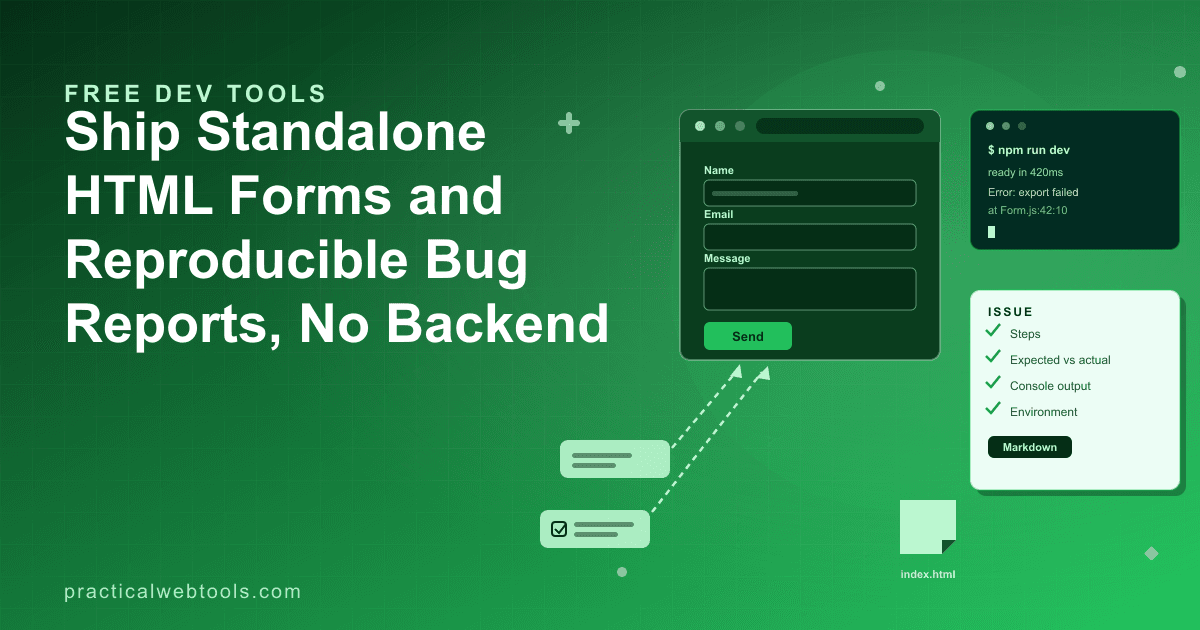
This post covers the free, no-backend answers to both. The free HTML form builder is a drag-and-drop builder that emits a single self-contained, validated HTML file — you host it anywhere, and submissions go to an endpoint you control. The bug report builder takes a screenshot and console output, auto-detects the reporter's environment, and emits formatted Markdown ready for a GitHub issue or a Jira ticket. Neither requires an account, and nothing you build or paste leaves your device.
Try HTML Form Builder — free, no sign-up.
When a Static Form Is the Right Call
Hosted form services earn their fee when they are doing real work: storing submissions, spam-filtering them, giving you a responses UI, and wiring notifications. If you want all of that as a service, a platform is a reasonable buy. A static, self-contained form is the right call when the job is simpler than the platform:
- Internal tools and intranet pages. A feedback form on an internal dashboard does not need a third-party round trip; an endpoint you already run, or even a mailto action, handles it.
- Embedding in a site you control. One HTML file drops into any static site, documentation system, or CMS page, with no iframe to a vendor domain and no script dependency to audit.
- Forms whose contents should not touch a third party. Support requests with account details, internal change requests, intake forms with sensitive fields — with a self-contained form pointed at your own endpoint, the data path is exactly one hop.
- One-off and short-lived pages. Event RSVPs, project post-mortem forms, temporary signup sheets: pages that will outlive nothing, and certainly not a vendor subscription.
The structural difference from a hosted builder is where the form's fate lives. A platform-hosted form works as long as the platform hosts it — that is the product. A static file pointed at your endpoint, or a mailto action, has no platform risk at all: it works for exactly as long as your page works, and it can never be repriced out from under you.
What Comes Out of the Builder
The HTML form builder exports one file, and the file's anatomy is the feature:
- The form markup — fields, labels, and structure, built with drag-and-drop in the editor.
- Inline validation — the checking logic ships inside the file, client-side, so bad submissions are caught before anything is sent.
- The styles — the form's appearance is included, not linked from a CDN.
- Zero external dependencies — no framework script, no vendor runtime, no network fetch required for the form to render and validate.
The detail that separates this from most builders: the validation logic is shared between the live preview and the export. The form you test in the preview is the form that ships — the same rules run in both, so a field that rejects bad input while you are designing it rejects the same input in production. In testing, a five-field form built in the preview exported with its validation intact, and the exported file behaved identically.
The comparison with hosted builders, in one table:
| Hosted builder (Tally/Jotform class) | Self-contained HTML file | |
|---|---|---|
| Where submissions go | The vendor's backend | Your endpoint, or a mailto action |
| If the vendor changes plans | The form may degrade or stop | Nothing happens; you never depended on them |
| Dependencies | Vendor script and infrastructure | None — one file |
| Cost model | Free tier with limits, paid tiers | Free; hosting is any static host you already have |
| Data path | Browser to vendor to you | Browser to you |
Wiring the Form to an Endpoint
A static form still needs somewhere to send data — the file is the form, not the server. Shipping it end to end:
- Build the fields in the drag-and-drop editor: name, email, message, whatever the job needs, in the order the job needs.
- Set the validation in the preview and test it there — invalid email, empty required field, overlong input. Because preview and export share the logic, what passes here is what ships.
- Export the single HTML file.
- Host it anywhere — a static site, an S3 bucket, a docs page, a server you already run. There is no build step; the file is the deliverable.
- Point the form at your endpoint (an API route, a serverless function, a small handler you control) or at a mailto action for the simplest internal cases. Submissions now travel one hop: from the visitor's browser to the place you chose.
For small teams, a common pattern is a tiny endpoint that appends submissions to a private channel or a spreadsheet row — a dozen lines of code, no vendor, and the form on the public site remains a plain static file with nothing to attack except your own handler.
What Makes a Bug Report Reproducible
The other tool answers the second chore. Most bug reports fail for predictable reasons: missing steps, no separation of expected from actual behavior, and no environment information. "The button doesn't work" is not a bug report; it is a mood. A report a maintainer can act on has four parts:
- Steps to reproduce — an ordered list that starts from a known state ("logged in, on the billing page") and ends at the bug. Every step is something the maintainer can actually do.
- Expected behavior — what should have happened, per the design or the docs.
- Actual behavior — what happened instead, including the exact error text or screenshot.
- Environment — browser and version, operating system, viewport size. The details that turn "it doesn't work on my machine" into a fact someone else can verify on theirs.
The environment part is where hand-written reports rot. People write "Chrome, latest" — which is wrong within six weeks — or omit the viewport, which turns out to be the actual variable for every layout bug. The bug report builder auto-detects all three: the browser, the OS, and the viewport, taken from the machine making the report rather than from memory. The detection runs in the browser, so the report describes the actual environment, not a guess about it.
The remaining inputs are the two a human must supply: attach a screenshot of the failure, and paste the console output. Console text pasted as text (rather than screenshotted) stays searchable and quotable in the eventual fix discussion — a small habit that pays off in every long issue thread.
The Paste-Into-GitHub Workflow
The tool's output is formatted Markdown structured for an issue tracker:
- Fill in the report: title (short and factual — "Export button returns 500 on empty table"), the steps, expected versus actual.
- Attach the screenshot and paste the console output into their fields.
- Let the environment auto-detect — browser, OS, and viewport land in the report automatically.
- Copy the generated Markdown and paste it into a new GitHub issue or a Jira ticket. The structure arrives intact: sections in the right order, environment block filled, console output fenced as code.
The payoff is consistency. When every issue in a repository carries the same skeleton, maintainers stop asking the same four clarifying questions and start reproducing; the cannot-reproduce closures drop, and the time-to-first-response drops with them. For teams that write a lot of Markdown by hand — documentation, release notes, issue templates — the same conversion discipline shows up elsewhere: the guide to mastering HTML-to-Markdown conversion covers the broader craft of turning rich content into clean Markdown.
Both tools, it is worth restating, run entirely in your browser. No upload, no sign-up — nothing you build or paste leaves your device, which is the right default for internal forms and for bug reports that may contain screenshots of unreleased software.
Frequently Asked Questions
Do I need a server for a standalone HTML form?
You need somewhere for submissions to land — your own endpoint (an API route, a serverless function, a small handler) or a mailto action for simple internal cases. The form itself is a static file with no server-side requirements to render and validate.
Is the exported form really one file with everything included?
Yes. The export is a single self-contained HTML file containing the form markup, the inline validation logic, and the styles — no external scripts, no framework runtime, no vendor infrastructure. You host it like any static asset.
Does the validation in the exported file match the preview?
Yes — the validation logic is shared between the live preview and the export, not re-implemented for each. That is the point of the shared design: the behavior you verify while building is the behavior that ships.
What environment details does the bug report builder detect?
The browser, the operating system, and the viewport size, detected automatically in the browser at report time. You supply the steps, the expected-versus-actual description, a screenshot, and any console output; the environment block fills itself in with facts instead of recollection.
Does it work for Jira as well as GitHub?
Yes. The output is formatted Markdown that fits both GitHub issues and Jira tickets — same structure, same sections, pasted into whichever tracker the project uses.
Why not just use a hosted form service?
If you want submissions stored, filtered, and surfaced by a vendor UI, a hosted service is doing work worth paying for. If you want a form you control end to end — data path, lifetime, and hosting — a self-contained file pointed at your own endpoint removes the platform dependency entirely, and costs nothing.