Falcons vs Packers Memes: Your Free 2026 Graphics Toolkit
The rivalry between the Atlanta Falcons and the Green Bay Packers is more than just a game; it's a clash of cultures, a battle of fanbases, and a goldmine for epic social media content. While the players battle it out on the gridiron, the real war is won online—in the trenches of Twitter threads, Instagram stories, and Reddit game day threads. To dominate this digital battlefield, you need more than just passion; you need the right tools.
Welcome to your ultimate 2026 game day toolkit. Whether you're celebrating a stunning victory or coping with a heartbreaking loss, this guide will empower you to create professional-level Falcons vs. Packers memes, graphics, and social media content. Forget clunky, paid software. We're showing you how to build a powerful, free toolkit to let your fandom shine, ensuring you're ready for every touchdown, interception, and controversial call.
Why Game Day Graphics Are Your Ultimate Fan Weapon
In the modern era of sports, the conversation is just as important as the game itself. Being a fan is an interactive experience, and visual content is the language we speak. Here’s why leveling up your graphic design game is a game-changer:
- Instant Reaction: A perfectly timed meme can capture the emotion of a key moment faster than a 280-character tweet. It’s the digital equivalent of a stadium-wide cheer (or groan).
- Community Building: Sharing custom graphics and memes connects you with fellow fans. It’s a way to say, "We’re all in this together," creating a stronger, more engaged online community.
- Show Your Knowledge: A clever graphic can showcase your deep understanding of the game, player stats, or historic rivalries. It proves you're more than just a casual observer.
- Unleash Your Creativity: It’s just plain fun! Channel your passion for the Falcons or Packers into a creative outlet that entertains you and your followers.
Ultimately, great graphics elevate the fan experience from passive viewing to active participation. You become part of the narrative, shaping the online conversation one hilarious meme at a time.
Assembling Your Free 2026 Game Day Toolkit
Creating professional-looking graphics doesn't require a professional budget. The internet is filled with incredible free resources. Your mission is to gather these tools into a digital arsenal, ready for deployment at a moment's notice. Here's what you need.
1. Free Graphic Design Software
These are the command centers of your creative operation. They are browser-based, meaning no downloads are necessary, and they are powerful enough for 99% of your game day needs.
- Canva: Incredibly user-friendly with a vast library of templates, fonts, and elements. Perfect for beginners who want to create slick-looking posts quickly.
- Photopea: Essentially a free, web-based version of Photoshop. It’s a bit more complex but offers advanced features like layers, filters, and precise editing control for those who want to get more technical.
- GIMP (GNU Image Manipulation Program): A downloadable, open-source software that is a powerful free alternative to Adobe Photoshop. It has a steeper learning curve but offers immense creative freedom.
2. High-Quality Asset Sources
A great design starts with great ingredients. You'll need high-resolution images, logos, and backgrounds to make your content pop.
- Team Logos & Player Photos: The official websites for the Falcons and Packers are your primary source. Look for their media or fan kits. Disclaimer: Always respect copyright and trademark laws. Use logos and player likenesses for personal, non-commercial fan art and commentary (parody/memes).
- Stock Photos: Websites like Unsplash, Pexels, and Pixabay offer millions of free, high-quality photos. Search for terms like "football field," "stadium lights," or "crowd" to find amazing backgrounds for your graphics.
- Icon & Sticker Libraries: Sites like Flaticon or PNGtree have transparent PNG images you can layer onto your designs.
3. The Secret Weapon: Privacy-Focused File Management Tools
Here’s the part of the toolkit most people overlook: how you manage the files you download. Many of the best design assets—font packs, icon libraries, template bundles—come packaged in compressed files like .ZIP or .7Z. Wrestling with these files can slow you down, especially when you need to create a reaction meme right now. This is where Practical Web Tools becomes your MVP.
Instead of downloading clunky software that might track your data, you can handle all your file management needs directly and privately in your browser. This keeps your computer clean and your workflow fast.
Tutorial: Creating Your First Epic Falcons vs Packers Meme
Ready to put your toolkit to use? Let's walk through creating a classic meme from start to finish.
Step 1: Find Your Inspiration
The best memes are timely and relatable. Your inspiration can come from:
- A Key Play: A ridiculous one-handed catch, a devastating sack, or a questionable penalty.
- A Player's Reaction: A shot of a celebrating quarterback or a frustrated coach.
- Classic Meme Formats: The "Drakeposting," "Distracted Boyfriend," or "Woman Yelling at a Cat" memes can be easily adapted to any football situation.
For our example, let's use the classic "Expanding Brain" meme to represent the evolving thought process of a fan during a tense game.
Step 2: Gather Your Assets
For this meme, you'll need:
- The blank "Expanding Brain" meme template (a quick web search will find it).
- The Atlanta Falcons logo.
- The Green Bay Packers logo.
- A custom font pack you found online that looks like a scoreboard. Let's say you downloaded it as
ScoreboardFonts.zip.
Step 3: Unpack Your Toolkit with Ease
That ScoreboardFonts.zip file contains the font files you need, but you can't use them while they're locked away in a compressed folder. Instead of using your operating system's default tool, which can be slow, you can handle it in seconds online.
Navigate to Practical Web Tools' free Decompress Files tool. Simply upload your .zip file, and it will instantly extract the contents for you to download and use. This process is secure, private, and doesn't require any software installation, getting you from download to design in record time.
Step 4: Design Your Masterpiece
Now, open your chosen graphic design software (like Canva or Photopea) and get to work:
- Upload Your Assets: Upload the meme template, team logos, and the newly extracted font files.
- Layer the Elements: Place the template as your background. Add the logos and text boxes over the different panels of the meme.
- Write Your Punchline: Fill in the text. For example:
- Small Brain: "We're going to win!"
- Medium Brain: "If our defense can hold them..."
- Galaxy Brain: "Calculating the exact field goal percentage needed in the 4th quarter while simultaneously preparing a victory meme and a coping meme."
- Polish the Design: Adjust sizes, colors, and placement until it looks perfect. Use team colors to make it feel authentic.
Step 5: Optimize and Share!
Your masterpiece is complete! Before you share it with the world, one final step can make a huge difference: optimization.
Pro-Tips: Managing & Sharing Your Game Day Creations
Creating the graphic is only half the battle. Efficiently managing and sharing your files is what separates the rookies from the pros.
Compressing Graphics for Lightning-Fast Sharing
High-quality images can have large file sizes. This can be a problem when you're trying to upload to Twitter or Discord in the middle of a fast-paced game. A large file might fail to upload or take too long, causing you to miss the moment.
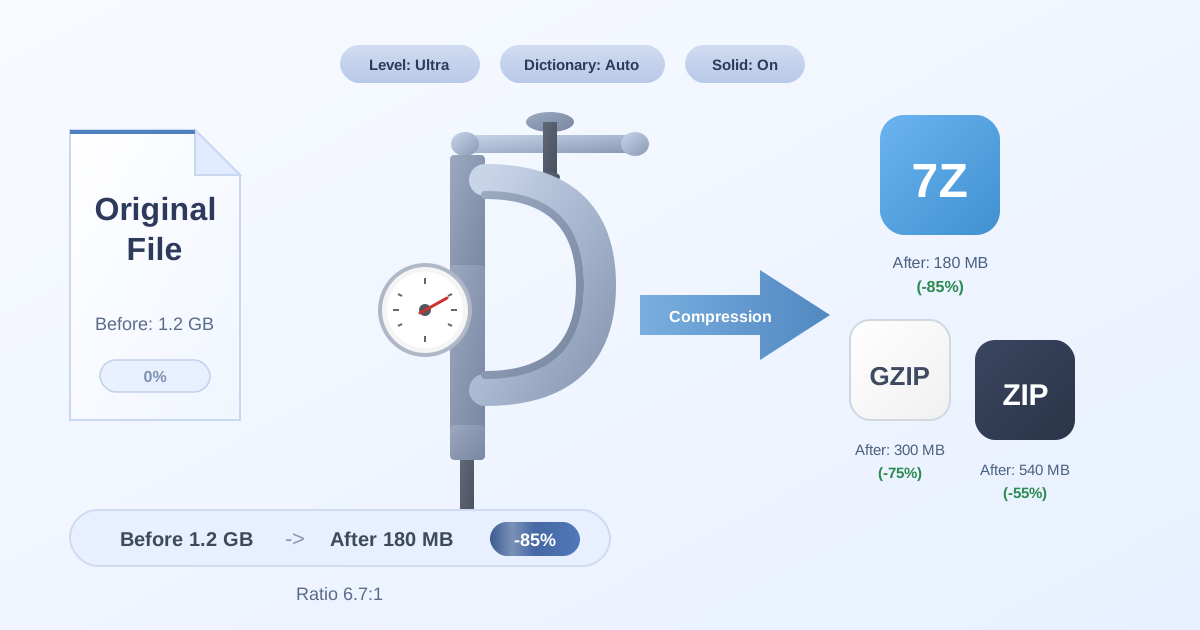
The solution is simple. Use a tool to reduce the file size without noticeably degrading the quality. The Compress Files tool on our site is perfect for this. Upload your finished PNG or JPG meme, and the tool will intelligently shrink its file size. Now you have a lightweight, web-friendly graphic that will upload instantly, ensuring your brilliant commentary is seen right when it matters most.
Creating Your Own Sharable Asset Packs
As you become a prolific meme creator, you'll build a collection of high-quality logos, player cutouts, and templates. Why not share them with your fellow fans? You can bundle your best assets into a single, convenient package.
Gather your curated files into a folder on your computer. This could be your "Falcons 4th Quarter Comeback Kit" or your "Packers Touchdown Celebration Pack." Once organized, you can use your computer's built-in functionality to create a .ZIP archive.
But what if your friend or online group prefers a different format, like the highly efficient 7Z? You don't need to download another program. You can use a web tool to convert your archive. For instance, the ZIP to 7Z converter allows you to quickly switch formats, making your asset packs more accessible to a wider audience. It's a small step that shows you're a true connoisseur of digital fan content.
Your Game Day Graphics Workflow (Quick Guide)
To help you get started, here is a simple, repeatable workflow for creating top-tier game day content:
- Idea: A play, a stat, or a fan reaction sparks an idea for a meme or graphic.
- Gather: Quickly find and download the necessary assets (templates, logos, photos, fonts).
- Decompress: If any assets are in a .ZIP or .7Z file, use an online decompressor to access them instantly.
- Create: Open your favorite web-based design tool and assemble your graphic.
- Compress: Before sharing, run the final image through an online compressor to reduce its file size for fast uploading.
- Share: Post your masterpiece on your favorite social media platform and watch the likes roll in.
Conclusion: Win the Game and the Timeline
The next Falcons vs. Packers game is your chance to shine. While you can't control the outcome on the field, you have complete control over your online fan game. By assembling your free toolkit and mastering a simple, efficient workflow, you can create content that is funnier, sharper, and faster than anyone else.
You have the playbook. You have the strategy. And with privacy-focused resources like the file management tools at Practical Web Tools, you have the X-factor to get it done without slowing down your computer or compromising your data.
Now, go forth and create. May your memes be dank and your team be victorious.