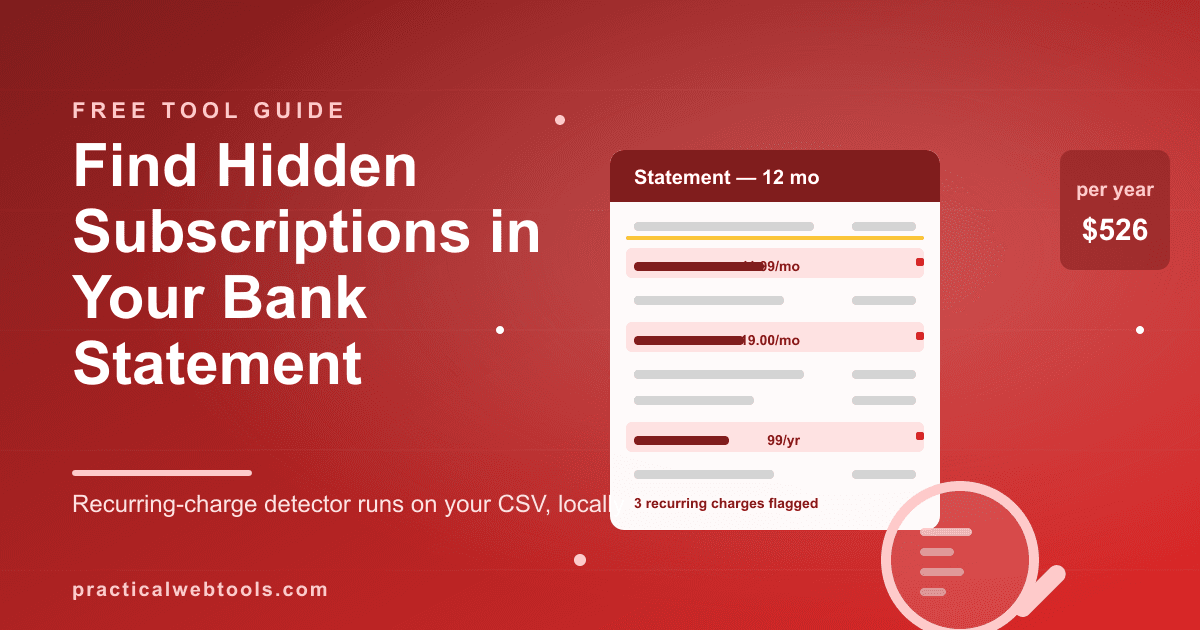
There is a particular kind of dread that arrives with the question "what am I even paying for anymore." The honest answer, for most people, is that nobody knows. The meditation app from January, the design tool from a project that shipped in March, the kid's learning game that outlived the kid's interest — each one bills quietly, monthly or annually, to a card whose statement you stopped reading line by line sometime around 2023.
The subscription-audit tools that promise to fix this come in two flavors. Bank-sync apps (the Monarch and Rocket Money class) ask for your bank credentials and run everything through an aggregation pipe; in exchange they charge a subscription of their own — Monarch is $99.99 a year as of late 2026. Spreadsheets are free but turn the audit into an evening of squinting at merchant names like "SQ *JUICEHWSE 4478."
Try Bank Statement Analyzer — free, no sign-up.
There is a third path: export the CSV your bank already gives you, drop it into a free bank statement analyzer that runs entirely in your browser, and get the recurring-charge list computed for you. No bank connection, no upload — the file never leaves your device — and no account to create. It auto-categorizes your spending with rules you can edit, and its subscription detector reads the statement's history to find charges that repeat on a rhythm.
This guide walks the full audit: getting the CSV out of your bank, running the 15-minute review, understanding how recurring-charge detection actually works (and where it can miss), and turning the findings into a cancel list with real annual numbers attached.
The short answer
Export 3–12 months of transactions from your bank or card's web portal as CSV, drop the file into the free bank statement analyzer, and open the recurring-charges view. Charges that repeat at a steady frequency — monthly, every 30-ish days, quarterly, annually — get grouped, annualized, and totaled into a cancel checklist. Because everything runs locally in your browser, auditing your full financial history doesn't require handing that history to anyone. In testing, a 122-row sample statement produced a full category breakdown with four charts and a correctly flagged subscription list — the same pipeline scales to a real year of transactions.
Why subscriptions hide so well
Four structural reasons, and knowing them tells you what the detector is up against:
They disguise themselves as normal spending. A $12.99 monthly charge looks like a lunch. Nobody's eyeball catches "STREAMFAM*HLPTOOL" on line 340 of a statement.
Annual billing is the best camouflage. A monthly charge gets 12 chances a year to annoy you. An annual one bills once, far from the day you signed up, and reads like a one-time purchase. People routinely re-pay for annual plans they'd have canceled months earlier.
Prices creep. The $9.99 plan becomes $11.99 becomes $14.99, each step small enough to slip under the "wait, what was this before?" threshold. A detector that matches only exact amounts misses these — which matters for how the math works, below.
Free trials convert silently. The trial you forgot ends and becomes a subscription with no email worth reading. If the trial was 7 days and the plan is monthly, the first charge starts a rhythm your past self never agreed to watch.
The 15-minute audit, step by step
- Export the CSV. Sign in to your bank or credit card's web portal, find the transactions view, set the date range to at least six months (twelve is better — it exposes annual charges), and export as CSV. Most major banks have this; if your history is trapped in a PDF statement, convert it first with the bank statement PDF to CSV guide.
- Drop the file in. The statement analyzer parses the CSV, maps the columns (date, description, amount), and shows you the mapping to confirm — bank CSV headers are gloriously inconsistent, so a confirmation step beats guessing.
- Let auto-categorization run, then fix it. Keyword rules assign each merchant a category — groceries, dining, utilities, subscriptions. Every rule is editable: if your grocery store's name contains "MARKET" and so does your streaming service, split the rule. Merchant names also get cleaned up, so "SQ *JUICEHWSE 4478" becomes something you can actually recognize.
- Read the monthly rollup. Categories totaled per month, with budget-versus-actual comparison. The rollup usually surfaces two or three "wait, that's how much per month on X" moments before you even reach the subscription list.
- Open the recurring-charge list. Every charge the detector grouped as recurring, with its frequency and its annualized cost. This is the moment of truth — the total at the bottom is the number this whole exercise was for.
- Build the cancel checklist. Each flagged subscription gets a cancel action. Decide keep-or-kill per line: kill the dead weight, keep (and maybe downgrade) the rest.
How recurring-charge detection actually works
It's worth demystifying, because it sets honest expectations for what gets caught.
The detector groups transactions by merchant name, then looks at the amounts and dates. A subscription shows three signatures: the same merchant recurring at a steady interval (monthly, roughly every 28–32 days; quarterly; annually) at a consistent amount — with tolerance for small variations, so a price bump from $11.99 to $12.99 doesn't break the chain. When all three signatures line up across enough occurrences, the charge is flagged recurring, and its annualized cost is interval × amount.
Where it can miss:
- First-month annual charges. If your export window contains only one occurrence of an annual charge, there's no rhythm to detect — it reads as one-time. This is why a 12-month export beats a 3-month one.
- Amount-varying subscriptions. Usage-based plans (some phone plans, cloud hosting) swing too much month to month to match cleanly. They'll show in the category totals even when the detector won't call them subscriptions.
- Shared merchant names. Two different services billing under similar descriptor text can merge into one confusing group. The editable categorization rules let you split them.
None of these are exotic edge cases — they're exactly the judgment calls the checklist step exists for. The detector narrows a 400-row statement to a 15-line decision list; the human still makes the 15 decisions.
Reading the results: the annualized shock table
The output that changes behavior is the annual column. Monthly prices are psychologically tiny — $4.99 feels like a rounding error. Annualized, the same charges tell the truth:
| Subscription | Billed | Annual cost | Verdict you'll reach |
|---|---|---|---|
| Meditation app | $11.99/mo | $143.88 | Used weekly — keep, or check annual tier |
| Design tool | $19/mo | $228 | Project shipped in spring — cancel |
| Cloud storage (500 GB) | $2.99/mo | $35.88 | Genuinely used — keep |
| Kids' learning game | $7.99/mo | $95.88 | Interest lasted three weeks — cancel |
| Password manager family | $4.99/mo | $59.88 | Essential — keep |
| News subscription | $99/yr | $99.00 | Read twice since March — cancel |
(The numbers above are an illustrative table, not a claim about your accounts — the point is the shape of the exercise.) A typical audit kills 2–4 lines and recovers somewhere between $150 and $400 a year. The companion read on the psychology of this drift is the subscription creep breakdown, and if you want a pre-baked kill list before running your own numbers, the 12 subscriptions to cancel first covers the usual suspects.
What the paid apps charge for
The subscription-tracker market splits on a simple question: who holds your data?
Bank-sync apps (Monarch at $99.99/yr as of late 2026, Rocket Money and its class) connect through Plaid-style aggregation, poll your accounts continuously, and monetize either the subscription fee or the assisted-cancel flow. The continuous connection is genuinely convenient — it catches new recurring charges as they start — but you pay for it twice: in money, and in a standing credential link between the app and your bank.
The local-audit approach inverts the trade. You give up continuous monitoring and run the audit when you choose to — quarterly works well, or after any "what is this charge" moment. In exchange: no bank connection, no aggregation middleman, no fee, and a statement history that stays on your machine. The CSV export from your bank contains everything the detector needs; the analysis is just frequency math on columns you already have.
For a task most people do a few times a year, on-demand and local is a reasonable architecture. For a task you want watched every day, a paid synced app is earning its fee. Knowing which kind of person you are is half the decision.
Frequently Asked Questions
Do I have to connect my bank account?
No. The tool reads a CSV file you export yourself from your bank's web portal. There is no bank connection, no credentials, no aggregation service — and no upload: the file is parsed in your browser and nothing you drop leaves your device.
Is this actually free?
Yes — the analyzer is free with no account required. The trade versus paid trackers is architectural: you run audits on demand from exported CSVs instead of getting continuous monitoring.
How many months of statements should I export?
Twelve if you can. Annual charges are the best-hidden subscriptions, and a 12-month window gives each one two occurrences — enough for the frequency detector to see the rhythm. Six months catches everything monthly.
Will it catch subscriptions whose price went up?
Usually. The recurring-charge detection allows small amount variations between occurrences, so a price bump mid-year doesn't break the chain. Wildly varying usage-based plans are harder — those surface in the category totals rather than the subscription list.
Can I use it for budgeting too, or just subscriptions?
Both. The same pass builds editable keyword rules for categorization, monthly rollups, and budget-versus-actual comparison across all spending — the subscription detector is one output of the full analysis, not a separate mode.
What if my bank only exports PDF statements?
Convert first: the bank statement PDF to CSV workflow covers extracting clean rows from PDF statements in your browser, and the resulting CSV drops straight into the analyzer.