Calculate Your Exact Age: A Guide to Years, Months & Days

How Old Are You, Exactly?
It sounds like a simple question, but the answer is more nuanced than you might think. When someone asks your age, you typically respond with a single number—the number of full years you've lived. But what about the months, the days, even the hours that have passed since your birth? Calculating your chronological age with precision is a fascinating exercise that reveals the true length of your journey so far.
This comprehensive guide will walk you through everything you need to know about calculating your exact age. We'll cover the manual method for a hands-on understanding, explore the complexities of leap years and varying month lengths, and even extend the concept of "age" to our digital lives. Just as we mark our own milestones, our digital files have their own timelines, and managing their age is crucial for long-term organization. Let's dive into the mathematics of time.
Why Calculate Your Exact Age?
Beyond simple curiosity, knowing your precise age in years, months, and days has numerous practical applications. It’s not just about trivia; it's about accuracy in moments that matter.
- Legal and Administrative Purposes: Many official forms, contracts, and applications require your exact age. This can be crucial for retirement planning, insurance policies, visa applications, and legal agreements where eligibility is determined by age down to the day.
- Medical Records: Accurate age calculation is vital in healthcare. A patient's age in years, months, and particularly for infants, in days, can determine medication dosages, developmental milestones, and treatment protocols.
- Astrology and Numerology: For those interested in horoscopes and life path numbers, the exact date of birth is the foundation of all calculations. The precise alignment of celestial bodies at your moment of birth is key.
- Personal Milestones: It can be fun and motivating to track personal milestones. Are you celebrating your 10,000th day alive? Your 500th month? Knowing your exact age allows you to celebrate these unique anniversaries.
- Historical and Genealogical Research: When studying historical figures or family ancestry, calculating the exact age of an individual at a specific event can provide critical context to their life story.
The Manual Method: How to Calculate Age in Years, Months, and Days
While online calculators are instant, understanding the manual process gives you a deeper appreciation for the mechanics of timekeeping. It’s a great mental exercise that requires careful attention to detail. Let's break it down into a step-by-step process.
Step 1: Set Up Your Dates
First, you need two dates in the YYYY-MM-DD format:
- Current Date (CD): The date for which you want to calculate the age.
- Birth Date (BD): The date of birth.
Let's use a concrete example to work through the process:
- Current Date (CD): 2024-06-10
- Birth Date (BD): 1990-08-15
Step 2: Calculate the Days
We start from the rightmost column: the days.
- Rule: If the Current Day is less than the Birth Day, you need to "borrow" from the month column.
In our example, CD Day (10) is less than BD Day (15). We can't subtract 15 from 10 directly. So, we borrow one month from the Current Month (June). The number of days you add depends on the month you are borrowing from. Since we are in June (Month 6), we look at the previous month, May (Month 5), which has 31 days.
- New
CD Day: 10 + 31 = 41 - New
CD Month: 6 - 1 = 5
Now we can perform the subtraction for days:
- Days: 41 - 15 = 26 days
Step 3: Calculate the Months
Next, we move to the month column, using our updated CD Month.
- Rule: If the Current Month is less than the Birth Month, you need to borrow from the year column.
Our new CD Month (5) is less than the BD Month (8). So, we borrow one year from the Current Year. One year is equal to 12 months.
- New
CD Month: 5 + 12 = 17 - New
CD Year: 2024 - 1 = 2023
Now we can perform the subtraction for months:
- Months: 17 - 8 = 9 months
Step 4: Calculate the Years
Finally, we calculate the years using our updated CD Year.
- Years: 2023 - 1990 = 33 years
Putting It All Together
Based on our calculation, the exact age for someone born on August 15, 1990, as of June 10, 2024, is:
33 years, 9 months, and 26 days.
This method, while intricate, is perfectly accurate and accounts for the varying lengths of months.
The "Age" of Your Digital Life: From Files to Archives
Just as we have a chronological age, so does every single file on our computers. This concept of "file age" is fundamental to digital organization and data management. Think about the thousands of photos, documents, and projects you've created over the years. Each one has a timestamp, a digital birth certificate that tells its story.
This information is stored in a file's metadata and typically includes:
- Date Created: The exact moment the file was first saved.
- Date Modified: The last time the file's content was changed and saved.
- Date Accessed: The last time the file was opened or viewed.
Why does this matter? Calculating and managing file age is crucial for:
- Organizing vast photo libraries: Grouping photos by year and month makes finding memories from a specific vacation or event effortless.
- Auditing and Compliance: Businesses need to track document creation and modification dates for legal and regulatory reasons.
- Archiving Old Projects: Identifying files that haven't been accessed in years is the first step in cleaning up your hard drive and moving old data to long-term storage.
- Version Control: Finding the original version of a report or creative work relies on checking the creation date.
Over time, your digital footprint can become a sprawling, disorganized collection. Managing this digital timeline is a modern necessity.
Managing Your Digital Timeline: Archiving and Compression
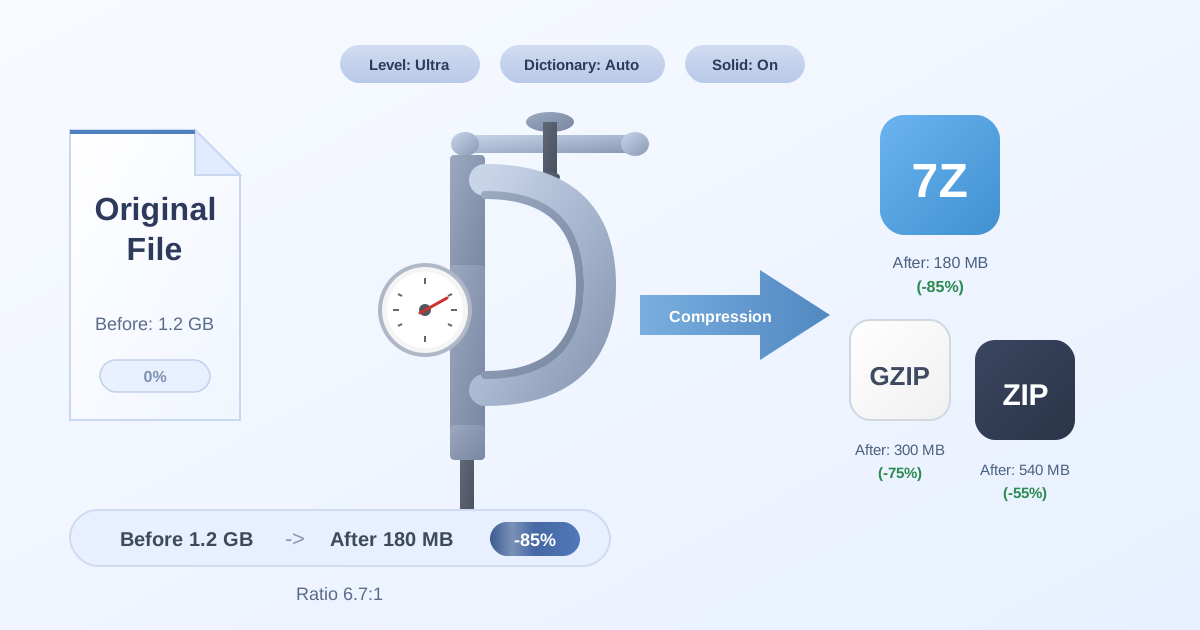
As years turn into decades, the sheer volume of our digital assets can become overwhelming. Storing tens of thousands of individual files is inefficient, slow to back up, and difficult to navigate. The solution lies in a two-step process: archiving and compression.
Archiving is the process of bundling many files and folders into a single container file. This makes it incredibly easy to manage data from specific time periods. For example, you could create Photos_2015.zip or Work_Projects_2018.7z.
Compression goes hand-in-hand with archiving. It reduces the size of the archive file, often significantly. This saves valuable storage space on your hard drive or in the cloud. For anyone managing a large digital history, it's essential to Compress Files to keep your storage footprint manageable and your backups faster.
Choosing the Right Archive Format for Your Digital Age
Different archive formats serve different purposes. The three most common are:
- ZIP: The most universally compatible format. Virtually every operating system can create and open ZIP files without any extra software. It offers good compression and is perfect for sharing files.
- 7Z: Known for its superior compression ratio, especially with the LZMA2 algorithm. For long-term archiving where maximizing space savings is the priority, 7Z is often the best choice.
- TAR (Tape Archive): A standard in the Linux and macOS worlds. TAR itself doesn't compress; it only bundles files. It's often paired with a compression utility like Gzip (
.tar.gz) or Bzip2 (.tar.bz2).
As technology and your needs evolve, you might find yourself needing to convert between these formats. For instance, if you've been archiving in ZIP for years but now want the superior space savings of 7Z, a simple online ZIP to 7Z converter is an invaluable tool. It allows you to modernize your digital archive without losing any data.
Practical Tips for Digital Age Management
Here are some actionable tips to take control of your digital timeline and prevent your files from becoming a chaotic mess.
-
Establish a Clear Naming Convention Start naming your folders and important files with a date prefix in the
YYYY-MM-DDformat (e.g.,2024-06-10_Project-Proposal.docx). This automatically sorts them chronologically, creating a clean, easy-to-navigate timeline. -
Schedule Regular Archiving Sessions Set aside time once or twice a year to go through your recent files. Group completed projects, old photos, and other inactive data into archives. This proactive approach prevents digital clutter from building up.
-
Compress Everything You Archive Make it a rule: if you're archiving it, you're compressing it. The space you save adds up quickly, and having a single file per archive is far easier to manage than thousands of loose ones.
-
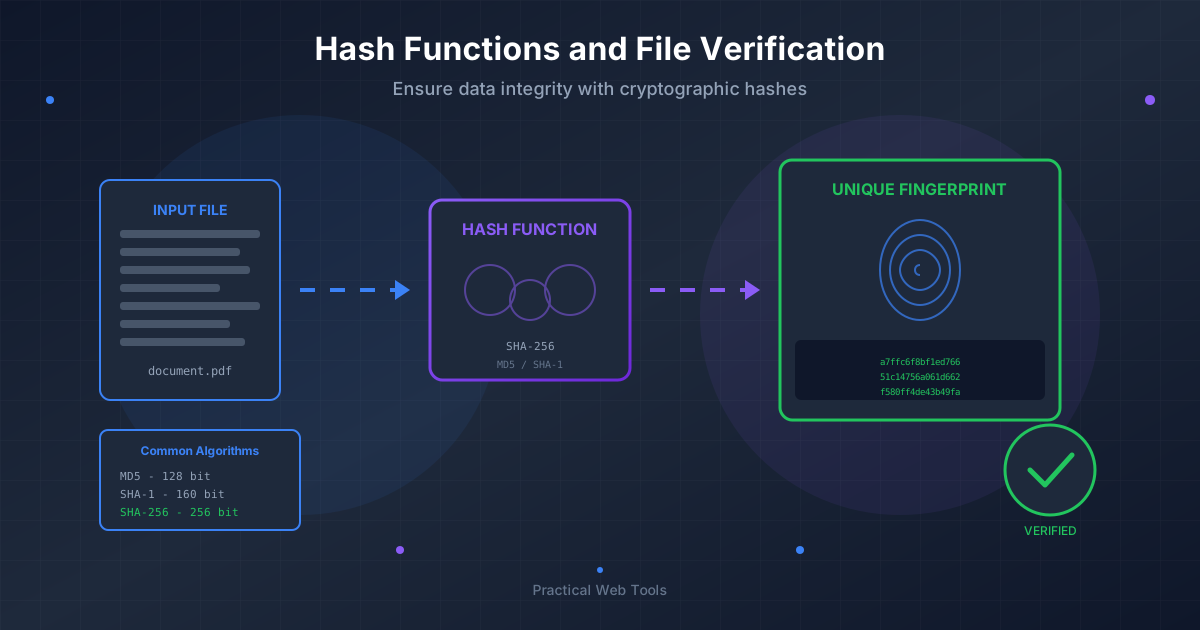
Verify Your Backups and Archives Data can degrade over time, a phenomenon known as "bit rot." An archive is only good if its contents are intact. Periodically, test your most important archives. This involves a simple but crucial step: you need to Decompress Files from the archive to a temporary location and check a few files to ensure they open correctly. This verifies the integrity of your digital memories.
-
Create a Master Log For extensive archives, consider keeping a simple text file or spreadsheet that acts as a table of contents. A quick note like, "
Family_Vacation_2012.zip- Contains all photos and videos from the trip to Italy," can save you hours of searching later.
Conclusion: Mastering Your Timeline
Whether you're calculating the precise number of days you've been alive or organizing a decade's worth of digital photographs, understanding chronology is key. The principles of tracking time, measuring age, and maintaining order apply to both our personal lives and our digital ones.
The manual calculation of your age reveals the elegant logic behind our calendar system. Applying a similar mindset to your digital files—by organizing them based on their creation date and archiving them efficiently—transforms digital chaos into a structured, accessible history.
Take control of your digital timeline today. Explore the suite of free, privacy-focused file management tools at Practical Web Tools to help you compress, convert, and manage your digital archives with ease.