QR Code Generator Guide: Boost Your Small Business in 2024

You see them everywhere: on restaurant tables, product packaging, event flyers, and even in TV commercials. Those black-and-white pixelated squares, once a novelty, are now an indispensable tool for modern business. But for many small business owners, QR codes remain an untapped resource. Are you just linking to your homepage and hoping for the best? If so, you're missing out on a powerful, low-cost way to bridge the gap between your physical and digital worlds, engage customers, and drive real results.
This isn't just another article about what QR codes are. This is your comprehensive guide to mastering them. We'll dive deep into the strategies, tools, and creative ideas that can transform QR codes from a simple gimmick into a cornerstone of your marketing and operations. Get ready to learn how to choose the right generator, design codes that get scanned, and track their success to prove your ROI.
What Exactly is a QR Code and Why Should Your Small Business Care?
A QR (Quick Response) code is essentially a two-dimensional barcode that can store various types of information. Unlike a traditional barcode that holds a small amount of data in a horizontal line, a QR code can hold significantly more information in its matrix-like structure. When scanned with a smartphone camera, it can instantly trigger an action, such as opening a website, showing text, connecting to a Wi-Fi network, or displaying contact information.
The pandemic supercharged their adoption, making them a familiar and accepted technology for consumers worldwide. For small businesses, this widespread acceptance opens up a world of opportunities:
- Bridge the Physical-Digital Gap: A customer holding your printed flyer can be on your online store in seconds. A diner at your restaurant can view your menu without touching a physical copy. QR codes create a seamless link between your offline marketing efforts and your online presence.
- Cost-Effective Marketing: Printing a small QR code on existing materials is far cheaper than printing lengthy URLs or detailed instructions. You can update the linked content without ever needing to reprint the physical code (if you use the right type).
- Enhanced Customer Experience: Provide instant access to information, from product tutorials and user manuals to feedback forms and special discounts. This convenience shows customers you value their time.
- Trackable Results: Unlike a printed flyer, you can track how many people scan your QR code, where they scan it from, and when. This provides invaluable data to measure the effectiveness of your marketing campaigns.
Static vs. Dynamic QR Codes: Choosing the Right Type
Not all QR codes are created equal. The first crucial decision you'll make is whether to use a static or a dynamic code. Understanding the difference is key to a successful strategy.
Static QR Codes
A static QR code encodes the destination data directly into the pixelated pattern. Once generated, the information cannot be changed. If you want it to point to a new webpage, you must create a brand-new QR code.
- Best for: Permanent information that will never change.
- Examples: Your website's main URL, Wi-Fi login credentials, a vCard with your business contact info, an email address.
- Pros: They are free to create and never expire.
- Cons: You cannot edit the destination, and you cannot track any scan data.
Dynamic QR Codes
A dynamic QR code contains a short redirection URL that points to the final destination. This means you can change the final destination URL whenever you want, without ever having to change or reprint the QR code itself. The service that generates the code hosts this short URL and gathers analytics every time it's used.
- Best for: Marketing campaigns and information that might change.
- Examples: Limited-time promotions, event registration pages, seasonal menus, links to social media profiles.
- Pros: The destination link is editable, and you can track detailed analytics (number of scans, location, time, device type).
- Cons: They almost always require a subscription service to maintain the redirection and access analytics.
Quick Comparison Table
| Feature | Static QR Code | Dynamic QR Code |
|---|---|---|
| Editability | No, data is permanent | Yes, destination is editable |
| Tracking/Analytics | Not available | Available (scans, location, etc.) |
| Cost | Free | Usually requires a subscription |
| Lifespan | Never expires | Active as long as subscription is paid |
| Best Use Case | Permanent Info (Wi-Fi, vCard) | Marketing Campaigns, Menus |
For most small business marketing applications, dynamic QR codes are the superior choice due to their flexibility and invaluable tracking data.
How to Choose the Best QR Code Generator
A quick search reveals hundreds of QR code generators. How do you pick the right one? Look for a platform that balances features, ease of use, and cost.
Here are the key features to consider:
- Both Static & Dynamic Options: A good generator should offer both, giving you flexibility for different needs.
- Customization: The ability to add your logo, change the colors to match your brand, and modify the shape of the dots is essential for creating professional, eye-catching codes.
- Robust Analytics: For dynamic codes, look for a dashboard that provides clear, actionable data on scan performance.
- Variety of Data Types: A versatile generator can create codes for more than just URLs. Look for options like vCard (contact info), PDF, Wi-Fi, App Store links, social media profiles, and more.
- High-Resolution Downloads: You need to download your QR code in vector formats (like SVG or EPS) for high-quality printing on things like banners or posters. For digital use, a high-resolution PNG is usually sufficient.
- Security and Privacy: Ensure the service is reputable. At Practical Web Tools, we believe in privacy-focused solutions, and you should apply the same standard to your QR code provider. Be wary of services that collect unnecessary user data.
Step-by-Step: Creating Your First QR Code
Ready to make one? Let's walk through the process. It's simpler than you think.
- Step 1: Define Your Goal. What do you want the user to do after scanning the code? Visit a landing page? Get a coupon? Watch a video? Your goal determines the content you'll link to.
- Step 2: Choose Your QR Code Generator. Select a generator based on the features discussed above. For this example, let's assume you're creating a dynamic code for a marketing campaign.
- Step 3: Enter Your Destination URL. Copy and paste the URL of the webpage you want users to land on. This could be your online store, a specific product page, or a special offer page.
- Step 4: Customize Your Design. This is the fun part! Add your business logo to the center of the code. Change the black squares to your brand's primary color. Just be sure to maintain high contrast between the code and the background for scannability.
- Step 5: Generate and TEST Your QR Code. Before you download, use your own phone (and ask a friend to use theirs) to scan the preview. Does it go to the correct URL? Does it load quickly? Testing is the most critical step.
- Step 6: Download in the Right Format. Download an SVG file for your graphic designer to use in print materials like flyers and business cards. Download a PNG file to use on your website or in digital ads.
20 Creative Ways Small Businesses Can Use QR Codes
Now let's move beyond the basics. Here are 20 ideas to get your creative juices flowing.
Marketing & Promotions
- On Business Cards: Link to your LinkedIn profile, online portfolio, or a page to book a meeting with you.
- On Product Packaging: Link to a setup guide, video tutorial, or a page to re-order the product.
- In Print Ads & Flyers: Bridge the gap by linking to a specific campaign landing page with a special offer only available via the ad.
- On Receipts: Offer a discount on their next purchase if they scan to take a quick customer satisfaction survey.
- Window Displays: Let passersby scan a code on your shop window after hours to browse your online store or see your opening times.
Customer Engagement & Service
- Contactless Menus: The classic restaurant use case. Link to a mobile-friendly digital menu.
- Instant Wi-Fi Access: Generate a QR code for your guest Wi-Fi network. Customers can scan to connect without typing in complex passwords.
- Gather Reviews: Place a code at your point-of-sale that links directly to your Google, Yelp, or TripAdvisor review page.
- Feedback Forms: Put a QR code on tables or invoices linking to a simple form to gather valuable customer feedback.
- vCard for Networking: Create a code that, when scanned, automatically creates a new contact in the user's phone with your business details.
Operations & Information Sharing
- Event Check-in: Speed up lines by having attendees scan a QR code from their confirmation email for instant check-in.
- On Equipment: For rental businesses or internal use, place QR codes on machinery that link to user manuals or maintenance schedules.
- Real Estate Signs: A code on a "For Sale" sign can link to a virtual tour, photo gallery, or the property listing page.
- App Downloads: Link directly to your app's page on the Apple App Store or Google Play Store.
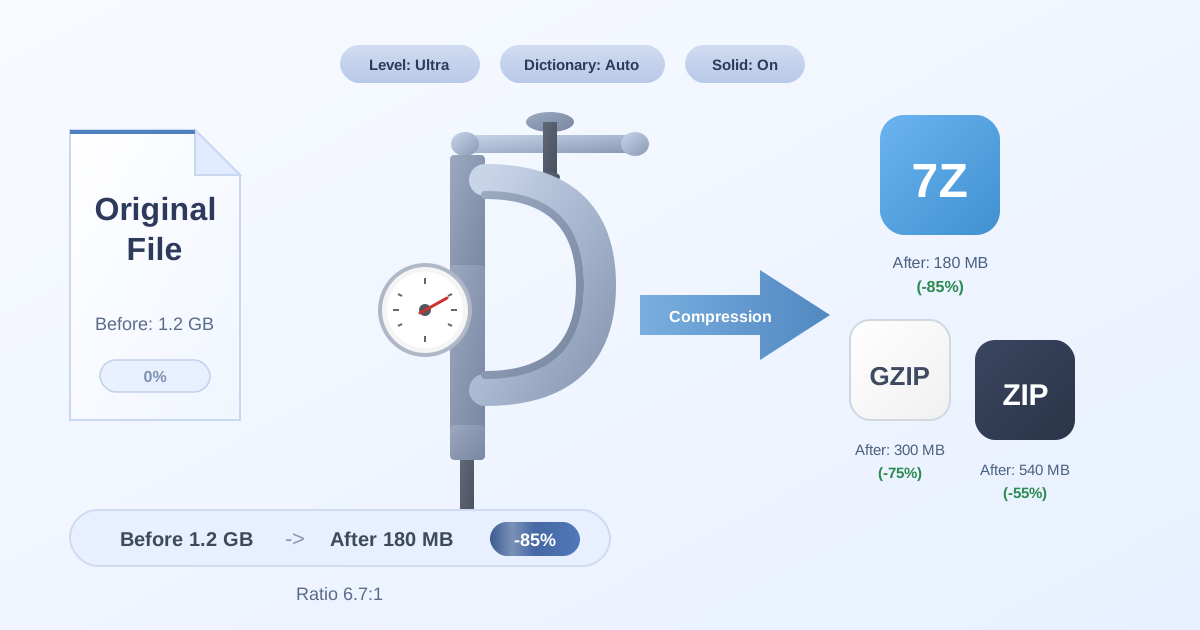
- Downloadable Resource Bundles: Offer a free guide, checklist, or resource pack. A QR code can link to a downloadable file. To ensure a fast download, especially for mobile users, it's crucial to Compress Files before uploading them. This simple step can significantly improve the user experience.
Unique & Advanced Ideas
- Direct Payments: Generate codes that link to PayPal.Me, Venmo, or Cash App for easy, touch-free payments at markets or events.
- Augmented Reality (AR) Experiences: Link to an AR filter or experience that lets users virtually "try on" products.
- Scavenger Hunts: Create a fun in-store or community-wide scavenger hunt where each clue is revealed by scanning a QR code.
- Audio Guides: In a gallery, shop, or museum, QR codes can link to audio clips explaining a product or display.
- Recruitment: Place a QR code on a "We're Hiring" sign that links directly to the job application page.
QR Code Design Best Practices: Avoid Common Mistakes
A poorly designed QR code won't get scanned. Follow these simple rules to ensure your codes are both effective and attractive.
- DO maintain high contrast. A dark code on a light background is best. Avoid yellow, light gray, or pastel colors for the code itself.
- DO add a Call-to-Action (CTA). Don't assume people know what to do. Add a short text frame around the code like "Scan for Menu" or "Scan for 20% Off."
- DO leave a "quiet zone." Keep a clear, empty margin around the QR code. Don't let other text or graphics touch it.
- DO test relentlessly. Scan your code with different phones (iPhone, Android) and different apps in various lighting conditions before you go to print.
- DON'T make it too small. For most print materials, a QR code should be at least 1 inch x 1 inch (2.5 cm x 2.5 cm) to be easily scannable.
- DON'T invert the colors (e.g., a white code on a black background) unless you test it thoroughly, as not all scanners can read inverted codes.
- DON'T place your logo over the corner squares. These three large squares (the finder patterns) are critical for the scanner to orient itself. Most generators place the logo correctly in the center.
Preparing Your Assets for Distribution
Creating the code is only half the battle. You also need to manage the assets you're linking to. If your QR code points to a downloadable file, like a PDF menu or a ZIP file of marketing materials, the user experience matters.
Sometimes, you might receive assets from a designer or partner in an unfamiliar archive format. For instance, if you get a .7z file containing new product photos, you might want to convert it to a more universally recognized format before sharing it. Using a simple online tool to convert 7Z to ZIP ensures that anyone who scans your code can easily open the file, regardless of their operating system.
Similarly, if a customer or vendor sends you a compressed project file, you may need to access its contents quickly. Having a tool to Decompress Files bookmarked can save you time and hassle, keeping your workflow smooth.
Conclusion: Start Scanning for Success
QR codes are far more than a passing trend. They are a versatile, powerful, and data-rich tool that can play a significant role in your small business's growth. By moving beyond a simple link to your homepage and embracing the strategic potential of dynamic, well-designed codes, you can create engaging customer experiences, streamline your operations, and gain a competitive edge.
Start small. Pick one or two creative ideas from this guide and implement them. Choose a reliable QR code generator, focus on a clear call-to-action, and track your results. You'll be surprised at how these simple squares can make a big impact on your bottom line.
Ready to streamline your other digital tasks? Explore the suite of over 455 free, privacy-focused online tools at Practical Web Tools to manage your files, edit images, and so much more.