Regex Tester: The Ultimate Guide to Learn Patterns Fast

Your Secret Weapon for Mastering Text Patterns
Ever felt like you're searching for a digital needle in an infinitely large haystack? Whether you're a developer debugging log files, a data analyst cleaning up a messy dataset, or a writer trying to perform a complex find-and-replace, you've likely encountered the limitations of a simple Ctrl+F search. You need something more powerful, more precise—a tool that understands patterns, not just literal words.
Enter Regular Expressions, or "Regex." Regex is a superpower for text manipulation, a compact language that lets you define complex search patterns. However, with great power comes a notoriously steep learning curve. The cryptic strings of characters like ^([a-zA-Z0-9_\-\.]+)@([a-zA-Z0-9_\-\.]+)\.([a-zA-Z]{2,5})$ can intimidate even seasoned tech professionals.
But what if there was a way to flatten that learning curve? A way to experiment, see results in real-time, and get instant feedback without breaking anything? There is, and it's called a Regex Tester. This guide will demystify regular expressions by showing you how to use an online regex tester as your personal, interactive playground to learn and master patterns faster than you ever thought possible.
What is Regex and Why Should You Care?
A Regular Expression is a sequence of characters that specifies a search pattern. Instead of searching for a fixed string like "error," you can create a pattern that finds any line containing the word "error" followed by a specific error code, a timestamp, or any other variable information. It’s the difference between asking for a specific book title and asking for "any book by a 19th-century author whose title contains the word 'sea'."
Here are just a few real-world scenarios where Regex is indispensable:
- Form Validation: Ensuring user input like emails, phone numbers, and passwords follows a specific format.
- Data Scraping: Extracting structured information (like product prices or contact details) from web pages.
- Log File Analysis: Sifting through thousands of lines of server logs to pinpoint specific errors or track user activity.
- Code Refactoring: Finding and replacing variable names or function calls across an entire project with surgical precision.
- File Management: Identifying and renaming batches of files based on a naming convention. For example, finding all
.jpgfiles that contain a date.
Learning regex unlocks a new level of efficiency and control over your data and text-based workflows.
The Power of the Regex Tester: Your Interactive Playground
A regex tester is an online tool or a feature within a code editor that provides a safe and interactive environment to build and debug your regular expressions. It removes the guesswork and frustration from the learning process.
Think of it this way: writing regex without a tester is like trying to learn a new language by writing an entire essay and only then asking a native speaker if it makes sense. A regex tester, on the other hand, is like having a private tutor who gives you feedback on every single word as you type it.
The key benefits are immediate and profound:
- Instant Feedback: See which parts of your text match your pattern the moment you type it. Green highlights instantly confirm you're on the right track; the absence of a match tells you to reconsider.
- Pattern Explanations: Many modern testers break down your complex pattern into plain English, explaining what each component does. This is an invaluable learning tool.
- Error Prevention: Test your pattern on a wide range of sample data (both matching and non-matching cases) before deploying it in a live application, preventing costly mistakes.
- Time Savings: Iterating and debugging a pattern in a tester takes seconds, compared to the minutes or hours it might take to repeatedly run a script or program.
- Built-in References: Most testers include a cheat sheet or quick reference guide, so you don't have to memorize every special character and syntax rule.
Anatomy of a Typical Regex Tester
While different testers have unique layouts, they almost all share a few core components. Understanding these components will allow you to use any tester effectively.
Key Features to Look For
| Feature | Description |
|---|---|
| Expression Input | The text box where you write your regex pattern. This is your command center. |
| Test String Area | A larger text area where you paste the text you want to search through. |
| Real-time Highlighting | The core feature. As you type in the expression input, matching text is instantly highlighted in the test string area. |
| Match Information | A panel that lists all the successful matches found. It often shows captured groups and their positions. |
| Pattern Explanation | An incredibly useful feature that translates your regex into a step-by-step English explanation. |
| Flavor/Engine Selector | A dropdown menu to select the specific regex engine (e.g., JavaScript, Python, PCRE, .NET). Syntax can have subtle differences between engines. |
| Flags/Modifiers | Checkboxes or an input field to set flags like g (global, find all matches), i (case-insensitive), and m (multiline mode). |
| Quick Reference | A built-in cheat sheet explaining common tokens, quantifiers, and metacharacters. |
A Step-by-Step Guide: Learning Your First Patterns
Let's walk through building patterns from the ground up using the concepts of a regex tester. Imagine you have the tester interface open as we go.
Step 1: The Basics - Matching Literal Characters
This is the simplest form of regex. The pattern consists of only the exact characters you want to find.
- Pattern:
cat - Test String:
The cat and the dog scattered. - Result: The word
catin the test string will be highlighted. Simple!
Step 2: Using Metacharacters - The Building Blocks
Metacharacters are special characters that don't represent themselves but have a special meaning. They are the core of regex's power.
| Metacharacter | What It Matches | Example Pattern | Example Match |
|---|---|---|---|
. |
Any single character (except newline) | h.t |
hat, hot, h&t |
\d |
Any digit (0-9) | error \d{3} |
error 101 |
\w |
Any word character (a-z, A-Z, 0-9, _) | \w\w\w |
cat, DOG, _12 |
\s |
Any whitespace character (space, tab, newline) | hello\sworld |
hello world |
\D, \W, \S |
The opposite of their lowercase counterparts | \D+ |
Not a digit! |
Step 3: Quantifiers - How Many Times?
Quantifiers let you specify how many times a character or group should appear.
*(The Star): Matches the preceding element zero or more times.ab*cmatchesac,abc,abbc, etc.+(The Plus): Matches the preceding element one or more times.ab+cmatchesabc,abbc, but notac.?(The Question Mark): Matches the preceding element zero or one time. It makes the element optional.colou?rmatches bothcolorandcolour.{n,m}(Curly Braces): The most specific quantifier.{3}: Matches exactly 3 times.\d{3}matches123but not12or1234.{3,}: Matches 3 or more times.{3,5}: Matches between 3 and 5 times.
Step 4: Anchors and Boundaries - Pinpointing Your Match
Anchors don't match characters; they match a position.
^(Caret): Matches the beginning of the string (or line in multiline mode).^Startonly matchesStartif it's at the very beginning.$(Dollar): Matches the end of the string (or line).end$only matchesendif it's at the very end.\b(Word Boundary): Matches the position between a word character and a non-word character.\bcat\bmatchescatas a whole word, preventing it from matchingcaterpillar.
Step 5: Character Sets and Groups
[](Character Sets): Match any single character within the brackets.gr[ae]ymatches bothgrayandgrey.()(Groups): Group multiple tokens together.(ha)+matchesha,haha,hahaha. They also "capture" the matched text for later use, which is a more advanced topic.
Practical Example: Finding and Managing Log Files
Let's put this all together in a practical scenario. Imagine you're a system administrator, and you have a directory full of log files with various names. You need to isolate all the web server error logs from October 2023 to archive them.
Your test string in the regex tester might look like this:
server-status-2023-10-15.log
web-error-2023-10-31.log
app-debug-2023-11-01.log
web-error-2023-10-02.log.bak
web-error-2023-09-30.log
web-error-2023-10-15.log
Our goal is to create a pattern that matches only the web-error logs from October (-10-) that end in .log.
- Start Literal: We know the files start with
web-error-. So our pattern begins:web-error- - Match the Year and Month: We need logs from 2023-10. Pattern:
web-error-2023-10- - Match Any Day: The day can be any two digits. We use
\dfor a digit and{2}for the quantifier. Pattern:web-error-2023-10-\d{2} - Match the File Extension: We need to match
.log. But wait,.is a metacharacter! We must "escape" it with a backslash\to match a literal dot. Pattern:web-error-2023-10-\d{2}\.log - Anchor It: We want to ensure this is the full filename. We can use anchors
^and$to match the beginning and end of the line. Final Pattern:^web-error-2023-10-\d{2}\.log$
When you put this pattern and the test text into a regex tester, it will instantly highlight web-error-2023-10-31.log and web-error-2023-10-15.log, correctly ignoring the others.
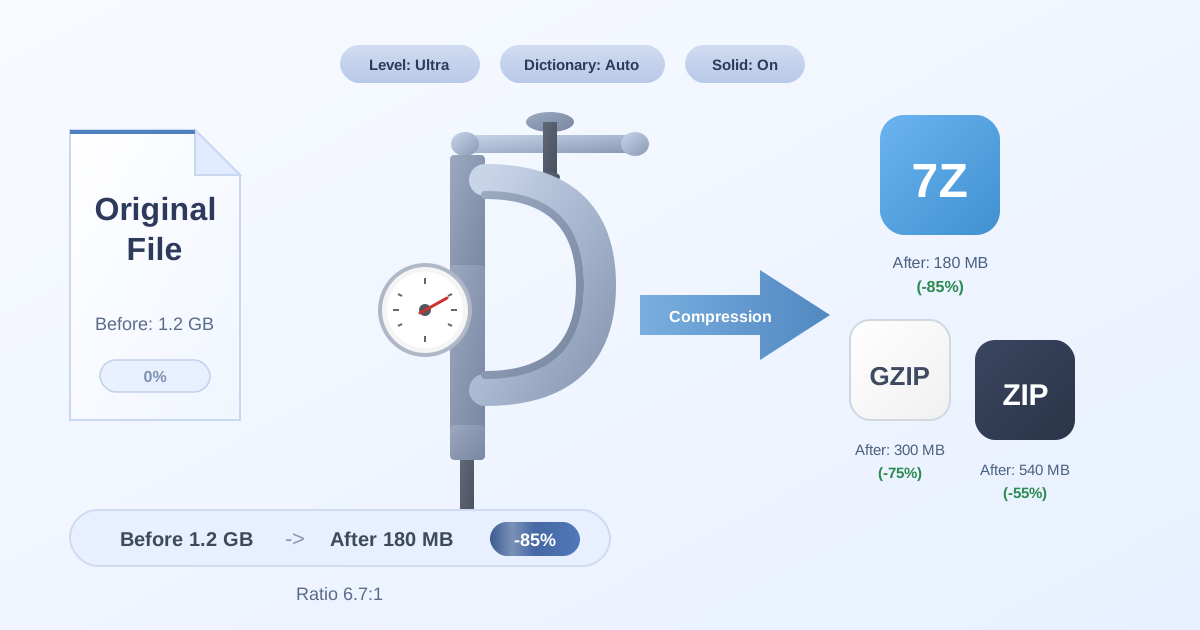
Now that you've identified the files, the next step is to manage them. You'll likely want to archive them to save space. With your list of files, you can use a powerful tool to Compress Files into a single, manageable ZIP or 7Z archive. This keeps your file system clean and your historical logs organized.
Later, if an auditor asks for those specific logs, you don't have to sift through backups. Simply use a Decompress Files tool to extract the contents of your archive in seconds. And if your team uses a different standard archive format, converting between them is simple with tools like our 7Z to ZIP converter, ensuring seamless collaboration.
Conclusion: Your Journey to Regex Mastery
Regular Expressions are a fundamental skill for anyone who works with text and data. While the syntax can seem cryptic at first, the regex tester transforms it from a daunting challenge into an engaging puzzle. By providing instant, interactive feedback in a consequence-free environment, it empowers you to experiment, learn from your mistakes, and build complex patterns with confidence.
Stop avoiding regex and start embracing it. Open up a regex tester, paste in some text, and begin building your first patterns. You'll be amazed at how quickly you can go from confused to confident.
Ready to put your newfound file-finding skills to use? Explore the suite of free and privacy-focused File Management Tools at Practical Web Tools to compress, convert, and manage your files with ease.