Are Random Password Generators Safe? The Ultimate Security Guide

In our hyper-connected digital lives, we juggle dozens, if not hundreds, of online accounts. From email and social media to banking and shopping, each one is a door locked by a password. The constant advice is to make them 'strong and unique,' but what does that even mean? Our brains are wired for patterns, making us notoriously bad at creating true randomness. We reuse pets' names, add a '123' at the end, and hope for the best. This is where random password generators come in—digital heroes promising to create unguessable passwords with a single click.
But this convenience raises a critical question: how can you trust a website or app with the very keys to your digital kingdom? Are these tools a security silver bullet or a potential vulnerability? This comprehensive guide will demystify the technology behind password generators, teach you how to spot a secure one, and provide actionable best practices for fortifying your online presence.
What Truly Makes a Password Strong?
Before we can evaluate the generators, we need to understand their goal: creating a strong password. A password's strength isn't just about using a special character; it's about its resistance to being guessed by both humans and machines. This resistance is measured in something called entropy.
Understanding Password Entropy
In simple terms, entropy is a measure of randomness or unpredictability. In cryptography, it's measured in 'bits.' The higher the bits of entropy, the more possible combinations a password could have, and the longer it would take an attacker to guess it through brute force (trying every possible combination).
Here’s what contributes to high entropy:
- Length: This is the single most important factor. Each character you add increases the password's entropy exponentially. A 10-character password using only lowercase letters has 26^10 possible combinations. A 16-character password using letters, numbers, and symbols has a vastly larger number of combinations, making it exponentially harder to crack.
- Character Set Size: The variety of characters you use matters. A password using uppercase letters, lowercase letters, numbers, and symbols has a much larger character pool (e.g., 26+26+10+32 = 94) than one using only lowercase letters (26).
- Randomness: A long password like
correcthorsebatterystapleis memorable but less random thanj$L8!z@PqK3#sV&a. Attackers often use 'dictionary attacks,' where they try common words and phrases. A truly random string of characters is immune to this.
A strong password, therefore, is one that is long, uses a diverse set of characters, and is completely random—three things humans are terrible at creating but password generators excel at.
How Do Random Password Generators Work?
A password generator is essentially an algorithm that uses a source of randomness to select characters from a specified set and assemble them into a string of a desired length. The critical component here is the 'source of randomness.' Not all randomness is created equal.
The Source of Randomness: PRNG vs. CSPRNG
There are two main types of random number generators used in software:
-
Pseudo-Random Number Generators (PRNGs): These are algorithms that produce a sequence of numbers that appears random but is actually deterministic. They start with an initial value called a 'seed.' If you know the algorithm and the seed, you can predict the entire sequence. While fine for simulations or games, standard PRNGs are not secure enough for cryptographic purposes like password generation.
-
Cryptographically Secure Pseudo-Random Number Generators (CSPRNGs): This is the gold standard for security applications. CSPRNGs are designed to be unpredictable. They gather entropy from unpredictable sources on the computer, such as mouse movements, keyboard timings, or system noise. This makes their output computationally infeasible to predict, even if you know the algorithm. Modern web browsers provide a built-in CSPRNG through the
window.crypto.getRandomValues()API, allowing web-based tools to generate secure passwords safely.
Any trustworthy password generator must use a CSPRNG. Without it, the generated passwords could have hidden patterns that an attacker might exploit.
Key Security Features of a Trustworthy Password Generator
When you're choosing a password generator, you need to be a discerning user. Here are the non-negotiable features you should look for, which are all principles we follow for the tools at Practical Web Tools.
-
✅ Client-Side Generation: This is the most important security feature. A client-side generator runs entirely in your web browser on your computer. The password is created on your machine and is never transmitted over the internet or seen by the website's server. This guarantees that the service provider cannot log, store, or steal your password. How can you tell? The tool should work even if you disconnect from the internet after the page has loaded.
-
✅ Uses a Cryptographically Secure PRNG (CSPRNG): The tool should explicitly state that it uses a secure source of randomness, like the browser's built-in crypto module. Look for this information on their 'About' page, FAQ, or privacy policy.
-
✅ Open-Source Code: Transparency builds trust. When a tool's source code is publicly available, security experts from around the world can audit it for vulnerabilities, backdoors, or malicious code. This public scrutiny helps ensure the tool is doing what it claims.
-
✅ Clear and Privacy-Focused Policy: The website should have a straightforward privacy policy that clearly states it does not log, store, or track the passwords you generate.
-
✅ Customization and Control: A good generator gives you control over the password's parameters. You should be able to specify the exact length, and which character sets to include (uppercase, lowercase, numbers, symbols). Bonus points for features that let you exclude ambiguous characters like
I,l,1,O, and0.
Red Flags: Password Generators to Avoid
Just as there are signs of a good generator, there are clear warning signs of a tool you should never use.
-
❌ Server-Side Generation: If a password is generated on the company's server, you have no way of knowing if they are storing it. This is an unacceptable security risk. Assume any server-side generator is compromised.
-
❌ Uses HTTP, Not HTTPS: If the website's URL starts with
http://instead ofhttps://, your connection is not encrypted. Anyone snooping on the network could potentially see the data exchanged, including a generated password. -
❌ Requires a Download for a Simple Tool: A web-based password generator has no reason to ask you to download an executable file (.exe, .dmg). This is a major red flag for malware.
-
❌ Vague or Non-Existent Privacy Policy: If a tool doesn't tell you how it handles your data, assume the worst.
-
❌ Intrusive Ads and Trackers: While ads are a common business model, an excessive amount of third-party trackers on a security-focused tool suggests that their priority is data collection, not user privacy.
Beyond Generation: The Critical Role of Secure Storage
Creating a 20-character random password like 9@zT&kE$pWqB#vR!sH*n is a great first step. But it's useless if you can't remember it or if you store it insecurely, like on a sticky note attached to your monitor.
Password Managers: Your Digital Vault
The best practice for managing dozens of unique, complex passwords is to use a password manager. Reputable password managers (like Bitwarden, 1Password, or KeePass) work by:
- Storing all your passwords in a heavily encrypted digital 'vault.'
- Protecting that vault with a single, strong 'master password'—the only one you have to remember.
- Automatically filling in your login credentials on websites and apps.
Most password managers also include a built-in secure password generator, following all the best practices we've discussed.
Secure Offline Storage for Recovery Keys
There are situations where you might need to store highly sensitive information offline, such as account recovery keys, cryptocurrency wallet seeds, or a backup of your most critical passwords. Simply saving them in a passwords.txt file is incredibly risky.
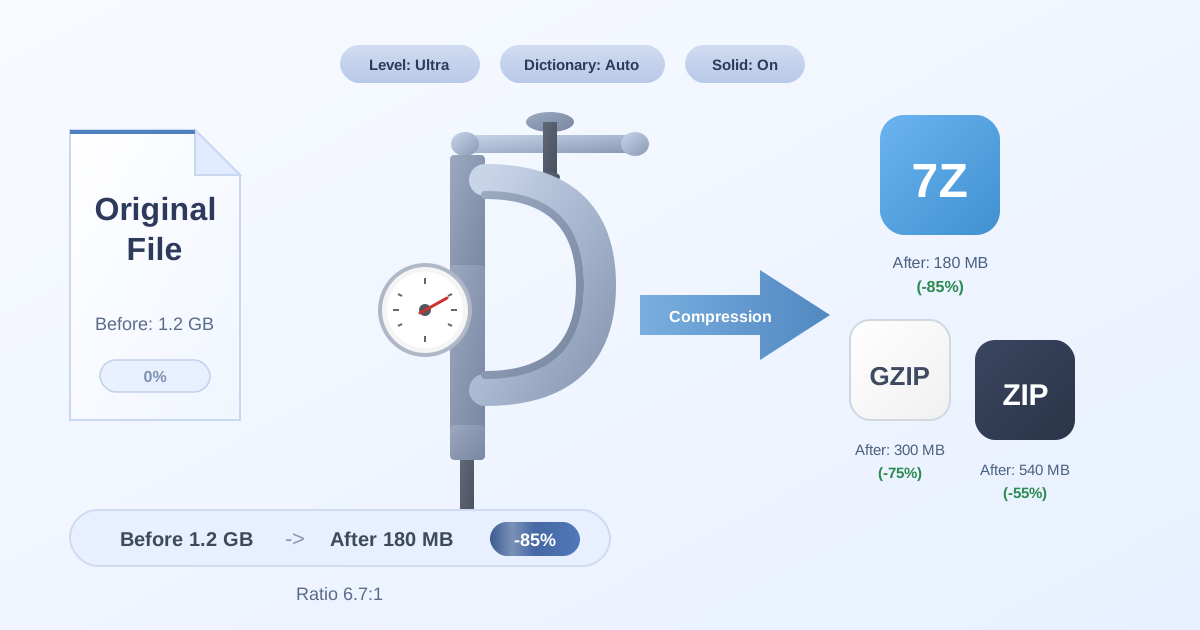
A much safer method is to store them in an encrypted, password-protected archive. This creates a secure container for your data that can only be unlocked with a password. For instance, if you have a file with recovery codes, you can use an online tool to Compress Files into a 7Z or ZIP archive, applying strong AES-256 encryption during the process.
The 7Z format is often preferred for its robust encryption. If your codes are already in a less secure ZIP file, you can easily increase their security by using a ZIP to 7Z converter and adding a strong password. Later, when you need to access this information, you can use a corresponding tool to Decompress Files, which will prompt you for the password to unlock the contents. This method provides a powerful layer of security for your most vital offline backups.
Step-by-Step Guide to Using Password Generators Securely
Ready to upgrade your password security? Follow these best practices.
-
Choose Your Tools Wisely: Select a reputable, client-side password generator and a trusted password manager. Prioritize tools that are open-source and have clear privacy policies.
-
Go for Length: When generating a new password, aim for a minimum of 16 characters. For your most important accounts (like email and banking), consider 20 characters or more.
-
Use All Character Types: Always enable uppercase letters, lowercase letters, numbers, and symbols to maximize the password's entropy and strength.
-
One Account, One Password: This is the golden rule. Generate a unique password for every single online account. If one site suffers a data breach, the attackers won't be able to use your leaked password to access your other accounts.
-
Store It in Your Password Manager: Immediately save the newly generated password in your password manager. Let it handle the task of remembering and filling it in for you.
-
Enable Two-Factor Authentication (2FA): 2FA is your most important safety net. It requires a second form of verification (like a code from an authenticator app) in addition to your password. This means that even if an attacker steals your strong password, they still can't get into your account without physical access to your phone or 2FA device.
Conclusion: Take Control of Your Digital Security
A random password generator is an indispensable tool in the modern fight for digital security. By offloading the task of creating strong, unpredictable passwords, you eliminate the weakest link in the chain: human nature.
However, 'random' doesn't automatically mean 'secure.' The key is to choose a generator that operates transparently on your device (client-side), uses cryptographically secure randomness, and respects your privacy. Combine that with the robust organizational power of a password manager and the critical backup layer of 2FA, and you've built a formidable defense for your digital life.
Don't wait for a data breach notification to take your password security seriously. Take a few minutes today to review your key accounts, replace any weak or reused passwords, and embrace the power of truly random, secure password generation.