What is a Hash? MD5 & SHA-256 Generators Explained

Introduction: The Mystery of the Gibberish String
Have you ever downloaded a piece of software and noticed a long, seemingly random string of letters and numbers next to the download link? It might have been labeled "MD5 checksum," "SHA-256," or simply "hash." Most of us ignore it, click download, and move on. But that cryptic string is one of the most important, yet overlooked, tools for digital security and data integrity.
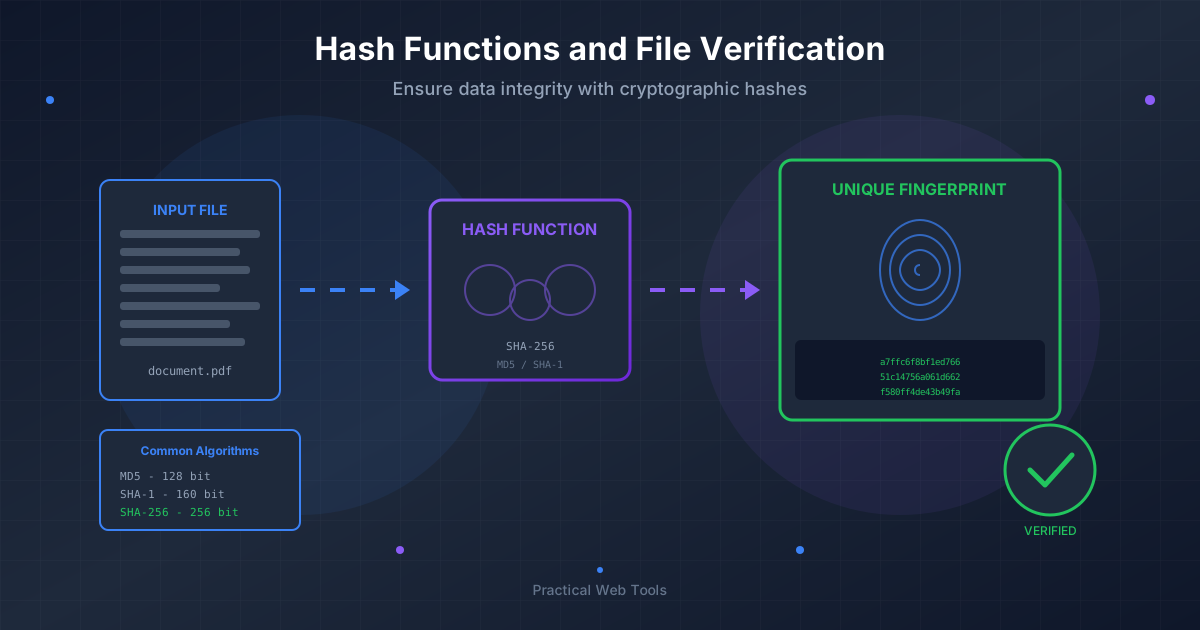
That string is a hash. Think of it as a unique digital fingerprint for a file or a piece of data. Just like your own fingerprint, it's unique to the individual item it represents. If even a single bit of data changes in the original file, this fingerprint changes completely and unpredictably.
In this comprehensive guide, we'll demystify the world of hashing. We'll explore what hash generators are, dive deep into two of the most common algorithms—MD5 and SHA-256—and show you exactly how to use them to ensure the files you download are safe, uncorrupted, and exactly what the creator intended. Let's unlock the power of the digital fingerprint.
What is a Hash Function? The Digital Blender Analogy
A cryptographic hash function is a mathematical algorithm that takes an input of any size (a text file, a video, a software installer) and produces a fixed-size string of characters. This output string is the "hash" or "digest."
To make this easier to understand, let's use an analogy: a digital blender.
Imagine you have a set of ingredients (your file or data). You put these ingredients into a special blender (the hash function). You turn it on, and it whirs and processes them into a smoothie of a very specific color and texture (the hash).
This digital blender has a few magical properties:
- Deterministic: If you put the exact same ingredients in the blender in the same order, you will always get the exact same smoothie. Every single time. Same input, same output.
- Fixed-Size Output: No matter if you put in a single strawberry or the entire contents of your fridge, the blender always produces exactly one glass of smoothie. The output size is always the same.
- Irreversible (Pre-image Resistance): Once the smoothie is made, you can't look at it and figure out the exact original ingredients. You can't turn the smoothie back into a strawberry. It's a one-way process.
- Avalanche Effect: If you change even one tiny ingredient—say, you swap one blueberry for a slightly different one—the final smoothie will be a completely different color and texture. A small change in the input creates a huge, unpredictable change in the output.
- Collision Resistant: It should be practically impossible to find two different sets of ingredients that produce the exact same smoothie.
These properties are what make hash functions incredibly powerful tools for verifying information in the digital world.
Why Do We Need Hashes? Key Use Cases
Hashing isn't just a theoretical concept; it's used every day to secure the internet and protect data. Here are its most common applications.
Verifying File Integrity
This is the most common use case for the average user. When you download a file from the internet, you're trusting that the file you receive is identical to the one on the server. However, things can go wrong:
- Data Corruption: Parts of the file could get scrambled during the download due to a poor network connection.
- Malicious Tampering: A hacker could intercept the connection and inject malware into the file you're downloading (a "man-in-the-middle" attack).
By providing a hash of the original file, the website gives you a way to check. You download the file, use a hash generator to create your own hash of the downloaded file, and compare it to the one the website provided. If they match, you can be confident your file is authentic and intact. If they don't, you should delete the file immediately.
Secure Password Storage
When you create an account on a website, they should never store your password in plain text. Instead, they run your password through a hash function and store the hash.
When you log in later, the website takes the password you just typed, hashes it using the same function, and compares the new hash to the one stored in its database. If they match, you're granted access. This way, even if a hacker steals the website's user database, they only get a list of meaningless hashes, not your actual passwords.
Digital Signatures and Authenticity
Hashes are a cornerstone of digital signatures. To digitally "sign" a document, a person's private key is used to encrypt the hash of the document. Anyone with the corresponding public key can then decrypt this signature, re-calculate the hash of the document themselves, and confirm that the two hashes match. This proves that the document hasn't been altered since it was signed and that it genuinely came from the person who signed it.
Deep Dive: MD5 (Message Digest Algorithm 5)
MD5 is one of the oldest and most well-known hash functions. Created in 1991, it produces a 128-bit hash value, which is typically represented as a 32-character hexadecimal string.
Example MD5 Hash: d41d8cd98f00b204e9800998ecf8427e
For a long time, MD5 was the standard for file integrity checks. It's incredibly fast to compute, which made it ideal for quickly generating a fingerprint for a file.
The Security Flaw: MD5 Collisions
The problem with MD5 is that it's now considered cryptographically broken. Researchers have discovered practical methods for creating "collisions." An MD5 collision is when two completely different files produce the exact same MD5 hash.
Remember our blender analogy? This is like finding two different recipes that create the exact same smoothie. For a secure hash function, this should be impossible. But for MD5, it's not. This means a malicious actor could create a harmful file (like a virus) that has the same MD5 hash as a legitimate, safe file. They could then trick you into downloading the malicious file, and if you only check the MD5 hash, it would appear to be perfectly fine.
When is it Still Okay to Use MD5?
Because of its security vulnerabilities, MD5 should never be used for security-related purposes like SSL certificates or password storage. However, it can still be acceptable for non-security use cases, such as a basic check against accidental file corruption. If you just want to know if your file transferred correctly over a reliable network, MD5 is fast and usually good enough.
Deep Dive: SHA-256 (Secure Hash Algorithm 256-bit)
SHA-256 is part of the SHA-2 family of hash functions, which were designed by the National Security Agency (NSA). As its name suggests, it produces a 256-bit hash value, represented as a 64-character hexadecimal string.
Example SHA-256 Hash: e3b0c44298fc1c149afbf4c8996fb92427ae41e4649b934ca495991b7852b855
SHA-256 is the modern standard for cryptographic security. The significantly larger output size and more complex algorithm make it vastly more resistant to collisions than MD5. With current and foreseeable computing power, finding a SHA-256 collision is considered computationally infeasible.
Where is SHA-256 Used?
SHA-256 is trusted for a wide range of security applications:
- Digital Certificates (SSL/TLS): Securing website connections (the padlock in your browser).
- Software Distribution: Verifying that downloaded software is authentic.
- Blockchain Technology: It's the core hashing algorithm used in Bitcoin for transaction verification and mining.
- Password Hashing: Modern systems use SHA-256 (often combined with other techniques) for secure password storage.
MD5 vs. SHA-256: A Head-to-Head Comparison
Let's break down the key differences in a simple table. This is crucial for deciding which algorithm to trust.
| Feature | MD5 | SHA-256 |
|---|---|---|
| Output Size | 128 bits (32 hex characters) | 256 bits (64 hex characters) |
| Security | Broken. Vulnerable to collisions. | Secure. Currently considered strong and reliable. |
| Collision Risk | High. Collisions can be generated easily. | Extremely Low. Computationally infeasible to find one. |
| Speed | Very Fast | Slower than MD5, but still very fast for most uses. |
| Primary Use Case | Basic, non-critical file integrity checks. | Digital signatures, password security, file integrity. |
The Verdict: Whenever you have a choice, always use SHA-256 over MD5. Its security is orders of magnitude stronger. Only use MD5 if you're in a situation where performance is the absolute priority and security is not a concern at all.
A Practical Guide: Verifying a File Download
Now, let's put this knowledge into practice. Imagine you're downloading an open-source tool, like an archive manager. Here’s how you verify its integrity step-by-step:
-
Find the Official Hash: On the official download page, look for the provided checksums. Reputable sources will always list them. Let's say they provide a SHA-256 hash.
-
Download the File: Download the software installer to your computer.
-
Use a Hash Generator: Go to an online hash generator tool. These tools allow you to either upload a file or paste text to calculate its hash.
-
Calculate the Hash: Upload the file you just downloaded to the hash generator and select the SHA-256 algorithm. The tool will process the file and give you its calculated hash.
-
Compare the Hashes: Copy the hash from the download website and the hash generated by the tool. Compare them side-by-side. Are they identical?
- If YES: Congratulations! Your file is authentic and uncorrupted. You can proceed with the installation.
- If NO: Stop. Do not open or run the file. It is either corrupted or has been tampered with. Delete it immediately and try downloading it again from the official source.
Hashing and Your File Management Workflow
Hashing is not just for software downloads; it's a valuable tool for personal and professional file management.
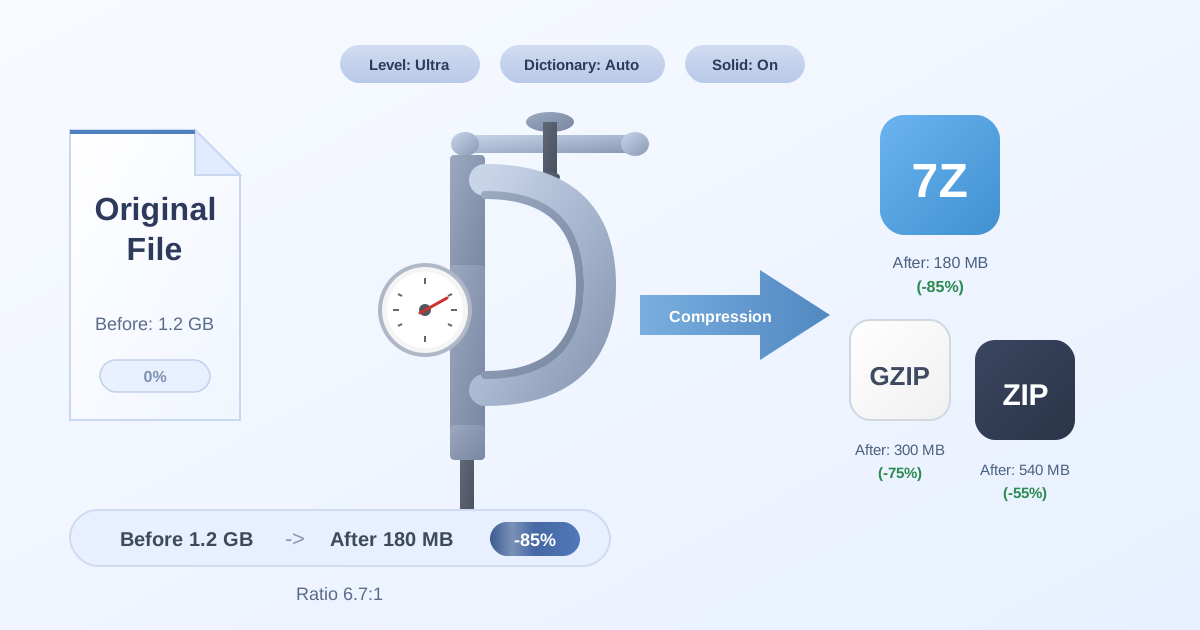
Imagine you are archiving a large project folder containing hundreds of documents and assets. Hashing the final archive provides a permanent fingerprint to verify its integrity for years to come. To make this process more efficient, you might first Compress Files into a single ZIP or 7Z package. This bundles everything together, making it easier to manage, transfer, and, most importantly, hash as a single entity.
Once you have your compressed, verified archive, you may need to send it to a collaborator who uses a different operating system. Perhaps they need a TAR file instead of a ZIP. You can use a tool to convert your archive, like our ZIP to TAR converter. After the conversion, you can hash the new TAR file and send both the file and its hash to your collaborator. They can then verify the integrity on their end, ensuring nothing was lost or altered during the conversion and transfer.
Finally, the recipient, confident in the file's integrity thanks to your hash, can easily use a tool to Decompress Files and access the project contents. This workflow—compress, hash, convert, hash again, and decompress—creates a secure and reliable chain of custody for your important data.
Conclusion: Your First Line of Digital Defense
Hashing might seem complex, but at its core, it's a simple and powerful concept. It's the digital fingerprint that allows us to trust the data we use every day. By understanding the difference between the legacy MD5 and the secure SHA-256, you've already taken a massive step toward better digital security.
Never again will you have to ignore that strange string of characters on a download page. You now have the knowledge to use it as a powerful verification tool, ensuring your files are safe and sound.
Ready to put your newfound knowledge to the test? Start incorporating hashing into your workflow. The next time you download a file, take the extra 30 seconds to verify its hash. It's a small step that provides immense peace of mind. Explore our full suite of free and privacy-focused file management tools to help you compress, convert, and manage your data securely.