Invoice Generators for Freelancers: The Ultimate 2024 Guide

Introduction: The Freelancer's Dilemma—Chasing Payments
If you're a freelancer, you know the thrill of finishing a project. The creative energy, the client's satisfaction, the sense of accomplishment—it's what drives you. But then comes the part that many creatives and consultants dread: the invoicing. Creating a bill, sending it off, and then... waiting. Sometimes, you have to follow up. Then follow up again. It can feel like you're spending more time being an accountant than doing the work you love.
Manual invoicing is a time-sink fraught with potential errors. A miscalculated total, a forgotten line item, or an unprofessional-looking document can delay payments and even damage your client relationships. This is where an invoice generator comes in. It’s not just a tool; it’s a business upgrade that streamlines your finances, enhances your professionalism, and, most importantly, helps you get paid faster.
This comprehensive guide will walk you through everything you need to know about invoice generators. We'll explore why they're essential, what features to look for, how to create the perfect invoice step-by-step, and how to manage the surrounding digital paperwork efficiently.
Why Manual Invoicing Is Holding Your Business Back
Before we dive into the solution, let's diagnose the problem. If you're still creating invoices in Word, Excel, or a generic notes app, you're likely creating unnecessary friction in your workflow. Here’s why manual invoicing is a bottleneck:
- It's Incredibly Time-Consuming: You have to find your last invoice, duplicate it, manually change every detail (client name, address, dates, line items), and double-check all the calculations. This can easily take 15-30 minutes per invoice, time that could be spent on billable work.
- Prone to Human Error: One typo in a bank account number or a simple math mistake can lead to payment delays and confusing back-and-forth emails. These small errors can chip away at your professional image.
- Unprofessional Appearance: A basic spreadsheet invoice doesn't scream 'professional.' It lacks the branding and clean design that reinforces the quality of your work. Your invoice is one of the final touchpoints a client has with your brand; it should be as polished as your deliverables.
- Difficult to Track: Which invoices are paid? Which are overdue? Without a centralized system, you're left to manually track payments in a spreadsheet or by sifting through bank statements. This makes financial forecasting nearly impossible and can lead to missed follow-ups on overdue payments.
- Inconsistent Branding: Manually creating invoices often leads to inconsistencies in formatting, numbering, and branding, which can confuse both you and your clients.
What is an Invoice Generator and How Does It Work?
An invoice generator is a specialized software tool designed to simplify and automate the process of creating and sending professional invoices. Instead of starting from scratch, you work from a pre-designed, professional template. You simply fill in the blanks, and the tool does the heavy lifting.
The typical workflow is simple and elegant:
- Select a Template: Choose a design that matches your brand's aesthetic.
- Input Details: Add your business information, client information, and itemized services or products.
- Automatic Calculations: The generator automatically calculates subtotals, applies taxes or discounts, and computes the final total, eliminating the risk of mathematical errors.
- Generate & Send: With one click, the tool generates a clean, professional PDF invoice that you can download or email directly to your client.
The primary benefits are immediately obvious: speed, accuracy, professionalism, and organization. You save time, look more credible, reduce errors, and have a clear, centralized record of your income.
Key Features to Look for in an Invoice Generator
Not all invoice generators are created equal. As a freelancer, your needs are specific. Here are the essential features you should look for when choosing an online invoicing tool, whether free or paid.
Customization and Branding
Your invoice should be an extension of your brand. A good generator allows you to easily add your logo, choose your brand colors, and customize the layout to maintain a consistent and professional image.
Multiple Currencies & Languages
In today's global economy, you might be working with clients from all over the world. The ability to bill in different currencies (e.g., USD, EUR, GBP) and languages is a crucial feature for international freelancers.
Automatic Tax Calculation
Dealing with sales tax, VAT, or GST can be a nightmare. Look for a tool that can automatically calculate and add the correct tax rates based on your location and the client's. This is a massive time-saver and helps ensure you remain compliant.
Recurring Invoices
If you work with clients on a retainer or subscription basis, this feature is a game-changer. You can set up an invoice to be automatically generated and sent every month, saving you from repetitive administrative work.
Payment Gateway Integration
To get paid faster, make it easier for your clients to pay you. The best invoice generators integrate with payment gateways like Stripe, PayPal, or Square. This allows you to add a "Pay Now" button directly to your invoice, so clients can pay instantly with a credit card.
Time and Expense Tracking
For freelancers who bill by the hour, integrated time tracking is invaluable. You can track your time on a project, and the tool will automatically convert those hours into a line item on your invoice. Similarly, expense tracking lets you easily add reimbursable costs, like software subscriptions or travel expenses, to an invoice.
A Step-by-Step Guide to Creating Your First Professional Invoice
Ready to create an invoice that gets you paid? Let's walk through the essential components of a professional invoice. Most generators will guide you through this process with a simple form.
Step 1: Add Your Business and Client Information
This is the foundation of your invoice. Make sure it's clear and accurate.
- Your Information: Your business name (or your full name), address, phone number, and email.
- Client Information: The client's business name, contact person, and address.
Step 2: Include Essential Invoice Details
These details are crucial for tracking and record-keeping.
- Invoice Number: A unique identifier for each invoice. Use a sequential system (e.g., 001, 002, 003 or 2024-001) to keep things organized.
- Invoice Date: The date the invoice was issued.
- Due Date: The date by which payment is expected. This is determined by your payment terms (e.g., Net 30 means due in 30 days).
Step 3: Itemize Your Services or Products
This is the most important part of the invoice. Be as clear and detailed as possible to avoid any confusion. A good practice is to create a table with the following columns:
| Service / Product Description | Quantity / Hours | Rate | Amount |
|---|---|---|---|
| Website Homepage Design Mockup | 10 Hours | $75.00/hr | $750.00 |
| Social Media Graphics Package (5) | 1 Package | $250.00 | $250.00 |
| Project Management & Communication | 3 Hours | $50.00/hr | $150.00 |
Step 4: Calculate the Totals
An invoice generator will handle this automatically, but it's good to know the components:
- Subtotal: The sum of all line item amounts before taxes or discounts.
- Tax: The applicable tax rate applied to the subtotal.
- Discounts: Any discounts you've offered.
- Total: The final amount due.
Step 5: State Your Payment Terms and Methods
Don't leave your client guessing how or when to pay you. Clearly state:
- Payment Terms: e.g., "Payment due within 30 days," "Due upon receipt."
- Accepted Payment Methods: Bank transfer (include your account details), PayPal (include your PayPal email), Stripe link, etc.
Step 6: Add a Personal Note
A simple "Thank you for your business!" or "I enjoyed working with you on this project" adds a human touch and strengthens your client relationship.
Pro Tips for Better Invoicing
Creating the invoice is just one part of the process. Follow these best practices to ensure a smooth payment experience.
Be Punctual and Consistent
Send your invoice as soon as the project is complete or on the agreed-upon date. Consistency shows professionalism and helps with your own cash flow management.
Send Gentle Reminders
Don't be afraid to follow up. Most late payments are not malicious; they're simply forgotten. A polite reminder email a day or two after the due date is perfectly acceptable. Many invoicing tools can automate these reminders for you.
Keep Your Records Organized
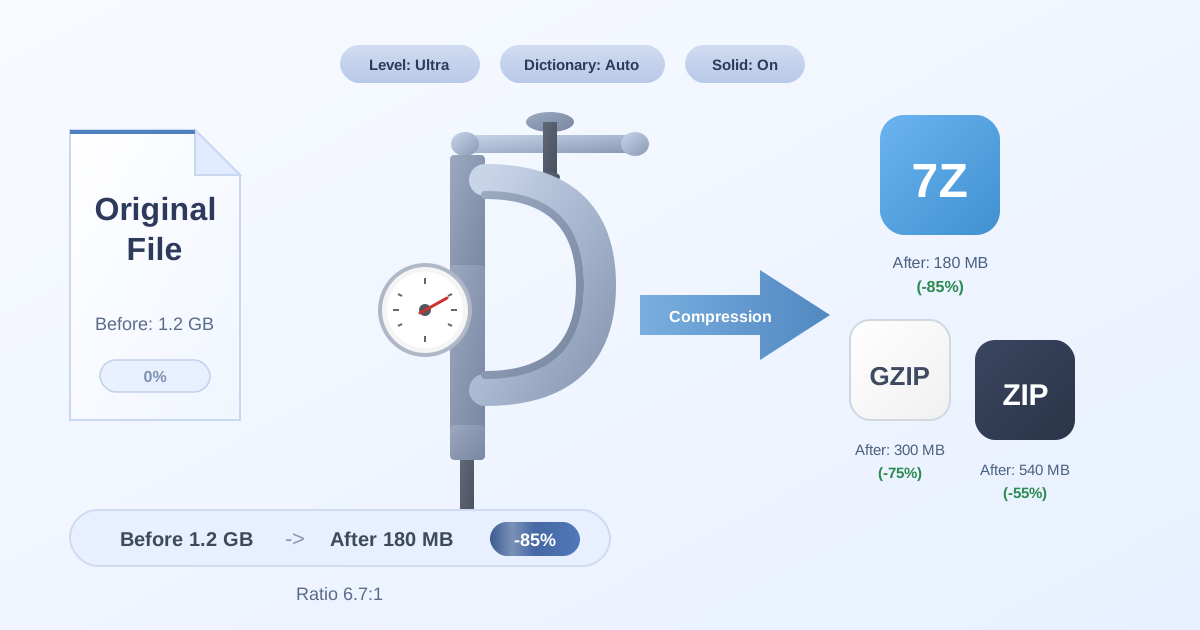
Good organization is key for tax season and financial planning. At the end of each month or quarter, bundle your invoices, receipts, and other financial documents. For easy storage and sharing with an accountant, you can group them into a single archive. If the file size gets too large, a free tool to Compress Files can shrink it down significantly, making it easy to email or store in the cloud.
Be Flexible with File Formats
Occasionally, a client or accountant might send you documents in a less common archive format like 7Z or TAR. Instead of struggling to open them, you can use a simple online utility to Decompress Files and access your documents instantly. This small bit of technical agility can save you a lot of headaches.
Conclusion: Take Control of Your Freelance Finances
As a freelancer, you wear many hats—creator, marketer, project manager, and CEO. The 'accountant' hat shouldn't be the one that causes the most stress. By switching from manual invoicing to a dedicated invoice generator, you reclaim valuable time, reduce costly errors, and present a more professional image to your clients.
An effective invoicing process is the backbone of a healthy freelance business. It ensures a steady cash flow, allowing you to focus on what you do best: delivering exceptional work.
While you streamline your billing, remember to manage the related digital files just as efficiently. Practical Web Tools offers a suite of over 455 free, privacy-focused online tools to help you with your day-to-day digital tasks. Explore our tools today to make your entire workflow as smooth as your new invoicing process.