Binary Calculator & Number Systems: The Ultimate Guide

Introduction: Cracking the Code Behind Your Screen
Ever wondered what's really happening inside your computer when you open a file, browse the web, or play a game? The answer, at its most fundamental level, is a storm of ones and zeros. This is the binary system, the native language of every digital device. While it might seem cryptic, understanding this system is like learning the alphabet of the digital world.
But it's not just about ones and zeros. Programmers, network engineers, and data scientists often work with other systems like hexadecimal and octal as convenient shorthands. This comprehensive guide will demystify these number systems, show you how to convert between them, and explain how a binary calculator can be your most powerful ally in this process. We'll explore the 'why' behind the 'what', connecting these abstract concepts to the very files you manage every day.
The System We Know: A Refresher on Decimal (Base-10)
Before diving into the computer's world, let's quickly review the system we use instinctively: the decimal system, also known as base-10. It's called base-10 because it uses ten distinct digits (0, 1, 2, 3, 4, 5, 6, 7, 8, 9) to represent all possible numbers.
Each position in a decimal number has a value that is a power of 10. Let's take the number 472 as an example:
- The 2 is in the ones place (10⁰)
- The 7 is in the tens place (10¹)
- The 4 is in the hundreds place (10²)
We can express this mathematically as:
(4 * 10²) + (7 * 10¹) + (2 * 10⁰) = 400 + 70 + 2 = 472
This concept of positional value is the critical key that unlocks our understanding of all other number systems, including binary.
The Computer's Language: Understanding Binary (Base-2)
Computers don't have ten fingers to count on. They have transistors, which can be in one of two states: on or off. These two states are represented perfectly by a base-2 number system, which uses only two digits: 0 (off) and 1 (on). Each of these digits is called a bit (short for binary digit), the smallest unit of data in a computer.
Just like in the decimal system, the position of each bit matters. Instead of powers of 10, binary uses powers of 2.
Let's look at the binary number 10110:
- The 0 is in the 2⁰ place (1)
- The 1 is in the 2¹ place (2)
- The 1 is in the 2² place (4)
- The 0 is in the 2³ place (8)
- The 1 is in the 2⁴ place (16)
To find its decimal equivalent, we add up the values for the positions where there is a '1':
(1 * 16) + (0 * 8) + (1 * 4) + (1 * 2) + (0 * 1) = 16 + 0 + 4 + 2 + 0 = 22
So, the binary number 10110 is equal to the decimal number 22.
How to Manually Convert Decimal to Binary
Converting from decimal to binary is a straightforward process using the division-by-2 method. You repeatedly divide your decimal number by 2 and record the remainder until you reach a quotient of 0. The binary number is the remainders read in reverse order.
Example: Convert Decimal 43 to Binary
43 ÷ 2 = 21with a remainder of 121 ÷ 2 = 10with a remainder of 110 ÷ 2 = 5with a remainder of 05 ÷ 2 = 2with a remainder of 12 ÷ 2 = 1with a remainder of 01 ÷ 2 = 0with a remainder of 1
Now, read the remainders from bottom to top: 101011. Therefore, decimal 43 is 101011 in binary.
How to Manually Convert Binary to Decimal
To convert the other way, you can use the positional notation method we saw earlier. This is a great way to double-check your work.
Example: Convert Binary 110101 to Decimal
First, write down the powers of 2 from right to left, corresponding to each bit in your number:
| Binary Digit | 1 | 1 | 0 | 1 | 0 | 1 |
|---|---|---|---|---|---|---|
| Power of 2 | 2⁵ | 2⁴ | 2³ | 2² | 2¹ | 2⁰ |
| Decimal Value | 32 | 16 | 8 | 4 | 2 | 1 |
Now, add the decimal values for each position where the binary digit is a '1':
32 + 16 + 0 + 4 + 0 + 1 = 53
So, binary 110101 is equal to decimal 53.
The Programmer's Shorthand: Hexadecimal (Base-16) and Octal (Base-8)
While computers thrive on binary, long strings of ones and zeros are difficult for humans to read and work with. Imagine trying to debug a memory address that looks like 1111101011001110. It's a recipe for a headache. This is where hexadecimal and octal systems come in.
Hexadecimal (Base-16)
Hexadecimal, or 'hex', is a base-16 system. It uses 16 unique symbols: the numbers 0-9 and the letters A-F to represent the values 10-15.
- 0-9 represent values 0-9
- A represents 10
- B represents 11
- C represents 12
- D represents 13
- E represents 14
- F represents 15
The magic of hex is its direct relationship with binary. Since 2⁴ = 16, exactly four binary digits (a 'nibble') can be represented by a single hexadecimal digit. This makes conversion incredibly efficient.
Binary to Hexadecimal Conversion Table
| Binary | Hex | Decimal |
|---|---|---|
| 0000 | 0 | 0 |
| 0001 | 1 | 1 |
| 0010 | 2 | 2 |
| 0011 | 3 | 3 |
| 0100 | 4 | 4 |
| 0101 | 5 | 5 |
| 0110 | 6 | 6 |
| 0111 | 7 | 7 |
| 1000 | 8 | 8 |
| 1001 | 9 | 9 |
| 1010 | A | 10 |
| 1011 | B | 11 |
| 1100 | C | 12 |
| 1101 | D | 13 |
| 1110 | E | 14 |
| 1111 | F | 15 |
To convert a long binary string to hex, you just group it into sets of four (starting from the right) and replace each group with its hex equivalent.
Example: Convert 1111101011001110 to Hex
- Group the binary string into fours:
1111 1010 1100 1110 - Convert each group:
1111 = F,1010 = A,1100 = C,1110 = E - Combine them:
FACE
Suddenly, that unreadable binary string becomes a memorable word: FACE. This is why hex is used extensively in web design (CSS color codes like #FF5733), programming (memory addresses), and error codes.
Octal (Base-8)
The octal system is base-8, using digits 0-7. Similar to hex, it has a simple relationship with binary. Since 2³ = 8, every three binary digits can be represented by a single octal digit. It's less common today than hex but is still used in some systems, notably for file permissions in Unix and Linux environments.
Practical Applications: From Bits to Files
Understanding these number systems isn't just an academic exercise. It's the foundation of everything digital.
- Character Encoding: Every letter you type is represented by a number. In the ASCII standard, the letter 'P' is decimal 80, which is binary
01010000. - IP Addresses: An IPv4 address like
192.168.1.1is actually four bytes (32 bits) of binary data, just displayed in a more human-friendly decimal format. - Digital Files: Every document, image, song, and video on your computer is, at its core, an enormous sequence of binary data. The file format (
.jpg,.mp3,.docx) is simply a set of rules for interpreting that sequence.
This is where the concept of file management becomes crucial. When you have a large file, say a 10MB photo, you're dealing with approximately 80 million bits of data. Sending or storing this can be inefficient. This is why we use file compression.
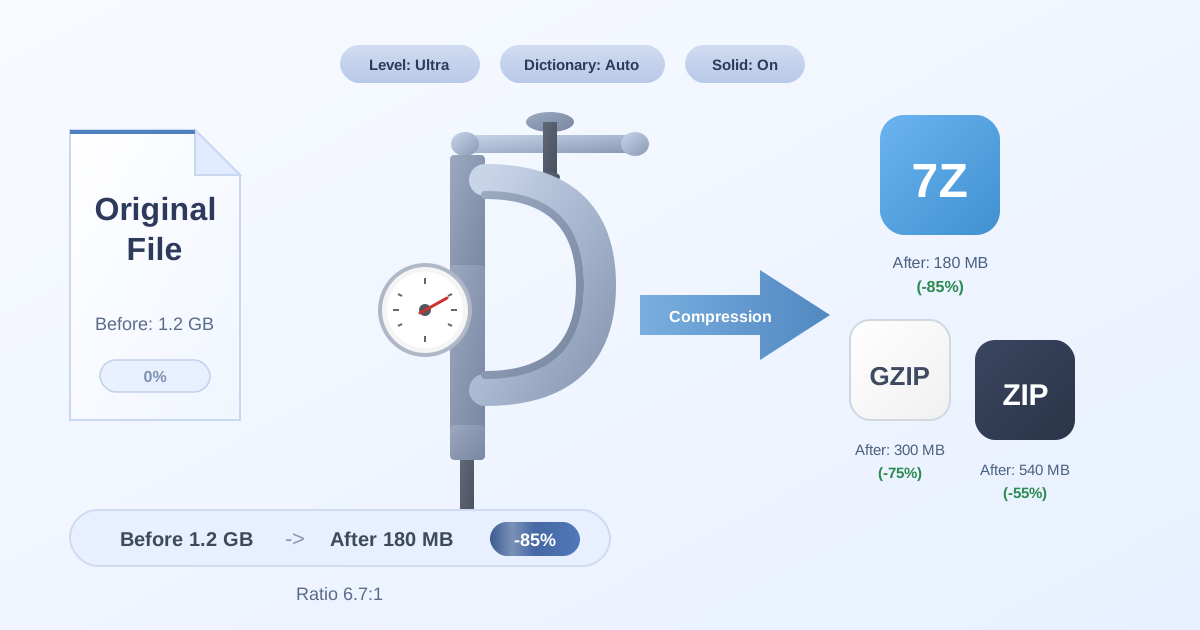
Compression algorithms are sophisticated programs that analyze the binary data within a file to find repeating patterns. They then replace these patterns with shorter references, effectively reducing the total number of bits needed to store the same information. When you need to Compress Files into a ZIP or 7Z archive, you're essentially running a program that rewrites the underlying binary into a more efficient form.
Conversely, to use the file again, you must restore it to its original state. Tools that let you Decompress Files read the compressed data and rebuild the original binary sequence, making the file usable by your applications. This process of encoding and decoding is a practical, everyday application of manipulating massive binary datasets.
Sometimes, you might also need to switch between different types of compressed archives, which use different binary encoding rules. This might involve converting a modern archive format back to a more compatible one, for example, using a 7Z to ZIP converter to ensure an older system can open it.
Why Use a Binary Calculator?
While it's valuable to know how to perform these conversions manually, it can be tedious and prone to error, especially with large numbers. This is where a binary calculator becomes an indispensable tool for:
- Speed and Accuracy: Instantly convert between binary, decimal, hexadecimal, and octal without the risk of a manual calculation error.
- Learning and Verification: Use it to check your manual conversions as you're learning, reinforcing the concepts.
- Programming and Debugging: Programmers and engineers can quickly convert values, check memory addresses, or set bitmasks without breaking their workflow.
- Performing Arithmetic: Binary calculators can also perform arithmetic operations (addition, subtraction, etc.) directly on binary or hex numbers, which is essential in low-level programming.
Conclusion: Mastering the Digital Language
From the simple on/off state of a single transistor to the complex compressed files we share every day, the world of computing is built upon the simple principles of number systems. Binary is the foundation, while hexadecimal and octal provide a more convenient lens through which to view it. Understanding how to navigate between these systems gives you a deeper appreciation for the digital world and empowers you to work more effectively within it.
Now that you see how every file is just a stream of binary data, you can better appreciate the power of managing that data efficiently. Whether you're a developer, a student, or just a curious user, the concepts are universal. Take the next step in mastering your digital files by exploring our suite of free, privacy-focused file management tools at Practical Web Tools. Take control of your data today!