Polygon Calculator: The Ultimate Geometry Guide for All Shapes

Your Complete Guide to Polygon Geometry and Calculators
Ever stared at an oddly shaped plot of land, a complex design in a video game, or a floor plan and wondered, "How on earth do I calculate the area of that?" From simple triangles to intricate, many-sided figures, polygons are the building blocks of our world. Understanding their properties isn't just for math class; it's a practical skill for architects, designers, engineers, and even DIY enthusiasts.
But let's be honest, memorizing and applying complex geometric formulas can be a challenge. That's where a polygon calculator comes in. This comprehensive guide will not only refresh your understanding of core polygon concepts but also show you how to leverage online tools to solve geometric problems instantly. We'll demystify everything from interior angles to the area of the most irregular shapes, empowering you to tackle any polygon with confidence.
What Exactly is a Polygon? The Fundamentals
Before diving into calculations, let's establish a solid foundation. A polygon is a two-dimensional, closed shape made up of straight line segments. These segments are called sides, and the points where they meet are called vertices. The key characteristics are:
- Closed: The sides form a complete loop with no openings.
- Straight Sides: No curves allowed. A circle, for instance, is not a polygon.
- 2D Plane: It's a flat shape.
Polygons can be classified in several ways, and understanding these classifications is crucial for choosing the right formula or calculator.
Types of Polygons
- Regular Polygon: The most symmetrical type. All sides are equal in length, and all interior angles are equal in measure. Examples include equilateral triangles, squares, and regular pentagons.
- Irregular Polygon: A polygon where the sides and angles are not all equal. Most real-world shapes, like a country's border on a map, are irregular.
- Convex Polygon: All interior angles are less than 180 degrees. If you draw a line between any two vertices, the line will stay entirely inside the polygon.
- Concave Polygon: At least one interior angle is greater than 180 degrees (a reflex angle). It has an indentation, and you can draw a line between two vertices that goes outside the polygon.
- Simple Polygon: The sides do not cross over each other.
- Complex Polygon (Self-Intersecting): The sides cross over one another, like a star shape.
The Core Formulas: Calculating Polygon Properties
This is where the magic happens. A good polygon calculator automates these formulas, but knowing how they work gives you a deeper understanding and the ability to verify results. Here are the essential properties and the math behind them.
Sum of Interior Angles
How do you find the total degrees inside any polygon? There's a simple formula for that.
Formula: Sum of Interior Angles = (n - 2) * 180°
Where 'n' is the number of sides.
- Triangle (n=3): (3 - 2) * 180° = 180°
- Quadrilateral (n=4): (4 - 2) * 180° = 360°
- Pentagon (n=5): (5 - 2) * 180° = 540°
Individual Angles of a Regular Polygon
For a regular polygon, since all angles are equal, you can easily find the measure of a single angle.
Formula: Interior Angle = (n - 2) * 180° / n
- Square (n=4): (4 - 2) * 180° / 4 = 90°
- Regular Hexagon (n=6): (6 - 2) * 180° / 6 = 120°
Sum of Exterior Angles
This one is surprisingly simple. For any convex polygon, regardless of the number of sides, the sum of its exterior angles is always the same.
Formula: Sum of Exterior Angles = 360°
Calculating the Perimeter
Perimeter is the total distance around the outside of the polygon. It's the most straightforward calculation.
Formula: Perimeter = Sum of the lengths of all sides
For a regular polygon with side length 's' and 'n' sides, it simplifies to Perimeter = n * s.
Calculating the Area
Calculating the area is often the most complex task, with different methods for regular and irregular polygons.
Area of a Regular Polygon
To find the area of a regular polygon, you'll need the apothem and the perimeter.
- Apothem (a): The perpendicular distance from the center of the polygon to the midpoint of a side.
Formula: Area = (1/2) * Perimeter * Apothem
If you only know the side length 's' and number of sides 'n', the formula becomes more complex, involving trigonometry:
Area = (n * s²) / (4 * tan(180°/n))
This is a formula that online calculators handle beautifully.
Area of an Irregular Polygon: The Shoelace Formula
How do you find the area of a shape defined by a set of coordinates, like a property lot? The Shoelace Formula (also known as the Surveyor's Formula) is an elegant solution.
How it works: You need the (x, y) coordinates of each vertex in a sequential order (either clockwise or counter-clockwise).
Step-by-Step Guide:
- List Coordinates: Write down your vertices' coordinates in two columns, (x, y).
- (x₁, y₁)
- (x₂, y₂)
- (x₃, y₃)
- ...and so on, up to (xₙ, yₙ).
- Repeat the First Point: At the end of the list, add the first coordinate again (x₁, y₁).
- Multiply Diagonally Down and to the Right: Multiply each x-coordinate by the y-coordinate of the row below it and sum them up.
- Sum 1 = (x₁ * y₂) + (x₂ * y₃) + ... + (xₙ * y₁)
- Multiply Diagonally Up and to the Right: Multiply each y-coordinate by the x-coordinate of the row below it and sum them up.
- Sum 2 = (y₁ * x₂) + (y₂ * x₃) + ... + (yₙ * x₁)
- Calculate the Area: The final area is half the absolute difference between these two sums.
Area = (1/2) * |Sum 1 - Sum 2|
This method is incredibly powerful and is the backbone of most online irregular polygon area calculators.
How to Use an Online Polygon Calculator Effectively
Online calculators take the manual work out of these formulas. Here’s how to get the most out of them.
- Identify Your Polygon: Is it regular or irregular? This is the first and most important step. Calculators have different modes for each.
- Gather Your Known Information:
- For Regular Polygons: You typically need the number of sides and the length of one side. Some calculators can also work backward from the radius or apothem.
- For Irregular Polygons: You will need the (x, y) coordinates for every vertex.
- Input Your Data Carefully: Double-check your numbers. A single typo will throw off the entire result. Ensure your coordinates are listed in sequential order (clockwise or counter-clockwise) for the shoelace method to work.
- Specify Units: If the calculator supports it, specify your units (e.g., cm, meters, inches, feet). The area will be in square units (e.g., cm², m², etc.).
- Interpret the Results: A good calculator will provide more than just the area. It might give you:
- Perimeter
- Sum of Interior Angles
- Individual Angle Measures
- Number of Diagonals
- Centroid Coordinates
Practical Applications of Polygon Calculations
Understanding polygons is more than an academic exercise. It has tangible applications across many fields:
- Architecture & Real Estate: Calculating the square footage of rooms or the area of a plot of land for zoning and pricing.
- Computer Graphics & Game Development: Polygons (especially triangles) are the fundamental building blocks of 3D models. Calculating their properties is essential for rendering, physics simulations, and collision detection.
- Engineering & Manufacturing: Designing machine parts, calculating stress on structures, and planning material layouts.
- GIS & Cartography: Measuring the area of geographical features like lakes, parks, or administrative districts from satellite imagery.
- Art & Design: Creating intricate patterns, logos, and layouts based on geometric principles.
Managing Your Geometry Project Files
When working on complex projects, whether for architecture, design, or data analysis, you often end up with numerous files—CAD drawings, coordinate lists in text files, spreadsheets with calculations, and design mockups. These project folders can become quite large and cumbersome to share.
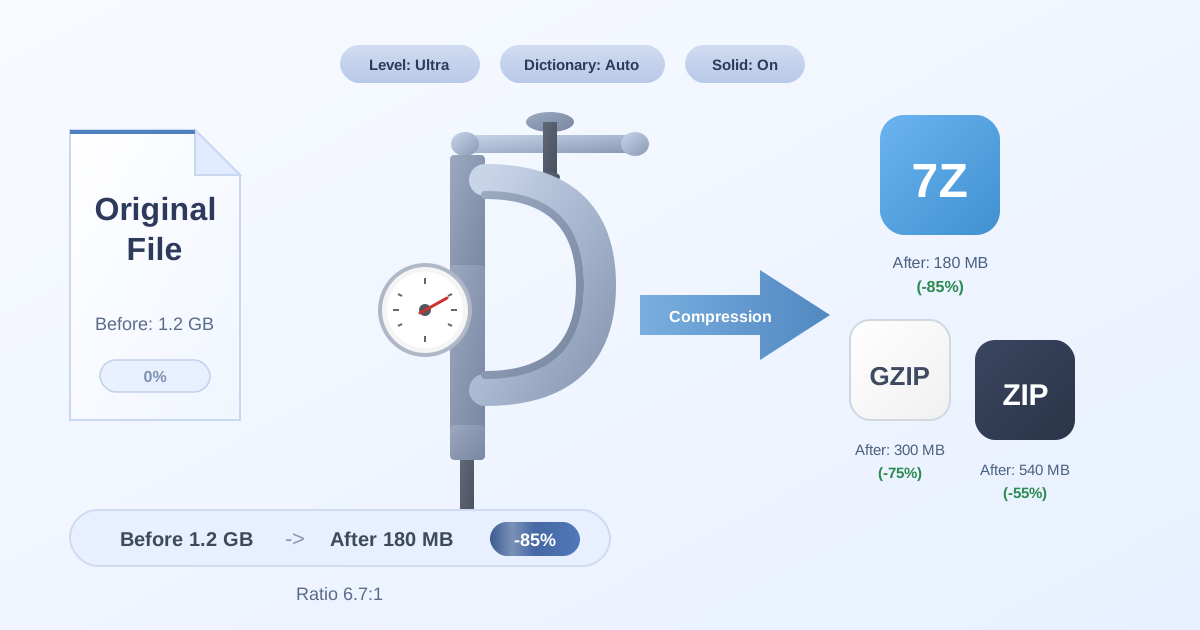
To make your data more portable, it's a great practice to bundle all related files into a single compressed archive. Using a tool to Compress Files can significantly reduce the total file size, making it faster to upload to cloud storage or send via email to a colleague or client. When your collaborator receives the file, they can easily use a tool to Decompress Files to access all the project data in its original structure.
In collaborative environments, you might also encounter different compression standards. If a partner sends you a .7z archive but your workflow is based on .zip, you don't need to install new software. You can simply use an online converter to switch formats, like from 7Z to ZIP, ensuring seamless compatibility and keeping your project on track.
Conclusion: Embrace the Power of Polygons
From the simplest triangle to the most complex, irregular shape, polygons form the geometric foundation of our world. While the manual formulas can seem daunting, a firm grasp of the concepts behind them—angles, perimeter, and area—is invaluable. By pairing this knowledge with the speed and accuracy of online polygon calculators, you can solve complex problems with ease and precision.
Whether you're a student, a professional, or simply a curious mind, you now have the tools and understanding to measure and analyze any polygon you encounter. Don't let complex shapes intimidate you; break them down, apply the right principles, and calculate with confidence.
Ready to streamline more of your digital tasks? Explore the wide range of free, privacy-focused utilities at Practical Web Tools and discover how you can work smarter, not harder.