Percent Difference Calculator & Formula Explained (Step-by-Step)

Introduction: More Than Just Numbers
Have you ever found yourself comparing two numbers and wondering what the real difference between them is? Maybe you're comparing the price of a product at two different stores, analyzing website traffic between two separate months, or even looking at the specs of two new smartphones. In these scenarios, simply subtracting one number from another doesn't tell the whole story. What you need is a way to express this difference relative to the magnitude of the numbers themselves. This is where the percent difference comes in.
While it might sound like a complex statistical term, the concept of percent difference is an incredibly practical tool for data analysis, finance, science, and even everyday decision-making. It provides a standardized measure of comparison, allowing you to understand the significance of the variation between two values when neither is considered the 'original' or 'starting' point.
This comprehensive guide will demystify the percent difference formula. We'll break it down step-by-step, explore practical examples, clarify its crucial distinction from percent change, and show you how to avoid common pitfalls. By the end, you'll be able to calculate and interpret percent difference with confidence.
What Exactly is Percent Difference?
Percent difference is a measure of the difference between two values, expressed as a percentage of the average of those two values. The key takeaway here is the use of the average. This makes it the perfect metric when you are comparing two data points on equal footing. There is no 'old' vs. 'new' or 'before' vs. 'after'. Both values are equally important.
Think of it this way: if you're measuring the percent change in your company's revenue from last year to this year, you're using 'last year' as your reference point. But if you're comparing your company's revenue to a competitor's revenue for the same year, which one is the reference? Neither. They are independent data points. By using their average as the reference, the percent difference formula treats both values symmetrically.
In essence, percent difference answers the question: "How different are these two numbers, relative to their average size?"
The Percent Difference Formula Unpacked
The formula itself is straightforward. Once you understand its components, applying it becomes second nature.
The Formula:
Percent Difference = [ |V1 - V2| / ((V1 + V2) / 2) ] * 100
Let's break down each part of this equation to understand its role:
- V1 and V2: These are the two values you are comparing. It doesn't matter which value you label as V1 or V2; the result will be the same.
- |V1 - V2|: This is the absolute difference between the two values. The vertical bars
| |signify absolute value, which means you take the positive value of the difference, regardless of which number is larger. Percent difference is always expressed as a positive number because it measures the magnitude of the difference, not its direction. - (V1 + V2) / 2: This is the average of the two values. This is the heart of the percent difference calculation and what distinguishes it from other percentage calculations. It serves as the baseline for comparison.
- / (Division): You divide the absolute difference by the average. This gives you a decimal representation of the relative difference.
- *** 100 (Multiplication):** To express this decimal as a percentage, you multiply the result by 100.
How to Calculate Percent Difference: A Step-by-Step Guide
To make it even clearer, let's walk through the calculation process step by step. We'll use a simple example: Let's compare the prices of the same book at two different online stores. Store A sells it for $25 (V1) and Store B sells it for $20 (V2).
Step 1: Find the Absolute Difference
Subtract one value from the other and take the absolute value. The order doesn't matter.
|V1 - V2| = |$25 - $20| = $5- The absolute difference is $5.
Step 2: Find the Average of the Two Values
Add the two values together and divide by 2.
(V1 + V2) / 2 = ($25 + $20) / 2 = $45 / 2 = $22.50- The average price is $22.50.
Step 3: Divide the Difference by the Average
Now, divide the result from Step 1 by the result from Step 2.
$5 / $22.50 ≈ 0.2222- This is the relative difference in decimal form.
Step 4: Convert to a Percentage
Multiply the decimal by 100 to get the final percentage.
0.2222 * 100 = 22.22%
Result: The percent difference between the two prices is 22.22%.
Practical Examples in Action
Let's explore a few more scenarios where calculating percent difference is incredibly useful.
Example 1: Comparing Experimental Results
A scientist conducts an experiment twice and gets two different measurements for the same constant: 9.8 m/s² and 10.1 m/s².
- V1 = 9.8
- V2 = 10.1
- Absolute Difference:
|9.8 - 10.1| = |-0.3| = 0.3 - Average:
(9.8 + 10.1) / 2 = 19.9 / 2 = 9.95 - Divide:
0.3 / 9.95 ≈ 0.03015 - Percentage:
0.03015 * 100 = 3.015%
The percent difference between the two measurements is approximately 3.02%. This helps the scientist quantify the consistency of their results.
Example 2: Analyzing Digital File Sizes
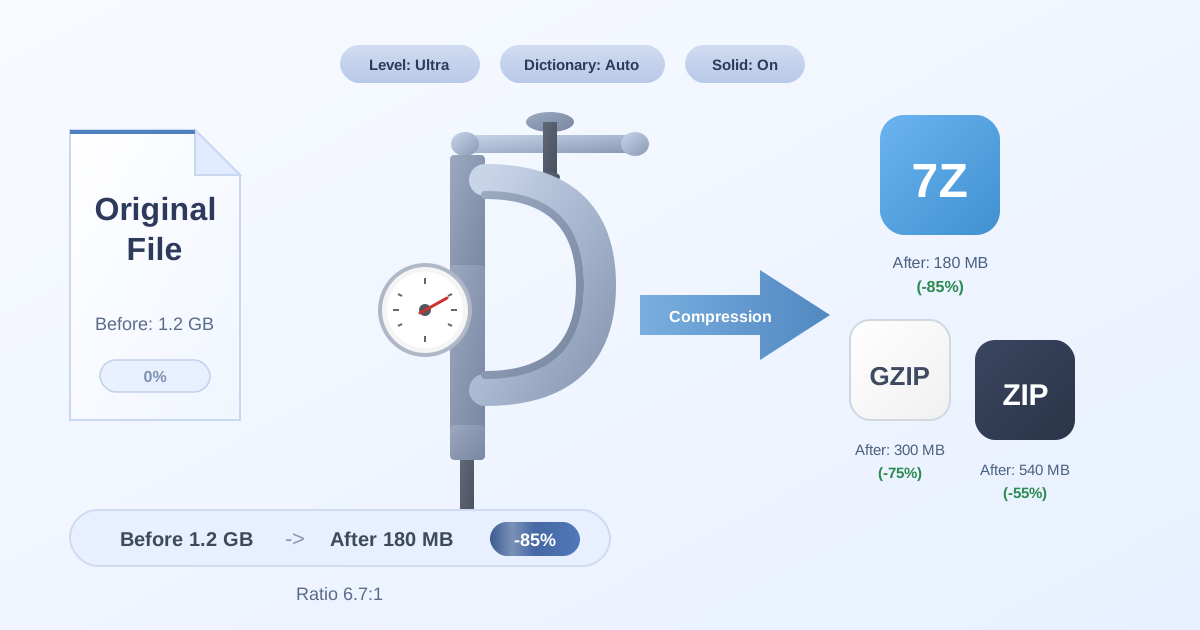
Here at Practical Web Tools, we understand the importance of managing digital assets efficiently. A common task is reducing file size for storage or faster transfers. Let's say you have a large folder of images totaling 500 MB. You use an online tool to compress it into a ZIP archive, and the final size is 120 MB.
Wait, isn't this a 'before' and 'after' scenario? Yes, so for this, you would typically use percent change to see the reduction. But what if you wanted to compare the effectiveness of two different compression algorithms? Let's say one method results in a 120 MB file, and another results in a 110 MB file.
- V1 (Method A) = 120 MB
- V2 (Method B) = 110 MB
- Absolute Difference:
|120 - 110| = 10 MB - Average:
(120 + 110) / 2 = 230 / 2 = 115 MB - Divide:
10 / 115 ≈ 0.0869 - Percentage:
0.0869 * 100 = 8.69%
The percent difference in file size between the two compression methods is 8.69%. This objective comparison can help you decide which compression format is better for your needs. If you're managing large archives, a tool to Compress Files is essential. Furthermore, if you receive a file in one format but prefer another for its compression ratio, using a converter like our ZIP to 7Z tool can be a lifesaver.
Percent Difference vs. Percent Change: A Crucial Distinction
This is one of the most common areas of confusion. While they sound similar, percent difference and percent change are used in fundamentally different contexts. Using the wrong one can lead to misinterpretation of your data.
Let's clarify with a side-by-side comparison:
| Feature | Percent Difference | Percent Change |
|---|---|---|
| Purpose | Compares two values when neither is a clear reference. | Measures the change from an old/original value to a new one. |
| Reference Point | The average of the two values. | The original or starting value. |
| Direction | Always positive (absolute). Measures magnitude only. | Can be positive (increase) or negative (decrease). |
| Formula | `[ | V1-V2 |
| When to Use | Comparing two stores' prices, two companies' profits. | Tracking stock price, population growth, weight loss. |
Illustrative Example: Imagine your website got 1,000 visitors in January and 1,500 visitors in February.
-
Percent Change: This is the correct metric here because you are tracking change over time. January is the 'Old Value'.
[(1500 - 1000) / 1000] * 100 = (500 / 1000) * 100 = 50%- Your website traffic increased by 50%.
-
Percent Difference: If you used this formula, you'd get a different answer.
[|1500 - 1000| / ((1500 + 1000) / 2)] * 100 = [500 / 1250] * 100 = 40%- This result (40%) doesn't accurately represent the growth from the initial value. It simply states that the difference between the two numbers is 40% of their average.
Always ask yourself: Am I measuring a change from a starting point, or am I comparing two independent points? Your answer will tell you which formula to use.
Using Percent Difference in Spreadsheets (Excel & Google Sheets)
Manually calculating percent difference is great for understanding the concept, but for larger datasets, a spreadsheet is far more efficient. Here’s how you can implement the formula in popular spreadsheet software.
Let's assume your first value (V1) is in cell A2 and your second value (V2) is in cell B2.
The formula you would enter into another cell (e.g., C2) is:
=ABS(A2-B2) / AVERAGE(A2,B2)
Let's break this down:
ABS(A2-B2): TheABSfunction calculates the absolute value of the difference between the two cells.AVERAGE(A2,B2): TheAVERAGEfunction calculates the average of the values in the specified cells.- To display this as a percentage, simply format the cell (
C2) as a 'Percentage' type. The spreadsheet will automatically multiply the result by 100 and add the '%' sign.
This method allows you to quickly drag the formula down a column to calculate the percent difference for hundreds or thousands of pairs of data points in seconds.
Common Mistakes to Avoid
When working with percentage calculations, small errors can lead to big inaccuracies. Here are a few common mistakes to watch out for when calculating percent difference:
- Confusing it with Percent Change: As we've detailed, this is the most frequent error. Always verify if you have a clear 'before' and 'after' scenario. If so, use percent change.
- Forgetting the Absolute Value: Percent difference measures the magnitude of variance and is always positive. If you get a negative number, you've likely forgotten to take the absolute value of the difference.
- Using the Wrong Denominator: Remember, the denominator must be the average of the two numbers
(V1 + V2) / 2, not their sum(V1 + V2)or one of the individual values. - Order of Operations Errors: When calculating manually, ensure you follow the correct order of operations (PEMDAS/BODMAS). Calculate the difference and the average first, then perform the division, and finally multiply by 100.
Conclusion: A Powerful Tool for Comparison
The percent difference formula is more than just a mathematical exercise; it's a powerful and versatile tool for making fair and standardized comparisons. By expressing the difference between two values relative to their average, it provides a meaningful metric that isn't biased towards one value over the other.
We've covered what percent difference is, broken down its formula, provided a step-by-step guide for calculation, and highlighted its crucial distinction from percent change. Whether you're a student, a scientist, a data analyst, or just someone looking to make more informed comparisons in your daily life, mastering this concept will undoubtedly enhance your analytical skills.
Now that you're equipped with the knowledge to compare data effectively, why not explore other ways to manage your information? Practical Web Tools offers a suite of over 455 free, privacy-focused online utilities to help you with your digital tasks. From editing documents to converting files, we have a tool for almost every need. Explore our collection today and streamline your workflow!